




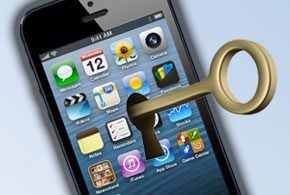
Apple users across Australia are reporting being victims of a widespread attack in which their iPhones, iPads and other iOS devices are being locked and held for ransom.
Apple support communities list several threads on the ransomware attack.
“I went to check my phone and there was a message on the screen (it’s still there) saying that my device(s) had been hacked by ‘Oleg Pliss’ and he/she/they demanded $100 USD/EUR (sent by paypal to lock404(at)hotmail.com) to return them to me,” a user with the alias “veritylikestea” from Melbourne, Australia, wrote.
The ransomware attack is leveraging the Find My iPhone application, which is part of Apple’s iCloud service. With Find My iPhone, a user can locate a lost iOS device and lock the device against unauthorized use. What’s happening in the Australian attack is a hacker has gained control of users’ iCloud account information and is locking their devices.
Apple has not yet publicly issued a statement on the issue; however, there is anecdotal evidence that the company is aware of the security breach.
According to a report on news.com.au, Melbourne resident Shannon Hampson contacted Apple after having her device hit by the ransom attack. Hampson said the Apple technician she spoke with was aware of the security breach.
There are a number of steps users in Australia and elsewhere can take to secure their Apple IDs. For one, Apple allows users to employ two-factor authentication, which could potentially limit the risk of the current attack. With two-factor authentication, a second password (or factor) is needed to access iCloud. That second factor is sent to Apple users’ devices via an SMS message. Apple provides complete instructions on how to set up two-factor authentication on its site.
Another piece of advice that has emerged on the Apple support forum is for users to change their Apple ID and then log into the Find My iPhone app and make sure their devices are not in lost mode.
Apple users in Australia have also reported that simply having a passcode on their devices has provided a degree of protection.
“Because I had a passcode set up on my phone, I got back in using that passcode and it’s all fine now,” Apple user lilmky2 wrote. “However my other devices didn’t have a passcode so they are still locked.”
Sean Michael Kerner is a senior editor at eWEEK and InternetNews.com. Follow him on Twitter @TechJournalist.