ENC Security Encrypt Stick Adds Private Browser to Its Encrypted USB Drives

執筆者
Andrew Garcia
Andrew Garcia
Published: Dec 3, 2010
Updated: Feb 2, 2021
2 minute read
ENC Security Encrypt Stick Adds Private Browser to Its Encrypted USB Drives
eWeek のコンテンツおよび製品のおすすめは、編集上の独立性を保っています。パートナーへのリンクをクリックすると、当社が報酬を得る場合があります。 詳細を見る


ENC Security Encrypt Stick Adds Private Browser to Its Encrypted USB Drives

ENC Security Encrypt Stick Adds Private Browser to Its Encrypted USB Drives

by Andrew Garcia


Encrypt Stick
2

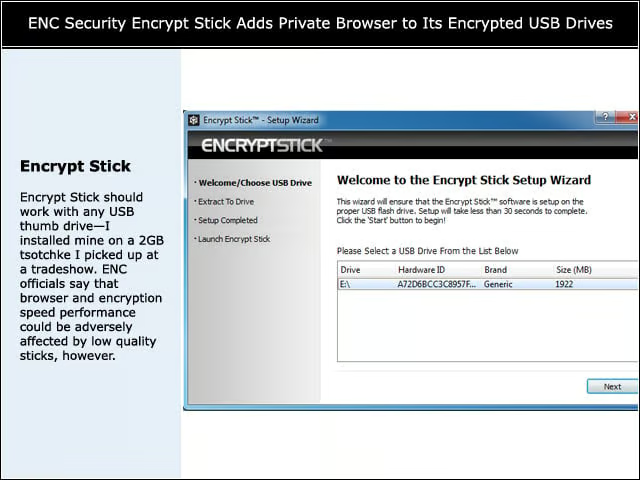
Encrypt Stick should work with any USB thumb drive—I installed mine on a 2GB tsotchke I picked up at a tradeshow. ENC officials say that browser and encryption speed performance could be adversely affected by low quality sticks, however.


Password
3

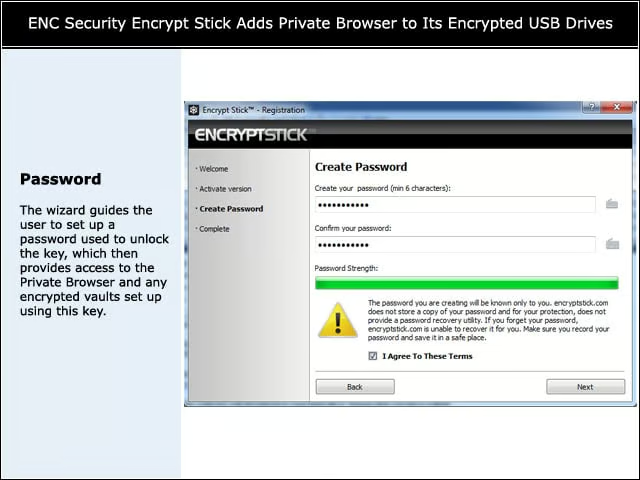
The wizard guides the user to set up a password used to unlock the key, which then provides access to the Private Browser and any encrypted vaults set up using this key.


Private Browser
4

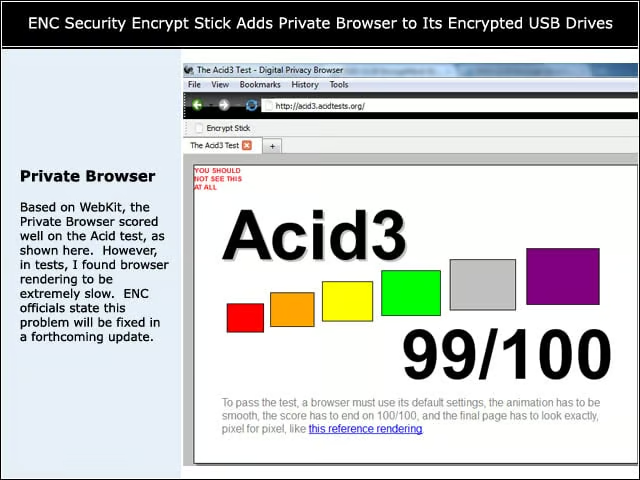
Based on WebKit, the Private Browser scored well on the Acid test, as shown here. However, in tests, I found browser rendering to be extremely slow. ENC officials state this problem will be fixed in a forthcoming update.


Advertisement

No Plug-ins

5

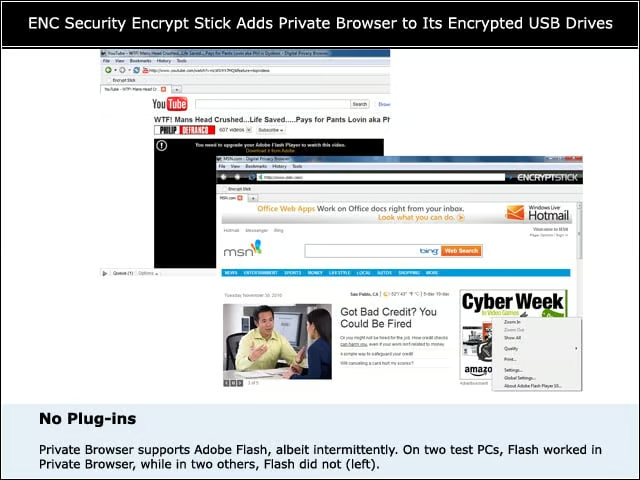
Private Browser supports Adobe Flash, albeit intermittently. On two test PCs, Flash worked in Private Browser, while in two others, Flash did not (left).


Saves
6

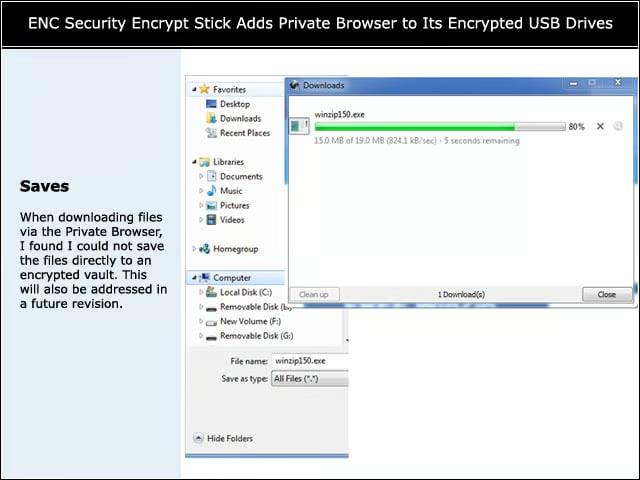
When downloading files via the Private Browser, I found I could not save the files directly to an encrypted vault. This will also be addressed in a future revision.


Moves
7

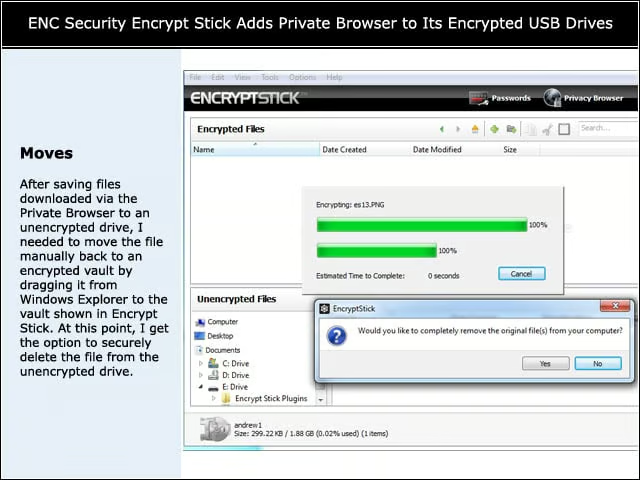
After saving files downloaded via the Private Browser to an unencrypted drive, I needed to move the file manually back to an encrypted vault by dragging it from Windows Explorer to the vault shown in Encrypt Stick. At this point, I get the option to securely delete the file from the unencrypted drive.


Password Groups
8

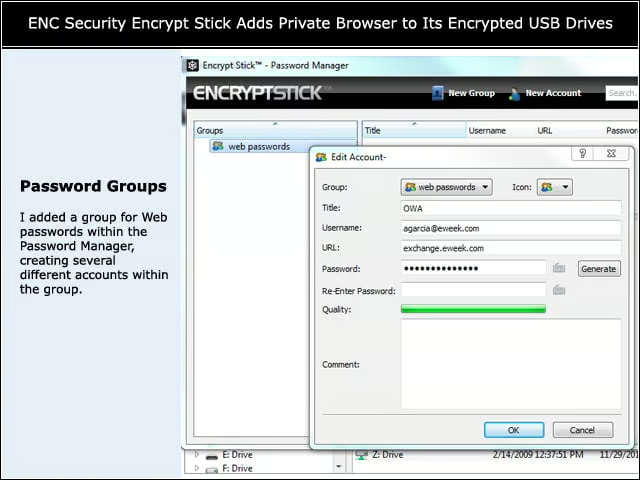
I added a group for Web passwords within the Password Manager, creating several different accounts within the group.


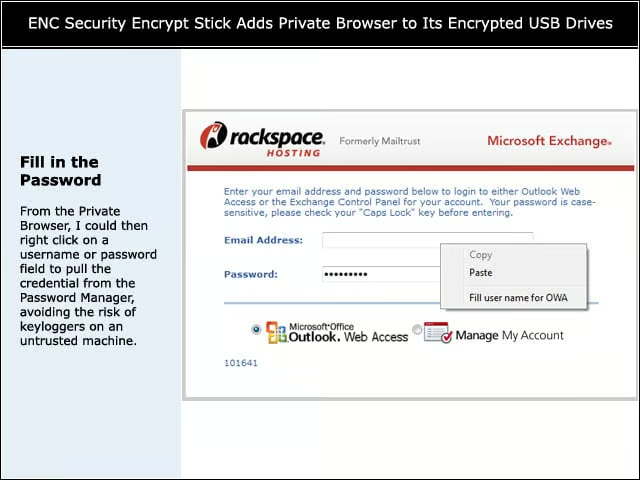
Fill in the Password
9

From the Private Browser, I could then right click on a username or password field to pull the credential from the Password Manager, avoiding the risk of keyloggers on an untrusted machine.

Andrew Garcia

Andrew Garcia

Content Writer

Andrew cut his teeth as a systems administrator at the University of California, learning the ins and outs of server migration, Windows desktop management, Unix and Novell administration. After a tour of duty as a team leader for PC Magazine's Labs, Andrew turned to system integration - providing network, server, and desktop consulting services for small businesses throughout the Bay Area. With eWEEK Labs since 2003, Andrew concentrates on wireless networking technologies while moonlighting with Microsoft Windows, mobile devices and management, and unified communications. He produces product reviews, technology analysis and opinion pieces for eWEEK.com, eWEEK magazine, and the Labs' Release Notes blog. Follow Andrew on Twitter at andrewrgarcia, or reach him by email at agarcia@eweek.com.

eWeek Logo

eWeek has the latest technology news and analysis, buying guides, and product reviews for IT professionals and technology buyers. The site's focus is on innovative solutions and covering in-depth technical content. eWeek stays on the cutting edge of technology news and IT trends through interviews and expert analysis. Gain insight from top innovators and thought leaders in the fields of IT, business, enterprise software, startups, and more.

TechnologyAdvice が所有・運営しています。 © 2026 TechnologyAdvice. 無断転載を禁じます

広告主に関する開示:このサイトに掲載されている製品の一部は、TechnologyAdvice が報酬を受け取っている企業のものです。この報酬は、製品がこのサイトのどこにどのように表示されるか(表示される順序など)に影響する場合があります。TechnologyAdvice は、市場で入手可能なすべての企業やすべての種類の製品を掲載しているわけではありません。