


LABS GALLERY: eEye Digital Security Retina CS Provides Top-Notch Management for Blink

Published: Jan 6, 2010
Updated: Feb 2, 2021
1 minute read
LABS GALLERY: eEye Digital Security Retina CS Provides Top-Notch Management for Blink
eWeek のコンテンツおよび製品のおすすめは、編集上の独立性を保っています。パートナーへのリンクをクリックすると、当社が報酬を得る場合があります。 詳細を見る


LABS GALLERY: eEye Digital Security Retina CS Provides Top-Notch Management for Blink

LABS GALLERY: eEye Digital Security Retina CS Provides Top-Notch Management for BlinkBy Matthew D. Sarrel


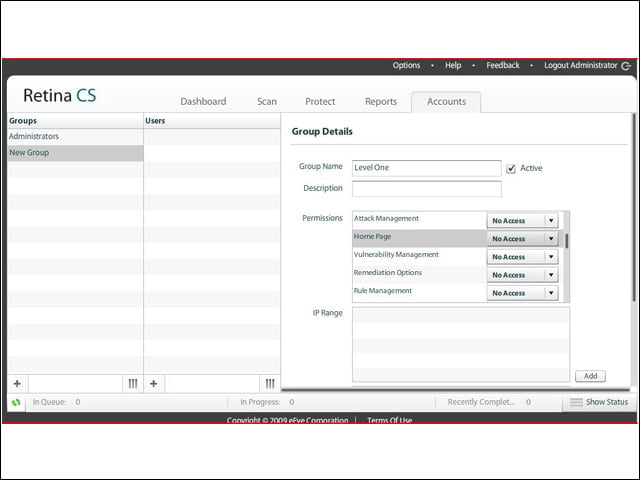
Granular Settings
2

Retina CS offers extremely granular settings to control read, read/write or no access to various management components.


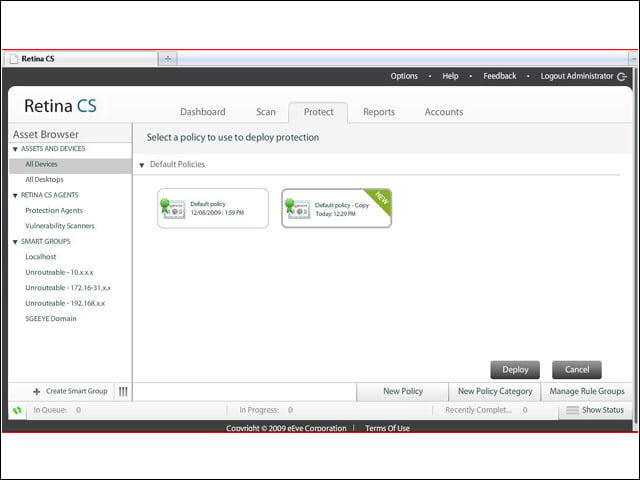
Deploying Policy
3

I copied the Default policy with a mouse click, edited the copy and deployed it from the Protect tab.


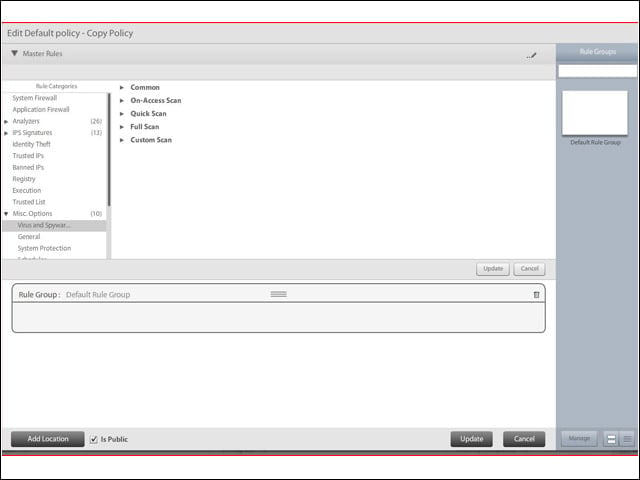
Hidden Settings
4

Not all is perfect. Essential configuration settings are buried under Misc. Options.


Help Is on the Way
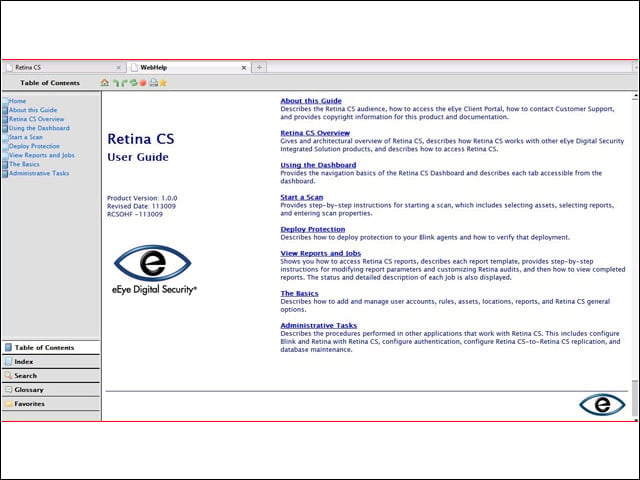
5

Help is Web-based, easy and quick to navigate.

Matthew Sarrel

Matthew D. Sarrel, CISSP, is a network security, product development, and consultant based in New York City. He is also a technical writer.

eWeek Logo

eWeek has the latest technology news and analysis, buying guides, and product reviews for IT professionals and technology buyers. The site's focus is on innovative solutions and covering in-depth technical content. eWeek stays on the cutting edge of technology news and IT trends through interviews and expert analysis. Gain insight from top innovators and thought leaders in the fields of IT, business, enterprise software, startups, and more.

TechnologyAdvice が所有・運営しています。 © 2026 TechnologyAdvice. 無断転載を禁じます

広告主に関する開示:このサイトに掲載されている製品の一部は、TechnologyAdvice が報酬を受け取っている企業のものです。この報酬は、製品がこのサイトのどこにどのように表示されるか(表示される順序など)に影響する場合があります。TechnologyAdvice は、市場で入手可能なすべての企業やすべての種類の製品を掲載しているわけではありません。