




- LABS GALLERY: IBM ISS Web App Solution Paints Big Security Picture
- Proventia Test Rack Front
- IBM ISS Test Rack Back
- AppScan Add SiteProtector
- Siteprotector AppScan Security Detail
- AppScan After Scan
- Cross-Site Scripting Advisories
- Cross-Site Scripting General Remediation
- Cross-Site Scripting Training
- AppScan Reports Customizable
- AppScan Report Word Template
- Create Report Regulations
- SecurityFusion
LABS GALLERY: IBM ISS Web App Solution Paints Big Security Picture
by Matthew D. Sarrel
Proventia Test Rack Front
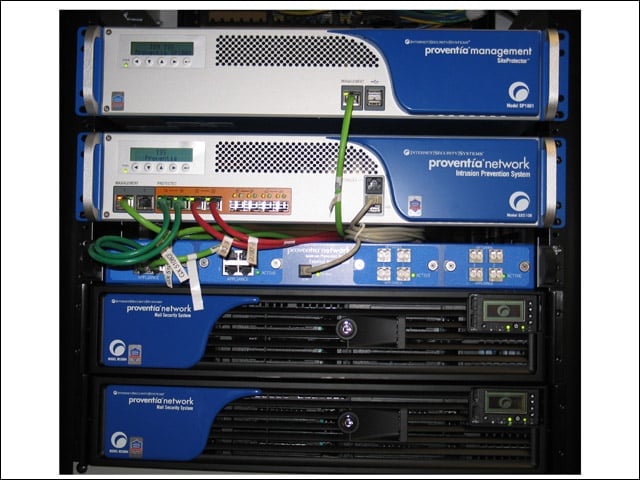
Here is our IBM ISS Proventia IPS test rack. The top device is an appliance running Proventia SiteProtector. The next down is the GX5108IPS we tested. Below that is a Proventia External Bypass Unit, and there are two Proventia Network Mail Security System boxes on the bottom.
IBM ISS Test Rack Back
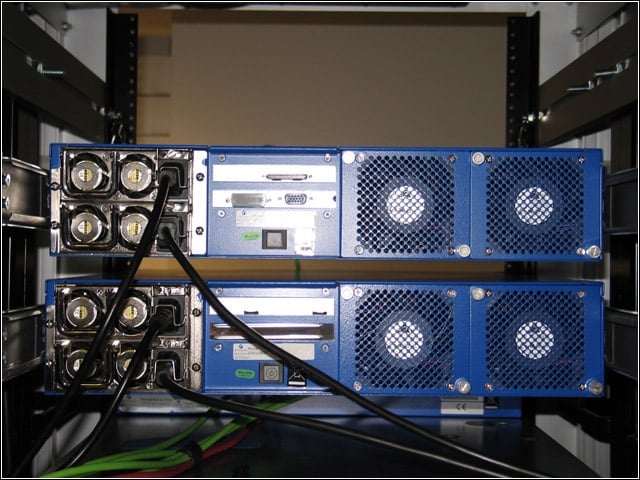
The Proventia GX5108 IPS we tested is the device on the bottom. There are redundant power supplies and fans in the 2U chassis.
AppScan Add SiteProtector
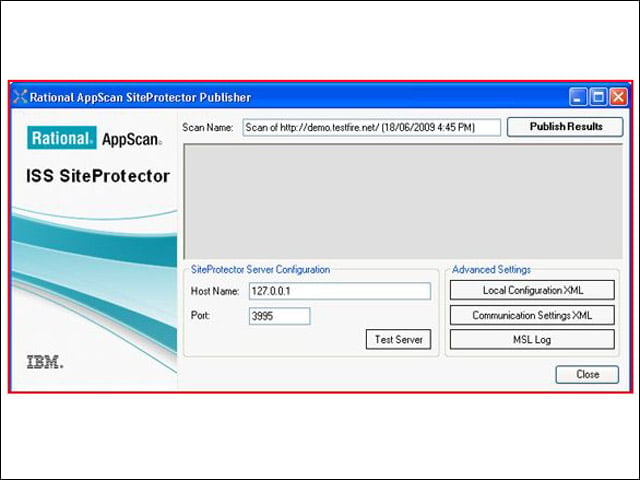
After following the simple setup process, all Rational AppScan results can be published to SiteProtector, where they can be integrated with security assessments.
Siteprotector AppScan Security Detail
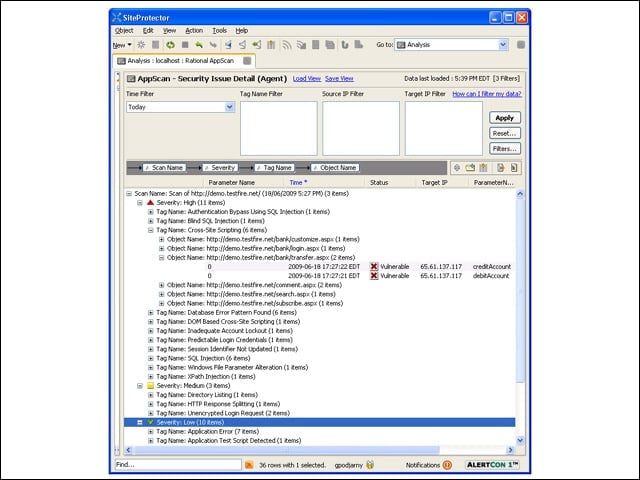
After publishing AppScan results to SiteProtector, security personnel can integrate vulnerability assessment information into overall security monitoring and reporting.
AppScan After Scan
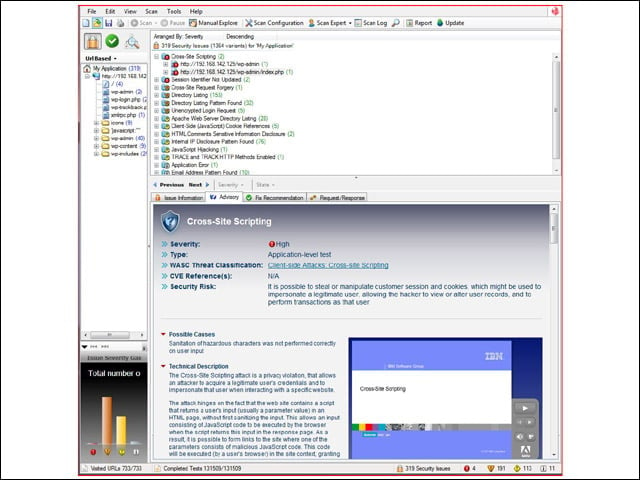
After scanning my application, AppScan provided me with a comprehensive list of vulnerabilities and variations of those vulnerabilities. I could drill down on a vulnerability or a page and see more information in the pane below.
Cross-Site Scripting Advisories
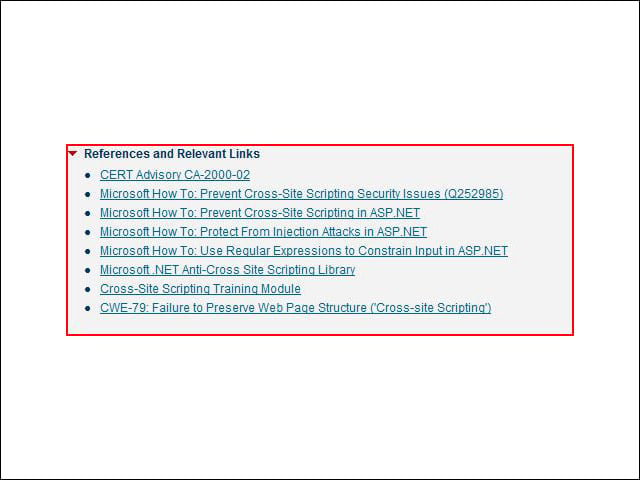
Links to advisories are included in the information about the cross-site scripting vulnerabilities found in my application.
Cross-Site Scripting General Remediation
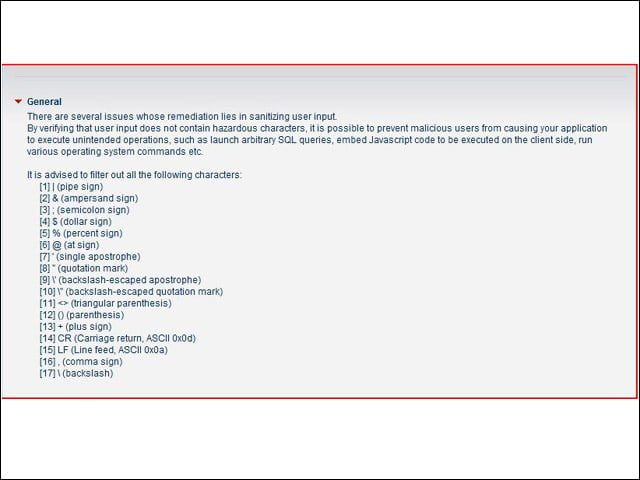
Remediation tasks start general and then dive down to specific lines of code. This helps developers and security personnel learn the principles as well as the fixes.
Cross-Site Scripting Training
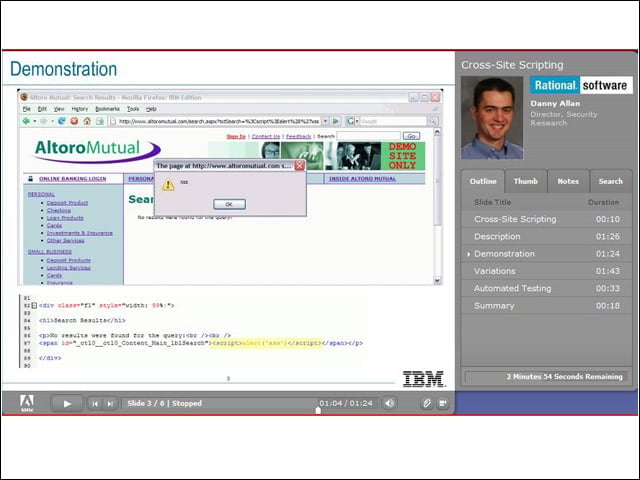
After a scan, links are provided to multimedia training materials that walk you through an attack and provide context with the significance of the attack and how it can be used.
AppScan Reports Customizable
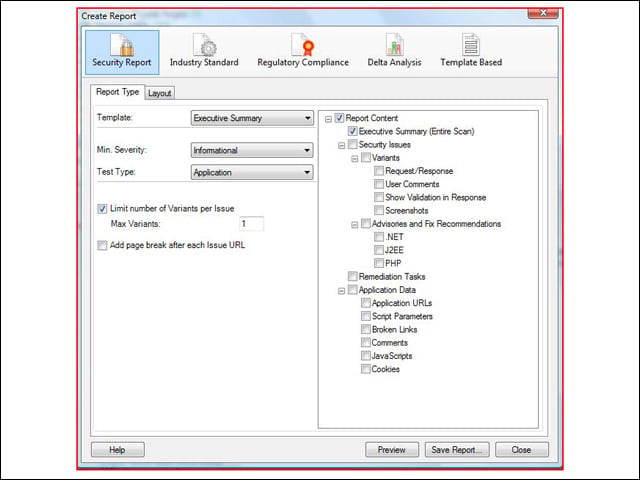
Reports in AppScan are highly customizable. Aside from the easy option of selecting report content based on role (Executive, Developer), it is also possible to pick specific content from the tree on the right.
AppScan Report Word Template
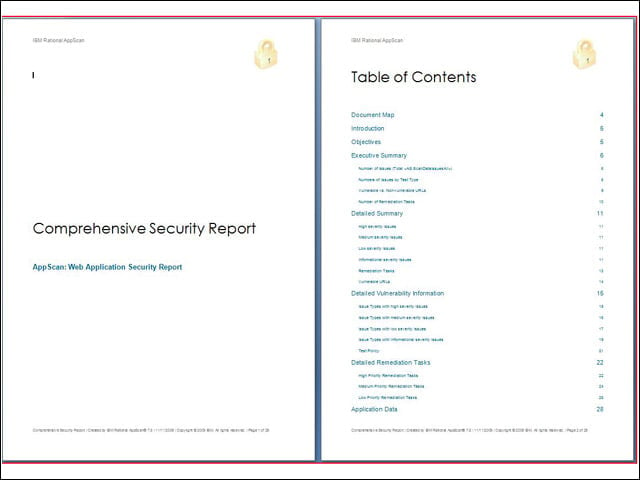
This is the coolest feature Ive seen in a reporting engine. It is very easy to create a completely custom report template in MS Word and then publish reports exactly how management wants to see them.
Create Report Regulations
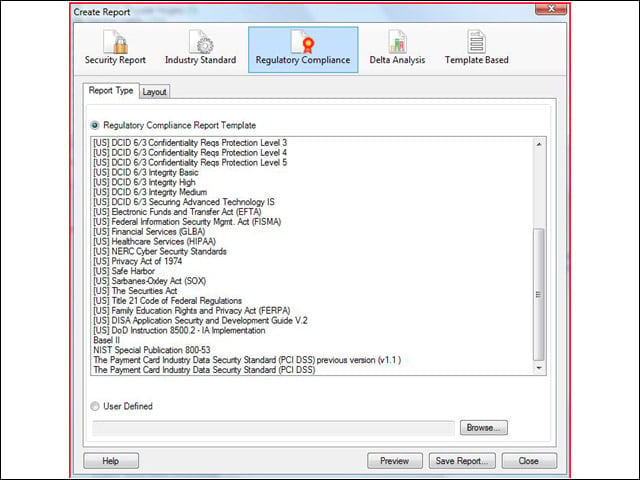
AppScan can place vulnerability assessment in context by mapping each discovered vulnerability onto a specific component of most applicable regulations. Demonstrating compliance is much easier when reporting can be automated like this.
SecurityFusion
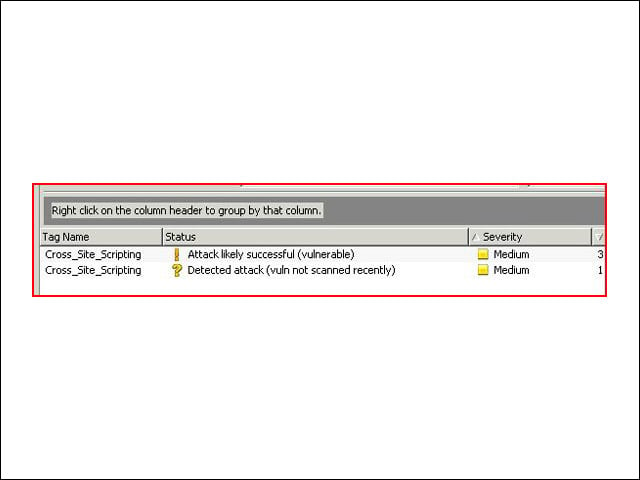
SecurityFusion correlates vulnerabilities discovered in AppScan with attack traffic reported by the Proventia IPS. This way remediation activities can be prioritized based on the likelihood of a vulnerability being exploited.