Windows Server 2008 R2 RC Includes Important Improvements to Hyper-V Implementation

Published: May 1, 2009
Updated: Feb 2, 2021
2 minute read
Windows Server 2008 R2 RC Includes Important Improvements to Hyper-V Implementation
eWeek mantém conteúdo e recomendações de produtos editorialmente independentes. Podemos ganhar dinheiro quando você clica em links de nossos parceiros. Saiba mais


Windows Server 2008 R2 RC Includes Important Improvements to Hyper-V Implementation

Windows Server 2008 R2 RC Includes Important Improvements to Hyper-V Implementation

Running Together
2

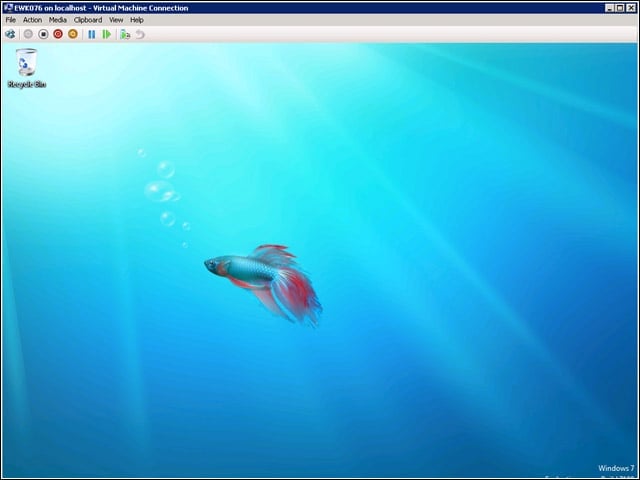
Windows Server 2008 R2 RC improves on how guest machines are hosted in Hyper-V. In the next several screens, I’ll add a virtual hard drive to this running instance of Windows 7 to add storage space.


Adding VHD
3

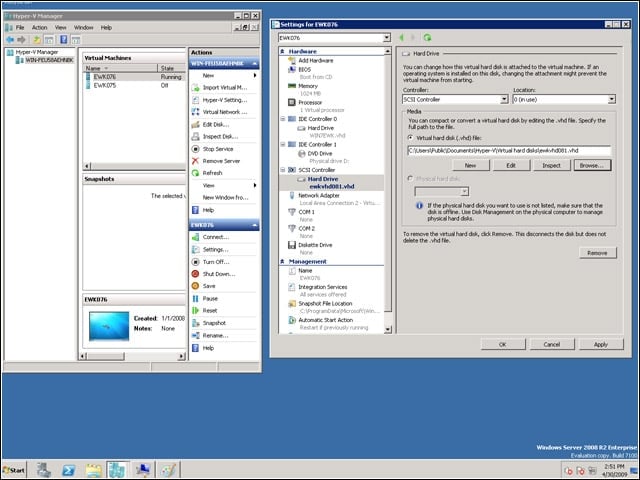
On the left, you see two virtual machines: EWK076, shown running, and EWK075, which is off. On the right, you see that I’m adding “ewkvhd081,” a virtual hard drive I created earlier, to the running VM named EWK076.


Two Drives
4

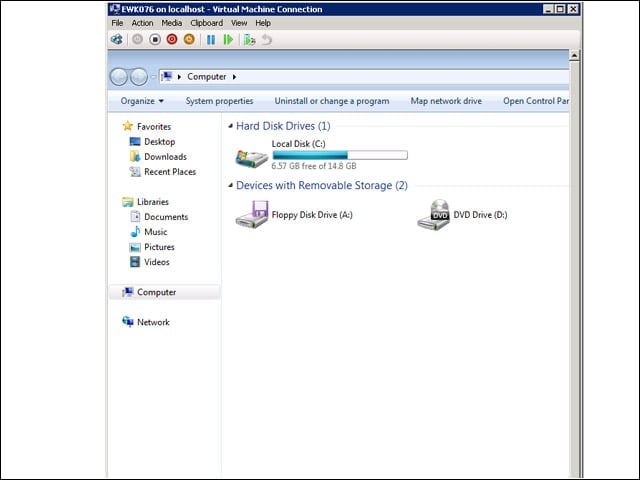
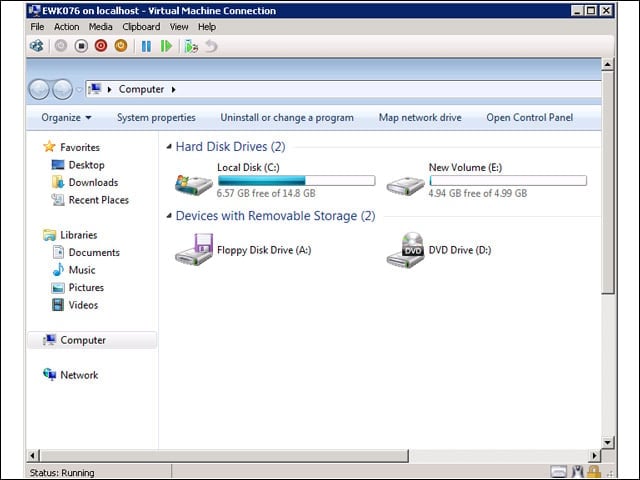
Looking at the system properties on the virtual machine EWK076, you can see that there are now two hard drives available. Local disk C: is the 15GB drive that was created with the virtual machine and holds the Windows 7 operating system and also the new volume E:, which is a small 5GB virtual hard drive.


Advertisement

Now Just One

5

On the fly, I was able to remove the virtual hard drive E: through the Hyper-V manager running on my Windows 2008 R2 system. The virtual machine, EWK076, didn’t hiccup as hard drives were added and removed while it was running.


Logical Processors
6

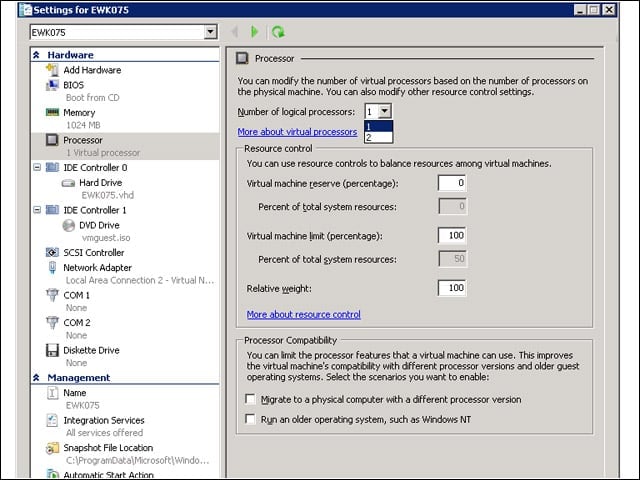
According to a November 2008 Microsoft posting on TechNet, Hyper-V can handle up to 32 physical processors. The number of logical processors that can be assigned to a guest is limited to the number of physical processors. Here, you see that my test system has two physical processors.


AppLocker
7

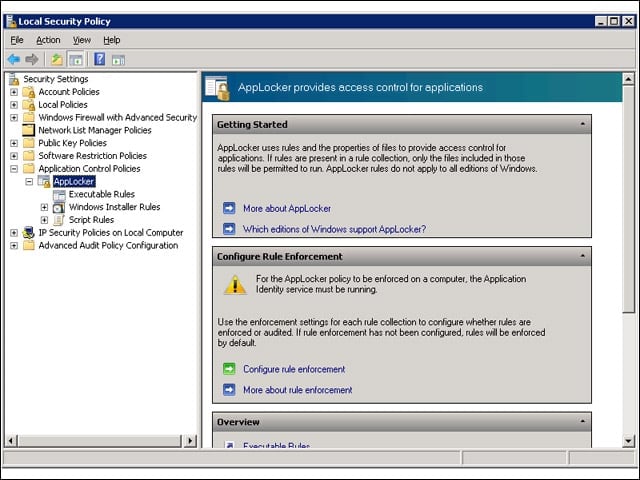
AppLocker replaces the Software Restriction Policies feature in Windows 7 and Windows Server 2008 R2. AppLocker has been cleaned up to reduce administrative overhead and help control how users can access and use files, such as .exe files, scripts, Windows Installer files and DLLs.


User Account Control
8

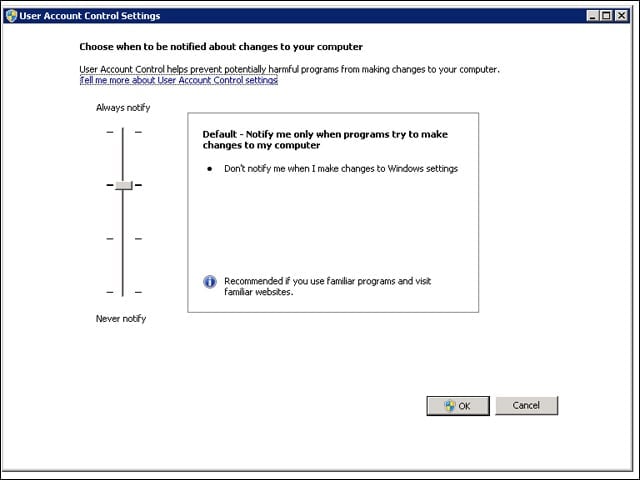
In Windows 7 and Windows Server 2008 R2, UAC increases the number of tasks that the standard user can perform without prompts for administrator approval, allows a user with administrator privileges to configure the UAC (shown here) and provides additional local security policies.


PowerShell
9

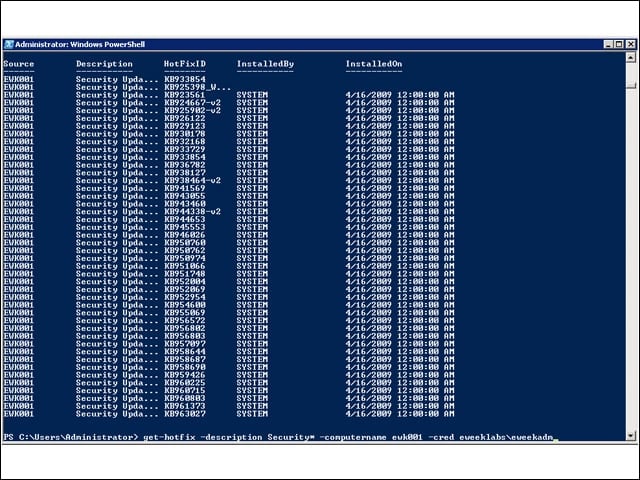
There are many new command tools, called cmdlets, including one shown in action here called get-hotfix that retrieved the security hotfixes off of another server on the eWEEK Labs test network. You can see the command at the bottom of the screen.

Cameron Sturdevant

Cameron Sturdevant

Content Writer

Cameron Sturdevant is the executive editor of Enterprise Networking Planet. Prior to ENP, Cameron was technical analyst at PCWeek Labs, starting in 1997. Cameron finished up as the eWEEK Labs Technical Director in 2012. Before his extensive labs tenure Cameron paid his IT dues working in technical support and sales engineering at a software publishing firm . Cameron also spent two years with a database development firm, integrating applications with mainframe legacy programs. Cameron's areas of expertise include virtual and physical IT infrastructure, cloud computing, enterprise networking and mobility. In addition to reviews, Cameron has covered monolithic enterprise management systems throughout their lifecycles, providing the eWEEK reader with all-important history and context. Cameron takes special care in cultivating his IT manager contacts, to ensure that his analysis is grounded in real-world concern. Follow Cameron on Twitter at csturdevant, or reach him by email at cameron.sturdevant@quinstreet.com.

eWeek Logo

eWeek has the latest technology news and analysis, buying guides, and product reviews for IT professionals and technology buyers. The site's focus is on innovative solutions and covering in-depth technical content. eWeek stays on the cutting edge of technology news and IT trends through interviews and expert analysis. Gain insight from top innovators and thought leaders in the fields of IT, business, enterprise software, startups, and more.

Propriedade da TechnologyAdvice. © 2026 TechnologyAdvice. Todos os direitos reservados

Divulgação de anunciantes: alguns dos produtos que aparecem neste site são de empresas das quais a TechnologyAdvice recebe remuneração. Essa remuneração pode influenciar como e onde os produtos aparecem neste site, incluindo, por exemplo, a ordem em que aparecem. A TechnologyAdvice não inclui todas as empresas nem todos os tipos de produtos disponíveis no mercado.