




Navigating the Google Buzz, Facebook Privacy Waters
Navigating the Google Buzz, Facebook Privacy WatersBy Brian Prince
Stop Following Me
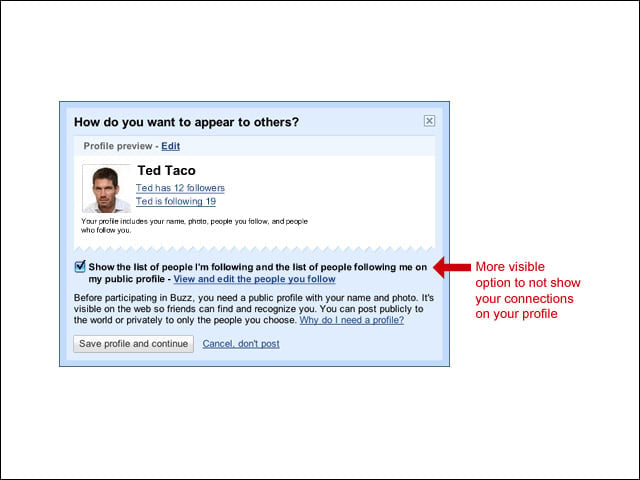
To address user concerns, Google created a check box so that users are aware they have the ability to block the list of whom they are “following” to appear on their public Google profile.
Protecting Posts
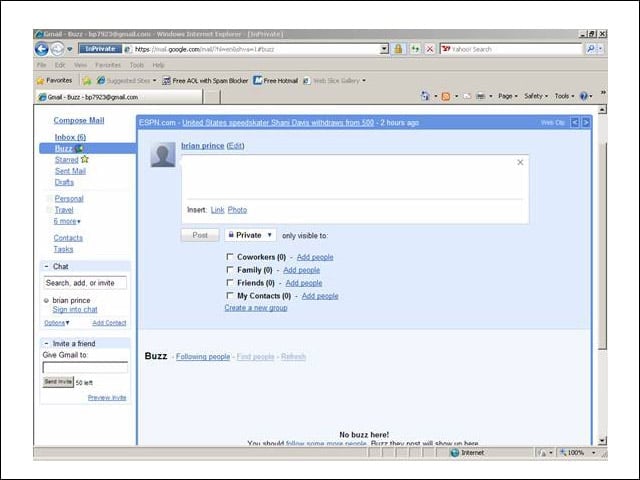
Like on Facebook, Buzz users have the ability to select who can see their posts. This can be further broken down into groups, such as family and coworkers. Posts can also be set to public, making them visible on the user’s publicly searchable Google profile.
Blocking Unwanted Followers
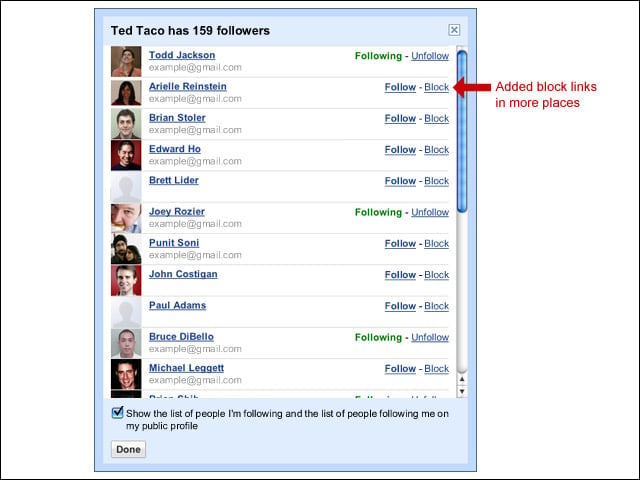
Google has added more links to block individuals from following users. Initially, users could only block people from following them after they had created a public profile. However, now users can block anyone regardless of whether they’ve created profiles for themselves.
Watching Whos Watching Me
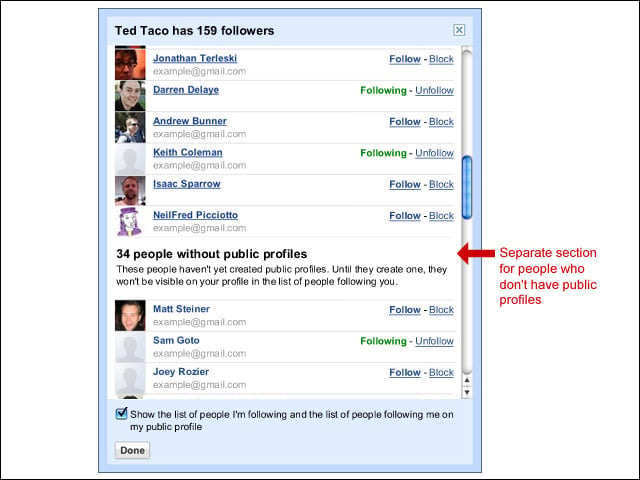
There is a separate list for followers who have not created profiles. Until they make one, they will not be visible on your profile in the list of people following you.
Mobile Buzz Gives Location
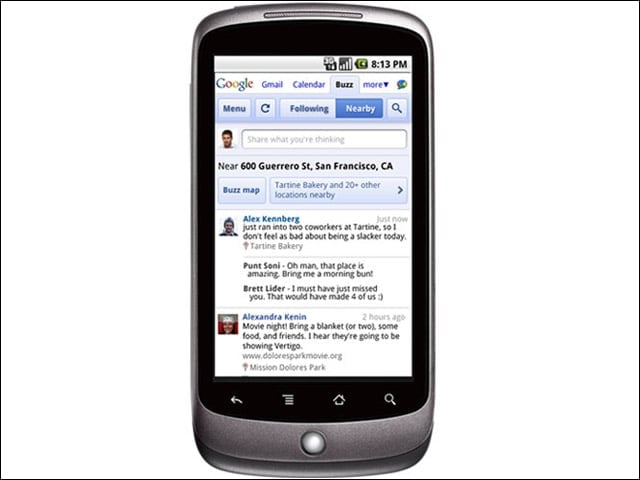
Some have expressed concerns about this feature for the mobile version of Buzz. If a user chooses to view “nearby” posts, their location will be collected by Google. Location data will also be collected if a user creates a post that shares their location. However, users can also choose to exclude their location from all mobile posts or on a post-by-post basis.
Setting Up Facebook Privacy Levels
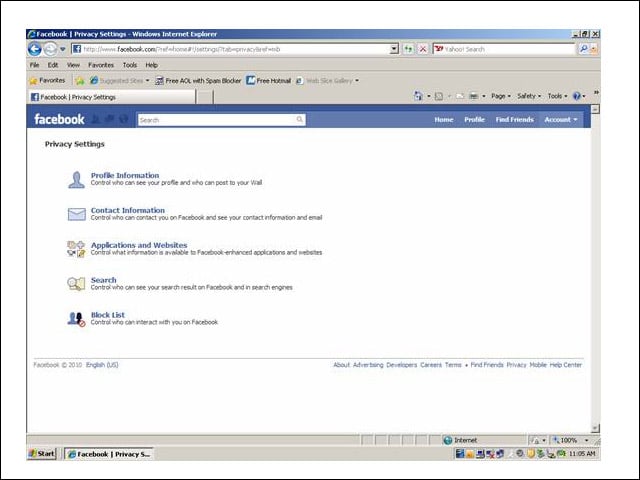
From the start, Facebook tries to make users aware of the privacy configurations available on the site. By default, the privacy settings are configured to the most public setting possible—something that drove many users up a wall last year when Facebook announced its privacy changes.
Facebook Privacy Reloaded
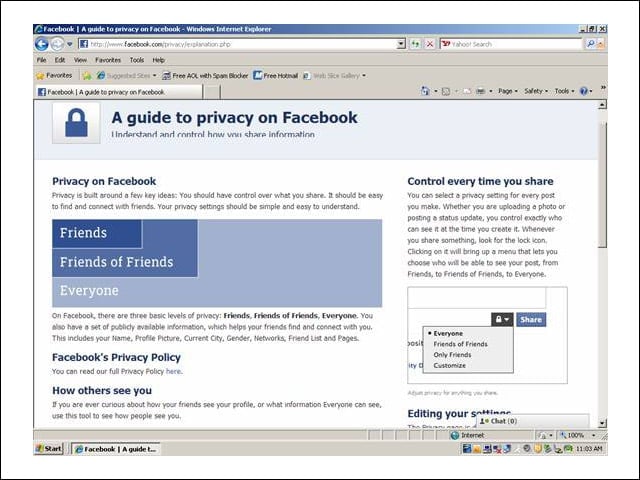
Facebook allows users to choose who can view any piece of content they post, as well as control who contacts them. Users can also opt to conceal their Facebook profile from Web searches.
Social Networking Fears Rise
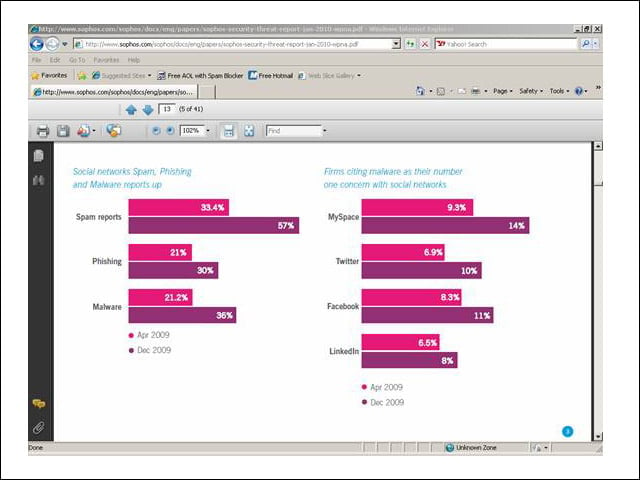
In a survey, IT pros told Sophos that they were increasingly worried about the impact of social networks on the security of their business. Perhaps due to its popularity, Facebook caused the most concern of the social networks, with 61 percent stating it posed a bigger risk than LinkedIn, MySpace and Twitter.