Building a Virtualized Testbed on the Cheap – Part I: Hardware and Layout

Escrito por
Andrew Garcia
Andrew Garcia
Published: Mar 9, 2009
Updated: Feb 2, 2021
2 minute read
Building a Virtualized Testbed on the Cheap – Part I: Hardware and Layout
eWeek mantém conteúdo e recomendações de produtos editorialmente independentes. Podemos ganhar dinheiro quando você clica em links de nossos parceiros. Saiba mais


Building a Virtualized Testbed on the Cheap – Part I: Hardware and Layout

Building a Virtualized Testbed on the Cheap – Part I: Hardware and Layout

by Andrew Garcia


Hardware Used
2

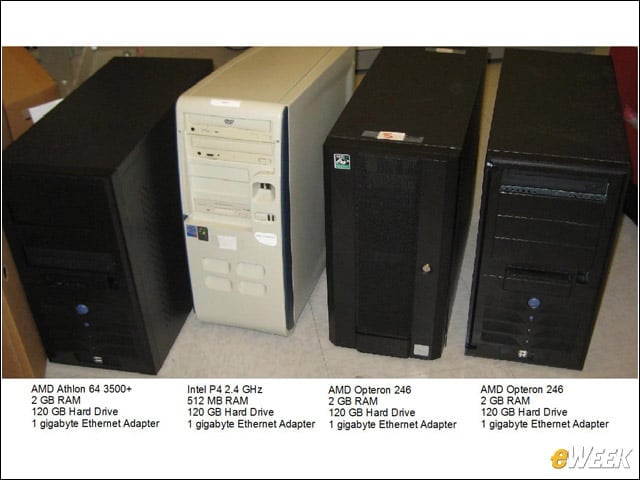
I only used hardware lying around the lab, none of which is particularly powerful or modern. There will be shortcomings in the ESXi testbed, particularly a lack of 64-bit client support as none of the processors supports virtualization extensions.


Endgame Topology
3

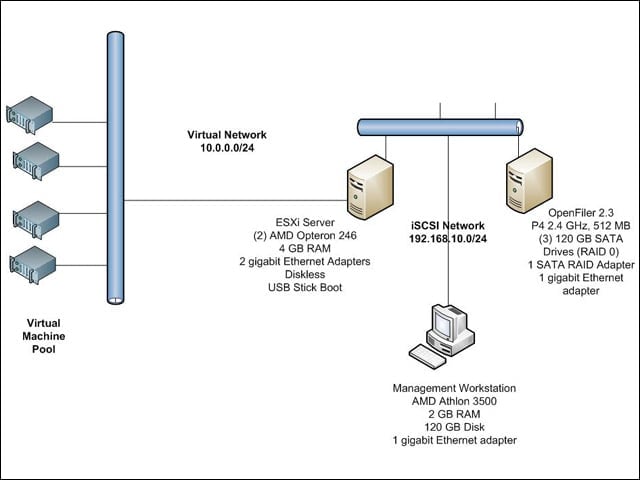
With this hardware plus a SATA RAID controller and some USB sticks, I built one virtual host, an iSCSI NAS appliance and a management workstation. It’s a flexible architecture that will allow me to easily share already built virtual machines with any additional ESXi servers I add to the network at a later time.


Software Used
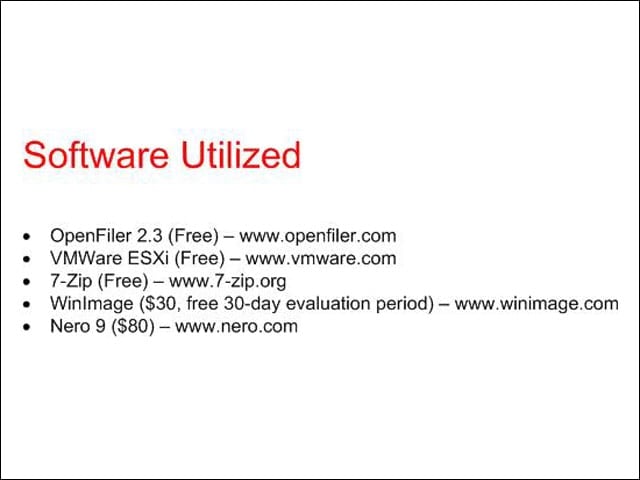
4

Most of the software used in this demonstration is either free or available as a shareware trial. Hopefully, most of you have already invested in some CD burning software.


Advertisement

Diskless

5

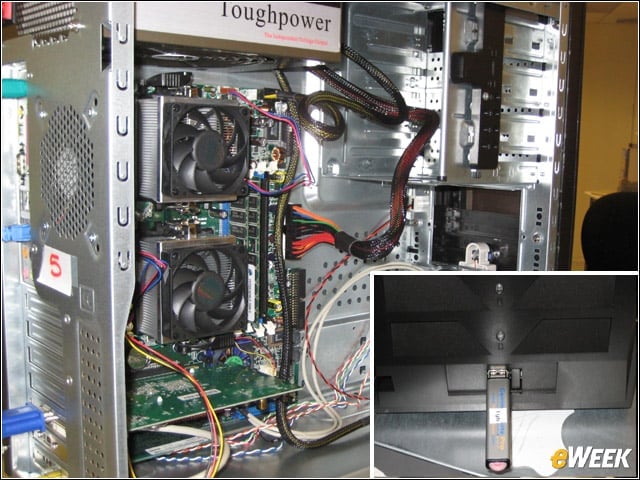
Thankfully, my motherboard supported dual processors, so I combined the AMD Opteron 246 processors and RAM from both Opteron machines into one chassis. Because the ESXi footprint is so small, we don’t need a hard drive in the ESXi server; we can instead boot and run the software from a 1GB USB stick.


Building a NAS
6

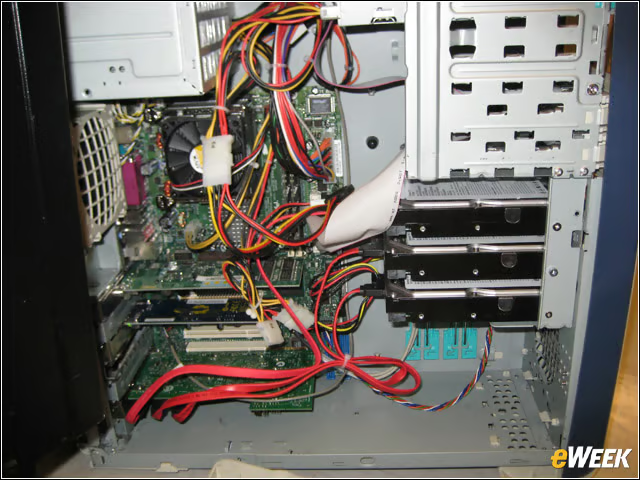
I added both the 120GB hard drives from the Opteron servers to the 120GB disk already in this machine. This gave me a 360GB RAID 0 array to use for my iSCSI server. OpenFiler works with the 512MB of RAM I have in this machine, although I would recommend bumping it up to 1GB.


No Title

Andrew Garcia

Andrew Garcia

Content Writer

Andrew cut his teeth as a systems administrator at the University of California, learning the ins and outs of server migration, Windows desktop management, Unix and Novell administration. After a tour of duty as a team leader for PC Magazine's Labs, Andrew turned to system integration - providing network, server, and desktop consulting services for small businesses throughout the Bay Area. With eWEEK Labs since 2003, Andrew concentrates on wireless networking technologies while moonlighting with Microsoft Windows, mobile devices and management, and unified communications. He produces product reviews, technology analysis and opinion pieces for eWEEK.com, eWEEK magazine, and the Labs' Release Notes blog. Follow Andrew on Twitter at andrewrgarcia, or reach him by email at agarcia@eweek.com.

eWeek Logo

eWeek has the latest technology news and analysis, buying guides, and product reviews for IT professionals and technology buyers. The site's focus is on innovative solutions and covering in-depth technical content. eWeek stays on the cutting edge of technology news and IT trends through interviews and expert analysis. Gain insight from top innovators and thought leaders in the fields of IT, business, enterprise software, startups, and more.

Propriedade da TechnologyAdvice. © 2026 TechnologyAdvice. Todos os direitos reservados

Divulgação de anunciantes: alguns dos produtos que aparecem neste site são de empresas das quais a TechnologyAdvice recebe remuneração. Essa remuneração pode influenciar como e onde os produtos aparecem neste site, incluindo, por exemplo, a ordem em que aparecem. A TechnologyAdvice não inclui todas as empresas nem todos os tipos de produtos disponíveis no mercado.