






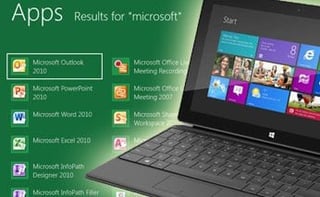

With Microsoft getting ready to launch the latest version of its operating system, Windows 8, there has been much talk about how people will react to its radically designed user interface. Some reports indicate the OS is confusing and not intuitive for users who have grown accustomed to the standard layout earlier Windows systems have.
Designed for touch-screen and mobile devices, Windows 8 could offer benefits for small-business owners looking to boost mobile productivity and make investments in smartphones, tablets and other touch-centric mobile devices, but unease with the user interface could slow adoption.
There are numerous applications packaged with Windows 8 that are aimed at bolstering connectivity, collaboration and communications, including AppLocker, which helps administrators control which applications and files users can run and that can reduce an organization’s cost of managing computing resources by decreasing the number of help desk calls that result from users running unapproved applications. Other apps, like DirectAccess, create a single point of configuration and management for remote access server deployment.
Small businesses considering adoption of Windows 8 should also take into consideration the rising number of mobile devices headed to market that are optimized for its use, including the Lenovo ThinkPad Twist, HP Envy 4 Ultrabook, Sony T13 Touch Ultrabook, Asus VivoTab tablet and Samsung ATIV Windows 8 tablet. Organizations deploying bring-your-own-device (BYOD) programs could also benefit from Windows 8, allowing employees to pick the devices the feel are best-suited to working with the platform.
Businesses can also get help from big-box office supply retailers like Staples, which recently rolled out an “8 Was Easy” launch program. Customers can preorder computers and tablets optimized for Windows 8 at the company’s physical and online stores and receive the free 8 Was Easy program, which includes free personalized training. The program also includes free support and free startup with the purchase of any Windows 8 computer. Businesses that purchase any Windows 8 PC regularly priced at $699 and above will also receive free data transfer from their old computer.
The biggest risk Microsoft is taking with Windows 8 is the redesigned user interface, which has left users confused when trying to learn the new system. In a September report, IT analytics firm Garter noted Windows 8 could fall into the same trap as it did with Windows Vista, which Gartner estimates just 8 percent of PCs run by Gartner clients ran Vista at its peak.
Gartner also questioned its appropriateness for traditional desktop and notebook machines, which comprise the majority of the existing PC market. However, the report concluded if Windows 8 does find success among businesses, its impact could be widespread, affecting the way IT departments deploy personal computing devices in an age of BYOD initiatives and the general consumerization of IT.