







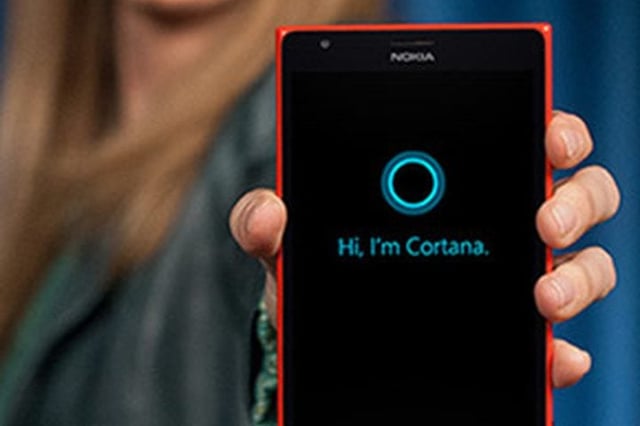
Cortana is now a Skype contact, enabling users to chat with Microsoft’s virtual assistant technology as they would their friends, family and colleagues.
Microsoft is currently rolling out a new Cortana in Skype feature for the iOS and Android versions of the application. Among the new functionality is the ability to have a chat with Cortana and get answers to day-to-day questions without bringing up a search engine, digging through an inbox or consulting a calendar.
“So now, you can have natural conversations in one-on-one chats with Cortana—just like you would with your friends, family, and coworkers,” blogged Microsoft Skype staffers on Oct. 9. “Get answers to your burning questions, like the name of the lead actor in your favorite movie or what the weather outlook is for the weekend. You can also ask Cortana to check your flight status, give you a stock quote, or suggest the best restaurants in your area.”
Cortana in Skype can also insert herself into Skype chat conversations with other contacts (of the human variety) and provide in-context assistance. Depending on the content or theme of a chat session, Cortana can offer helpful suggestions that keep the conversation going.
As illustrated in the blog post, Cortana can offer up film suggestions and local restaurants when the conversation turns to attending a movie and getting bite to eat. Cortana will also display “smart replies” and offer to set up a reminder while chat participants plan an appointment or outing.
Although Cortana automatically appears in Skype, users will need to grant the feature permission to access a user’s location and the contents of their chat sessions to generate smart replies and local suggestions. Of course, Cortana may generate less-than-helpful recommendations. In those cases, users can tap on the “thumbs down” icon to dismiss them and submit feedback to Microsoft.
Finally, users can elect to turn off the features. Although Cortana can’t be deleted from the contacts list, she can be disabled under the app’s settings page.
Cortana only works in Skype’s text chat feature, not during voice and video calls, notes Microsoft in a related support page.
The new Skype functionality is the latest example of Cortana’s spread beyond Windows 10.
In June, Microsoft launched a pilot for a Cortana integration that generates shopping suggestions while users research products with the Edge browser. While perusing an item online, Cortana may appear in the address bar to alert users to alternative retailers, some of which may offer a better price. In the United States, the feature supports several leading online stores and marketplaces, including Amazon, eBay and Walmart.
Cortana took a healthier turn in July with a new Fitbit skill that allows users to keep track of their fitness goals. With voice commands, users can have Cortana update them on steps taken, leaderboard statistics and more.
And in August, Microsoft and Amazon announced that their rival virtual assistants will soon be able to talk to one another. Cortana users on Windows 10 will be able to access Alexa tasks sometime this fall, while Alexa users will be able to tap into Office 365 calendars and other Cortana-enabled Microsoft services.