







- Citrix GoToAssist Walkthrough
- Citrix GoToAssist Walkthrough – Start ScreenSharing
- Citrix GoToAssist Walkthrough – Help Alert
- Citrix GoToAssist Walkthrough – Viewer Message
- Citrix GoToAssist Walkthrough – Chatty support
- Citrix GoToAssist Walkthrough – Color Space — end users side
- Citrix GoToAssist Walkthrough – Color Space — representatives side
- Citrix GoToAssist Walkthrough – See More Slideshows Like This One
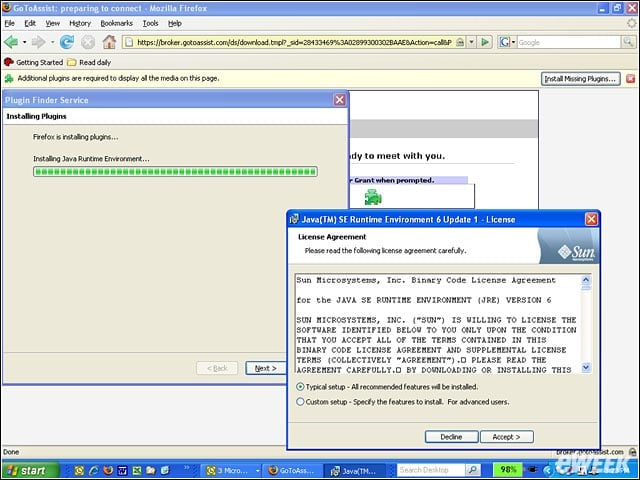
Citrix GoToAssist Walkthrough
End users running Mozillas Firefox browser have to install the Java SE Runtime Environment to get the GoToAssist broker, a temporary agent to work on their systems. IE users will see some download activity when connecting to representatives via GoToAs
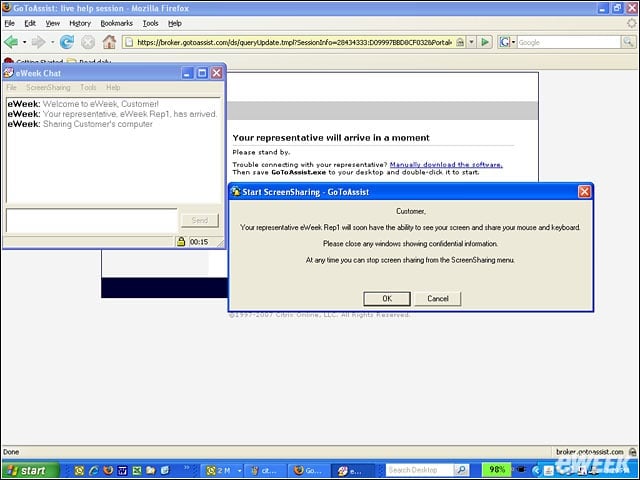
Citrix GoToAssist Walkthrough – Start ScreenSharing
End users are advised before the representative connects to close any screens with confidential information. A live chat window opens automatically at the start of the session and the conversation is added to the support record for later review.
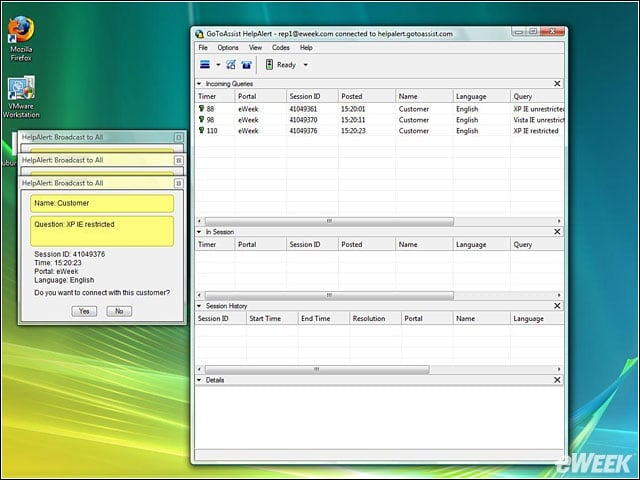
Citrix GoToAssist Walkthrough – Help Alert
On the help representatives system, shown here running on Windows Vista, an alert that is broadcast to all available representatives. The queue shows which end users are in need of help, what language they are using and other time and date information
Citrix GoToAssist Walkthrough – Viewer Message
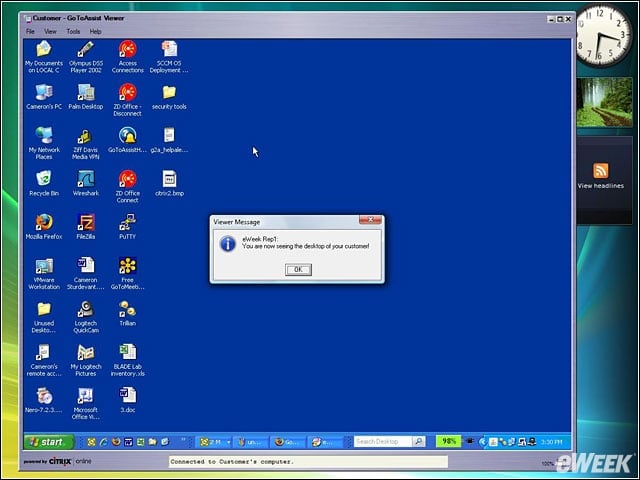
We tested the support representative interface using IE7 running on Windows Vista. The end user system, running Windows XP, can be seen inset on the representatives desktop. The end user system was a Lenovo ThinkPad and the entire end user screen is s
Citrix GoToAssist Walkthrough – Chatty support
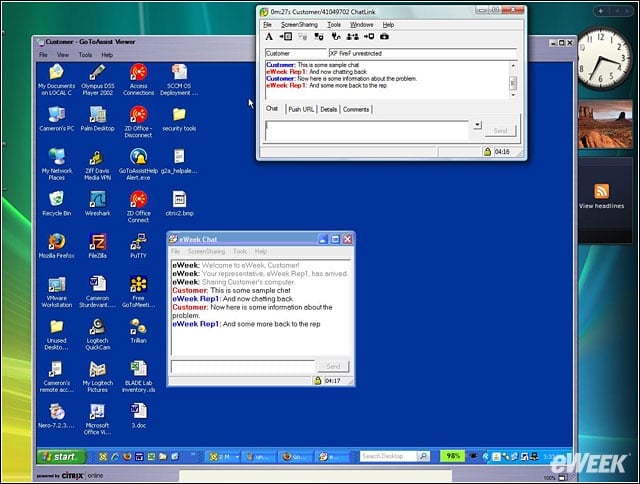
The secured chat function was simple to use, and these conversations may be observed by support center managers and other support representatives that may be added to the call. GoToAssist has automated chat features such as automated messages that are
Citrix GoToAssist Walkthrough – Color Space — end users side
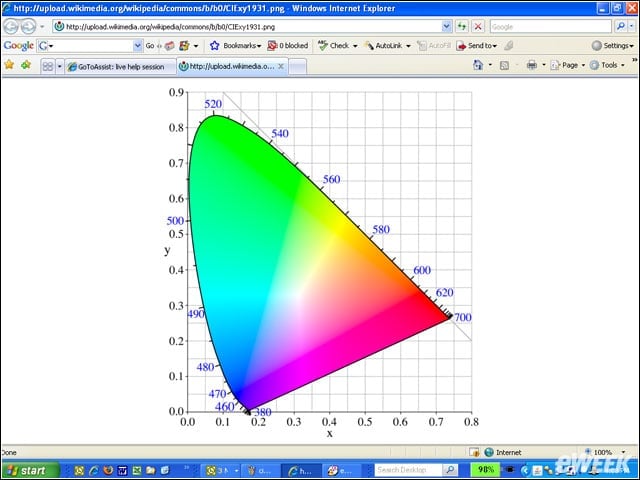
This screen shows a standard color space on the end user system. Compare it to the following slide to get an idea of screen representation accuracy in GoToAssist. The color space is the Commission Internationale dEclairage (CIE) chart and defines a
Citrix GoToAssist Walkthrough – Color Space — representatives side
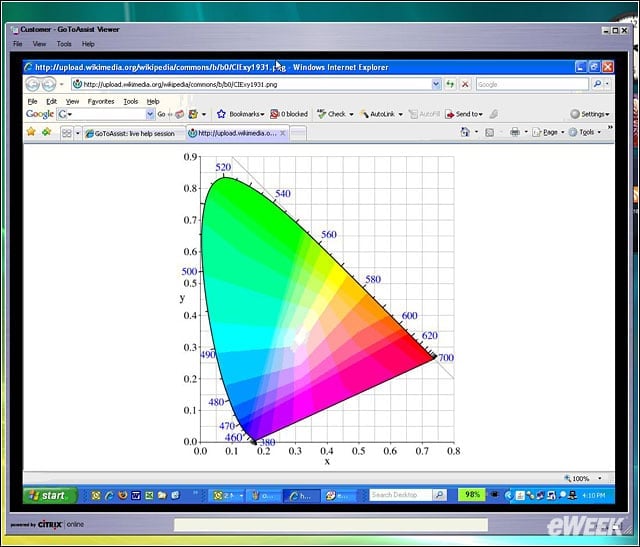
Given the rendition speed the less than completely accurate color representation on the representative system was well within our tolerance for acceptable screen drawing. Although less than perfect, it was clearly close enough.
Citrix GoToAssist Walkthrough – See More Slideshows Like This One
See more slideshows like this one!
- eWEEK Labs Walk-Through: Virtual Iron 3.5