







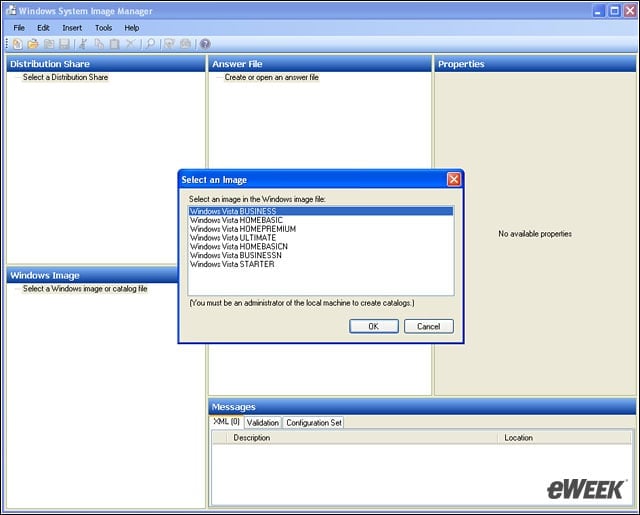
- eWEEK Labs Walk-Through: Windows System Image Manager for Vista
- eWEEK Labs Walk-Through: Windows System Image Manager for Vista – Cannot Find the Catalog File for Windows Vista Business
- eWEEK Labs Walk-Through: Windows System Image Manager for Vista – Generating Catalog File
- eWEEK Labs Walk-Through: Windows System Image Manager for Vista – Answer File 1
- eWEEK Labs Walk-Through: Windows System Image Manager for Vista – Components Available for Modification
- eWEEK Labs Walk-Through: Windows System Image Manager for Vista – Vista Answer File Component Configuration
eWEEK Labs Walk-Through: Windows System Image Manager for Vista
In the Windows Automated Installation Kit (WAIK) one of the first choices is to select which Windows Vista image files will be the base for the deployment answer file. There are currently seven choices.
eWEEK Labs Walk-Through: Windows System Image Manager for Vista – Cannot Find the Catalog File for Windows Vista Business
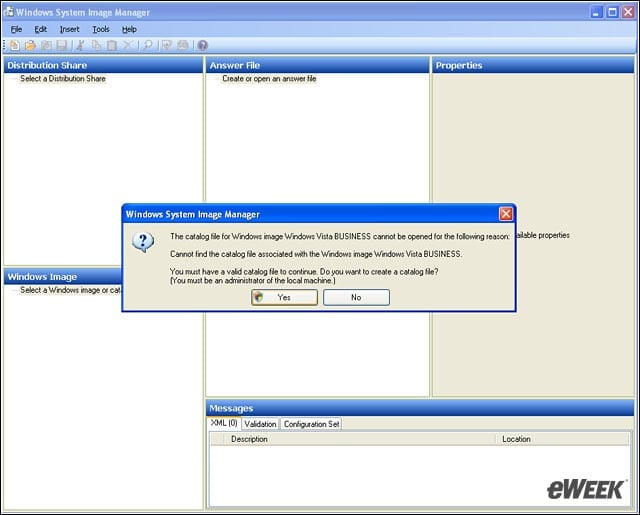
Following the guidance of a Microsoft Step-by-Step, we got stopped. Creating a catalog turned out to be a two-minute process.
eWEEK Labs Walk-Through: Windows System Image Manager for Vista – Generating Catalog File
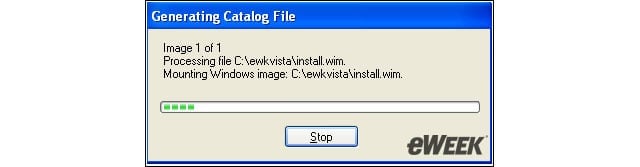
We generated a catalog for Vista so that we could proceed with the creation of the answer file.
eWEEK Labs Walk-Through: Windows System Image Manager for Vista – Answer File 1
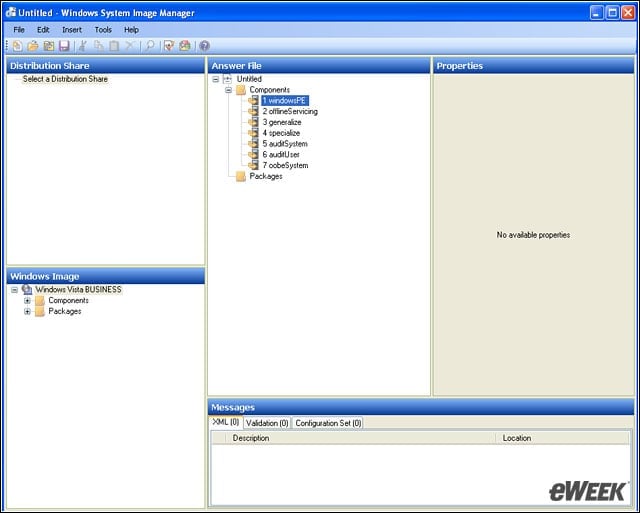
Selecting New Answer File in the File menu generates the components seen in the Answer File pane (upper middle).
eWEEK Labs Walk-Through: Windows System Image Manager for Vista – Components Available for Modification
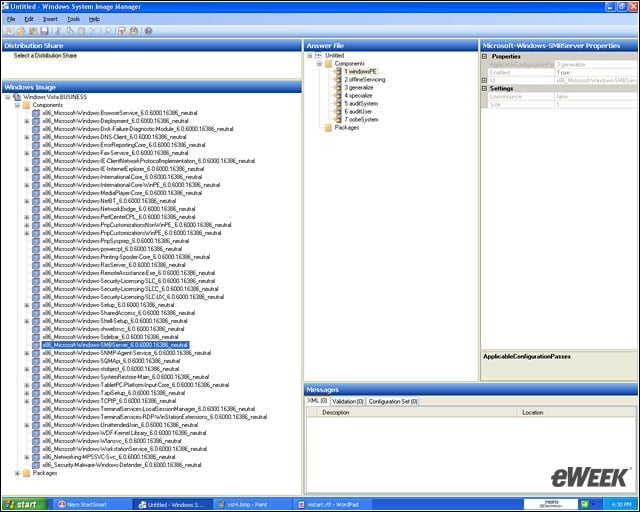
Here we see a list of 44 components that are available for use by an answer file for unattended installation of Windows Vista. Several of the components have submenus.
eWEEK Labs Walk-Through: Windows System Image Manager for Vista – Vista Answer File Component Configuration
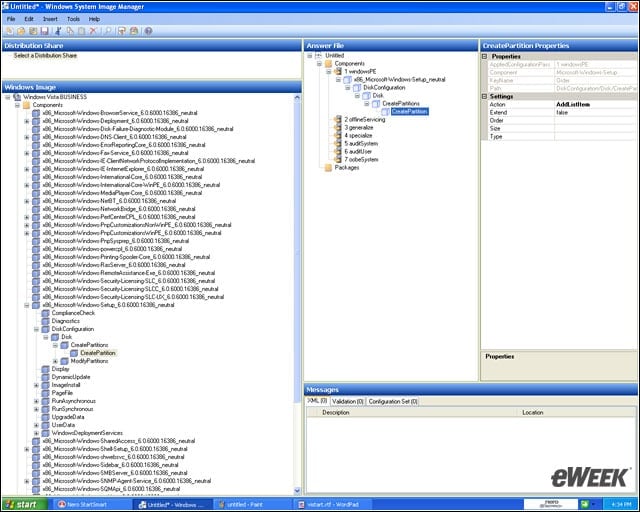
We drilled down to the CreatePartition component to tell the answer file to create a partition on the first pass of the Windows Preinstallation Environment (Win PE).