






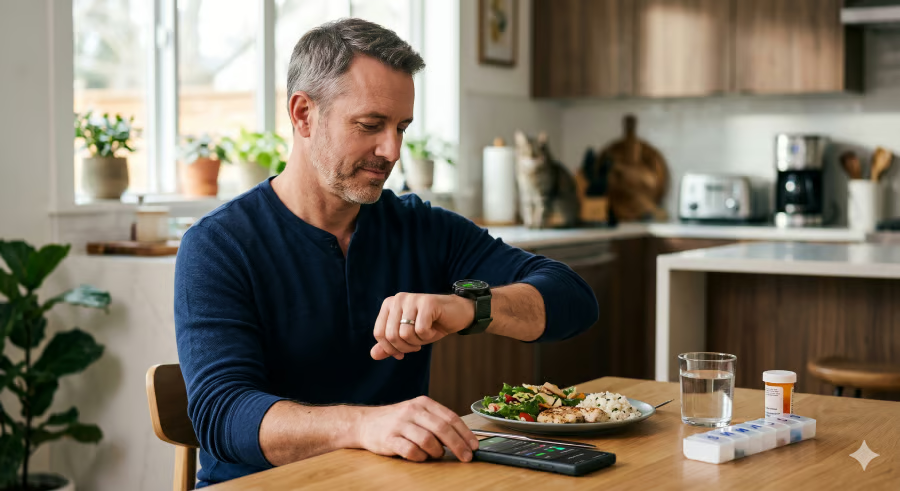


Diabetes tracking is rarely just about one number.
Samsung Galaxy Watch and Samsung Health can help users organize glucose readings alongside data on meals, medication, sleep, stress, activity, and heart health. The watch does not replace a glucose monitor or medical care, but it can give users a clearer record of the daily factors that may affect blood sugar.
That distinction matters. For people managing diabetes, the most useful wearable may not be the one that promises the biggest breakthrough, but the one that makes routine patterns easier to see.
- How Samsung Galaxy Watch tracks blood sugar data
- Medication and meal logs help explain blood sugar changes
- Sleep and stress tracking add more context for diabetes management
- Activity and heart health features support diabetes care
- Samsung is developing more diabetes and glucose tools
- What Galaxy Watch can and cannot do for diabetes management
How Samsung Galaxy Watch tracks blood sugar data
Samsung Health tracks blood glucose through a compatible CGM app, or users can enter readings manually.
Once sufficient glucose data is available, the app estimates glycated hemoglobin, providing users with another way to review longer-term blood sugar trends.
Galaxy Watch4 series and later models support glucose tracking with Wear OS 5.0 or later, excluding Galaxy Fit. An Android phone running Android 12 or higher is also required.
Medication and meal logs help explain blood sugar changes
Food, medication timing, and routine changes all affect glucose readings.
Samsung Health keeps those details in one place, reducing the need to remember what happened hours or days earlier.
Medications
The Medications feature lets users keep a medication list, follow dosage schedules, and review missed doses.
Medication records help explain why a reading looks different than expected. A user may see whether a dose was taken late or missed altogether.
Where available, the app also shows medication details, side effects, and interaction warnings.
Food Tracker
Meals are among the first things many people check when their blood sugar changes. Samsung Health’s Food Tracker supports barcode scanning, which pulls in food names and nutrition details without making every meal log fully manual.
Food logs show which meals appear before higher or lower readings. Over time, repeated patterns may guide reviews of portions, meal timing, or food combinations.
Sleep and stress tracking add more context for diabetes management
Poor sleep and high stress can make blood sugar harder to manage, even when someone is paying close attention to food, medication, and activity.
Galaxy Watch8 adds Bedtime Guidance, which uses recent sleep history and circadian timing to suggest better sleep and wake times. Samsung’s sleep tools also include sleep coaching and sleep apnea detection on supported watch and phone setups.
Bedtime suggestions support a steadier sleep schedule. Sleep apnea prompts may flag a health issue worth raising during a medical visit.
Galaxy Watch8 also includes High Stress Alerts. Vascular Load looks at strain on the cardiovascular system during sleep after a baseline is established.
Stress alerts do not measure glucose. They may still show when stress overlaps with blood sugar changes.
Activity and heart health features support diabetes care
Galaxy Watch tracks workouts, heart rate, and blood pressure, adding data to compare with glucose readings.
Movement affects blood sugar, so workout history in Samsung Health may show how readings change after walks, runs, or more active days. After-dinner walks or missed workouts may line up with different glucose patterns.
Diabetes is closely connected to cardiovascular health. Over time, high blood sugar can damage blood vessels and the nerves that control the heart. The CDC also says people with diabetes have twice the risk for heart disease, and high blood pressure can raise that risk further.
Galaxy Watch follows blood pressure through Samsung Health Monitor after cuff calibration, along with heart rate during daily wear and workouts. Blood pressure and heart rate logs will not explain every change in glucose, but they make diabetes checkups and medication reviews more complete.
Samsung is developing more diabetes and glucose tools
Samsung has also discussed where its diabetes and glucose-tracking tools could go next.
Dr. Hon Pak, senior vice president and head of Samsung’s Digital Health Team, has said blood glucose is a major focus for the company. He has cited CGM-integrated nutrition coaching, a sensor algorithm that could help predict early signs of diabetes, and work on what he described as a “non-invasive optically-based continuous glucose monitor.” Samsung has not given a launch date.
Nutrition coaching would connect changes in glucose with food and habits. Non-invasive sensing would be the bigger leap if Samsung can make it accurate enough for a wearable.
What Galaxy Watch can and cannot do for diabetes management
Samsung Galaxy Watch works best as part of a larger diabetes routine. Blood sugar data remains the anchor, but medication timing, meals, sleep, stress, activity, and heart health all provide relevant signals.
Care decisions should still rely on clinicians, prescribed treatment plans, and authorized glucose-monitoring devices.
Galaxy Watch cannot replace diabetes care or an authorized glucose-monitoring device. Its strength is keeping daily health details organized, so blood sugar patterns are easier to review instead of pieced together from memory.
Editor’s note: This article originally appeared on our sister publication, TechRepublic.