







- Word 2013 Delivers Automatic Integration With SkyDrive
- Sharing Documents Through SkyDrive
- Coordinating Document Changes
- Keeping Track of Who Is Working on a Document
- Locking out Conflicting Editing Changes
- Resolving Conflicting Document Changes
- Office Confirms the Conflict Is Fixed
- Tracking File Uploads
- Settings for File Uploads
- Working With Multiple SkyDrive Accounts
Word 2013 Delivers Automatic Integration With SkyDrive
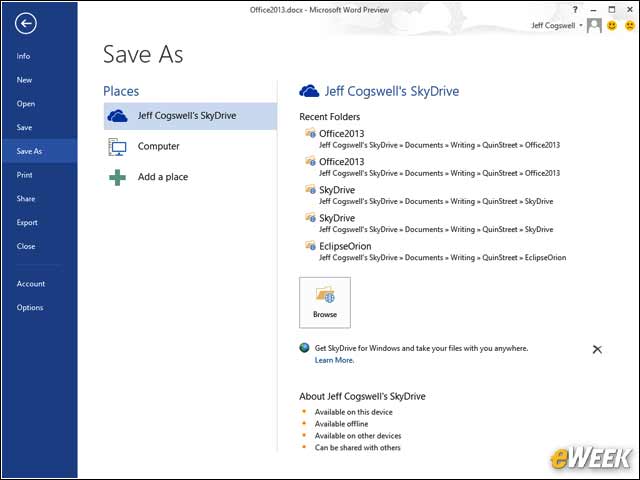
When you save a file from within Word 2013, you have the option of saving to your SkyDrive. The file is saved in a local folder managed by SkyDrive and also uploaded to your cloud SkyDrive.
Sharing Documents Through SkyDrive
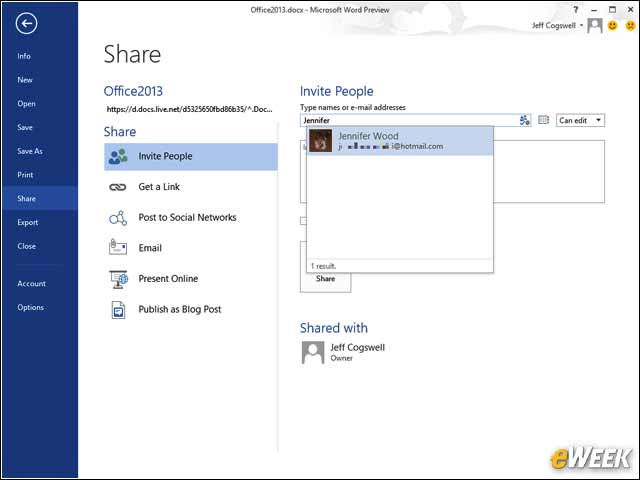
SkyDrive’s collaboration features are integrated into Word 2013. By clicking Share, you can share the document with co-workers and friends. An email is sent to them with a link to the SkyDrive document.
Coordinating Document Changes
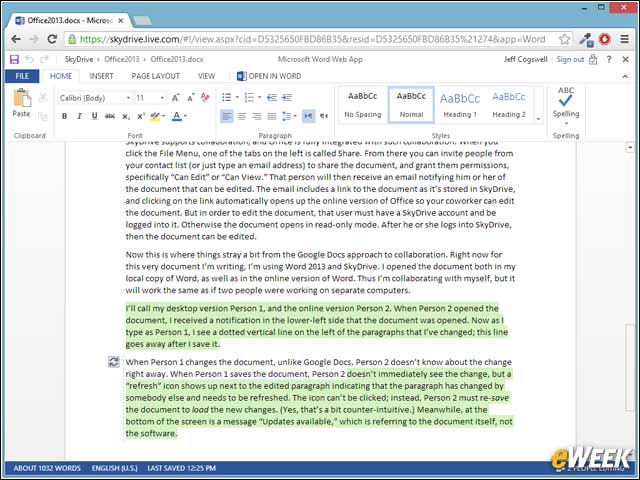
When two people are working together on the same document, any changes you make will show up with a vertical dashed line on the left. When you save, you receive the co-worker’s changes, which are given a green highlight.
Keeping Track of Who Is Working on a Document
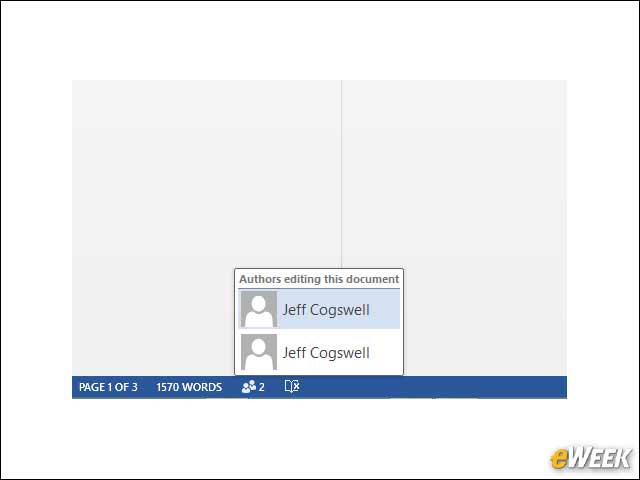
In the lower left you can click a small icon to see who is working on the document. In this case, I’m editing the document both locally and from the Web version of office, so I see my name twice.
Locking out Conflicting Editing Changes
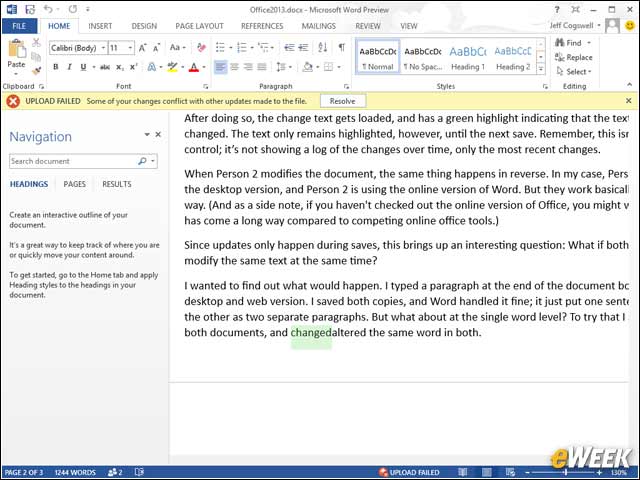
If two people try to edit the same words at the same time, the first person to save will have no problem, but the second person, upon saving, will see an Upload Failed message and a Resolve button.
Resolving Conflicting Document Changes
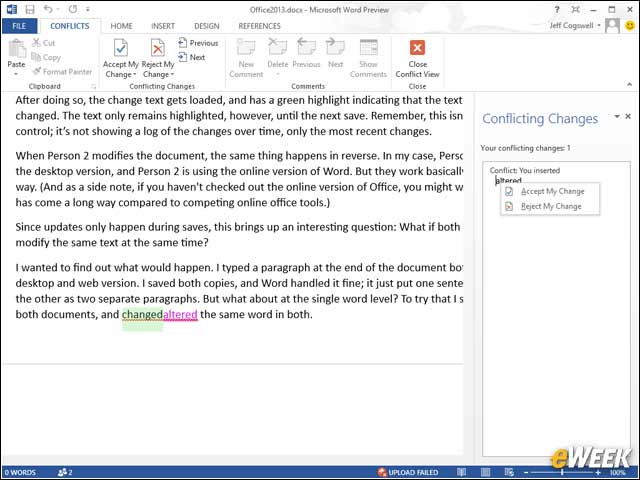
To resolve the conflicting changes, you’re given an option to accept or reject your own change, in a manner similar to the traditional Track Changes feature.
Office Confirms the Conflict Is Fixed
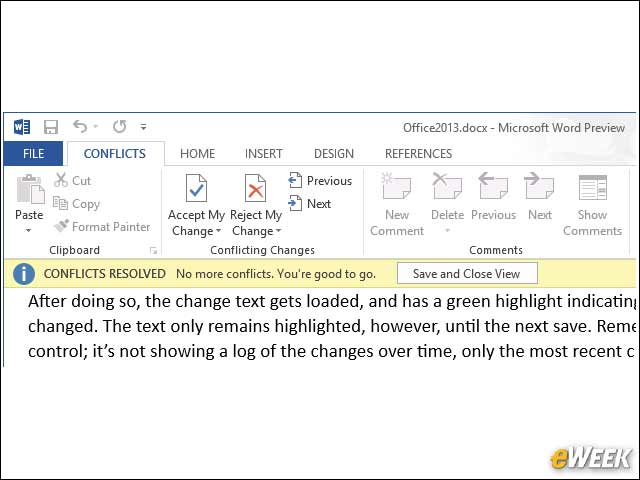
After you’ve resolved the changes, you see a message that “you’re good to go.”
Tracking File Uploads
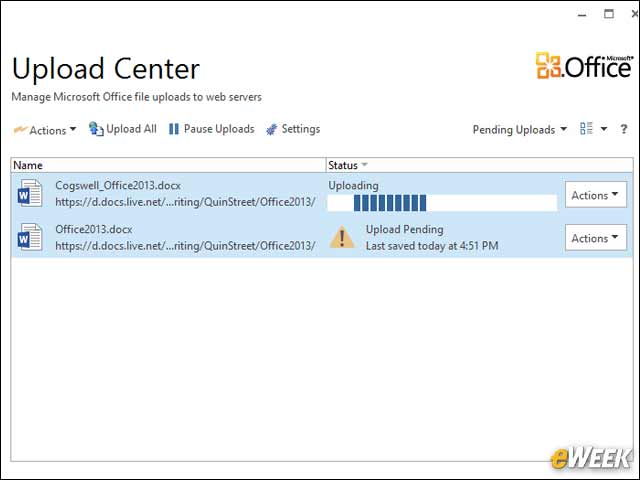
The Upload Center is accessed from a tray icon and shows you any pending files that you need to upload. This will happen, for example, if there’s a connection problem.
Settings for File Uploads
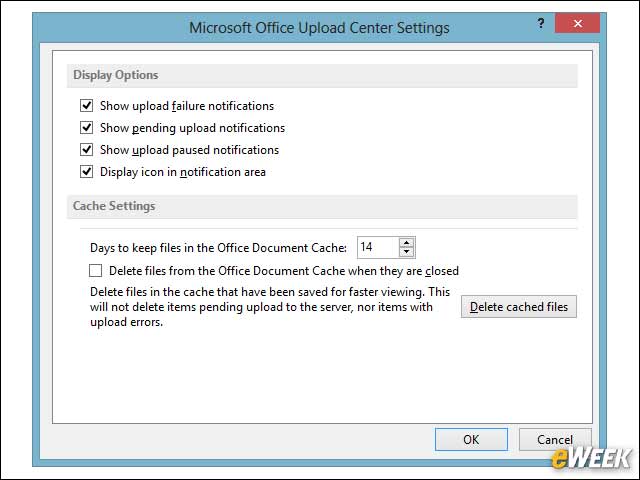
The Upload Center includes some minor settings for configuration.
Working With Multiple SkyDrive Accounts
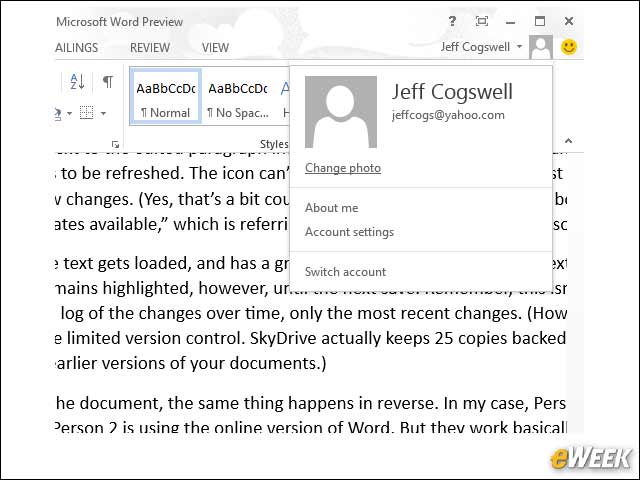
If you have multiple SkyDrive accounts, you can switch between them right from within Word by clicking your name, and then Switch Account. This will bring up a window that lets you log into your other Microsoft Live account.