







- eWEEK Labs Walk-Through: Exchange Server 2007 Beta 2
- eWEEK Labs Walk-Through: Exchange Server 2007 Beta 2 – Admin status screen
- eWEEK Labs Walk-Through: Exchange Server 2007 Beta 2 – Admin user property screen
- eWEEK Labs Walk-Through: Exchange Server 2007 Beta 2 – New user summary screen
- eWEEK Labs Walk-Through: Exchange Server 2007 Beta 2 – Move mailbox wizard
- eWEEK Labs Walk-Through: Exchange Server 2007 Beta 2 – Finalizing Exchange Install screen 1
- eWEEK Labs Walk-Through: Exchange Server 2007 Beta 2 – Best practice analyzer tool
- eWEEK Labs Walk-Through: Exchange Server 2007 Beta 2 – OWA reminder screen
- eWEEK Labs Walk-Through: Exchange Server 2007 Beta 2 – OWA one day calendar view
- eWEEK Labs Walk-Through: Exchange Server 2007 Beta 2 – OWA scheduling assistant
- eWEEK Labs Walk-Through: Exchange Server 2007 Beta 2 – OWA tracking assistant
- eWEEK Labs Walk-Through: Exchange Server 2007 Beta 2 – OWA windows mobile interface
eWEEK Labs Walk-Through: Exchange Server 2007 Beta 2
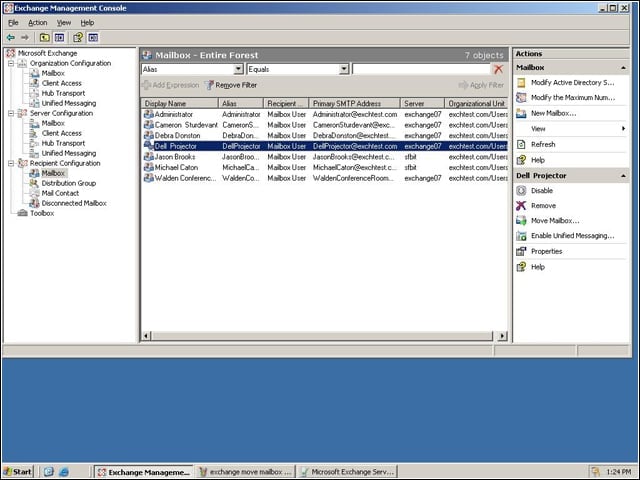
The main view in Exchange Server 2007s MMC interface uses three panes to separate the organization tree, individual organization elements and administrator actions
eWEEK Labs Walk-Through: Exchange Server 2007 Beta 2 – Admin status screen
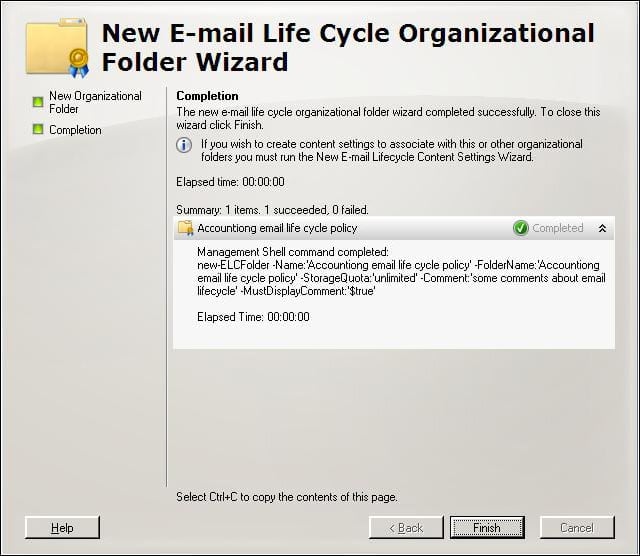
When administrators commit a change, Exchange presents summary information detailing the results of the action.
eWEEK Labs Walk-Through: Exchange Server 2007 Beta 2 – Admin user property screen
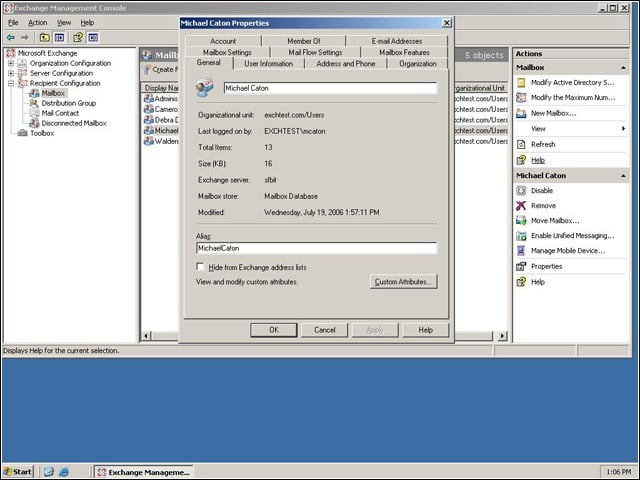
Some administrative elements have the same look as previous versions of Exchange, such as the tabbed interface for a users Active Directory and mailbox information.
eWEEK Labs Walk-Through: Exchange Server 2007 Beta 2 – New user summary screen
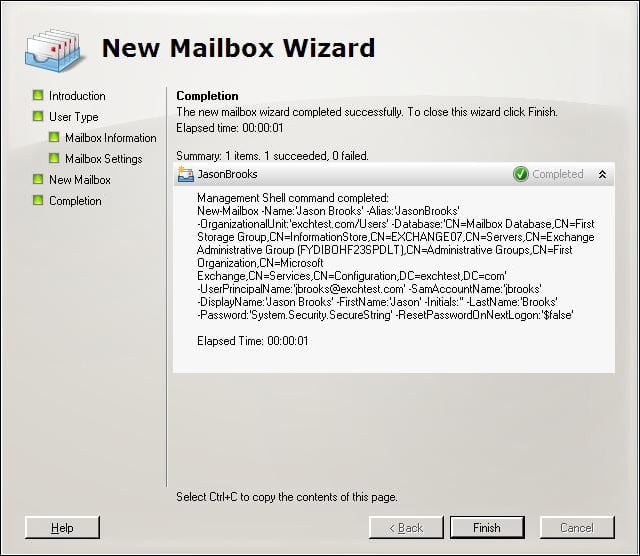
Details on the execution of an action, such as creating a new user, illustrate the underlying scripting that administrators can use to automate common tasks.
eWEEK Labs Walk-Through: Exchange Server 2007 Beta 2 – Move mailbox wizard
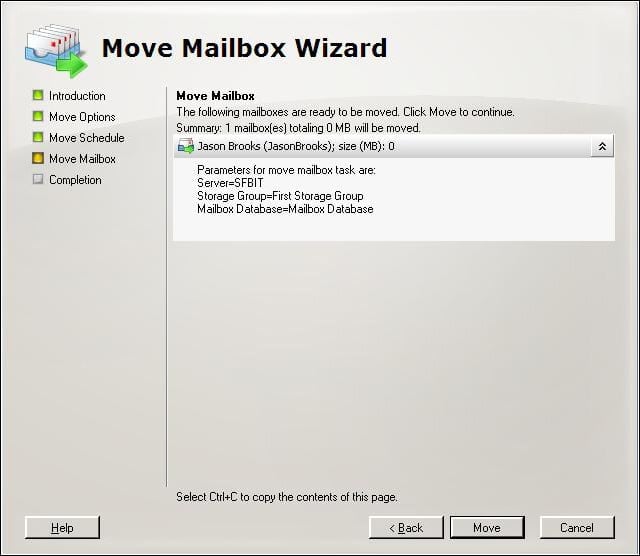
Some of the Exchange MMC actions, such as moving a mailbox, use a wizard to guide administrators through the process.
eWEEK Labs Walk-Through: Exchange Server 2007 Beta 2 – Finalizing Exchange Install screen 1
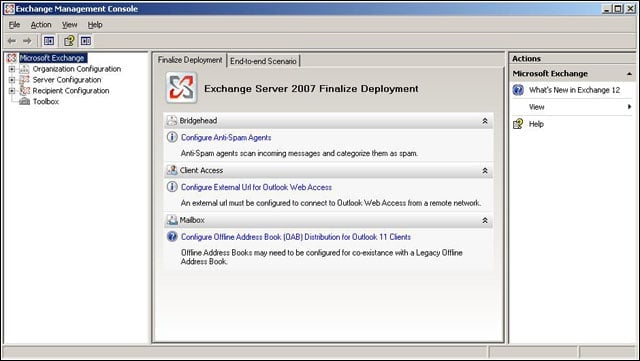
Once Exchange has been installed, the administrator console steps users through the process of adding antispam protection and setting up a URL for Outlook Web Access.
eWEEK Labs Walk-Through: Exchange Server 2007 Beta 2 – Best practice analyzer tool
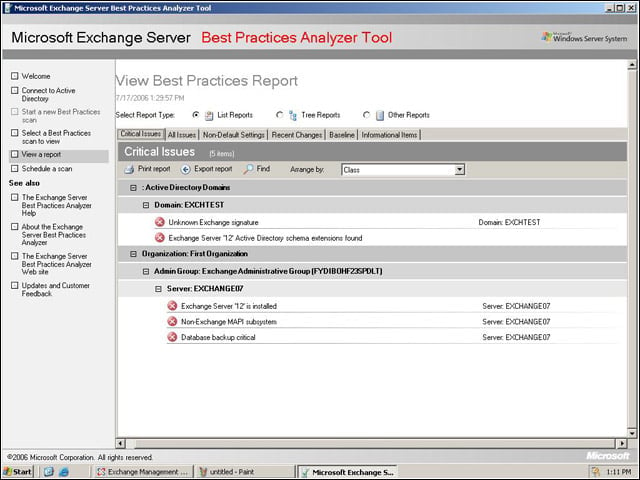
Exchange Server 2007 includes a best-practice analyzer that can determine problem areas in an Exchange organization.
eWEEK Labs Walk-Through: Exchange Server 2007 Beta 2 – OWA reminder screen
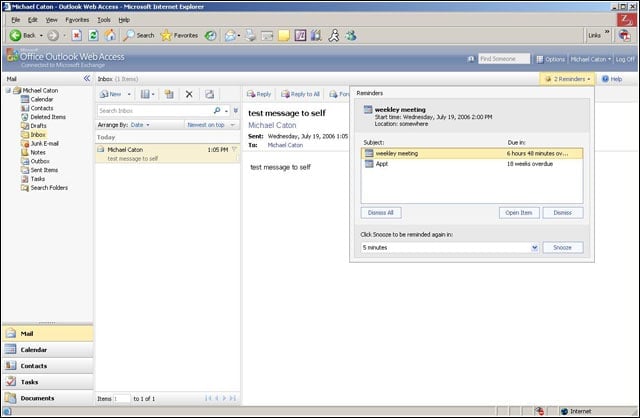
Reminders in Outlook Web Access are less intrusive than in previous versions, appearing as an interactive element within the main e-mail view instead of a pop-up window.
eWEEK Labs Walk-Through: Exchange Server 2007 Beta 2 – OWA one day calendar view
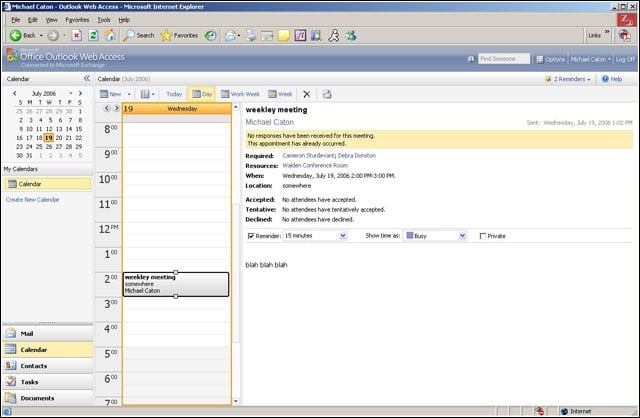
The calendar view in Outlook Web Access can show a single days events, with the details of a selected event displayed to the right.
eWEEK Labs Walk-Through: Exchange Server 2007 Beta 2 – OWA scheduling assistant
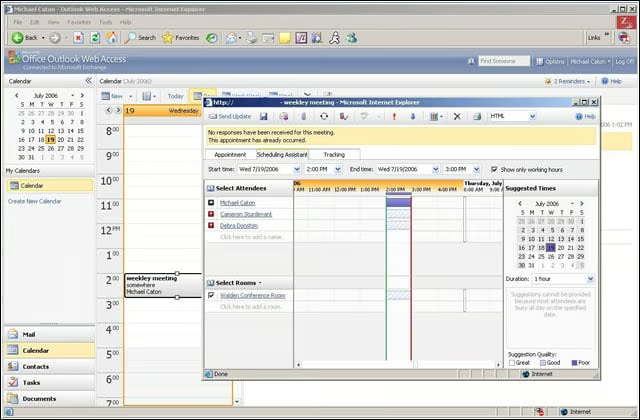
Outlook Web Access has a simplified scheduling interface that makes it easy to see other users calendars as well as to scheduable resources.
eWEEK Labs Walk-Through: Exchange Server 2007 Beta 2 – OWA tracking assistant
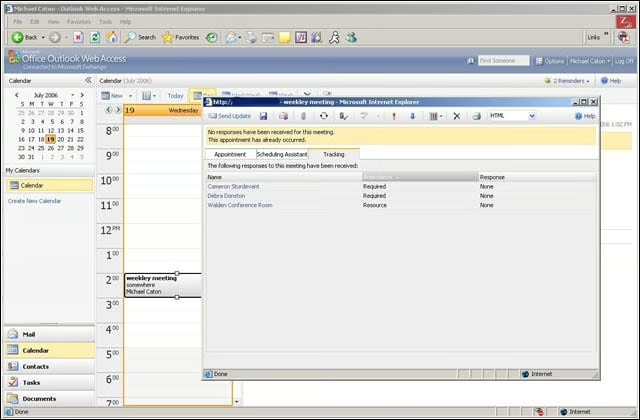
Users have the ability to see who has responded to meeting invitations, as well as attendance requirements, through the Tracking Assistant.
eWEEK Labs Walk-Through: Exchange Server 2007 Beta 2 – OWA windows mobile interface
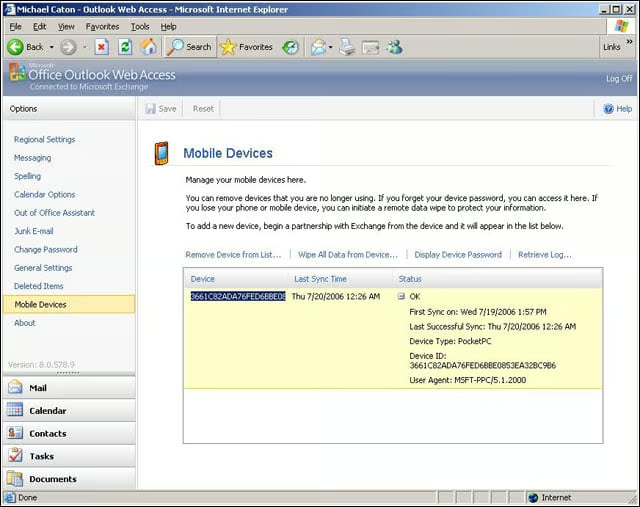
Outlook Web Access exposes some of the Windows Mobile administration features to users, including the ability to wipe the device and see synchronization logs.