









Spreadsheets are great tools for organizing and managing data, whether you’re analyzing your company’s financial statements or tracking monthly expenses. But creating complex formulas, sorting large datasets, or even just getting started can be frustrating and time-consuming. There are AI tools that can help you automatically clean up data, suggest formulas, and generate reports.
Here are some of the top AI tools that streamline your data management and organization.
GPTExcel: Best for generating formulas
If building formulas in Excel or Google Sheets racks your brain, GPTExcel is an AI-powered spreadsheet you can use. This AI tool lets you generate formulas, SQL queries for manipulating relational databases, table templates, and more. It also allows you to chat with your Excel file and ask it to handle tasks, such as “Add up my sales for June” or “Compute my expenses for this month.”
You can also convert tables in images to an editable spreadsheet, create charts or graphs from your data, or work with Excel and CSV files for data analysis using GPTExcel. You also don’t have to worry about integrating with other tools because it supports a wide range of file formats, including Microsoft Excel, Google Sheets, LibreOffice Calc, and Airtable.
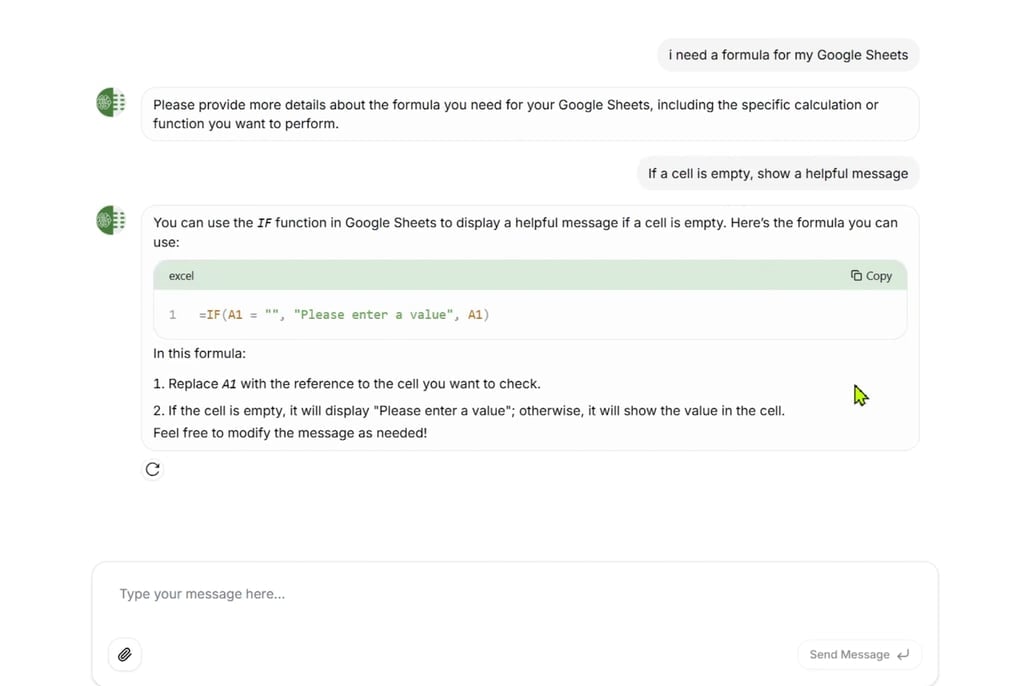
GPTExcel instantly generates Google Sheets formulas through simple, conversational requests, making spreadsheet automation accessible even for beginners.
Numerous.ai: Best for marketers and e-commerce teams
Are you tired of managing customer feedback, product lists, and marketing data on your own? Numerous.ai acts like a personal assistant, helping you sort reviews, summarize trends, and assist with bulk content all within Excel or Sheets. It can help you generate AdWords keywords, ad copy, Facebook campaign structures, SEO content, and more from your marketing data.
Do you have massive open-ended text such as articles, user surveys, or social media content? Numerous.ai is excellent at summarizing, rewriting, and extracting content, so you can easily classify them into different categories. This AI tool is easy to use, as you can access its features in any cell with the simple =AI function.
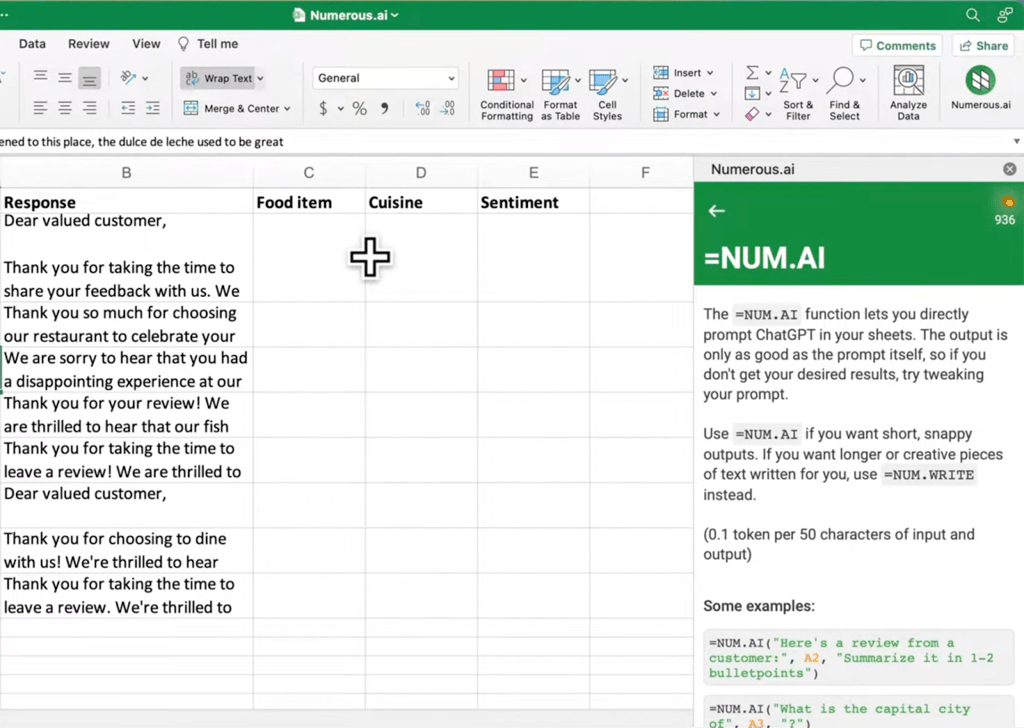
Numerous.ai brings ChatGPT directly into your spreadsheet, allowing you to analyze data and generate content without leaving your workspace.
Rosie AI: Best for beginners and non-technical users
Rosie AI is like a reliable friend who is an Excel wizard. Just ask, and Rosie will create models, analyze data, and make charts. If you’re stuck on an error or a formula you couldn’t figure out, it will read the spreadsheet for you and explain it in plain, understandable language.
Besides that, it will also do the spreadsheet work on your behalf, such as writing and debugging formulas, applying consistent formatting, fixing broken models, and extending existing spreadsheets with new scenarios and calculations. For example, you can ask Rosie to calculate your monthly mortgage payments and then format your spreadsheet and compute total payments after the loan is paid off in full.
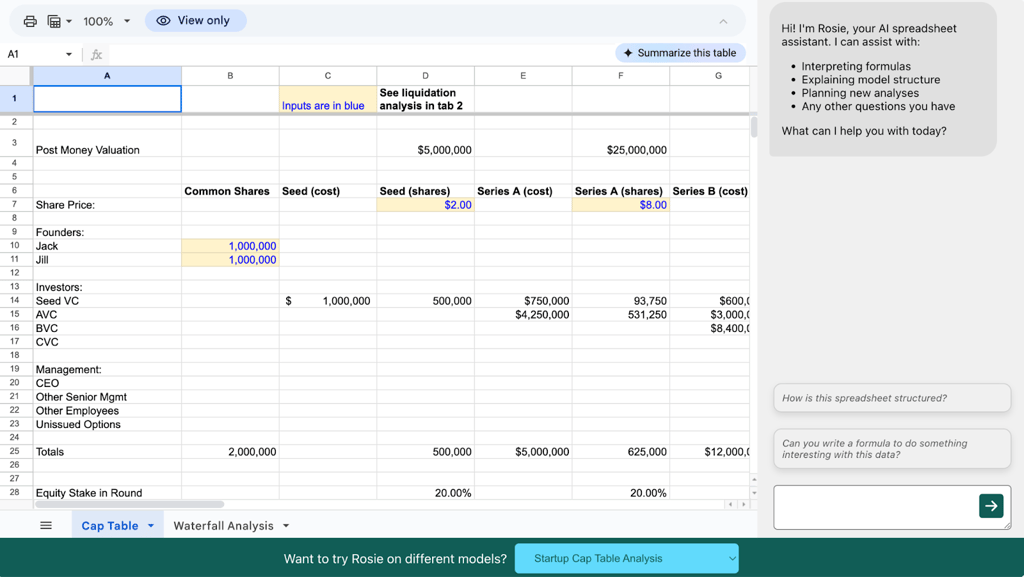
Rosie AI serves as your personal spreadsheet assistant, helping interpret formulas, explain data structures, and provide insights directly within your financial models.
Bottom line: Embrace AI to simplify your spreadsheet work
Spreadsheets aren’t going anywhere, but the way we use them is changing for the better. AI platforms are valuable tools to help you ease your workload, whether you want to quickly understand complex formulas or power through marketing data without spending hours organizing it.
AI tools like GPTExcel, Numerous.ai, and Rosie AI will help you turn hours of tedious work into a few clicks, even if you don’t have a technical background.