








- eWEEK Labs Walk-Through: Internet Explorer 7
- eWEEK Labs Walk-Through: Internet Explorer 7 – Phish Filter
- eWEEK Labs Walk-Through: Internet Explorer 7 – Search
- eWEEK Labs Walk-Through: Internet Explorer 7 – Search Options
- eWEEK Labs Walk-Through: Internet Explorer 7 – Tabbed Browsing
- eWEEK Labs Walk-Through: Internet Explorer 7 – Task Thumbnails
- eWEEK Labs Walk-Through: Internet Explorer 7 – Favorites Tab
- eWEEK Labs Walk-Through: Internet Explorer 7 – Tabbed Windows Options
- eWEEK Labs Walk-Through: Internet Explorer 7 – RSS Feeds
- eWEEK Labs Walk-Through: Internet Explorer 7 – Thats History
- eWEEK Labs Walk-Through: Internet Explorer 7 – Cookie Monster
- eWEEK Labs Walk-Through: Internet Explorer 7 – Going Phishing
- eWEEK Labs Walk-Through: Internet Explorer 7 – Phishing Check
- eWEEK Labs Walk-Through: Internet Explorer 7 – Out with the Bad
- eWEEK Labs Walk-Through: Internet Explorer 7 – Custom Setting Check
- eWEEK Labs Walk-Through: Internet Explorer 7 – Warning, Warning …
- eWEEK Labs Walk-Through: Internet Explorer 7 – Back to the Beginning
eWEEK Labs Walk-Through: Internet Explorer 7
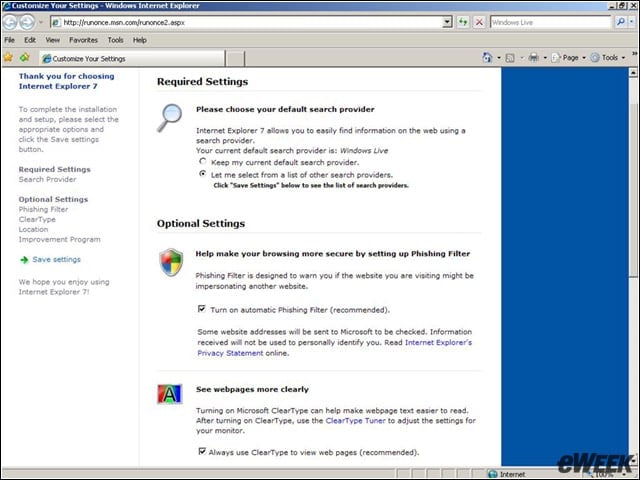
After upgrading to Internet Explorer 7, users can choose to preset several key browser settings.
eWEEK Labs Walk-Through: Internet Explorer 7 – Phish Filter
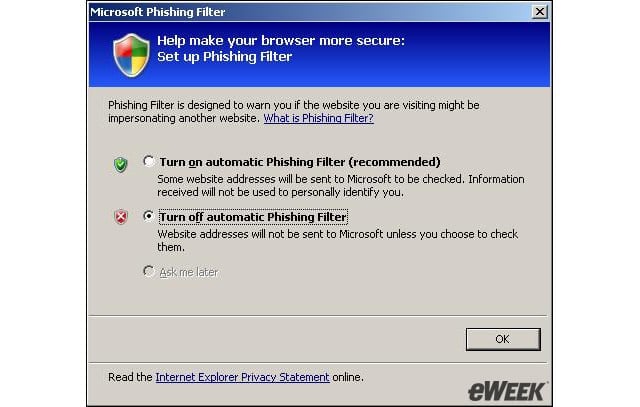
When we started IE 7 for the first time, the browser asked if we wanted to turn on the phishing filter.
eWEEK Labs Walk-Through: Internet Explorer 7 – Search
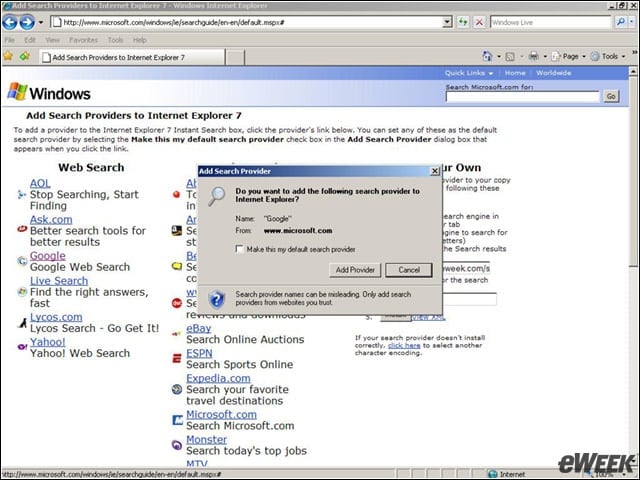
When launching IE 7, we could choose from a variety of popular search engines to use in the browser.
eWEEK Labs Walk-Through: Internet Explorer 7 – Search Options
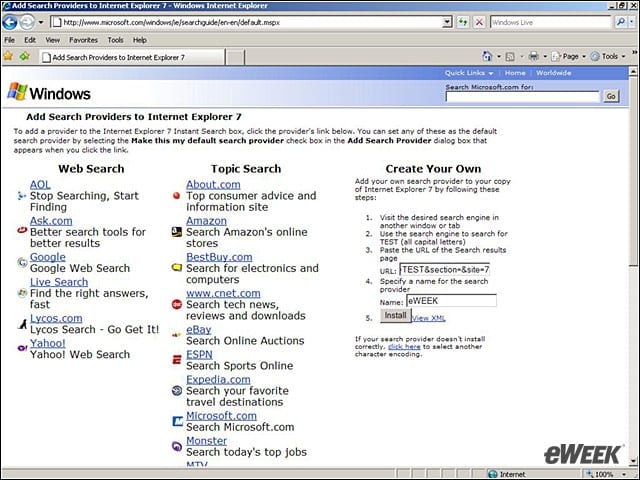
Its possible to add nearly any sites search to the search bar in IE 7.
eWEEK Labs Walk-Through: Internet Explorer 7 – Tabbed Browsing
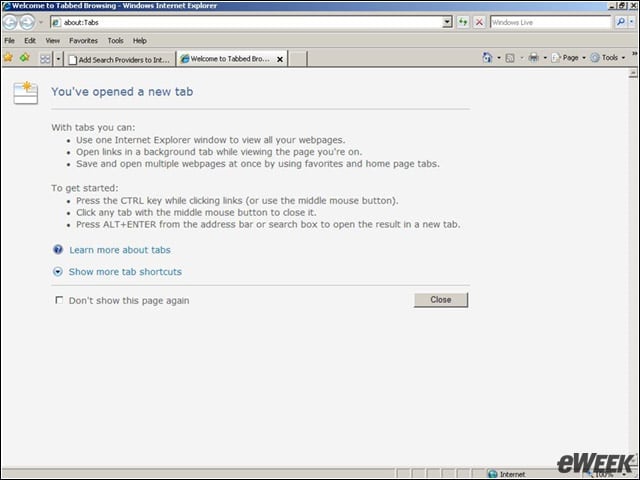
Caption: For longtime IE users unaccustomed to tabbed browsing, IE 7 provides information on how tabs work when the tabs are first opened.
eWEEK Labs Walk-Through: Internet Explorer 7 – Task Thumbnails
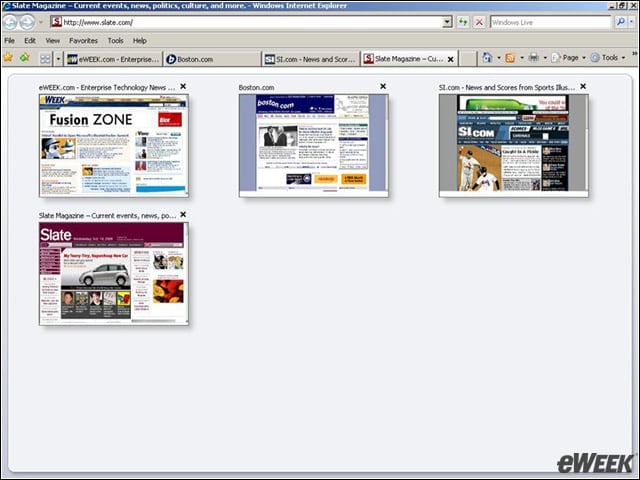
The new Quick Tabs feature in IE 7 let us see thumbnails of all of our open tabs.
eWEEK Labs Walk-Through: Internet Explorer 7 – Favorites Tab
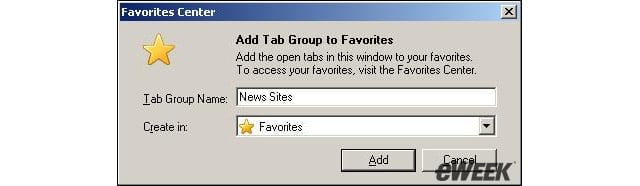
Like Firefox, IE 7 lets users save groups of tabs as favorites.
eWEEK Labs Walk-Through: Internet Explorer 7 – Tabbed Windows Options
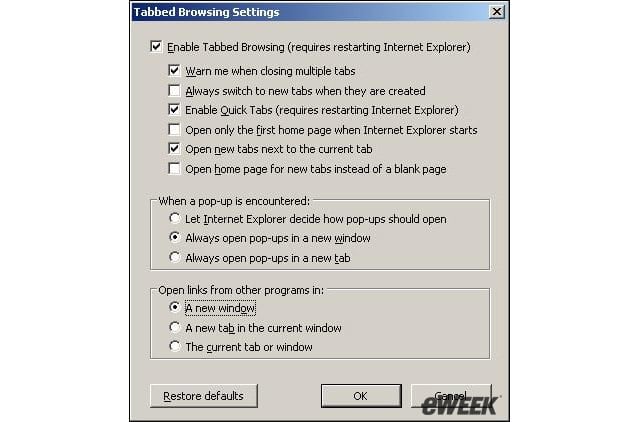
IE 7 provides lots of options for how tabbed windows are handled in the browser.
eWEEK Labs Walk-Through: Internet Explorer 7 – RSS Feeds
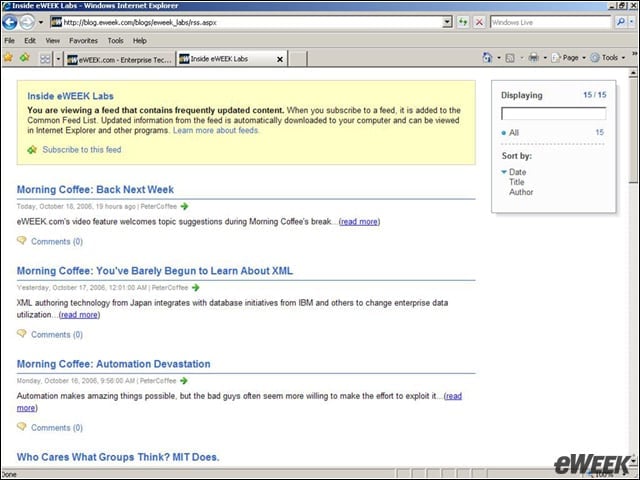
When users click on an RSS feed that they are thinking about subscribing to, IE 7 provides a detailed page with information on the feed.
eWEEK Labs Walk-Through: Internet Explorer 7 – Thats History
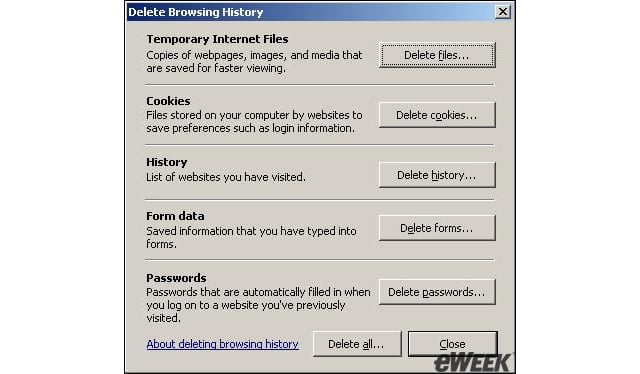
Users can easily remove any or all details of their browsing history in IE 7.
eWEEK Labs Walk-Through: Internet Explorer 7 – Cookie Monster
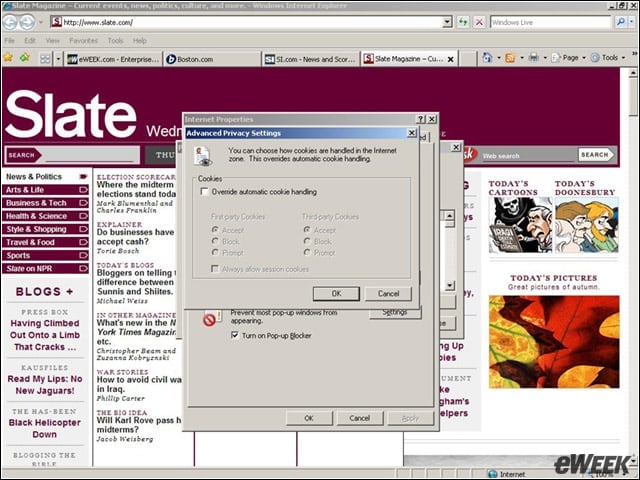
We could choose to build custom settings for how IE 7 handles cookies.
eWEEK Labs Walk-Through: Internet Explorer 7 – Going Phishing
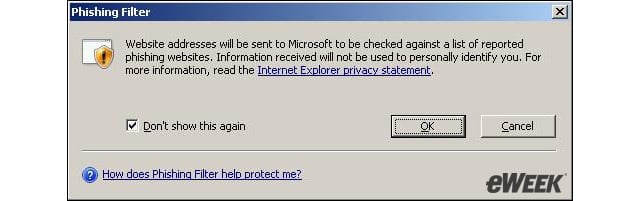
Users can check up on any Web site that they think might be a phishing site.
eWEEK Labs Walk-Through: Internet Explorer 7 – Phishing Check

When enabled, the phishing filters in IE 7 automatically check any site that is loaded.
eWEEK Labs Walk-Through: Internet Explorer 7 – Out with the Bad
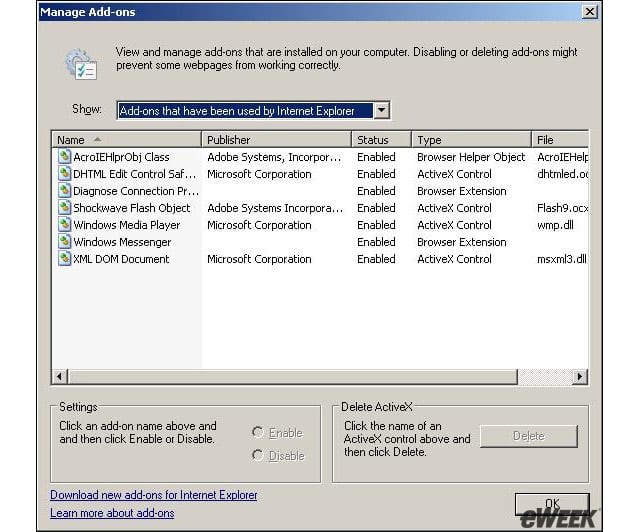
Users can easily manage, disable or delete plug-ins, ActiveX controls and other browser add-ons in IE 7.
eWEEK Labs Walk-Through: Internet Explorer 7 – Custom Setting Check
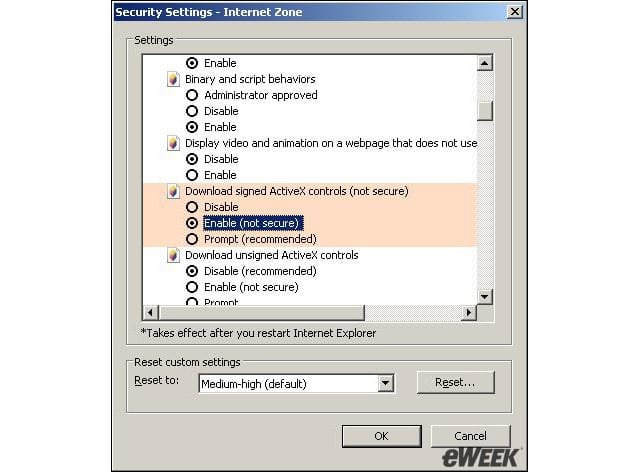
Looks like weve made a custom setting that IE 7 doesnt like.
eWEEK Labs Walk-Through: Internet Explorer 7 – Warning, Warning …
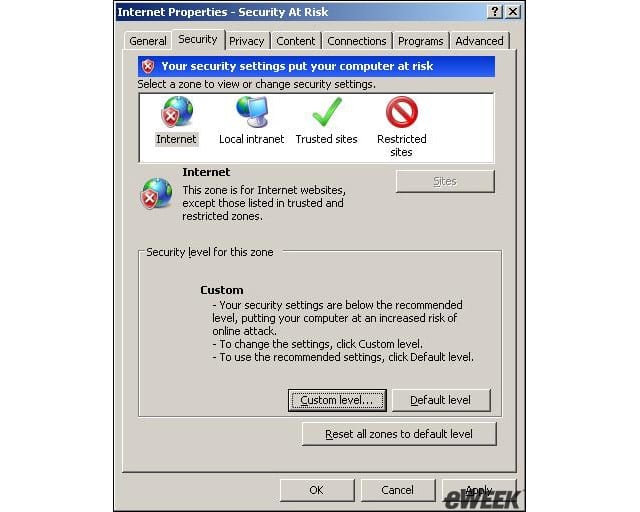
All the warnings mean that IE 7 doesnt approve of our customized security settings.
eWEEK Labs Walk-Through: Internet Explorer 7 – Back to the Beginning
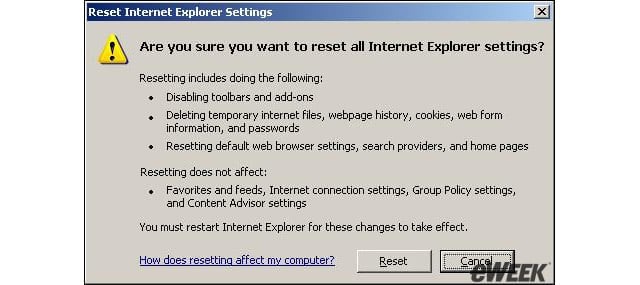
If custom options make the browser unstable, users can activate a reset option to return IE 7 to default settings.