





- eWEEK Labs Walk-Through: Microsoft Visual Studio 2008 Beta 2
- eWEEK Labs Walk-Through: Microsoft Visual Studio 2008 Beta 2 – New Project
- eWEEK Labs Walk-Through: Microsoft Visual Studio 2008 Beta 2 – Add New Test
- eWEEK Labs Walk-Through: Microsoft Visual Studio 2008 Beta 2 – Remote Tools
- eWEEK Labs Walk-Through: Microsoft Visual Studio 2008 Beta 2 – Mobile Platforms
- eWEEK Labs Walk-Through: Microsoft Visual Studio 2008 Beta 2 – Server Explorer
- eWEEK Labs Walk-Through: Microsoft Visual Studio 2008 Beta 2 – See More Slideshows Like This One
eWEEK Labs Walk-Through: Microsoft Visual Studio 2008 Beta 2
The interface of the latest version of Visual Studio is virtually identical to its predecessor’s, with a similar looking Start Page as the default load option. Want to know what’s new in Microsoft’s newest IDE (integrated development environment)? Navigat
eWEEK Labs Walk-Through: Microsoft Visual Studio 2008 Beta 2 – New Project
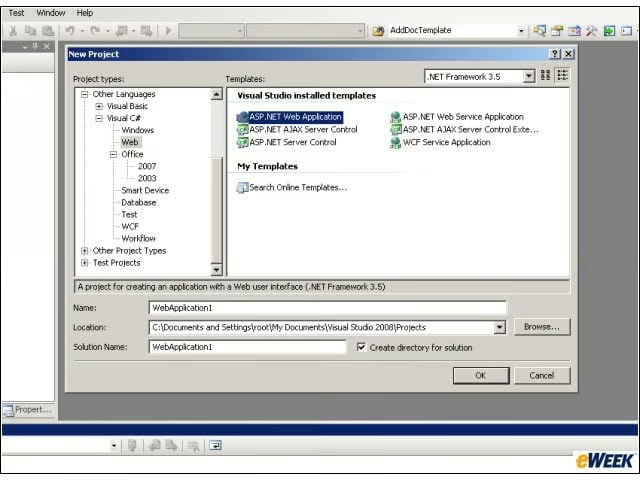
Most of Visual Studio 2008s new features can be found through the New Project dialog. The list of installed templates for C# and Visual Basic has been restructured and includes new categories for Web Development and Office Application Add-ins.
eWEEK Labs Walk-Through: Microsoft Visual Studio 2008 Beta 2 – Add New Test
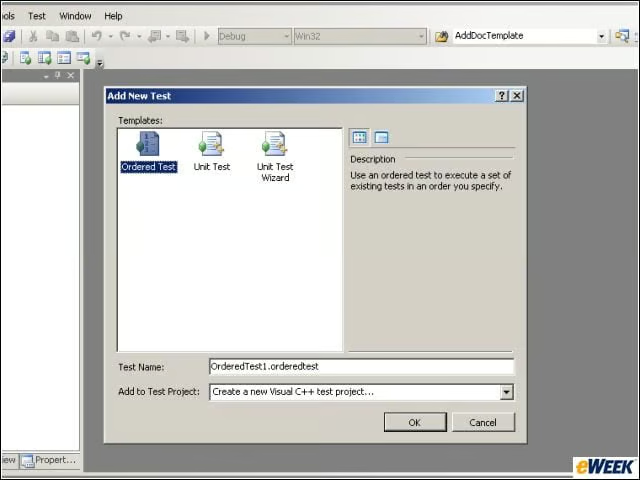
Compared to Visual Studio 2005’s interface, the only visible change to Visual Studio 2008s primary interface is the addition of a Test item on the top menu bar. Selecting New Test from the drop-down menu pops up the Add New Test dialog, which facilitates
eWEEK Labs Walk-Through: Microsoft Visual Studio 2008 Beta 2 – Remote Tools
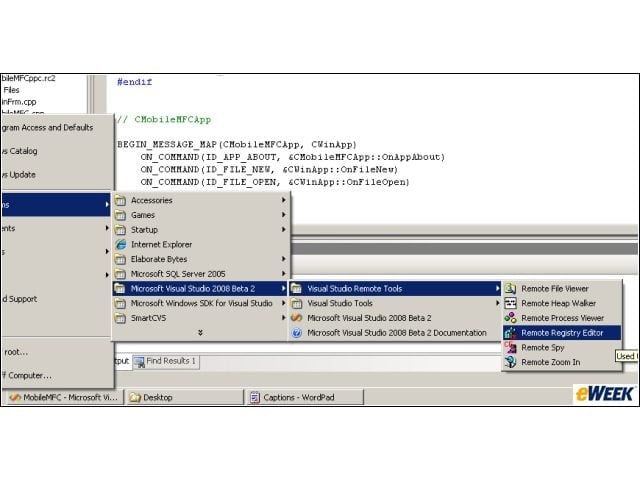
The Remote Tools for debugging mobile applications have been split off from the IDE and are now launched from separate shortcuts accessible through the Windows Start menu. These Remote Tools havent really been updated since the days of Embedded Visual C+
eWEEK Labs Walk-Through: Microsoft Visual Studio 2008 Beta 2 – Mobile Platforms
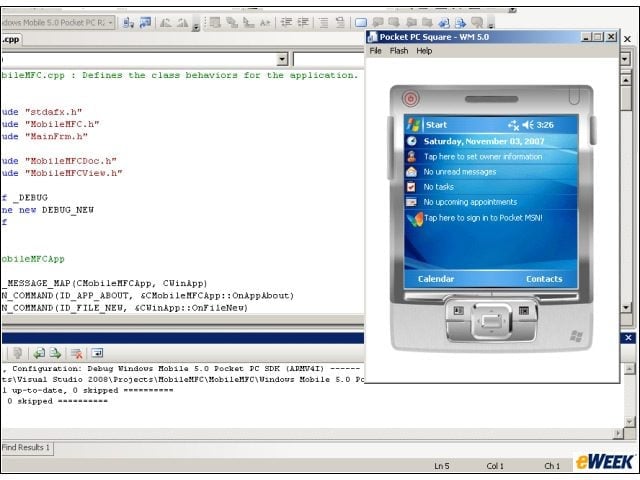
With regard to C++ application development for mobile platforms, Microsoft has taken a ‘don’t fix what ain’t broke’ attitude. Visual Studio 2008 offers the same powerful framework as the 2005 edition, with Windows CE/Windows Mobile and Pocket PC emulators
eWEEK Labs Walk-Through: Microsoft Visual Studio 2008 Beta 2 – Server Explorer
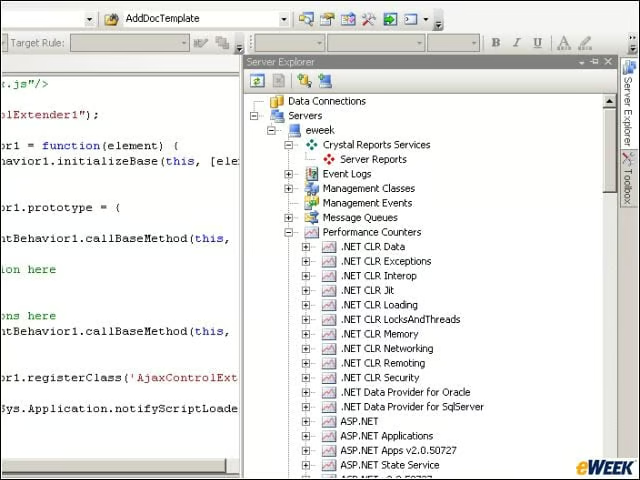
Additional tools, like the Server Explorer shown here, collapse onto the right-most toolbar, providing access to dense functionality and utilities without crowding the primary workspace.
eWEEK Labs Walk-Through: Microsoft Visual Studio 2008 Beta 2 – See More Slideshows Like This One
- 10 More Stupid Things Smart IT People Still Do
- Eight Top Security