




LABS GALLERY: LapLink PCmover Pro, Enterprise Ease XP-to-Windows 7 Migration
by Andrew Garcia
Migration Types
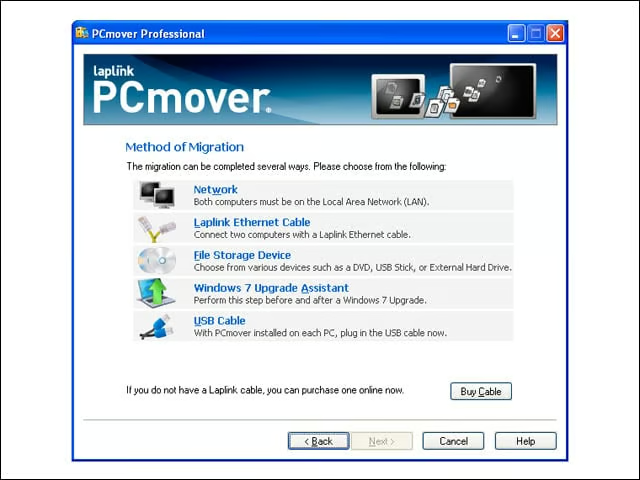
PCmover allows several types of transfers. You can perform direct migrations over the network, a LapLink cable or a USB cable (via an external storage device), or, as I tested, as part of a same system upgrade via the Windows 7 Upgrade Assistant.
User Mappings
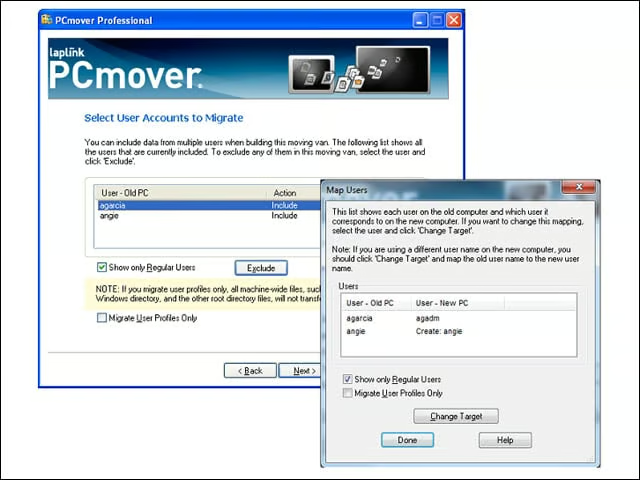
PCmover transplants user profiles from the old system to the new one, retaining files and settings for both. If the accounts don’t already exist on the new system (right), the user can map to existing accounts with a different name or create a new one.
Some Cleanup
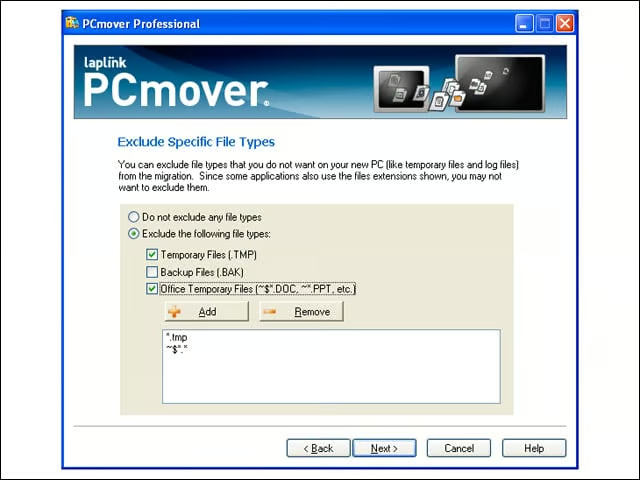
PCmover helps avoid transplant clutter, prompting the user to avoid moving temp files.
App Migration
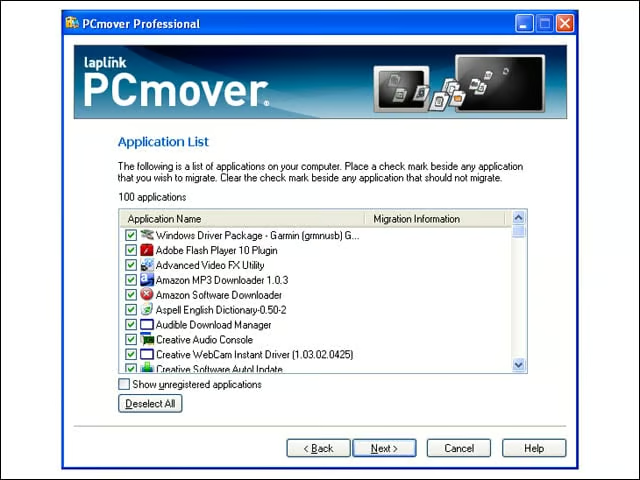
On the source machine, PCmover identifies all installed applications and asks the user to decide what to move. Users will need to leverage tools such as the Windows Upgrade Advisor to determine whether old applications will work in Windows 7.
StartUp This
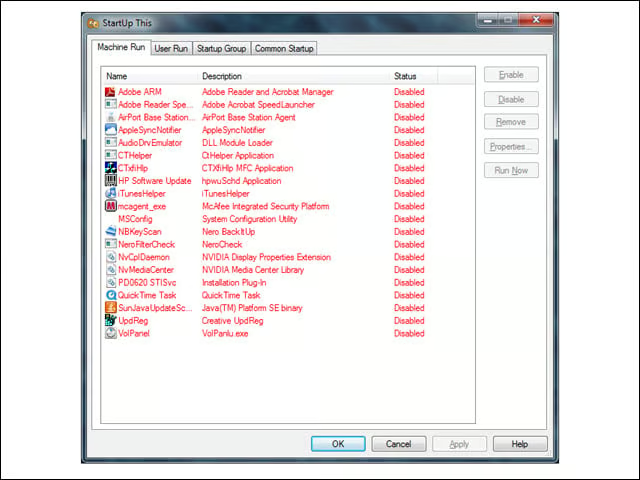
After completing the transplant to the new PC, PCmover uses the StartUp This applet to disable auto-start for all moved applications. This way, the user can test applications individually to make sure the transplant was successful. During my tests, unfortunately, PCMover moved registry keys for some applications (such as McAfee anti-virus) that were not actually transplanted.
PCmover Enterprise
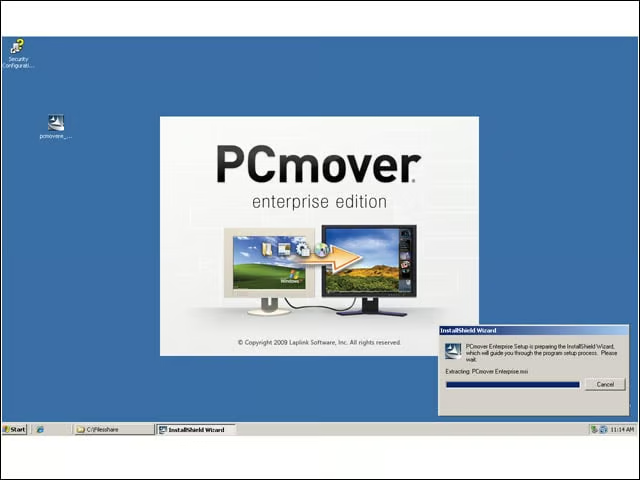
PCmover Enterprise includes the Policy Manager, which can be installed on a Windows XP desktop or Windows Server system, and the PCmover Client, which is stored on a file share or a removable drive.
Master Policy
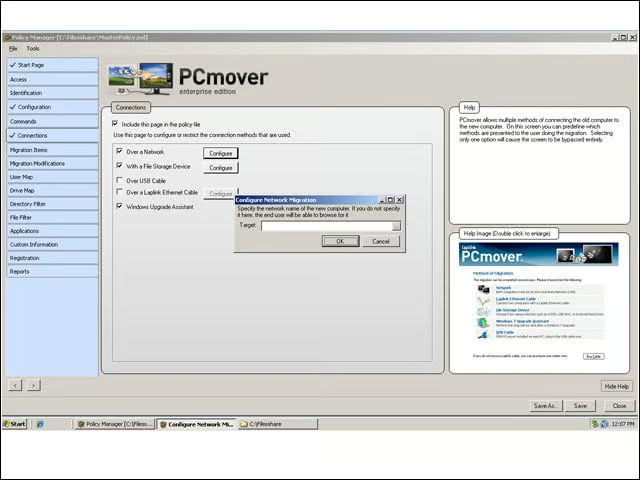
PCmover Enterprise uses two policies to control a migration action: a master policy that applies to all policies and a session policy that gets applied to transfer pairs (one source, one destination).
Migration Type
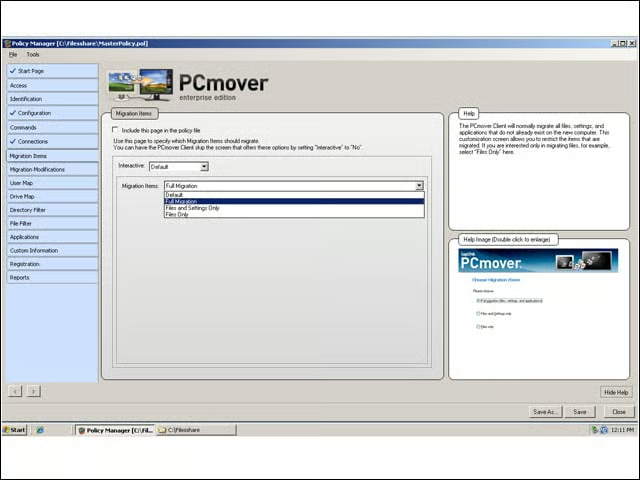
Administrators can control whether a migration moves files, settings or applications.
Application Filters
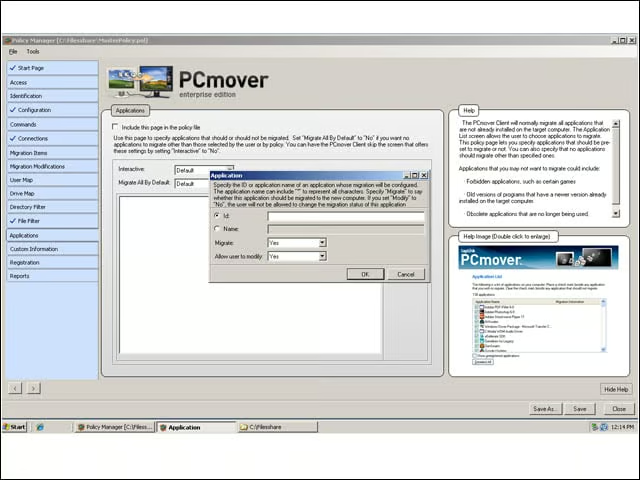
Via policy, administrators can whitelist or blacklist certain applications for or from transfer. Unfortunately, the controls are rudimentary and require the administrator to type in the application name or ID.
Migration Wizard
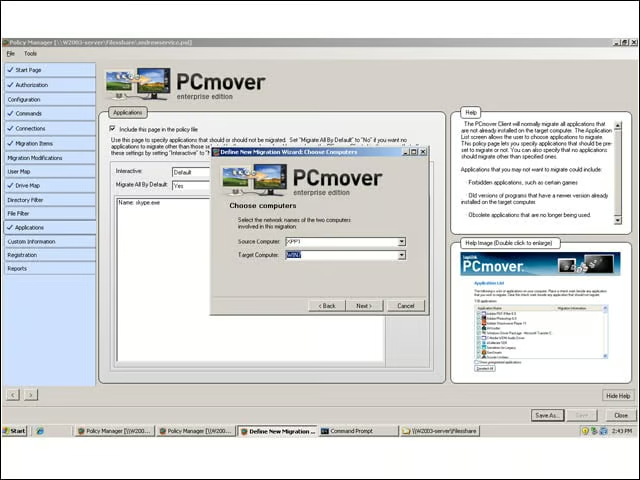
With global and session policies defined, administrators create authorized transfer pairs for a migration action. Users can simply run the PCmover Client and the migration will proceed. Administrators can also script the Client to run, setting flags to define Session Policies.
Clean Up
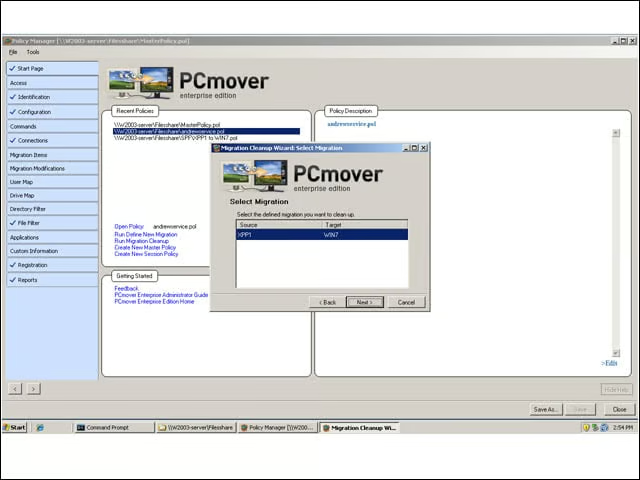
Once migration is complete, administrators need to clean up the transfer pair from the console. Event logs and reports about the migration cannot be seen via the console (they are typically saved to the same file share that the PCmover Client lives on), but they can be deleted during cleanup.
