eWEEK Labs Walk-Through: Bandspeed AirMaestro

執筆者
Andrew Garcia
Andrew Garcia
Published: Dec 29, 2008
Updated: Feb 2, 2021
1 minute read
eWEEK Labs Walk-Through: Bandspeed AirMaestro
eWeek のコンテンツおよび製品のおすすめは、編集上の独立性を保っています。パートナーへのリンクをクリックすると、当社が報酬を得る場合があります。 詳細を見る


eWEEK Labs Walk-Through: Bandspeed AirMaestro

eWEEK Labs Walk-Through: Bandspeed AirMaestro

by Andrew Garcia


AirMaestro 3100AG
2

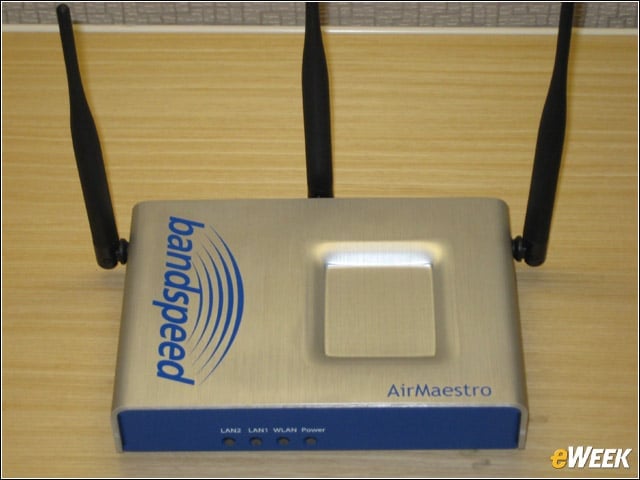
Bandspeed’s access point has three radios, allowing businesses to utilize the 2.4GHz and 5GHz band simultaneously and provide always-on Wi-Fi monitoring services.


Connections
3

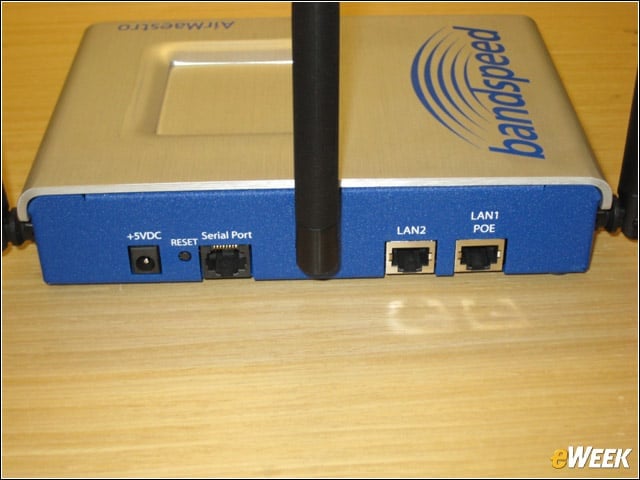
Because Bandspeed’s APs do not yet support 802.11n, the 3100AG only offers a pair of 10/100 Ethernet ports (1 with PoE).


Management Console
4

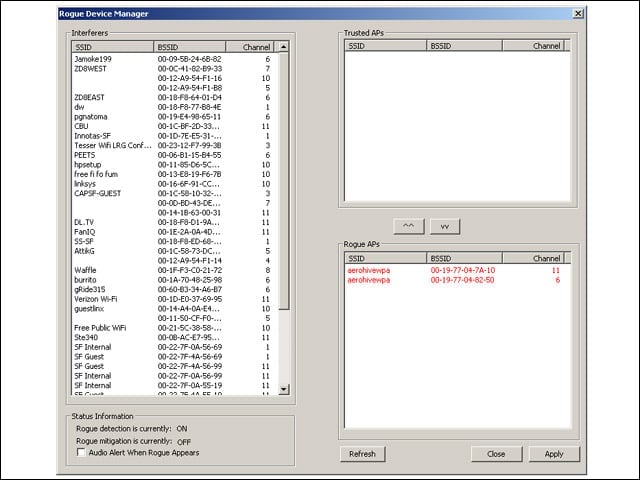
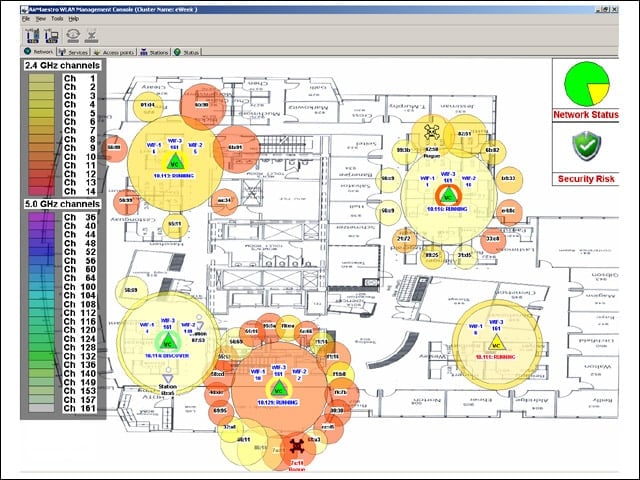
The AirMaestro WLAN Management Console gives administrators a centralized view of the WLAN network, its potential sources of interference and identified rogue devices.


5

AirMaestro APs further detail detected interferers and rogues, allowing administrators to conduct over-the-air mitigation if desired.


Advertisement

Create a Network

6

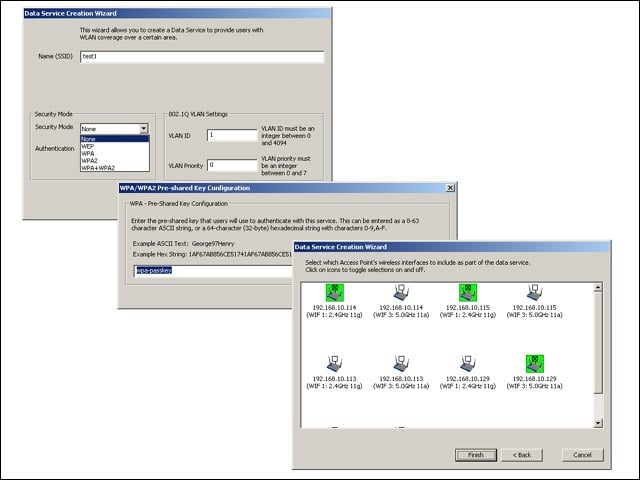
From the Management Console, administrators can easily create data or voice networks, assign security parameters, and deploy settings to the intended access points.


Cluster Management
7

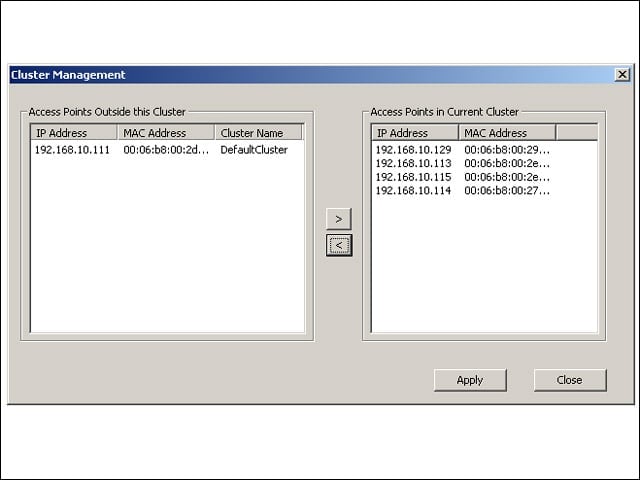
Administrators can add or remove APs from the managed cluster either via the Console (shown) or through any access point’s Web-based GUI.


Spectrum Analysis
8

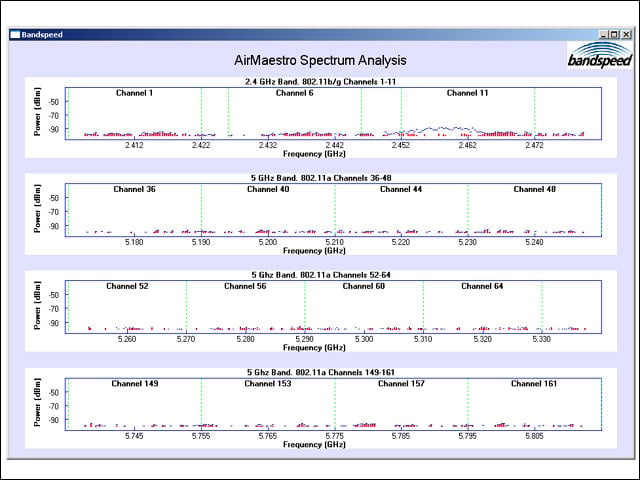
Bandspeed’s APs can be used to identify non-Wi-Fi sources of radio interference in the 2.4GHz and 5GHz bands, identifying detected microwave ovens or cordless phones.


AP GUI
9

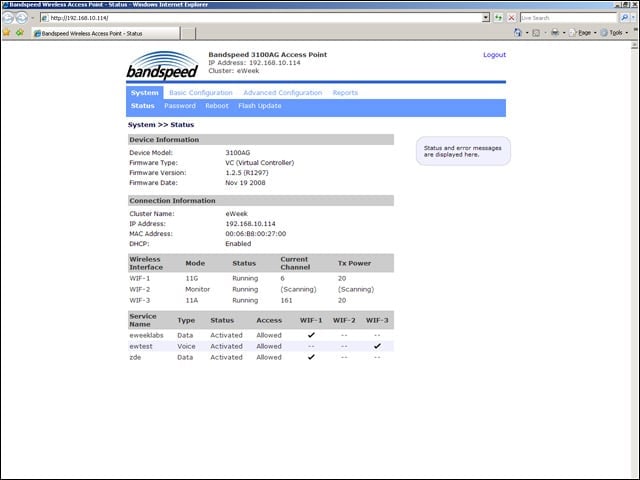
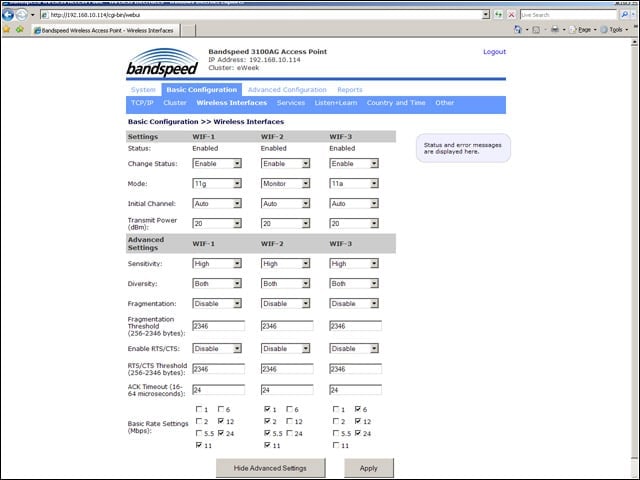
Bandspeed utilizes a controllerless architecture, and unfortunately, APs must be configured individually for some things.


Granular Controls
10

When managing APs individually via each device’s GUI, administrators have access to more in-depth controls over Wi-Fi and QOS behaviors.

Andrew Garcia

Andrew Garcia

Content Writer

Andrew cut his teeth as a systems administrator at the University of California, learning the ins and outs of server migration, Windows desktop management, Unix and Novell administration. After a tour of duty as a team leader for PC Magazine's Labs, Andrew turned to system integration - providing network, server, and desktop consulting services for small businesses throughout the Bay Area. With eWEEK Labs since 2003, Andrew concentrates on wireless networking technologies while moonlighting with Microsoft Windows, mobile devices and management, and unified communications. He produces product reviews, technology analysis and opinion pieces for eWEEK.com, eWEEK magazine, and the Labs' Release Notes blog. Follow Andrew on Twitter at andrewrgarcia, or reach him by email at agarcia@eweek.com.

eWeek Logo

eWeek has the latest technology news and analysis, buying guides, and product reviews for IT professionals and technology buyers. The site's focus is on innovative solutions and covering in-depth technical content. eWeek stays on the cutting edge of technology news and IT trends through interviews and expert analysis. Gain insight from top innovators and thought leaders in the fields of IT, business, enterprise software, startups, and more.

TechnologyAdvice が所有・運営しています。 © 2026 TechnologyAdvice. 無断転載を禁じます

広告主に関する開示:このサイトに掲載されている製品の一部は、TechnologyAdvice が報酬を受け取っている企業のものです。この報酬は、製品がこのサイトのどこにどのように表示されるか(表示される順序など)に影響する場合があります。TechnologyAdvice は、市場で入手可能なすべての企業やすべての種類の製品を掲載しているわけではありません。