







- Shifting From Silverlight to HTML 5
- Connecting to Databases
- Creating Joins With Foreign Keys
- Solution Explorer as a Visual Studio Look and Feel
- Adding Components to a New Screen
- Using the OData Protocol to Connect to Databases
- Creating Functional Buttons
- Creating Forms Is Easy
- Working With Foreign Keys
- Write Server-Side or Client-Side Code
- Displaying Netflix With a Windows 8 Look
- Showing Netflix Data in a List Display
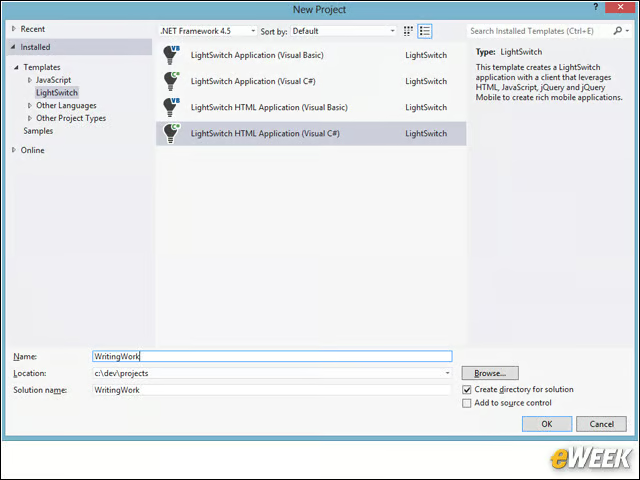
Shifting From Silverlight to HTML 5
When you create a new application, you can choose between the Silverlight-based applications or HTML5 applications. In either case, you can use either C# or Visual Basic.
Connecting to Databases
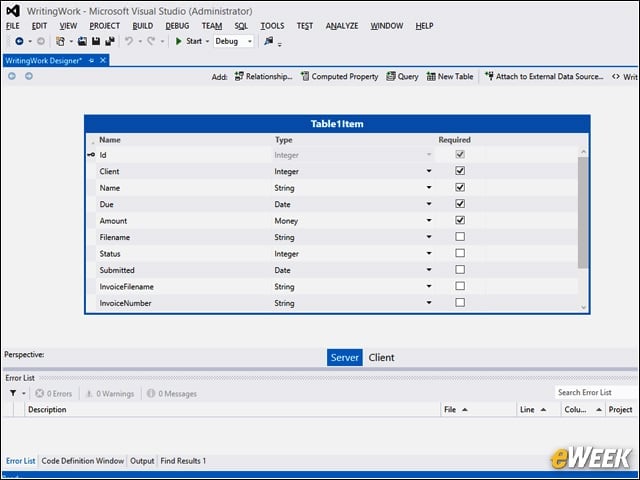
Once your application starts, you can either connect to an existing database or design your own database. Here we’re building a client invoice table for a freelance author application.
Creating Joins With Foreign Keys
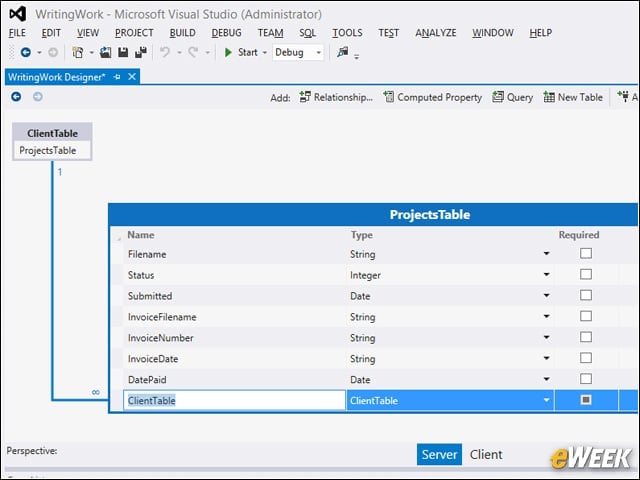
Joins with foreign keys are easy to accomplish simply by linking two tables together. You do not manually provide a foreign key; the connection is made automatically for you.
Solution Explorer as a Visual Studio Look and Feel
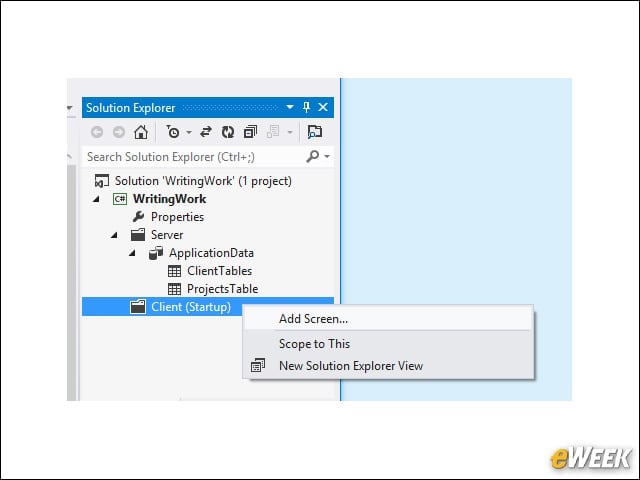
After you create your data, you can add screens to your project by right-clicking on the Solution Explorer. Note that the Solution Explorer is very similar to what you find in Visual Studio.
Adding Components to a New Screen
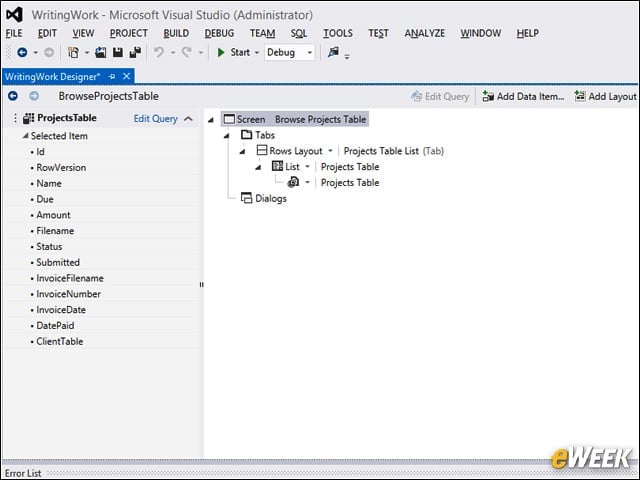
Once you create the screen, you get a tree diagram of the screen’s components, from which you can make adjustments to the screen and add navigation.
Using the OData Protocol to Connect to Databases
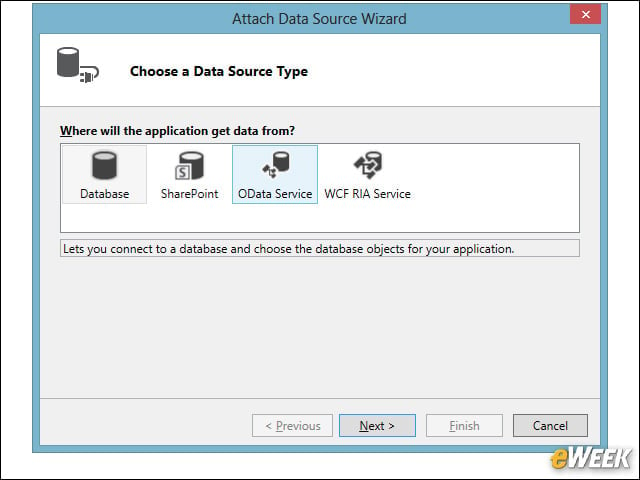
Instead of creating your tables from scratch, you can attach to an existing database. One such option allows you to use Microsoft’s OData protocol.
Creating Functional Buttons
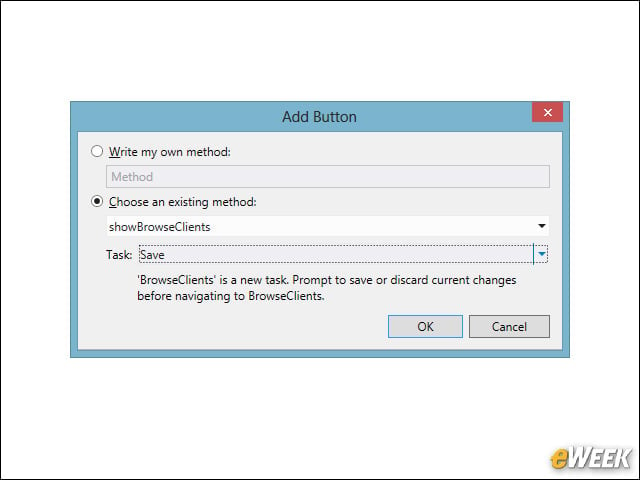
You can add new buttons to your screens and have the buttons automatically trigger certain tasks. Here we’re creating a button that saves the user data added in the screen.
Creating Forms Is Easy
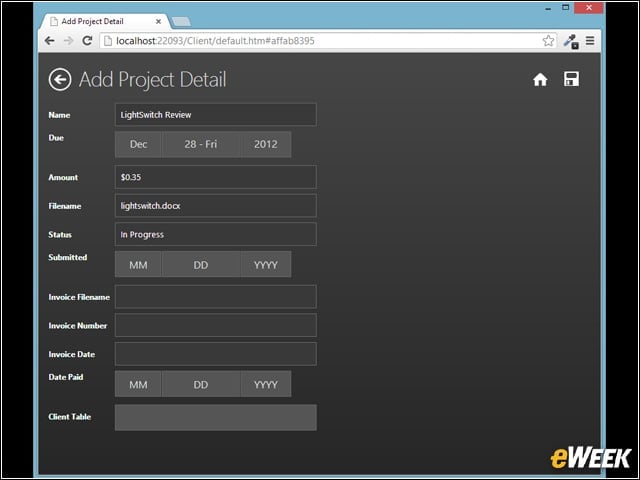
Forms can easily be created, allowing different types of controls to appear. Here’s the form running in the browser. Notice especially the date fields.
Working With Foreign Keys
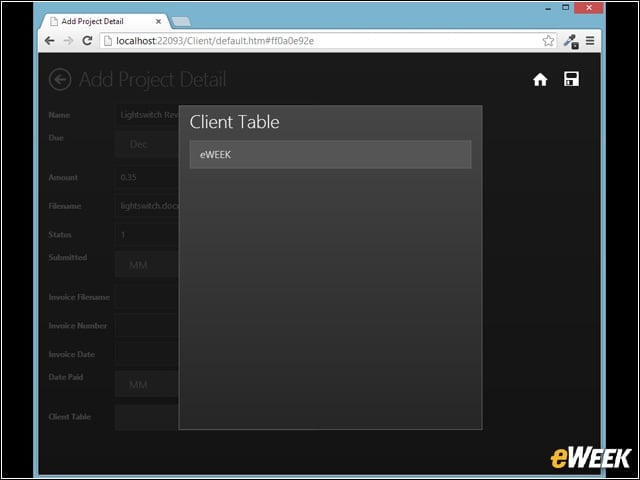
Foreign keys in the forms appear as pop-ups listing the data from the foreign table. Here the table displays only one item, eWEEK, but you can easily have more items.
Write Server-Side or Client-Side Code
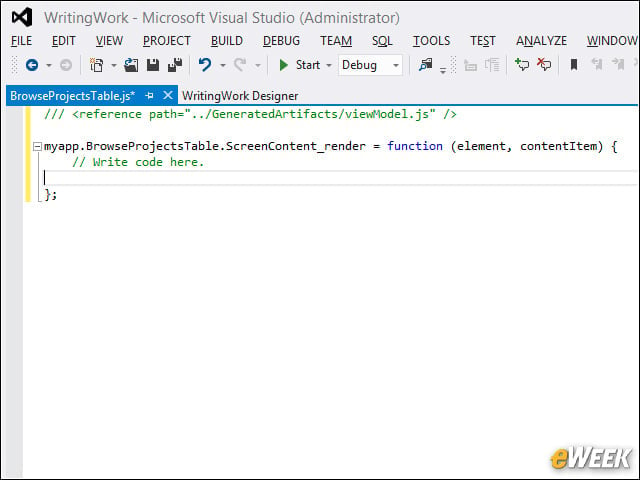
You can write server-side code in C# or, as shown here, client-side code in JavaScript.
Displaying Netflix With a Windows 8 Look
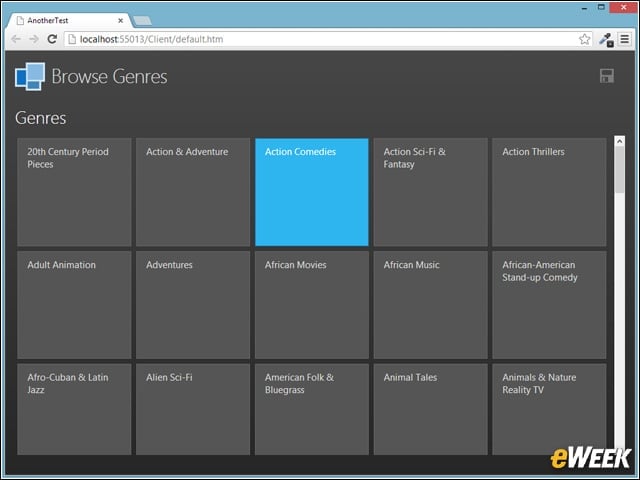
Attaching to a public OData source, such as Netflix, you can display the data with a Windows 8 look. Here we’re listing the Genres available.
Showing Netflix Data in a List Display
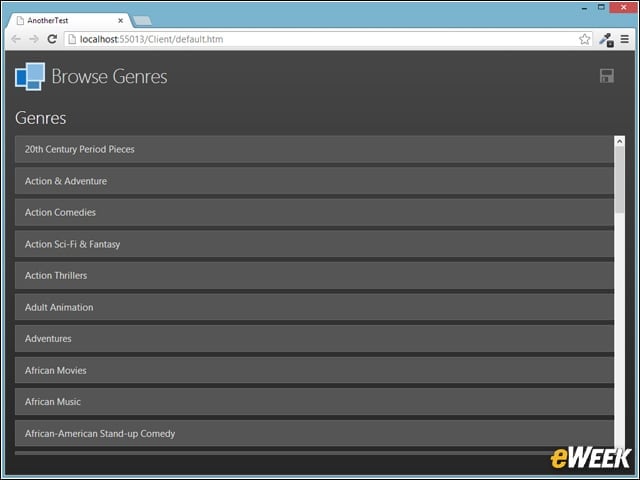
Here, we’re showing the same Netflix data but with a list appearance. This only required a quick change in the configuration.