






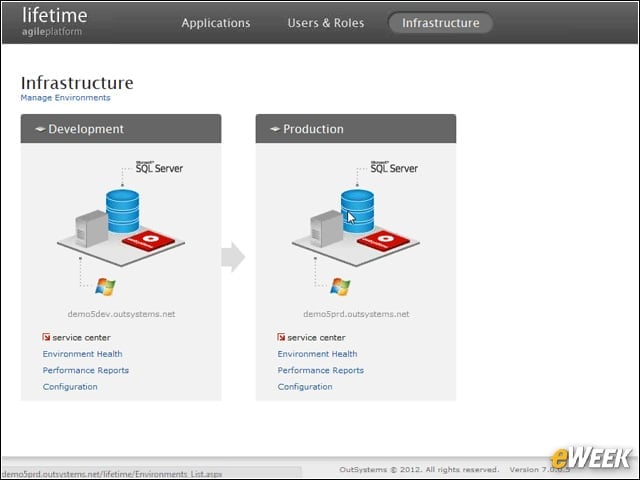

Viewing the Infrastructure
LifeTime shows you a graphic view of your entire infrastructure. Here we have two deployments: a development system and the final production system.
Tagging Applications
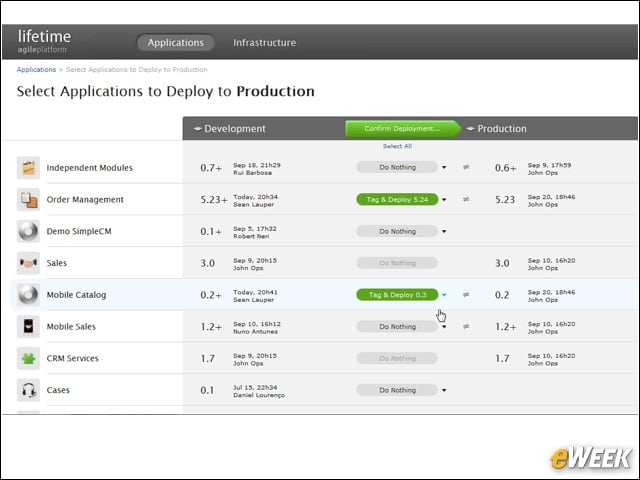
When you’re ready to deploy from development to production, you tag the applications you’re ready to deploy, and then click to deploy.
Informing the User of Problems
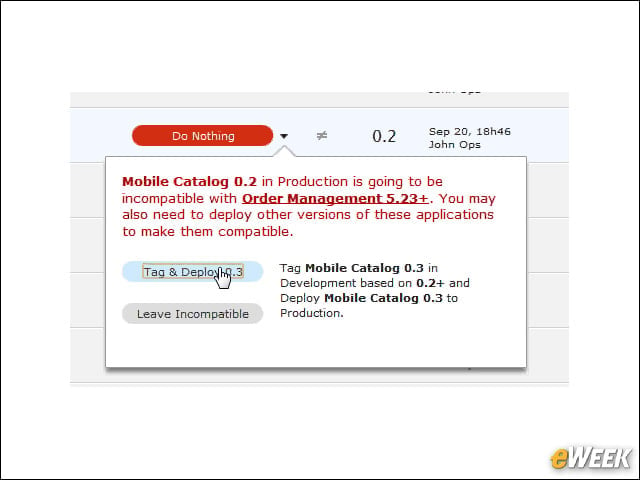
If LifeTime finds a problem with the deployment, such as a mismatch that would result, instead of simply deploying, it warns you so you can fix the problem.
Confirming the Deployment
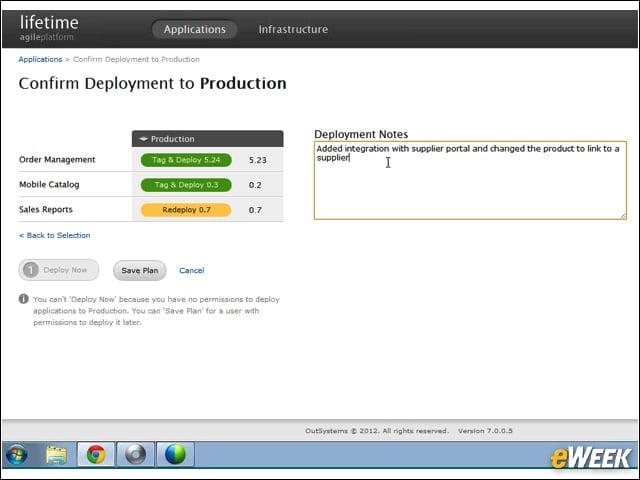
When you’re finally ready to deploy, you can notate the changes and confirm the deployment.
Providing Status Reports
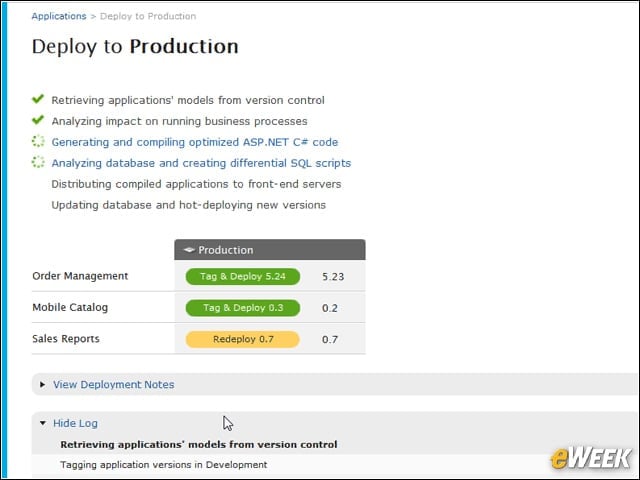
As deployment is taking place, LifeTime will give you a current status as the deployment is occurring.
Rolling Back
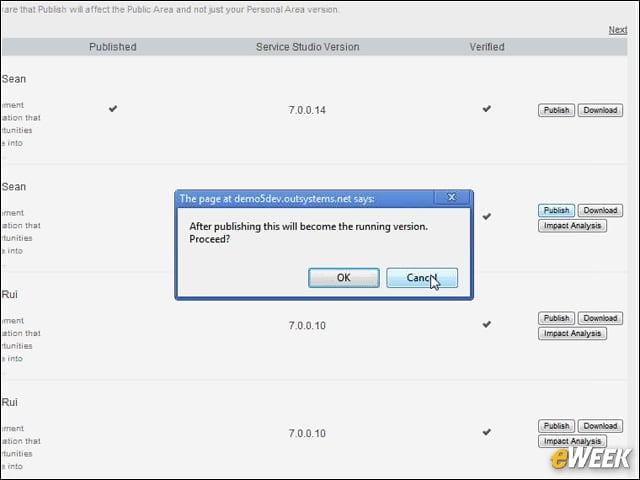
Rolling back is just as easy as publishing.
Building Systems Using Drag and Drop
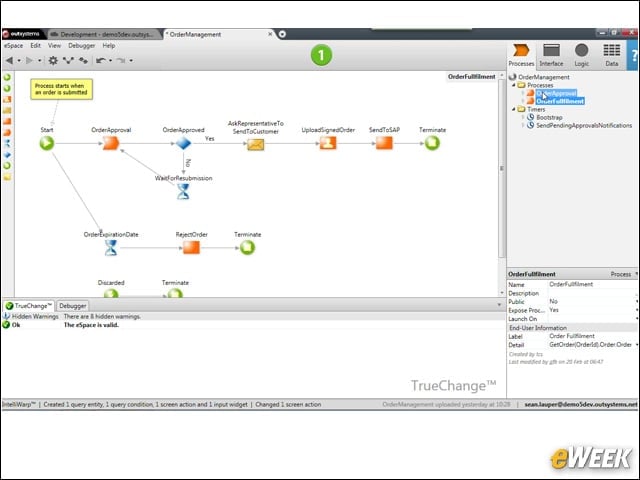
The main integrated development environment works like traditional development IDEs, and it allows you to build your systems with a drag-and-drop interface.
Making Changes
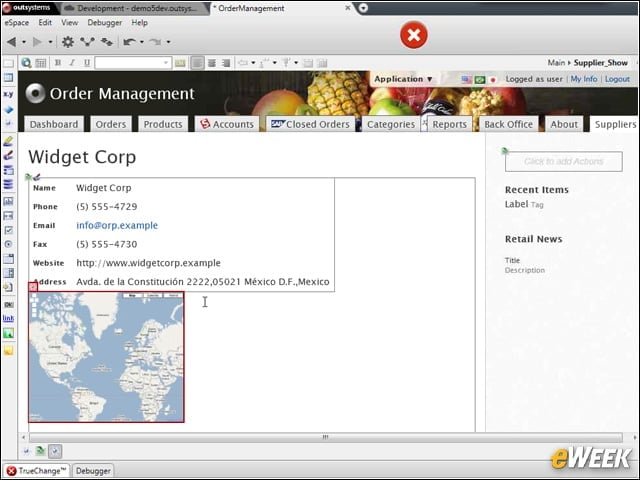
Modifying your pages is as easy as dropping controls on them.
Modeling Tools
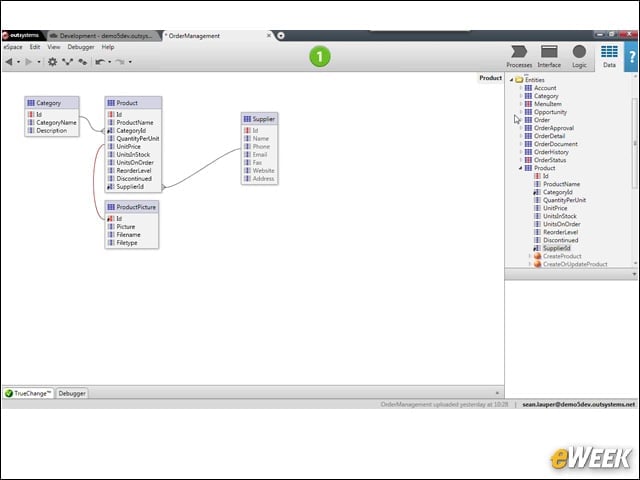
The IDE includes data-modeling tools that will feel natural if you’ve worked with other modeling tools.
Linking Displayed Data
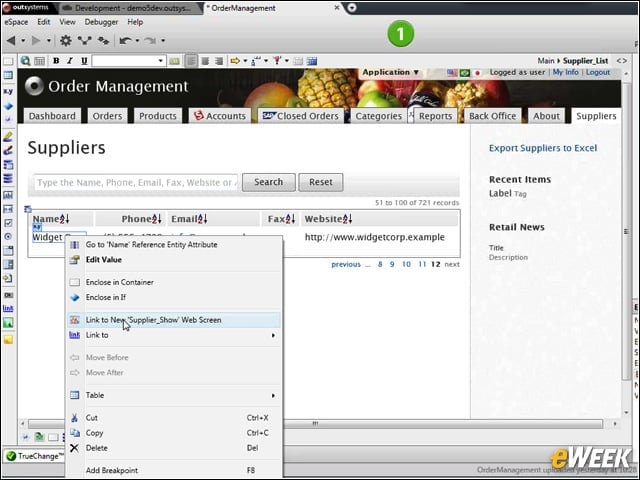
You can easily link displayed data to new pages, resulting in a simple Web link in the final application.