







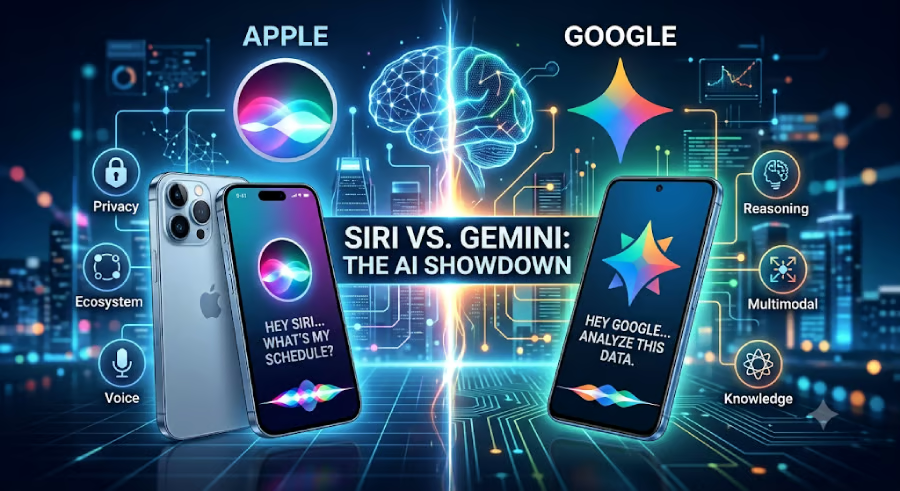
Flashy AI models make good demos. Useful assistants save time.
That is how I look at Apple Siri AI and Google Gemini. I am less interested in which assistant sounds more impressive on stage and more interested in which one can help me send the message, summarize the document, find the answer, change the setting, or finish the small task in front of me.
Siri AI and Gemini approach that problem differently. Siri AI is built around the iPhone and Apple's ecosystem, with personal context, device awareness, and app actions at the center. Gemini is broader, with stronger support for search, writing, research, productivity, and Google's app ecosystem.
For most people, the better assistant will depend on the job. Siri AI may be the better fit when the task starts on an Apple device. Gemini may be better suited when the task starts with a question, a document, an email, or a research problem.
How I compared Siri AI and Gemini
Rather than focusing on AI benchmarks or technical specifications, I evaluated these assistants based on how useful they appear for everyday tasks. I looked at five practical areas:
- Device control and app integration
- Personal context and memory
- Research and search capabilities
- Writing and productivity
- Privacy and data handling
I also considered where each assistant is best suited to work. Siri AI is tightly integrated into Apple's ecosystem, while Gemini spans Google's search, Android, Workspace, and dedicated AI experiences.
Because Apple is still rolling out many of Siri AI's new capabilities, this comparison is based on Apple's announced Siri AI features and Google's current Gemini capabilities. My goal is not to declare one assistant universally "smarter." Instead, I want to help readers understand which assistant is likely to be more useful depending on the task, the device ecosystem, and the type of work they want AI to handle.
Best for device control: Siri AI
Apple has always envisioned Siri as the easiest way to interact with an iPhone, iPad, Mac, or Apple Watch. With Siri AI, the company is expanding that vision through deeper personal context, onscreen awareness, and the ability to perform more actions within Apple and supported third-party apps.
If I want to send a message, find a photo, create a reminder, adjust a setting, or complete an action without navigating multiple menus, Siri AI appears well positioned to require less effort than opening a separate AI chatbot.
Apple is also emphasizing personal context. With permission, Siri AI can reference information across messages, calendars, notes, files, photos, and what's currently on my screen to better understand requests.
That contextual awareness is what interests me most. Most people spend far more time navigating their phones than writing essays or generating images. Saving just a few taps dozens of times each day could ultimately prove more valuable than having the most advanced AI model available.
Why I give Siri AI the edge: It is designed to reduce friction on Apple devices by making everyday interactions feel more natural.
Best for research and problem-solving: Gemini
Gemini shines when the work moves beyond controlling a device.
If I need to compare products, summarize research, brainstorm ideas, draft an email, organize meeting notes, explain a technical concept, or analyze a document, Gemini is better suited to those tasks.
Google has spent years integrating Gemini into Search, Gmail, Docs, Sheets, Drive, Calendar, Android, and Workspace. That makes Gemini feel less like a standalone chatbot and more like an AI layer across Google's productivity tools.
I also appreciate that Gemini supports longer conversations and document-based workflows. I can refine an idea over multiple prompts, upload files, compare options, and ask follow-up questions without starting over.
Why I give Gemini the edge: It offers a broader set of tools for research, writing, analysis, and productivity.
Best for convenience: Siri AI
One thing I have learned from using AI tools is that convenience often matters more than capability.
The most powerful assistant is not always the one I use most. If interacting with AI requires opening another app, copying information, and switching between windows, I am less likely to use it for smaller tasks.
That is where Siri AI has a meaningful advantage.
Because it is built into Apple's operating system, it should become the assistant many iPhone users naturally reach for first. Asking Siri to open an app, adjust settings, send a message, or perform supported actions feels like a natural extension of using the device itself.
For casual users, that convenience may outweigh differences in AI reasoning.
Best for productivity: Gemini
For work, my recommendation shifts toward Gemini.
Most knowledge work revolves around documents, spreadsheets, research, presentations, meetings, and email. Those are the areas where Gemini is currently strongest.
Gemini can help summarize documents, draft content, organize information, analyze data, brainstorm ideas, and answer complex questions across Google's productivity ecosystem.
Apple is making significant progress here, particularly with Siri AI's expanded app actions and contextual awareness. But for users who spend much of the day creating documents, researching topics, or collaborating with colleagues, Gemini is currently the more established option for users already working across Google's productivity ecosystem.
Best for privacy: Siri AI
Privacy is one of Apple's clearest differentiators.
Apple says many Siri AI requests will run directly on the device whenever possible. For more complex requests, the company uses Private Cloud Compute, which it says processes requests without storing personal data or making it accessible to Apple.
Gemini also includes privacy controls, and Google offers different protections depending on whether you're using a personal Google account or Workspace. However, Gemini naturally becomes more capable as it gains access to services like Gmail, Drive, Calendar, and Docs.
Neither approach is inherently better for everyone.
If protecting personal information is my highest priority, I would lean toward Siri AI. If my priority is maximizing productivity inside Google's ecosystem, I would likely accept the additional integrations that make Gemini more capable.
Quick comparison
Category | My Assessment |
Best for device control | Siri AI |
Best for personal context | Siri AI |
Best for research | Gemini |
Best for writing | Gemini |
Best for productivity | Gemini |
Best for privacy | Siri AI |
Best cross-platform assistant | Gemini |
Best for Apple users | Siri AI |
Who should choose Siri AI?
Based on Apple's announced capabilities, I would recommend Siri AI if you:
- Primarily use an iPhone, iPad, Mac, or Apple Watch.
- Want faster ways to complete everyday tasks on your devices.
- Value privacy and on-device processing.
- Prefer an assistant that feels built into your device instead of existing as another app.
Who should choose Gemini?
I would recommend Gemini if you:
- Spend much of your day researching, writing, or analyzing information.
- Use Gmail, Google Docs, Sheets, Drive, or Android regularly.
- Want AI to help solve problems rather than primarily control your device.
- Frequently upload files, compare information, or work through complex questions.
My verdict
After comparing Apple's announced vision for Siri AI with Google's current Gemini experience, I do not think there is a single winner. The two assistants are designed with different priorities.
Siri AI is built to make Apple's devices feel more personal and easier to use. If my day revolves around an iPhone or Mac, I expect Siri AI to become the assistant I reach for first because it is closest to my apps, my files, and my daily routines.
Gemini, meanwhile, remains the assistant I would choose for research, writing, brainstorming, document analysis, and productivity. It feels more like an AI collaborator than a device assistant.
That is why I think many people will ultimately use both. Siri AI can handle quick interactions with your Apple devices, while Gemini tackles the heavier thinking.
Ultimately, the best AI assistant is not the one with the most impressive demo. It is the one that quietly saves you time every single day.
Also read: Want to learn more about autonomous AI? Check out our AI Agents Cheat Sheet, which explains how AI agents work, where they're being used, and the key risks and opportunities organizations should know about.