







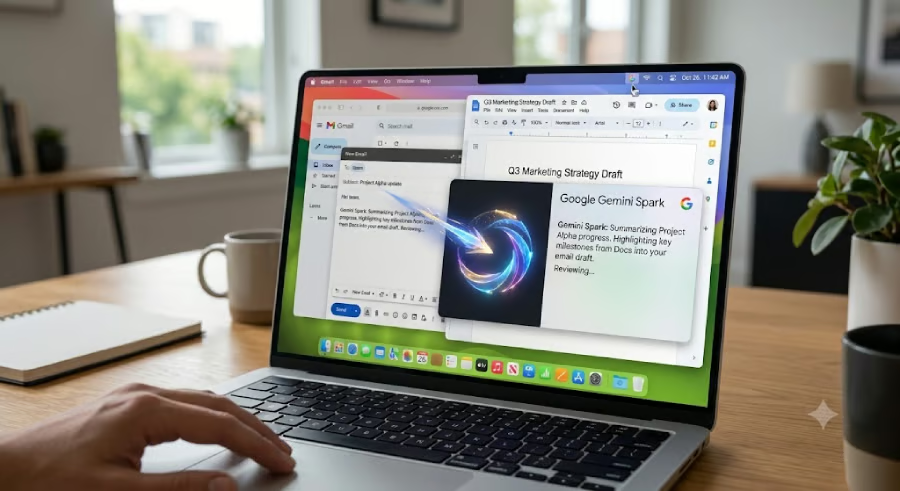
Google is bringing its AI agent to the desktop, starting with the Mac.
The tech giant launched the Gemini Spark app for macOS on Tuesday, well before Windows users get the same experience. According to Google, the release gives Spark deeper access to a computer’s context data, enabling the AI agent to perform multi-step tasks across supported apps.
Gemini Spark also adds new app integrations, real-time monitoring features, and support for the Model Context Protocol (MCP). While Mac users are getting early access, Google is taking its usual phased rollout approach, meaning not every eligible user will get Gemini Spark immediately
What Gemini Spark for Mac can do
According to Google, Gemini Spark is a proactive, always-on AI agent built on top of the company’s Gemini AI model. As an AI agent, it goes beyond what the normal Gemini AI chatbot can do using triggers, instructions, and context.
The agent’s biggest leap on macOS is its ability to work outside the browser. As a native app, Spark can access local files in depth to organize folders, rename documents, extract information, and use connected Google Workspace services to process that data.
The agent is designed to handle multi-step workflows across supported apps, enabling users to complete tasks rather than simply respond to prompts. According to Google, pressing Option + Space opens Gemini Spark from anywhere on macOS. Users can also press Command + Command to grant the app access to on-screen content.
Spark can also monitor events in real time and generate reports based on user-defined instructions. That feature could prove useful for professionals who need constant updates or shoppers tracking prices across multiple online retailers.
According to TechCrunch, the update also expands integrations with Google services, including Tasks and Keep, as well as third-party platforms such as Dropbox, Canva, Instacart, OpenTable, and Zillow Rentals. Google also plans to add support for MCP, allowing developers and technical users to build deeper integrations across platforms. Even so, Spark can access only user-approved files and supported integrations, while some features remain under development.
Availability, pricing, and more
Gemini Spark for macOS is available only as a direct download from Google's website. As with many Google apps, users should not expect to find it on the Mac App Store anytime soon.
Google says the agentic app requires a Mac with Apple Silicon running macOS Sequoia 15.0 or later. Access is currently limited to US users aged 18 or older and is bundled with the Google One AI Ultra subscription.
The company has not said whether or when Gemini Spark will become available to other subscription tiers or expand to additional regions. The app also remains in beta, so users may encounter unfinished features or unexpected behavior.
Windows users can continue using Gemini Spark on the web or install the Progressive Web App (PWA). However, those versions do not offer the desktop integrations available on macOS.
Google's debut of Gemini Spark adds to the growing list of desktop agents available to users. From Claude Cowork to OpenClaw, QClaw, and even OpenAI's Desktop app with agentic ability. That suggests the next chapter of the AI race may be decided less by who has the smartest model and more by who builds the most capable agent and gets it into users’ hands.
Related reading: Google just made personalized AI image generation free in Gemini. Here's what you can do with it.