







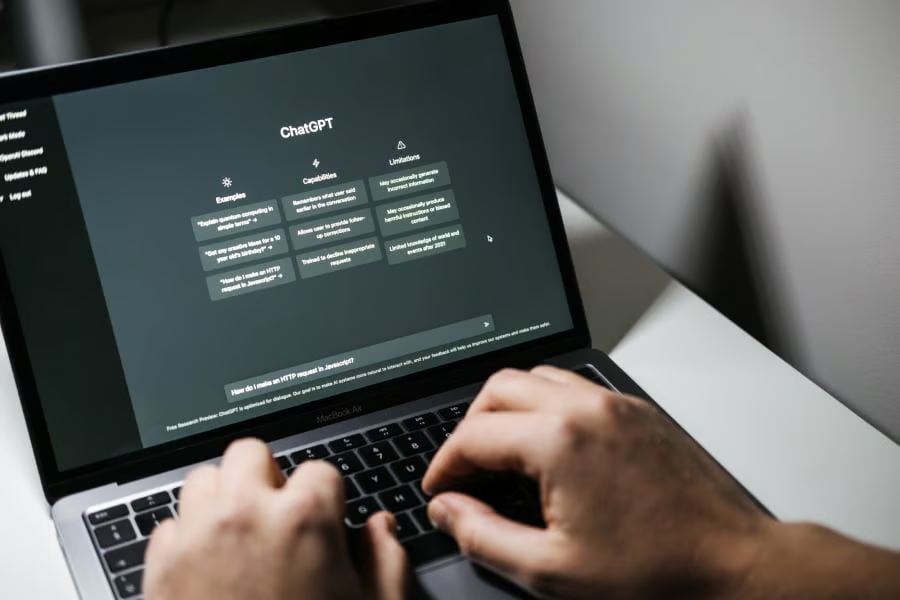
There’s a moment most writers recognize now: you stare at a blank document, and instead of panicking, you open a chat window. Somewhere between 2023 and 2026, AI quietly moved from novelty to writing partner.
That shift created a crowded market. More than 100 AI writing tools now promise faster drafts, sharper edits, better SEO, cleaner research, and stronger creative work. Some deliver. Many are just the same underlying model with a new interface.
This guide cuts through the noise, organizing the best AI writing tools by how they actually fit into a writer’s workflow, from general assistants and SEO platforms to fiction tools, research engines, and professional editing software.
Before you read
Most AI writing tools are built on a small handful of underlying models, primarily OpenAI’s GPT family and Anthropic’s Claude. Paying a premium for a polished interface can be worth it, but it’s worth asking: does this tool do something the raw model can’t? When the answer is yes, we say so. When it’s no, we say that too.
The big three general assistants
Call them the heavyweights. Claude, ChatGPT, and Gemini aren’t just tools; they’re the infrastructure that most other tools are built on top of. They’re generalists by design, capable of handling everything from a 10-word subject line to a 50,000-word research document. What separates them in 2026 is personality, not raw capability.
Anthropic’s Claude
Best for: structured writing, deep research, editing with your voice intact
Claude has earned a loyal following among journalists and researchers who need writing that doesn’t sound like it was generated by a committee. Its long context window, now well over 200,000 tokens, means you can feed it an entire book manuscript and have a coherent conversation about it.
Where it truly separates itself is in tasks that require careful reasoning and nuance: it spots logical gaps in arguments, maintains consistent voice across long documents, and edits with a light touch that doesn’t flatten your prose.
OpenAI’s ChatGPT
Best for: all-purpose workhorses, multimodal tasks, teams on varied projects
Still the most famous name in the room, and still earning it. The GPT-5 series brought multimodal capabilities that make ChatGPT a genuine all-in-one hub: you can draft copy, generate the header image concept, write the code for your landing page, and research the competition, all in one window. Its free tier remains remarkably capable, and its polished, formal writing style suits content that needs to sound authoritative from the first draft.
Google Gemini
Best for: research-driven writing, live data, teams already in Google Workspace
Google’s integration play is increasingly compelling. Gemini’s Deep Research mode essentially works like an intern who reads twenty relevant articles before summarising the key points for you, with citations. It handles enormous documents natively, connects directly to live Search data, and sits inside the Google Workspace products most editorial teams already use every day.
If your work is research-heavy and Google-adjacent, it’s hard to argue against.
Marketing and SEO specialists
The general assistants are powerful, but they weren’t built with keyword clustering and content calendars in mind. The marketing-focused tools fill that gap, and several have evolved far beyond simple copy generators. The best ones now run a loop from research to brief to draft to optimization without you having to stitch three different apps together.
Jasper
Best for: enterprise content teams, branded marketing at volume
Used by Akbank, Adidas, and Cushman & Wakefield. Jasper’s Brand Voice feature is genuinely impressive. It reads your existing content, infers your tone and style, and then maintains that consistency across everything it generates.
Over 50 templates cover the standard marketing content types. The Kanban-style campaign manager is a genuine productivity gain for teams. It’s expensive, and it’s ultimately GPT under the hood, but the workflow layer earns its price for content operations at scale.
Surfer SEO
Best for: SEO-first content teams, anyone writing for organic search traffic
Surfer remains the gold standard for on-page SEO writing support. In 2026, its most important evolution is its move toward Answer Engine Optimization (AEO). It now helps structure content to appear in AI-generated search overviews, not just traditional Google results. For any team whose traffic depends on organic search, Surfer isn’t optional; it’s infrastructure.
The points-based scoring system makes optimization accessible even for writers who have never opened a keyword research tool.
Copy.ai
Best for: high-volume short-form copy, automated marketing workflows
The king of short-form. Perfect for high-volume social media posts, ad copy, and Workflows that automate your entire content calendar.
Copy.ai’s Workflows feature has become one of its main attractions. You can automate entire content pipelines, from prospect research to personalized outreach to social posts, without writing a line of code. For a marketing team running dozens of campaigns simultaneously, the time savings are substantial. It won’t produce your brand’s most nuanced long-form content, but that was never the point.
Creative and fiction writing
This is where the tool market gets genuinely interesting and where most general-purpose assistants fall flat. Writing fiction isn’t about producing grammatically correct text. It’s about sustaining tension, building character interiority, managing pacing across hundreds of pages, and generating descriptive language that doesn’t read like a product listing. The creative writing tools understand this distinction in a way that ChatGPT, for all its versatility, simply doesn’t.
Sudowrite
Best for: fiction writers of any level, from hobbyists to publishing professionals
The most purpose-built fiction tool in the market. Sudowrite’s Story Engine can outline entire novels, and its Describe function generates sensory scene descriptions across specific senses. You can ask it to render a scene through smell alone or through sound. Its Canvas feature provides a bird’s-eye view of your manuscript structure. The Write button, which generates the next 300 words when you’re stuck, is simple in concept and wildly effective in practice.
If you’ve been circling that novel for three years, this is the tool that might finally tip you into actually writing it.
editGPT
Best for: writers who want proofreading without personality erasure
The distinction that makes editGPT worth knowing: most AI editing tools optimize for correctness, and in doing so, they sand away everything that makes your voice your voice. editGPT uses a Track Changes-style interface so you can review every proposed alteration and keep or reject it.
It catches what needs catching, such as structural issues, clarity problems, and clunky phrasing, without turning a writer’s distinctive style into sanitized AI-speak. For writers who care deeply about their voice, that restraint is the whole product.
Scrivener
Best for: novelists and long-form writers who already live in Scrivener
Scrivener is, first and foremost, a manuscript management tool; it has been so for two decades. Its 2026 AI plugins don’t try to write your book for you. Instead, they help you maintain internal consistency across a 90,000-word manuscript: tracking character descriptions, flagging plot-hole candidates, checking that your fictional world’s rules haven’t contradicted themselves.
For serious long-form writers, this is an organizational layer that no general-purpose chatbot can replicate.
Academic and professional tools
The stakes change when writing has real-world consequences, when a citation matters legally, when a wrong fact in a report affects a business decision, and when your institution can penalize you for plagiarism. The academic and professional category is defined by a single obsession: accuracy. These tools sacrifice some of the creative fluency of the general assistants in exchange for verifiability.
Perplexity
Best for: fact-checking, academic research, journalists who need citations fast
Less a writing tool, more a research engine with writing output. Every claim Perplexity makes comes with a footnoted source, which makes it essential as a fact-checking companion for any AI-generated draft.
The model is also updated in real time, so it doesn’t have the knowledge-cutoff problem. For journalists and academics who need to verify claims quickly, it has become a routine stop in the research workflow. Use it to check your AI drafts before they leave your desk.
Grammarly
Best for: professional writers who need to prove their work, students, and non-native English speakers
Grammarly has reinvented itself for 2026. With 30 million daily active users, it was already the dominant text-correction tool. Still, its new Authorship feature is a meaningful development for the professional context: it tracks your actual keystrokes and typing patterns to produce a record proving your work was human-generated.
For freelancers submitting to clients with AI-detection policies and for academics operating under plagiarism rules that now explicitly cover AI content, this verification layer is increasingly non-optional.
NotebookLM
Best for: analysts, researchers, anyone writing from a defined set of source documents
Google’s NotebookLM solves one of the most frustrating problems with large language models: they invent plausible-sounding facts from nowhere. NotebookLM eliminates this by grounding the AI entirely in sources you provide. You upload your PDFs, research notes, or transcripts, and it writes only from those materials. No hallucinations, no unverifiable claims slipping in.
For anyone producing reports, briefings, or academic work where the source material is provided, this constraint is a feature, not a limitation.
The trends reshaping how we write
The tools matter, but so does the direction of travel. Three trends in particular are changing not just how people use AI writing tools, but what they’re optimizing for in the first place.
Voice-first writing
The keyboard may no longer be the fastest way to get your ideas into a document. Tools like EVY let you speak your messy, unpunctuated, half-formed thoughts aloud and then convert them into a structured first draft.
The workflow shift is subtle but significant: instead of typing what you already know, you think out loud, as you would to a colleague, and the AI handles the transcription, organization, and formatting. For writers whose first drafts traditionally look like a stream-of-consciousness nightmare, this changes the game.
AEO: Answer Engine Optimization
Google’s AI Overviews and a new generation of AI-powered search products have changed what ranking means.
It is no longer enough to be on page one of search results; the real prize is being the source that the AI overview cites and summarises. AEO is the discipline of writing content structured to be the definitive, quotable answer to a query. Surfer SEO has already built AEO scoring into its platform.
Expect every serious SEO tool to follow within the year.
Human-in-the-loop
The content market has not converged on pure AI generation, despite early predictions that it would.
What has emerged instead is a workflow model: use AI for the heavy structural lifting, such as outlining, drafting, formatting, SEO optimization, and deploy human judgment for everything that actually matters: the original argument, the personal anecdote, the fact-check, the edit that makes the piece actually good.
A rough ratio that keeps coming up in editorial conversations: 70% AI augmentation, 30% human soul. The best writing being published today is almost always the latter ratio, executed well.
Pro tip: The two-step prompt
If AI writing still sounds robotic in your hands, try this:
- Step 1: Feed the tool a sample of your own best writing and ask it to analyze your style and tone in specific terms.
- Step 2: Instruct it to write the new piece using exactly that analysis. The difference in output quality is usually significant. You are, in effect, training a temporary ghostwriter on your own voice rather than asking a generic content engine to guess at it.
Also read: Our prompt engineering cheat sheet explains how clearer instructions can help professionals get more accurate, useful AI outputs.