






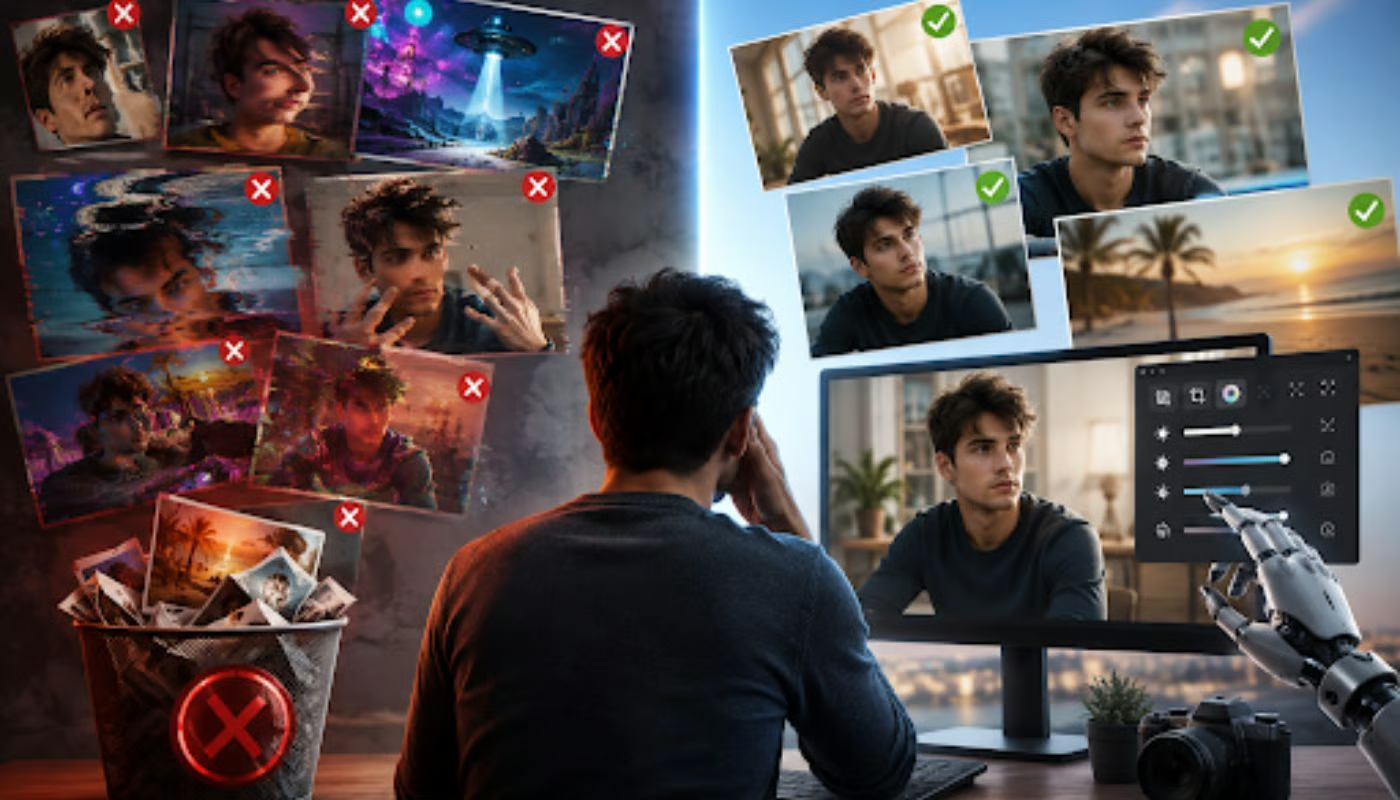


AI image editing with ChatGPT feels almost effortless at first. You upload a photo, describe what you want, and wait for something impressive to appear. But very quickly, many users run into the same frustration: the output looks nothing like what they imagined.
A clean portrait becomes distorted. A simple background edit turns a scene into a completely different one. A minor tweak suddenly changes lighting, identity, or composition. The issue is rarely the technology itself. It is almost always the way prompts are written.
ChatGPT image tools respond directly to instructions, but they do not infer intent the way humans do. Every missing detail becomes a guess, and every vague phrase opens the door to unpredictable results.
Below are seven common prompts that consistently ruin photos, along with a clearer understanding of why they fail and how to fix them.
1. ‘Make this photo better’
This is one of the most frequently used prompts, and also one of the most damaging. On the surface, it sounds reasonable. In practice, it gives the AI almost no direction at all.
The word “better” is completely subjective. It does not tell the model whether you want improved lighting, smoother skin, stronger contrast, a different mood, or even a full stylistic transformation. Because of this, the AI tries to infer what “better” means from its training patterns, which often leads to overprocessing or unintended visual changes.
Sometimes the image becomes overly sharpened, with harsh edges and unnatural contrast. Other times, the AI alters facial structure or shifts the background atmosphere in ways that were never requested. The result may look “enhanced,” but not in a controlled or predictable way.
Why it ruins photos:
The core issue is ambiguity. When the prompt lacks direction, the model fills in gaps creatively, and that creativity often overrides the original intent of the photo.
Better prompt:
Instead of saying “Make this photo better,” a more controlled instruction would be something like:
“Improve lighting with soft natural daylight while keeping the original face, background, and composition unchanged. Apply only slight sharpening for clarity.”
This keeps the edit targeted rather than transformative.
2. ‘Add something cool’
This prompt is vague in a more stylistic way. “Cool” is not a visual instruction; it is an emotional one. And AI models tend to translate emotional words into exaggerated visual clichés.
The result is often unpredictable. A simple street photo might suddenly include neon effects, random futuristic elements, or unrelated objects that do not belong in the scene. Instead of improving the image, it can shift the photo’s entire narrative.
Why it ruins photos:
The AI has no objective definition of “cool,” so it defaults to its most common associations, which are often dramatic, stylized, or artificial-looking additions.
Better prompt:
A more grounded version would be:
“Add subtle warm café-style ambient lighting in the background while keeping the subject unchanged and maintaining a realistic photographic style.”
This replaces emotion-based language with specific visual direction.
3. ‘Make it photorealistic’
At first glance, this sounds like a quality improvement request. But in reality, it often leads to the opposite effect.
When users ask for “photorealism,” the AI sometimes overcompensates by pushing textures, lighting, and contrast beyond natural limits. Skin can become overly smooth, highlights can look artificial, and the entire image may start resembling a stock photo rather than a natural shot.
Why it ruins photos:
The phrase is too broad and overused. It does not guide the model toward specific photographic qualities, so it instead amplifies generic realism patterns.
Better prompt:
A more effective approach would be:
“Create a natural portrait with soft window lighting, realistic skin texture, shallow depth of field, and a 50mm lens look.”
This introduces a real photographic structure rather than vague terms of realism.
4. ‘Fix the text in this image’
Text editing is one of the weakest areas in AI image generation. When users ask ChatGPT to modify text within an image, the model often attempts to regenerate the entire visual scene rather than isolate the text layer.
This can completely disrupt the image. Faces may shift, objects may warp, and the background can change unintentionally. Even when the text is fixed, it may appear distorted or inconsistent with the rest of the design.
Why it ruins photos:
AI image tools are not reliable for precise typography editing within existing visuals. They treat text as part of the whole scene rather than a separate editable layer.
Better prompt strategy:
Instead of editing text inside the image, it is more reliable to generate the visual without text and add typography afterward in a design tool such as Canva or Photoshop. If text must be included, it should be kept extremely simple and clearly defined in advance.
5. ‘Make it look like Marvel/Pixar/Disney’
Requests that directly reference well-known studios or copyrighted styles often produce inconsistent results or get blocked entirely. Even when they work, the output can feel generic or imitative rather than genuinely creative. The AI may try to approximate the style but ends up blending multiple influences, resulting in visuals that feel off-brand or visually confusing.
Why it ruins photos:
Copyright-related constraints limit direct replication, and vague imitation of style leads to an unstable visual direction.
Better prompt:
A more effective description would be:
“Create a cinematic animated-style scene with dramatic lighting, expressive characters, and a high-detail fantasy environment.”
This focuses on visual characteristics instead of brand imitation.
6. Overloading the prompt with multiple edits
One of the most common workflow mistakes is trying to fix everything in a single request. Users often ask to change background, adjust clothing, improve lighting, and modify facial expression all at once.
The problem is that each instruction competes with the others. The AI may prioritize one change while ignoring or distorting another, resulting in an inconsistent or messy final image.
Why it ruins photos:
Too many simultaneous instructions increase conflict within the model’s interpretation process, leading to unpredictable outputs.
Better prompt strategy:
Break edits into stages:
- Remove background
- Adjust clothing
- Refine lighting
- Improve facial details
Sequential edits almost always work better than one giant command.
7. Forgetting aspect ratio instructions
Many users overlook image format entirely, assuming the AI will automatically choose the right composition. By default, however, ChatGPT often generates square images, which can crop important visual elements in unintended ways. This becomes a major issue for thumbnails, banners, and social media formats where composition matters.
Why it ruins photos:
Without explicit framing instructions, the AI selects a default canvas that may not align with the intended use case.
Better prompt:
A clearer instruction would be:
“Generate a 16:9 horizontal image suitable for a YouTube thumbnail with centered subject framing.”
This ensures composition matches the platform.
Final thoughts
AI image editing is less about creative wording and more about precise instruction. The difference between a bad image and a great one often comes down to how clearly you define lighting, composition, style, and constraints.
The users getting the best results are not necessarily more artistic. They are simply more deliberate. Once you stop relying on vague ideas and start giving structured visual instructions, ChatGPT image tools become far more consistent and far more useful.
For readers who want to put stronger image prompts into practice, check out eWeek’s guide to six AI prompts that can restore old photos in seconds.