






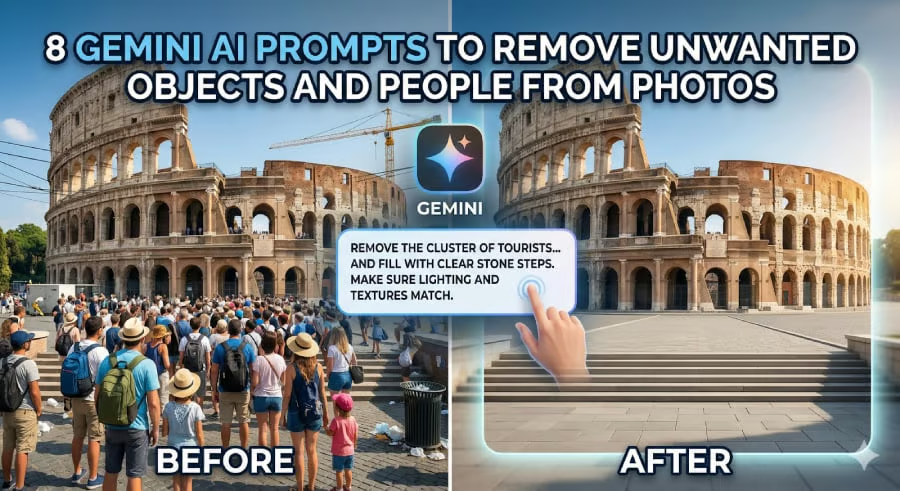


Your perfect shot shouldn’t be ruined by a stray trash can or a well-timed photo bomber.
You capture a beautiful moment, the lighting is hitting just right, and the composition is flawless, until you notice a bright yellow crane in the distance or a stranger wandering into the frame. In the past, fixing this meant hours of learning complex editing software.
Today, Google’s Gemini AI has turned that struggle into a simple conversation. By using specific text prompts, you can now clean up your images in seconds, allowing your main subject to finally take center stage.
In this guide, I’ll walk you through 8 prompt templates designed to help you clean up your photos. Each template is structured so you can easily fill in the blanks with your specific situation. Think of these as conversation starters with the AI. The more detail you provide, the better your result will be. Let’s get started.
Getting started with Gemini
Before we dive into the prompts, here is a quick step-by-step guide on how to use them:
- Open the Gemini App or access the Gemini web interface.
- Upload the photo you want to edit. (For best results, use a high-quality image).
- Copy and paste one of the prompts below, filling in the specific details about what you want to remove.
- Hit enter and let Gemini do the work.
Here are the 8 Gemini AI Prompts for Removing Unwanted Objects From Photos.
Removing a specific person
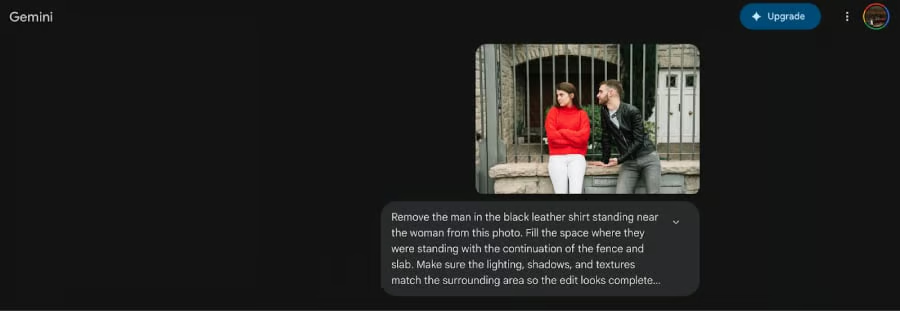
This prompt is your go-to when a single person is standing where they should not be. The key here is to describe not just the person, but what should exist behind them. Is it a brick wall? A sandy beach? A grassy field? By telling the AI exactly what the background is supposed to look like, you give it the blueprint it needs to convincingly rebuild that area.
The prompt:
“Remove the [describe the person: e.g., man in the blue shirt standing near the entrance] from this photo. Fill the space where they were standing with [describe the background: e.g., the continuation of the wooden fence and green bushes]. Make sure the lighting, shadows, and textures match the surrounding area so the edit looks completely natural.”

Clearing away trash or litter
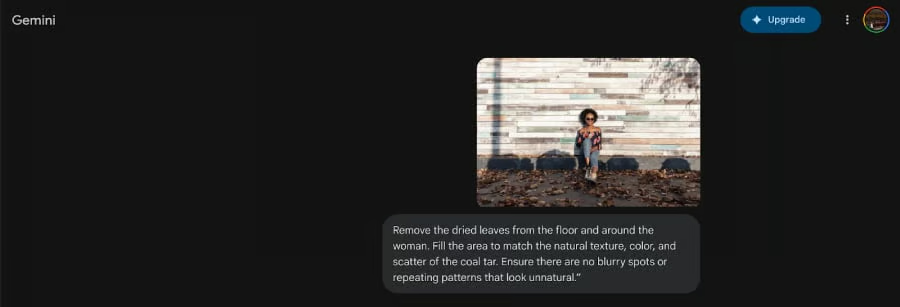
Small pieces of litter can ruin an otherwise pristine landscape or a carefully composed flat lay. The challenge with trash is that it often sits atop complex textures such as grass, concrete, or sand. This template guides the AI to focus on restoring the surface texture so the final image looks untouched, as if the litter was never there.
The prompt:
“Remove the [describe the litter: e.g., white plastic bag and soda can] from the [describe the surface: e.g., gravel pathway]. Fill the area to match the natural texture, color, and scatter of the surrounding gravel. Ensure there are no blurry spots or repeating patterns that look unnatural.”

Erasing utility wires and poles
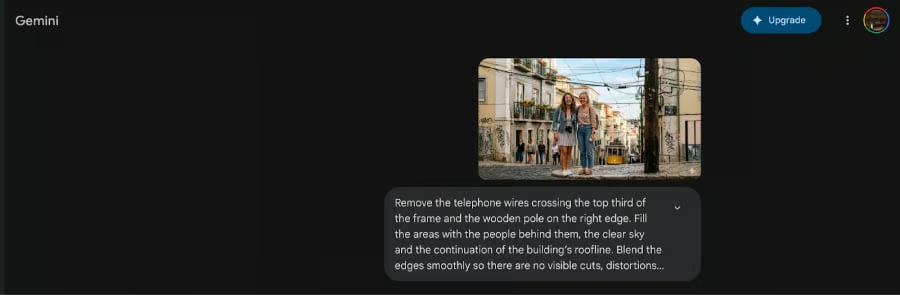
Cityscapes and scenic views often come with unwanted companions like telephone wires, lampposts, or electrical boxes. Removing these elements can clean up a composition. This template works well because it specifically asks the AI to focus on the sky and architectural lines, which are usually the elements hidden behind these utilities.
The prompt:
“Remove the [describe the utility: e.g., telephone wires crossing the top third of the frame and the wooden pole on the right edge]. Fill the areas with [describe what is behind them: e.g., the clear sky and the continuation of the building’s roofline]. Blend the edges smoothly so there are no visible cuts, distortions, or jagged lines.”

Eliminating logos and branding
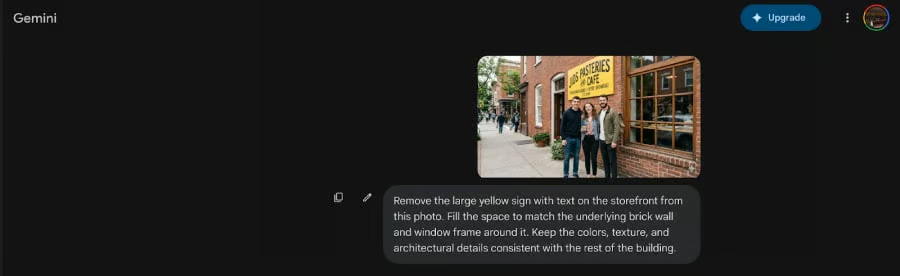
Sometimes a photo is beautiful except for one distracting logo that pulls focus. Whether it is a billboard, a sign on a vehicle, or a branded piece of clothing, this template helps you strip away the branding while preserving the underlying surface. The focus here is on texture replication, ensuring the area where the logo once lived looks authentic to the material beneath it.
The prompt:
“Remove the [describe the logo: e.g., large yellow sign with text on the storefront] from this photo. Fill the space to match the [describe the underlying material: e.g., brick wall and window frame] around it. Keep the colors, texture, and architectural details consistent with the rest of the building.”

Fixing unwanted reflections or glare
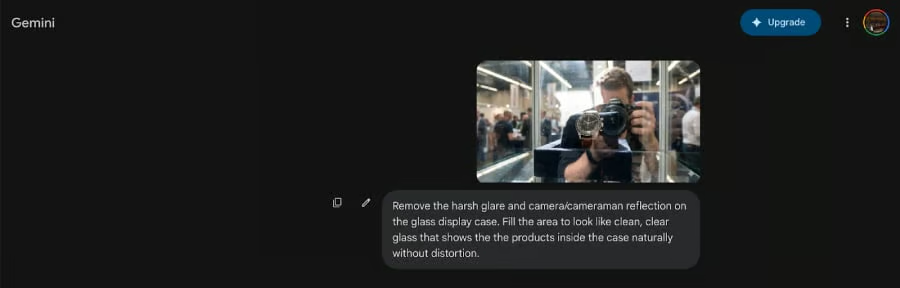
Glare on a window or an accidental reflection of the photographer can break the illusion of a candid shot. This type of edit requires the AI to understand surface properties like glass or water. This template directs the AI to treat the area as a transparent or reflective surface rather than a solid object, helping it rebuild a clean, believable finish.
The prompt:
“Remove the [describe the reflection: e.g., harsh glare and camera reflection] on the [describe the surface: e.g., glass display case]. Fill the area to look like clean, clear glass that shows the [describe what should be visible: e.g., the products inside the case] naturally without distortion.”

Thinning out crowds
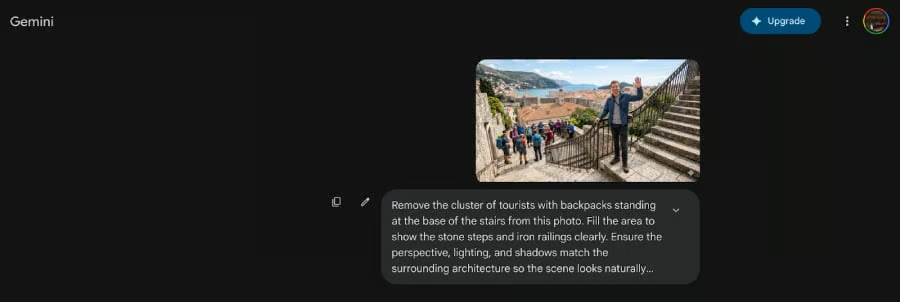
A bustling landmark or popular tourist spot often makes it impossible to get a shot without strangers in the frame. Instead of deleting the photo entirely, use this template to selectively remove the people who are obstructing the view. By describing the architectural or natural features behind them, you help the AI reconstruct the landmark accurately.
The prompt:
“Remove the [describe the people: e.g., cluster of tourists with backpacks standing at the base of the stairs] from this photo. Fill the area to show the [describe the background: e.g., stone steps and iron railings] clearly. Ensure the perspective, lighting, and shadows match the surrounding architecture so the scene looks naturally empty.”

Tidying up indoor spaces
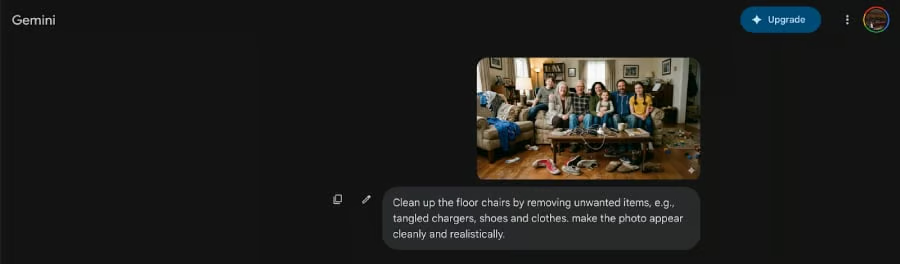
When taking photos indoors, it’s easy to overlook a tangled mess of charging cables or a stray power outlet. These small details can make a professional room shot look messy. A quick prompt can unplug those wires and give you a clean, minimalist interior.
The prompt:
“Clean up the [area, e.g., floor or corner] by removing [unwanted items, e.g., tangled chargers]. Extend the [floor/carpet/wall] texture to cover the spot cleanly and realistically.”
General scene cleanup
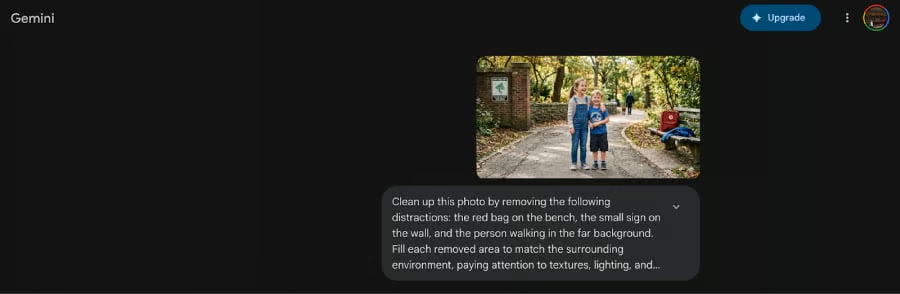
Finally, this is your all-purpose template for when a photo has multiple small distractions. Instead of giving separate commands one by one, you can list everything you want gone in a single prompt. This template works best for photos that are nearly perfect but have a few minor elements, like a stray bag, a small sign, or a distant person, that you want to tidy up quickly.
The prompt:
“Clean up this photo by removing the following distractions: [list each item: e.g., the red bag on the bench, the small sign on the wall, and the person walking in the far background]. Fill each removed area to match the surrounding environment, paying attention to textures, lighting, and shadows. The final image should look clean and seamless, as if those elements were never there.”

Using Gemini AI for photo editing is less about technical skill and more about clear communication.
With these templates, you now have a practical toolkit for cleaning up your photos using nothing but words. The more specific you are when filling in the blanks, the more accurately Gemini can understand your vision. Experiment with different descriptions, and you will soon find that fixing imperfect shots becomes one of the most satisfying parts of your creative process.
Looking for your next opportunity, too? Check out these Gemini AI prompts designed to supercharge your job search in 2026.