






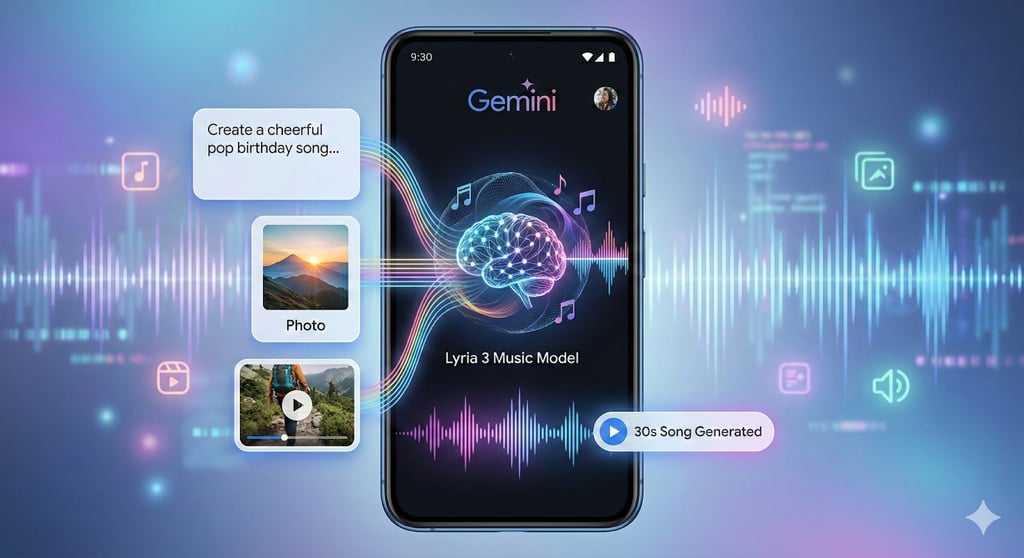


If you’ve ever wanted to turn a quick idea into a short song, the Gemini app now makes that possible.
With Lyria 3, Google DeepMind’s latest generative music model, users can create original 30-second tracks using text prompts, photos, or short videos.
The tool is designed to lower the barrier to music creation. Instead of opening editing software or searching for royalty-free tracks, you can describe what you want in plain language and let the system generate a structured, shareable song. The key, Google explains in its rollout and guidance posts, is knowing how to prompt it clearly.
Here’s a rundown of six ways to get better results from Lyria 3.
Start with clear, descriptive prompts
According to Google’s official blog, starting with detailed text is the simplest way to guide Lyria 3 toward better results. Google described Lyria 3 as the company’s most advanced music generation model as it rolled out in beta within the Gemini app.
Imagine this: you want to create a short birthday track for a friend. If you simply write “make a happy song,” the result may feel generic. But if you describe the mood, genre, and energy, the output becomes more personalized and expressive.
For example, you can use the prompt “Create a cheerful pop birthday song with upbeat drums and playful lyrics celebrating turning 30, sung by a bright female vocalist.”
Upload an image or video for inspiration
Google said Lyria also supports multimodal prompting, allowing users to upload a photo or short video as inspiration.
For instance, you might have a short clip from a hiking trip that you can use as a reference. Instead of describing the scenery, you can upload the video and let Gemini translate the visuals into music that matches the mood and setting.
After uploading a clip, you can write a prompt: “Use this video of a mountain sunrise to create a cinematic instrumental track with soft strings and a gradual build to an uplifting finale.”
Define the genre and era
Being specific about style helps shape the sound you want to generate. Google mentioned that Lyria 3 can cover a wide range of genres and eras and even blend them.
Let’s say you are creating background music for a short social media clip. Choosing “pop” alone may be too vague, but specifying “early 2000s pop with dance influences” provides clearer direction and tighter output. “Lyria can cover plenty of genres and eras,” said Molly McHugh-Johnson, contributor to The Keyword.
Here’s a sample prompt you can try: “Create an early 2000s dance-pop track with energetic beats and catchy hooks, inspired by club music from that era.”
Add details about instruments and song dynamics
Google encouraged users to shape how Gemini generates the music by describing instruments and transitions. “If you don’t specify instruments, Lyria will automatically choose instruments to suit the genre,” Google highlighted.
For instance, if you are building suspense in a short marketing video, you may want the music to start subtly and gradually intensify. Defining those dynamics improves how Gemini generates a sound aligned to your goal.
Additionally, specifying how the music moves between sections, whether a quiet piano builds into an explosive chorus or shifts into a purely instrumental passage, gives the model a clearer picture of the song dynamic you have in mind.
For example, you can write the prompt, “Create a suspenseful instrumental track that begins with soft piano and gradually adds strings and percussion, building tension toward the final seconds.”
Control the vocal style
Vocals can dramatically change how a track feels. Google emphasized that users can specify vocal range, tone, and arrangement.
The model allows you to specify whether the vocalist is male or female and define their range from baritone to soprano. Additional vocal descriptors and blended styles can also be layered in, making it ideal for theme songs or any track where vocals are crucial.
Picture this: you are creating a short motivational clip for a team meeting. A powerful baritone voice will create a different impact than a light, airy soprano. By providing detailed instructions in your prompt, you ensure that the tone aligns with the message.
You can use this prompt: “Write an inspirational anthem with a deep baritone lead singer and layered background harmonies that build intensity throughout the track.”
Write your own lyrics or let Lyria generate them
Google explained that users can include custom lyrics by starting the prompt with “Lyrics:” or allow Lyria 3 to generate them automatically.
If you are celebrating a product launch or a personal milestone, you may prefer including specific words and phrases. But if you want to generate more casual tracks, letting the model create the lyrics can save time and effort.
Here’s an ideal prompt you can try:
“Lyrics: Shine so bright tonight (tonight)
This is your moment, own the light (the light)
Create an upbeat pop birthday song with energetic drums, a joyful lead vocal, and background singers echoing the words in parentheses.”
Bottom line
Lyria 3 expands Gemini’s generative AI capabilities into music, but the results depend heavily on how users structure their prompts. Clear descriptions, defined genres, vocal directions, and intentional lyrics can produce more personalized and detailed tracks.
As multimodal AI tools become more popular for consumers and enterprise use, effective prompting is also becoming a practical skill.
Explore the 6 best Gemini photo editing prompts in 2026 to learn how to get better AI-generated images with smarter, more effective prompting.