








Socialtext 4.0 Supports Groups, Microblogging Channels

by Clint Boulton
New Groups
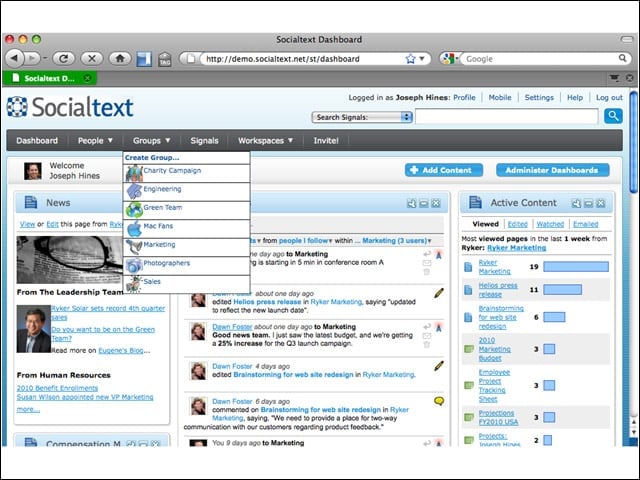
Socialtext’s new groups drop-down menu on the modules bar lets users select the group they belong to. By clicking on it, you’ll be brought to a customized Group Homepage. Groups can be synchronized with existing groups in your company’s LDAP or corporate directory. Collaborative Groups can be configured for privacy to meet the business needs of the group.
New Homepage
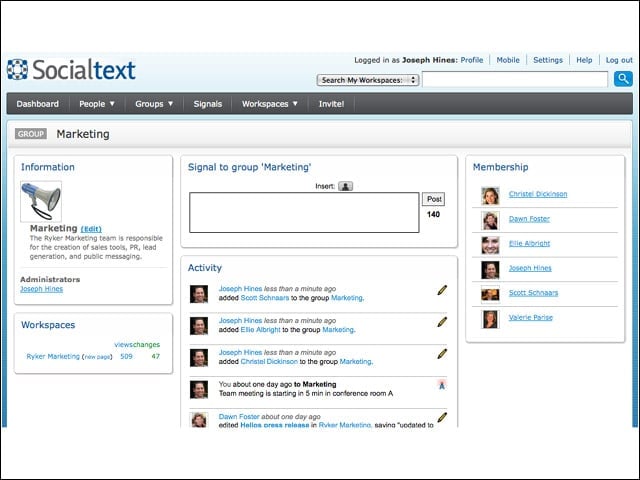
The new homepage shows Activities, Signals status updates and what workspaces with which a group is associated. You can also see the groups members, with links to their People Profiles (social networking). Essentially, this page helps tie a group to the social tools they want to use to collaborate and do their jobs.
Socialtext Desktop
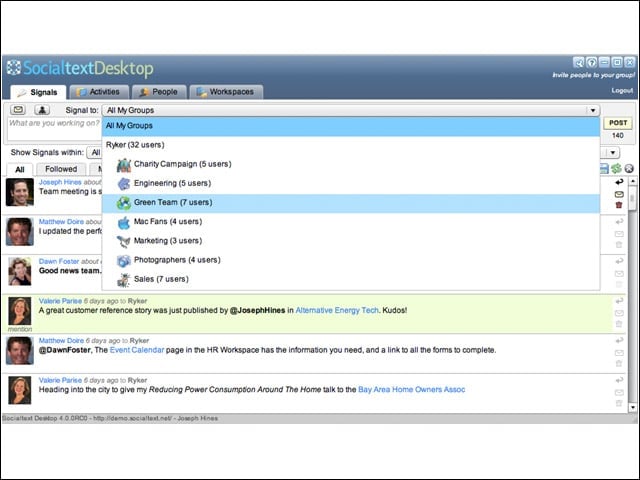
This is a screenshot of Socialtext Desktop, the Adobe AIR application. Signal all groups, or scroll down to signal to one of them.
Socialtext Dashboard
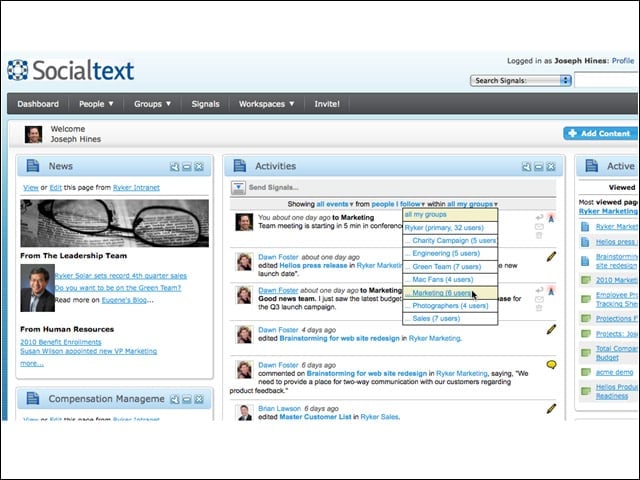
Socialtext Dashboard lets users sort Activity Streams by groups. View by Signals, comments, edits and events inside the platform.
Dashboard Dropdown
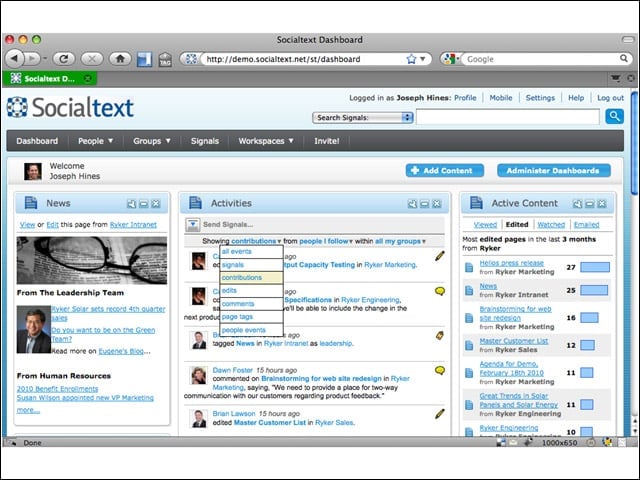
This shows the drop down menu for Signals, comments, edits and events. Want to view all the Signals from the “Operations” group? Pull from an easy drop-down menu to see their Signals. People can publish a Signal to one group or all of them.
Socialtext People
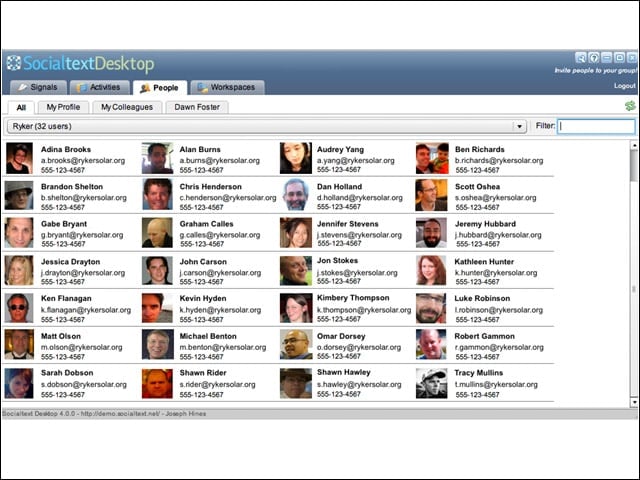
This is the social networking and profiles feature inside of Socialtext Desktop. Clicking on one of these avatars takes you to the person’s Socialtext profile. New here is the ability to sort People based on the Group.
Administrator Console
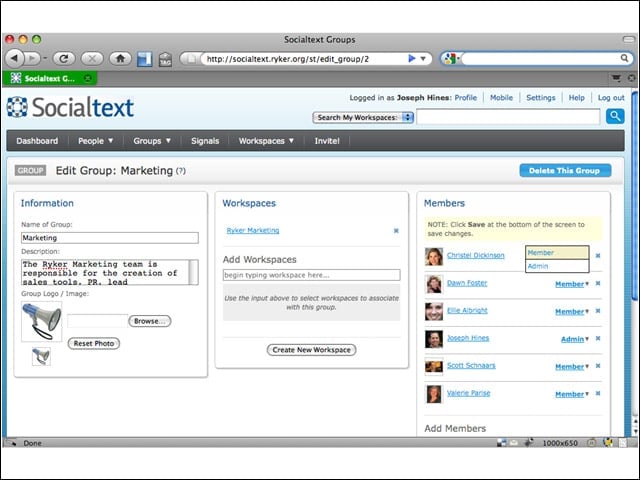
This administration feature of Socialtext’s Collaborative Groups in 4.0 lets administrators add and subtract members, and tie the group to a wiki workspace. Administrators may also modify the groups description, and add a specific logo/avatar to associate with the group throughout the platform.
Socialtext Flashback
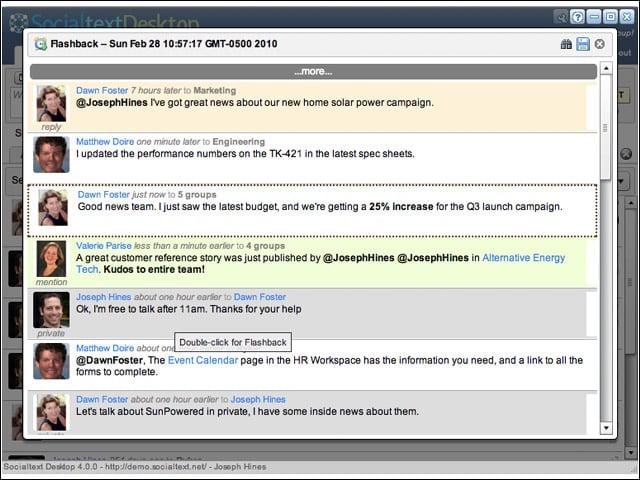
This new feature inside Socialtext Desktop lets users search for a past Signal status update and see the other Signals that happened around the time it was published. Flashback essentially helps Socialtext users find that needle in the haystack of status updates.
Workspace Privacy
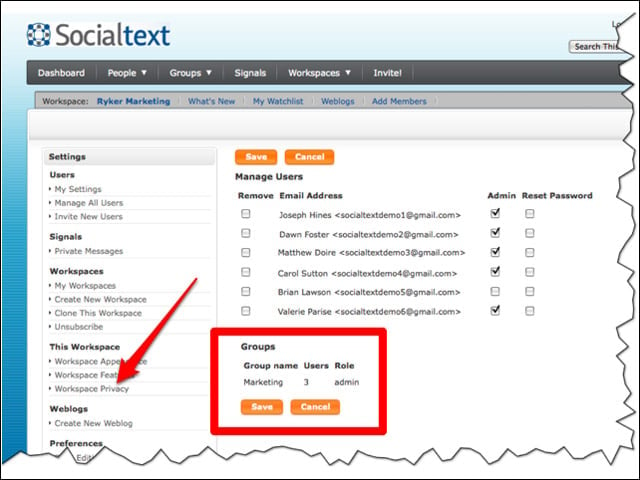
Here is the Groups privacy console for the administrator. Socialtext is emphasizing security in its 4.0 build.