







- eWEEK Labs Walk-Through: Mozilla’s Thunderbird 2.0 Beta 1
- eWEEK Labs Walk-Through: Mozilla’s Thunderbird 2.0 Beta 1 – Custom Tags
- eWEEK Labs Walk-Through: Mozilla’s Thunderbird 2.0 Beta 1 – Toast Pop-up
- eWEEK Labs Walk-Through: Mozilla’s Thunderbird 2.0 Beta 1 – Folder Organization
- eWEEK Labs Walk-Through: Mozilla’s Thunderbird 2.0 Beta 1 – Folder Views
- eWEEK Labs Walk-Through: Mozilla’s Thunderbird 2.0 Beta 1 – Favorite Folders
eWEEK Labs Walk-Through: Mozilla’s Thunderbird 2.0 Beta 1
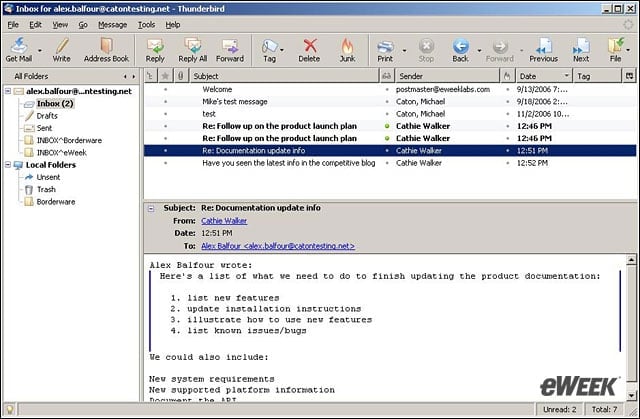
The first beta of Thunderbird 2.0 has a new user interface with new navigation elements.
eWEEK Labs Walk-Through: Mozilla’s Thunderbird 2.0 Beta 1 – Custom Tags
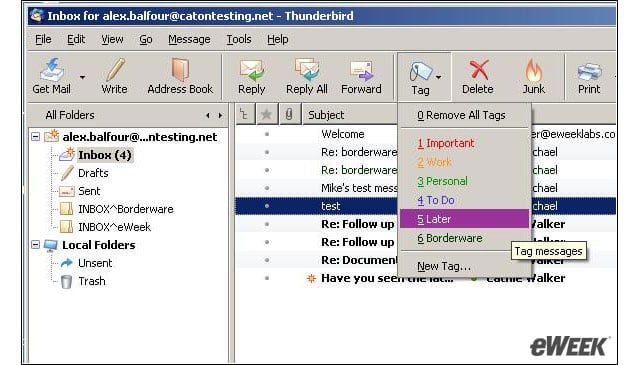
The Thunderbird 2.0 beta has changed message organization labels to tags and allows users to create custom tags.
eWEEK Labs Walk-Through: Mozilla’s Thunderbird 2.0 Beta 1 – Toast Pop-up
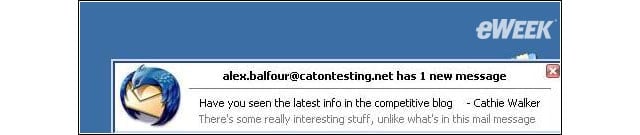
The new message alert in the Thunderbird 2.0 beta includes more detail about the message contents.
eWEEK Labs Walk-Through: Mozilla’s Thunderbird 2.0 Beta 1 – Folder Organization
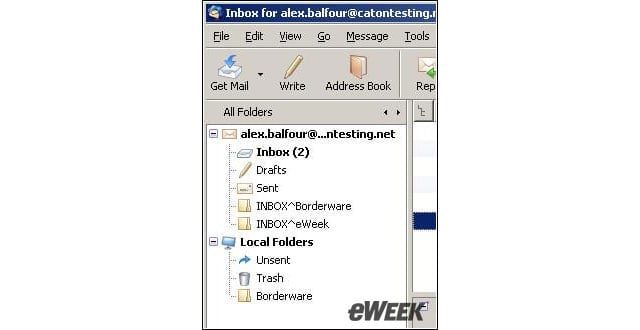
Folder organization has been changed to allow users to cycle through folder views.
eWEEK Labs Walk-Through: Mozilla’s Thunderbird 2.0 Beta 1 – Folder Views
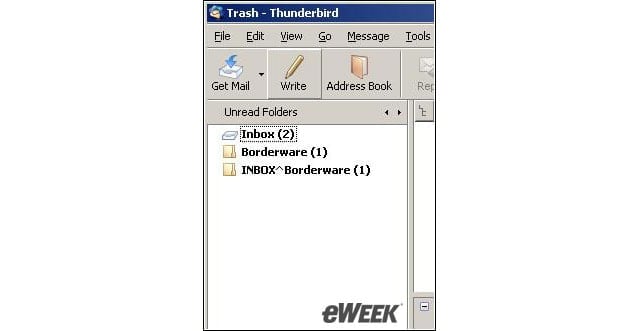
Users of the Thunderbird 2.0 beta can see folders with unread messages as well as recently accessed folders.
Advertisement
eWEEK Labs Walk-Through: Mozilla’s Thunderbird 2.0 Beta 1 – Favorite Folders
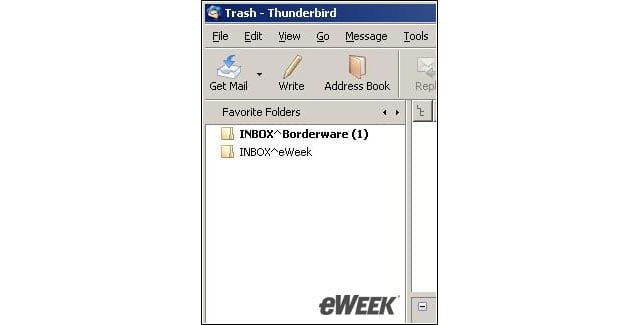
Users can also designate certain folders as favorites, which can also appear in another folder view.
Listen to this article