







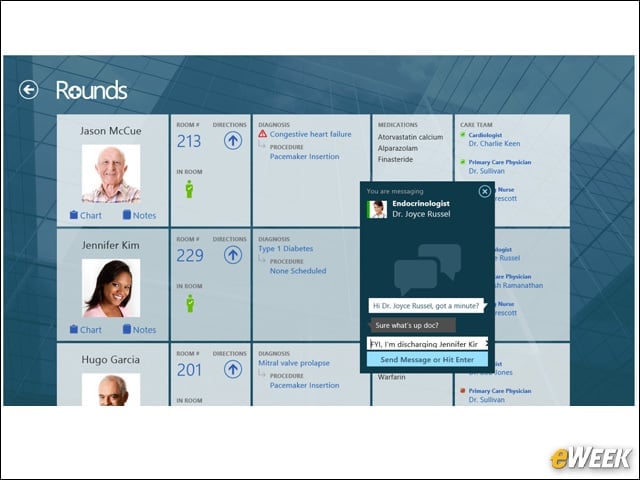
A Patient Care Dashboard
Rounds features a dashboard that shows grids of both patients and the care team. Icons allow doctors to open screens to enter notes or view patient charts. They can check directions to get to a patient around the hospital, as well as see diagnoses, medications and links to interact with other physicians on a patient’s care team.
Consent Process on a Tablet
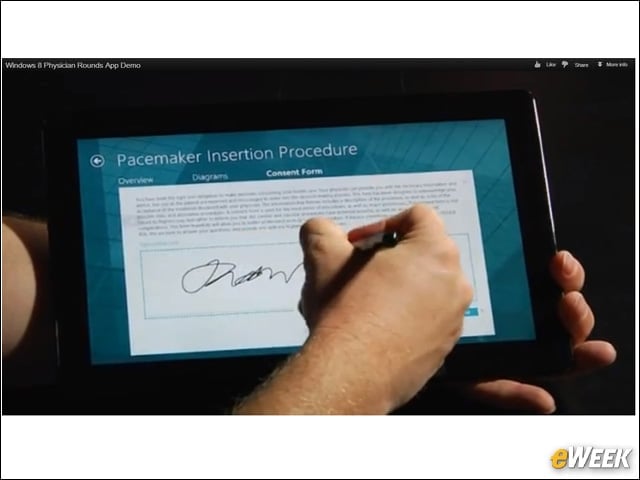
In Rounds doctors go through a consent process in which they can annotate records with a pen and patients can sign documents on a touch-screen like that of Microsoft Surface. Providers can then send the document wirelessly to a printer. Microsoft SharePoint automatically time-stamps the signature and archives it.
Illustrating Procedures
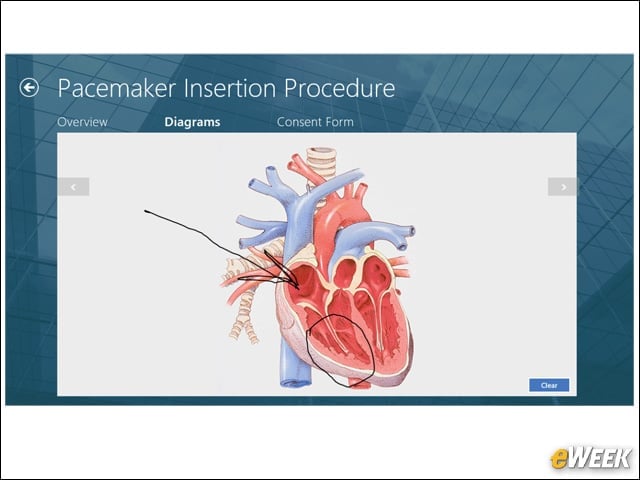
When describing an upcoming procedure with patients, such as a pacemaker insertion, doctors can refer to a tablet’s screen and draw right on the diagram.
Multiple Windows Sessions
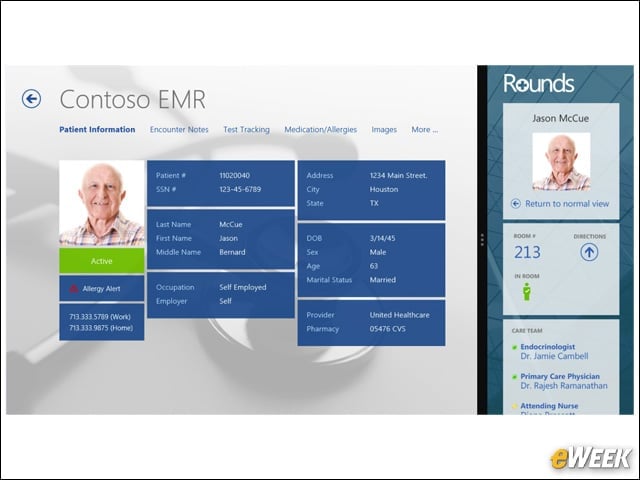
At times, doctors may be using an electronic health record application running Windows 7 and an app such as Rounds residing in Windows 8. The Rounds app allows doctors to view both of these interfaces side-by-side.
Tracking Patients on the Hospital Floor
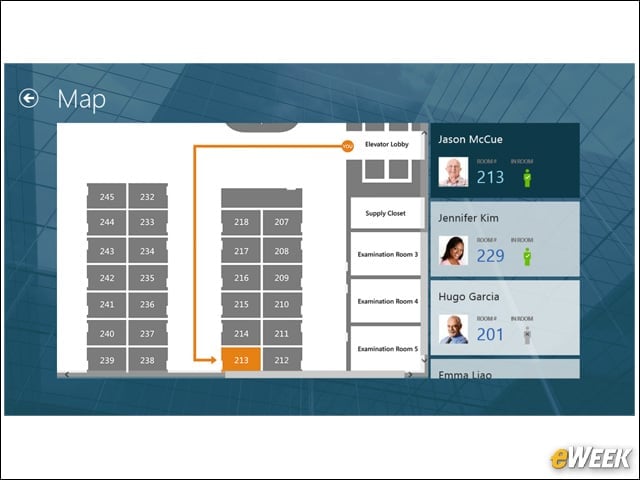
Rounds allows doctors to view a hospital floor map at left and the Rounds interface showing the location of patients in rooms at right. A small icon of a person highlighted in green with a check mark indicates the patient is in the room, while a grayed-out icon with an “X” indicates the patient has left the room. Doctors can pinch and zoom in and out of the map on a Windows 8 tablet’s touch-screen.
Presence of Patient and Care Team
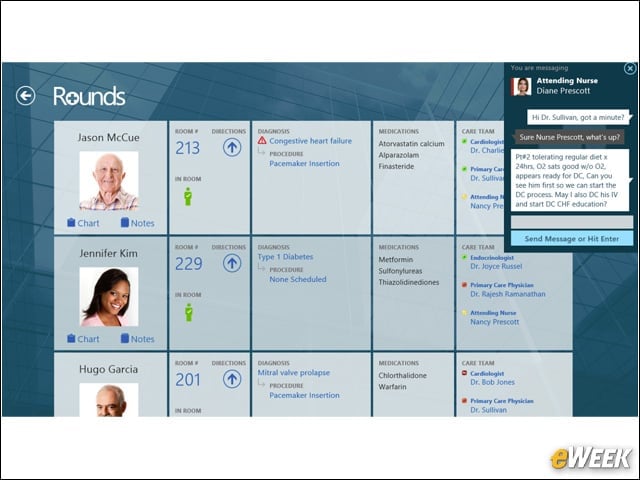
The dashboard in Rounds not only shows a list of patients and whether they’re in their rooms, but also allows doctors to see if specialists and attending nurses are present. Doctors can initiate an instant-message conversation with the other care providers to issue instructions on medications, seek second opinions or discharge patients. Microsoft Lync adds real-time presence to Rounds.
One-Click Access to Care Providers
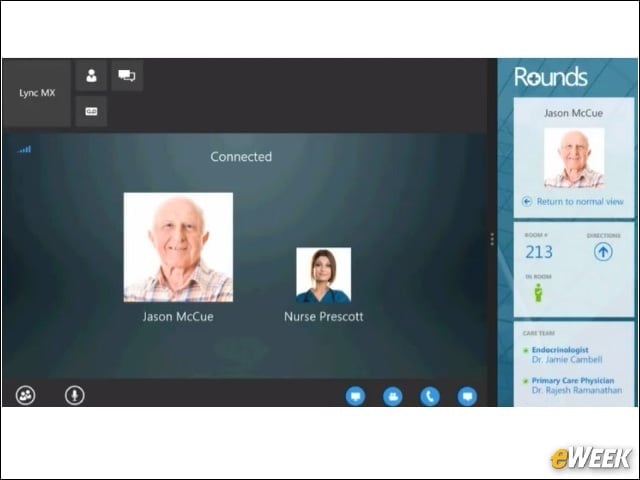
One click gets doctors in touch with other members of a patient’s care team through email, voice or instant messaging. Rounds integrates these features from Microsoft Lync.
Microsoft Lync Messaging

Rounds incorporates the unified communications features of Microsoft Lync, allowing doctors to initiate instant-message sessions with nurses and specialists. Using Lync, nurses can also inform patients that their medication is on its way.
OneNote, Rounds and the EHR
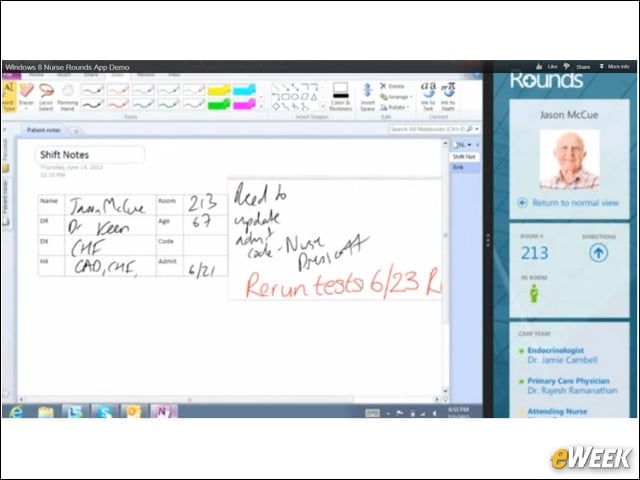
Nurses can use Rounds side-by-side with Microsoft OneNote, an application that enables nurses to write notes about patient care. OneNote converts writing into text, and Windows 8 allows doctors to write on the screen with their stylus or a finger. The OS also supports input by voice, mouse or stylus. These notes can be imported into an EHR.
Messaging on a Tablet
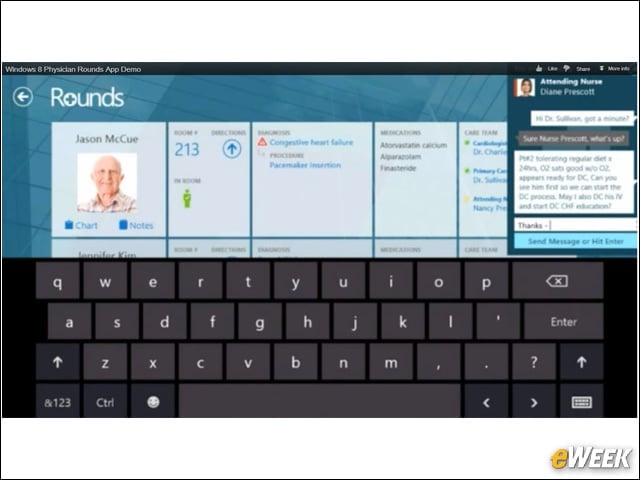
The onscreen keyboard of a tablet such as Microsoft Surface allows doctors to click on a patient’s listing within Rounds’ dashboard and conduct an instant-messaging session with care team members. Doctors can use instant messaging to issue instructions, such as removing a patient’s intravenous line.