








- eWEEK Labs Walk-Through: IBM Lotus Sametime 7.5
- eWEEK Labs Walk-Through: IBM Lotus Sametime 7.5 – Location-Based Setting
- eWEEK Labs Walk-Through: IBM Lotus Sametime 7.5 – Privacy Settings
- eWEEK Labs Walk-Through: IBM Lotus Sametime 7.5 – Chat Settings
- eWEEK Labs Walk-Through: IBM Lotus Sametime 7.5 – Web Conferencing
- eWEEK Labs Walk-Through: IBM Lotus Sametime 7.5 – Web Conferencing Permissions
- eWEEK Labs Walk-Through: IBM Lotus Sametime 7.5 – Meeting Room Polling
- eWEEK Labs Walk-Through: IBM Lotus Sametime 7.5 – Meeting Scheduling
eWEEK Labs Walk-Through: IBM Lotus Sametime 7.5
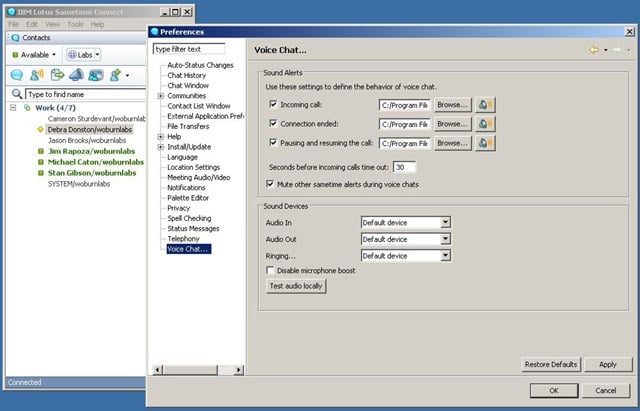
The product’s Sametime Connect client allows users to participate in VOIP chat.
eWEEK Labs Walk-Through: IBM Lotus Sametime 7.5 – Location-Based Setting
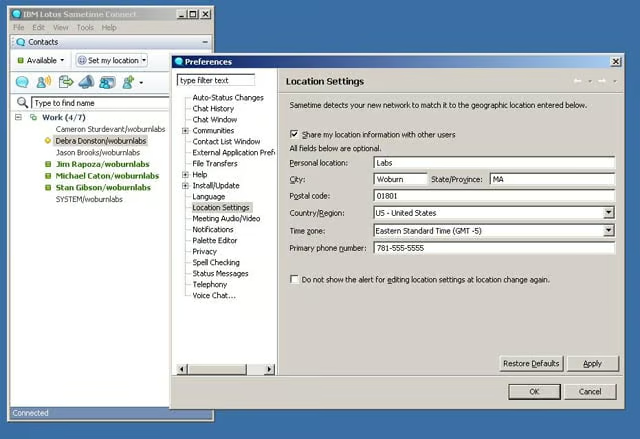
Sametime Connect users can establish information specific to their location, which other users can view by right-clicking on the contact name in the buddy list.
eWEEK Labs Walk-Through: IBM Lotus Sametime 7.5 – Privacy Settings
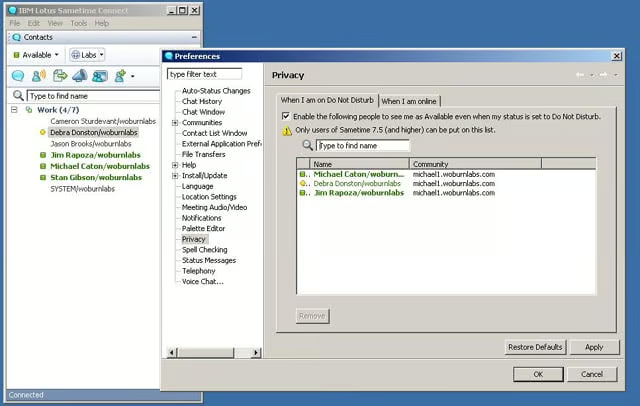
Sametime Connect allows users to establish different away settings for specific contacts, such as a boss or direct report.
eWEEK Labs Walk-Through: IBM Lotus Sametime 7.5 – Chat Settings
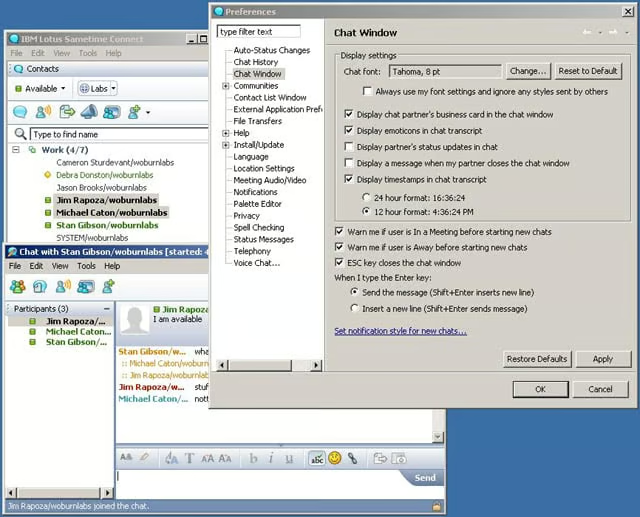
Users have the ability to control many of the chat settings, including the new emoticon feature.
eWEEK Labs Walk-Through: IBM Lotus Sametime 7.5 – Web Conferencing
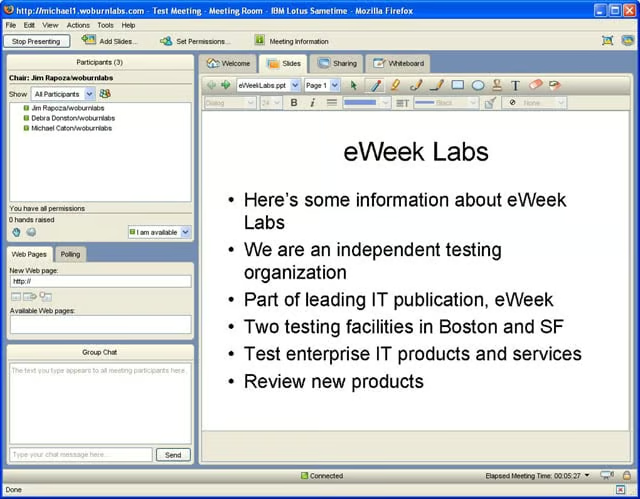
Sametimes Web conferencing tool is easy to navigate and provides a solid set of tools, from slide presentations to pushed co-browsing sessions.
eWEEK Labs Walk-Through: IBM Lotus Sametime 7.5 – Web Conferencing Permissions
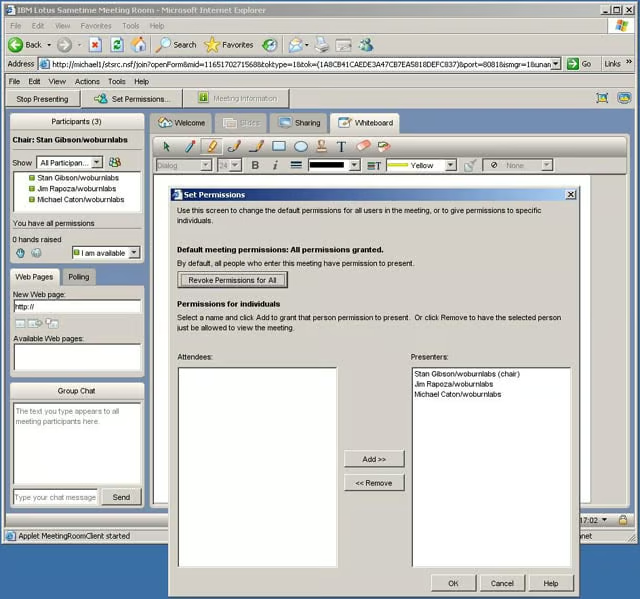
A Web conference meeting organizer can control the permissions of attendees in Sametime.
eWEEK Labs Walk-Through: IBM Lotus Sametime 7.5 – Meeting Room Polling
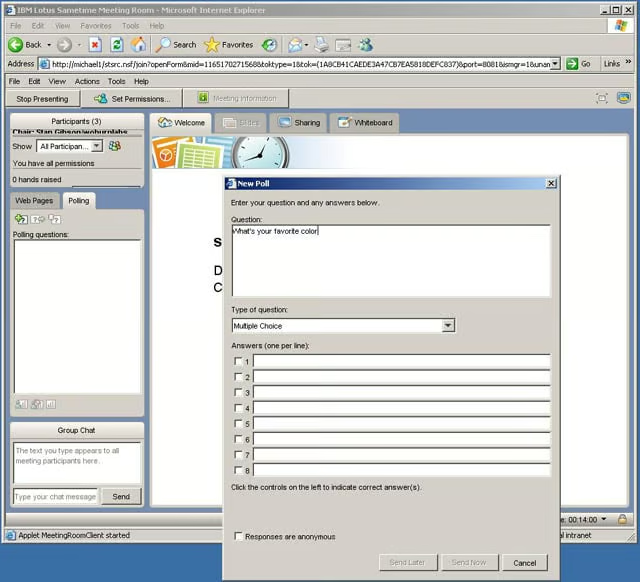
Users can manage polls within a Sametime Meeting Room session.
eWEEK Labs Walk-Through: IBM Lotus Sametime 7.5 – Meeting Scheduling
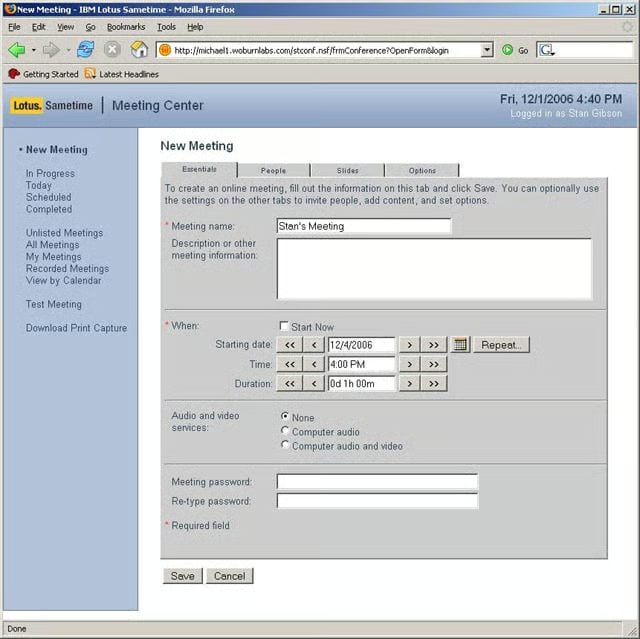
Sametime users have a Web-based interface to schedule meetings. If they also use Lotus Notes, they can schedule from a calendar invite as well.