







- Lotus Symphony 3.0 Vies to Eclipse OpenOffice.org as Microsoft Office Challenger
- Symphony 3.0 Loves Sidebars
- The OpenOffice.org DataPilot
- Presentation Sidebars
- Widgets
- Gears of Eclipse in Motion
- Google Gadgets
- Twitter Gadget
- Web App Widgets
- Account Details
- VBA Macro Support
- VBA Macro Support, Continued
- VBA Scanner Plug-In
Lotus Symphony 3.0 Vies to Eclipse OpenOffice.org as Microsoft Office Challenger
by Jason Brooks
Symphony 3.0 Loves Sidebars
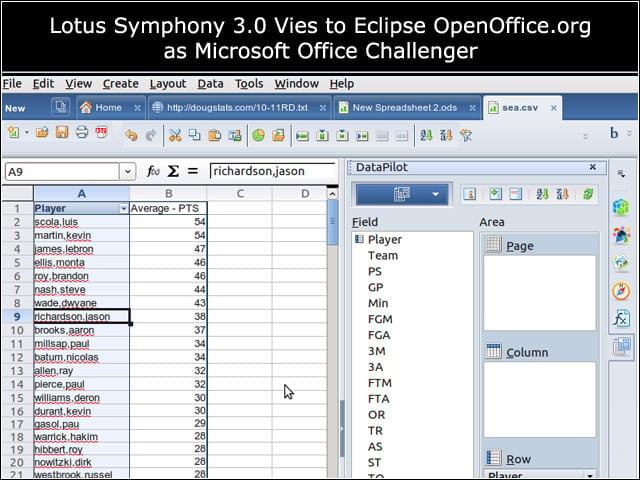
Symphony makes broad use of sidebars in its interface elements, to good effect. Here, the application’s sidebar-docked DataPilot feature is easier to tweak than the equivalent feature in OpenOffice.org (see next slide).
The OpenOffice.org DataPilot
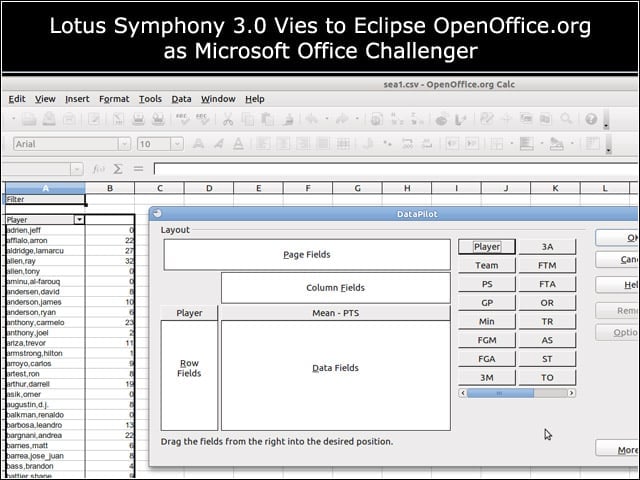
In OpenOffice.org, modifying DataPilot settings means opening a separate dialog window.
Presentation Sidebars
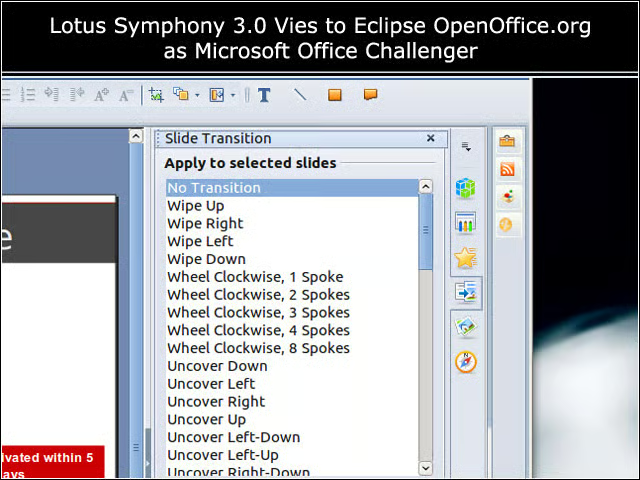
Each Symphony component uses its sidebar in a different way-here, the presentation component offers up slide transition options.
Widgets
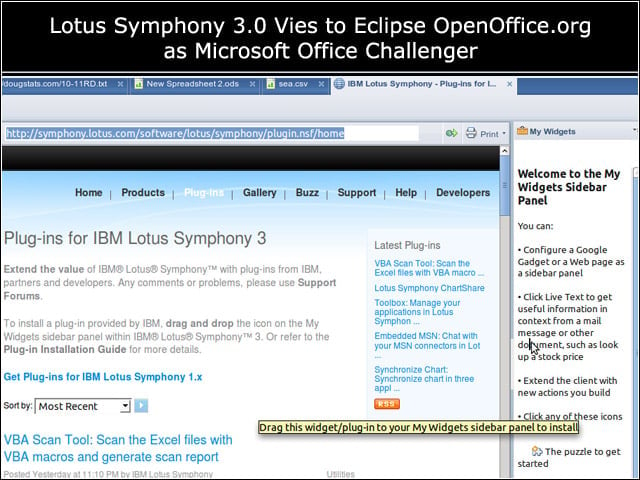
Symphony’s sidebars also play host to various add-ons, which I was able to install by dragging a link from an embedded add-on page to a widget sidebar pane.
Gears of Eclipse in Motion
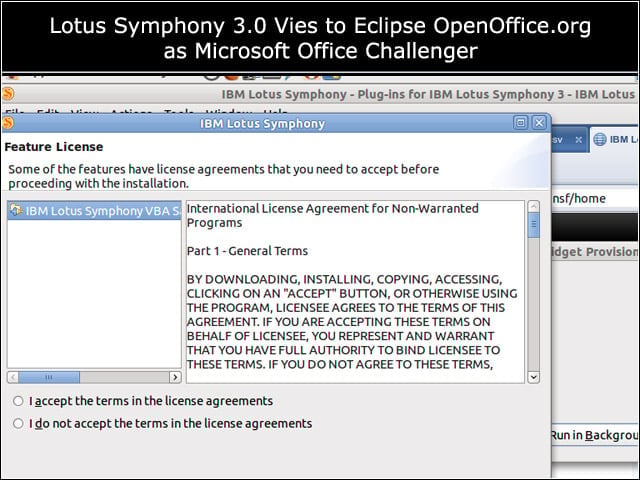
Symphony’s Eclipse-based interface brings with it machinery for installing and updating add-ons. Eclipse IDE users will recognize this installation dialog.
Google Gadgets
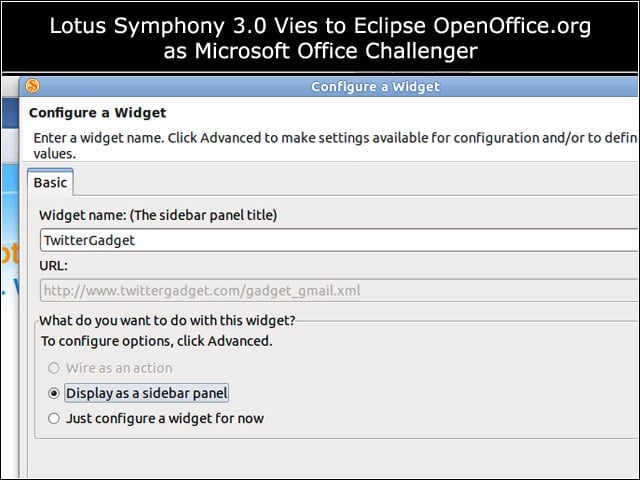
I was also able to populate Symphony’s widget sidebar with Google Gadgets.
Twitter Gadget
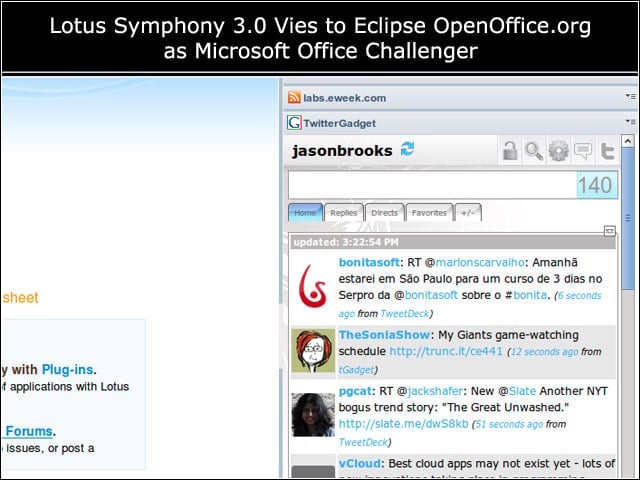
Here’s a Google Gadget for Twitter, embedded in a Symphony sidebar.
Web App Widgets
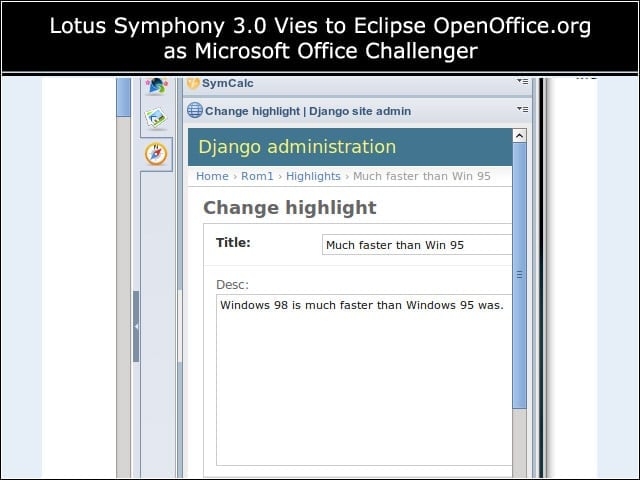
I could also dock arbitrary Web pages or forms into my sidebar as widgets.
Account Details
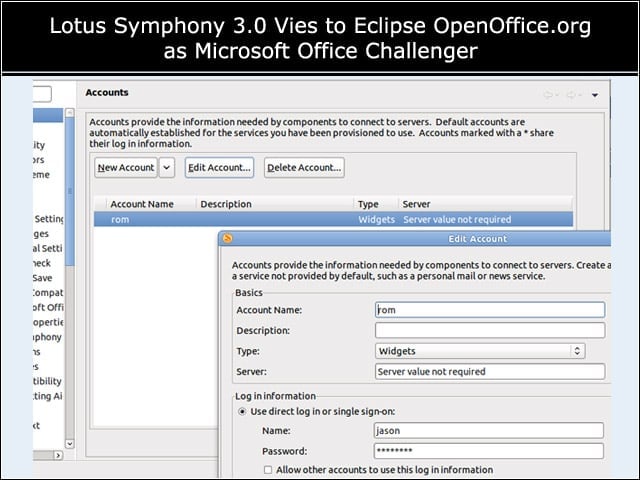
I liked the way that Symphony’s Web page widget support included a separate facility for saving account log-in information.
VBA Macro Support
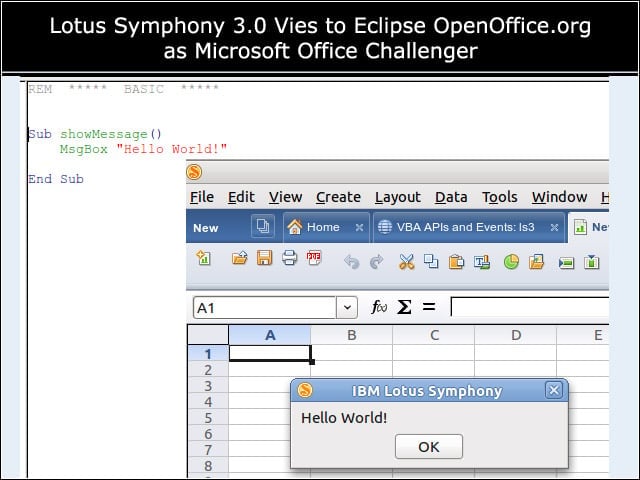
Symphony 3 now offers partial support for VBA macros in Excel spreadsheets. I had no trouble with a very basic macro …
VBA Macro Support, Continued
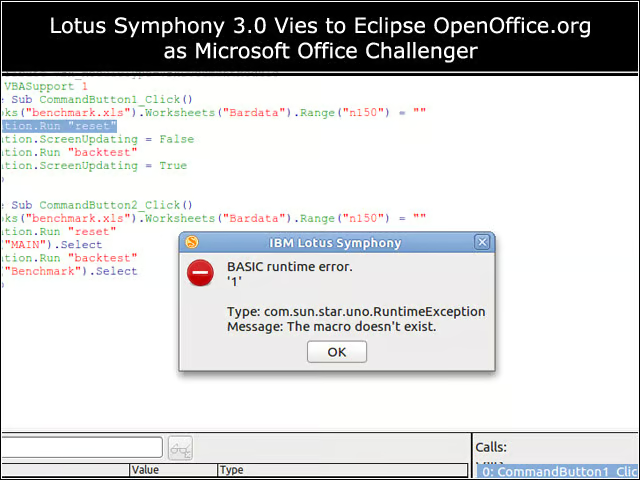
However, I hit plenty of snags while testing with VBA macros.
VBA Scanner Plug-In
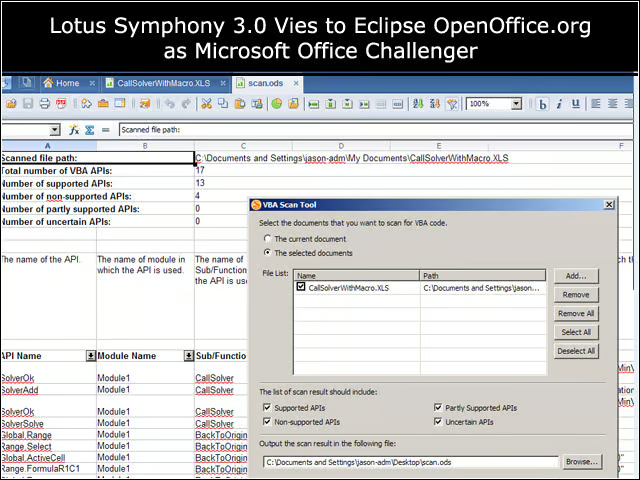
The VBA scanner plug-in available for Symphony can help sort out which portions of the VBA API a particular document uses, and which are supported by Symphony.