Mozilla Prism Beta Easily Converts Websites and Web Apps into Desktop Apps

Mozilla Prism Beta Easily Converts Websites and Web Apps into Desktop Apps
Written By
Jim Rapoza
Jim Rapoza
Published: May 14, 2009
Updated: Feb 2, 2021
1 minute read
eWeek content and product recommendations are editorially independent. We may make money when you click on links to our partners. Learn More


Mozilla Prism Beta Easily Converts Websites and Web Apps into Desktop Apps

Mozilla Prism Beta Easily Converts Websites and Web Apps into Desktop Apps

by Jim Rapoza


Easy Conversion
2

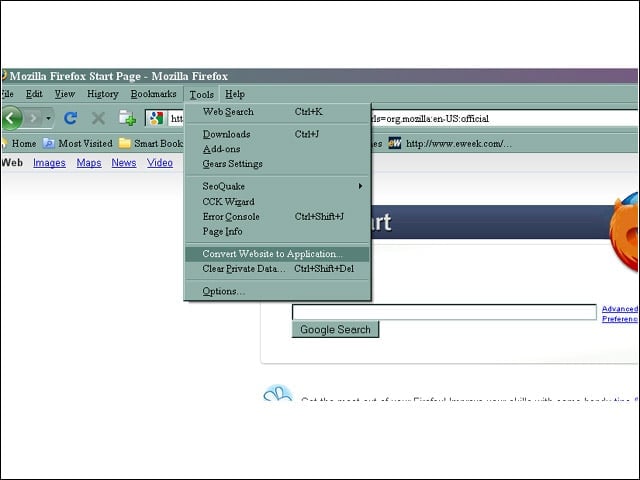
With the Prism Firefox extension, turning a Website into a desktop application requires only that users choose Convert Website to Application from the Tools menu in Firefox.


App Options
3

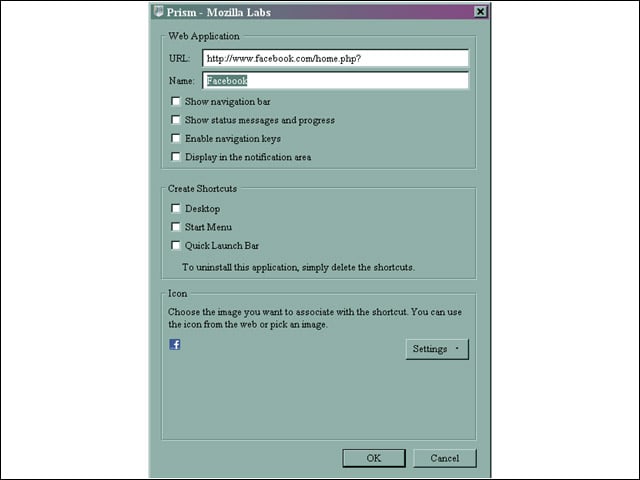
After choosing a site to convert into a Prism desktop application, users are given several options, including where application icons will appear. The Prism beta also now automatically pulls an application icon from the Website.


Access Outside Browser
4

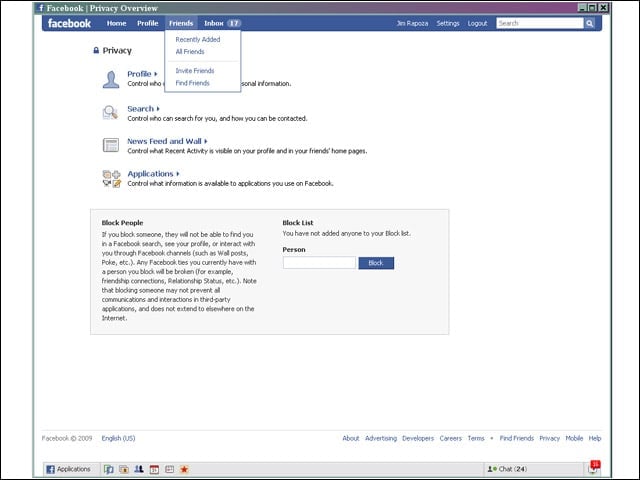
Once a site has been converted into a desktop application by Prism, users can access the app outside of their browser and without the traditional browser UI elements.


Advertisement

Multiple Means of Access

5

A Website that has been converted into a Prism desktop application can be accessed in multiple ways, such as through the Windows Quick Start tab, and can also be launched on startup of the operating system.


Getting Prism
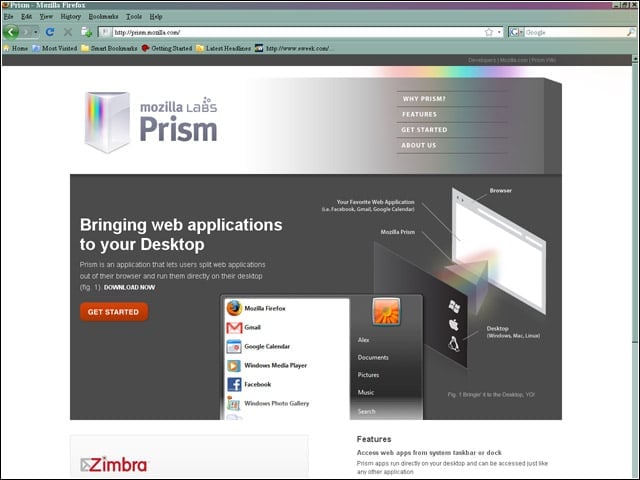
6

The Prism beta can be found at prism.mozilla.com and can be installed as a stand-alone application or as a Firefox extension.

Jim Rapoza

Jim Rapoza, Chief Technology Analyst, eWEEK.For nearly fifteen years, Jim Rapoza has evaluated products and technologies in almost every technology category for eWEEK. Mr Rapoza's current technology focus is on all categories of emerging information technology though he continues to focus on core technology areas that include: content management systems, portal applications, Web publishing tools and security. Mr. Rapoza has coordinated several evaluations at enterprise organizations, including USA Today and The Prudential, to measure the capability of products and services under real-world conditions and against real-world criteria. Jim Rapoza's award-winning weekly column, Tech Directions, delves into all areas of technologies and the challenges of managing and deploying technology today.

eWeek Logo

eWeek has the latest technology news and analysis, buying guides, and product reviews for IT professionals and technology buyers. The site's focus is on innovative solutions and covering in-depth technical content. eWeek stays on the cutting edge of technology news and IT trends through interviews and expert analysis. Gain insight from top innovators and thought leaders in the fields of IT, business, enterprise software, startups, and more.

Property of TechnologyAdvice. © 2026 TechnologyAdvice. All Rights Reserved

Advertiser Disclosure: Some of the products that appear on this site are from companies from which TechnologyAdvice receives compensation. This compensation may impact how and where products appear on this site including, for example, the order in which they appear. TechnologyAdvice does not include all companies or all types of products available in the marketplace.