







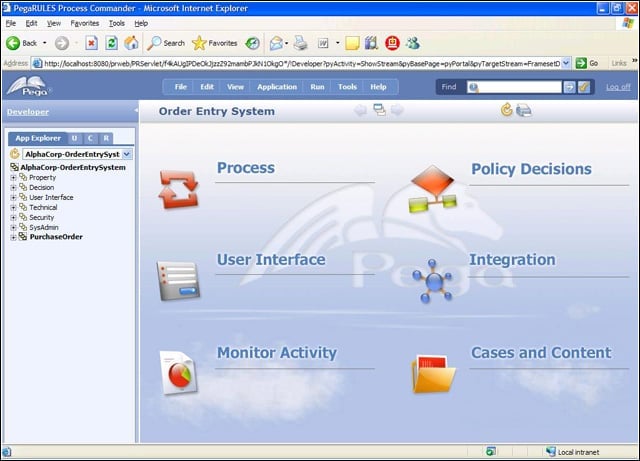
- Pegasystems SmartBPM Suite 5.1
- Pegasystems SmartBPM Suite 5.1 – Pegasystems SmartBPM Process Designer developer workflow.
- Pegasystems SmartBPM Suite 5.1 – SmartBPM Visio Integration
- Pegasystems SmartBPM Suite 5.1 – SmartBPM User Interface
- Pegasystems SmartBPM Suite 5.1 – SmartBPM AJAX integration
- Pegasystems SmartBPM Suite 5.1 – SmartBPM Dashboard views
- Pegasystems SmartBPM Suite 5.1 – SmartBPM report builder
- Pegasystems SmartBPM Suite 5.1 – SmartBPM report builder wizard
Pegasystems SmartBPM Suite 5.1
Pegasystems SmartBPM Process Designer has an intuitive interface.
Pegasystems SmartBPM Suite 5.1 – Pegasystems SmartBPM Process Designer developer workflow.
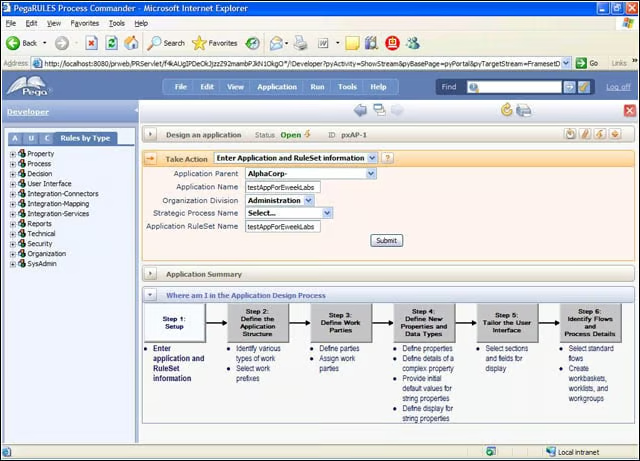
SmartBPM Suite 5.1 can be confusing, but the application design interface has some visual clues to keep developers on track.
Pegasystems SmartBPM Suite 5.1 – SmartBPM Visio Integration
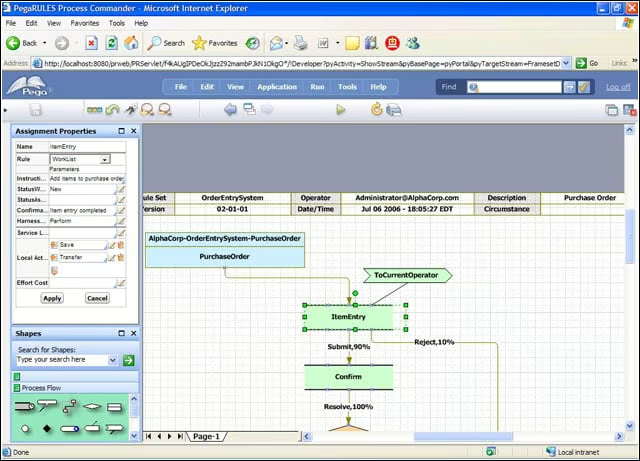
SmartBPM Suite uses Visio and a BPMN stencil as a tool for mapping out business processes and defining assignment properties.
Pegasystems SmartBPM Suite 5.1 – SmartBPM User Interface
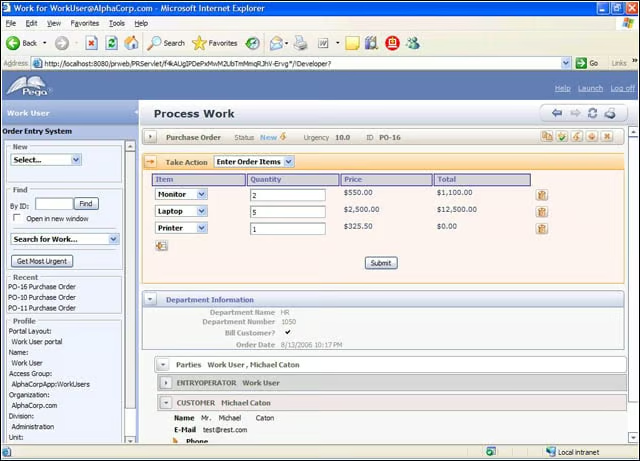
The applications developed, and related forms and rules, define the user experience.
Pegasystems SmartBPM Suite 5.1 – SmartBPM AJAX integration
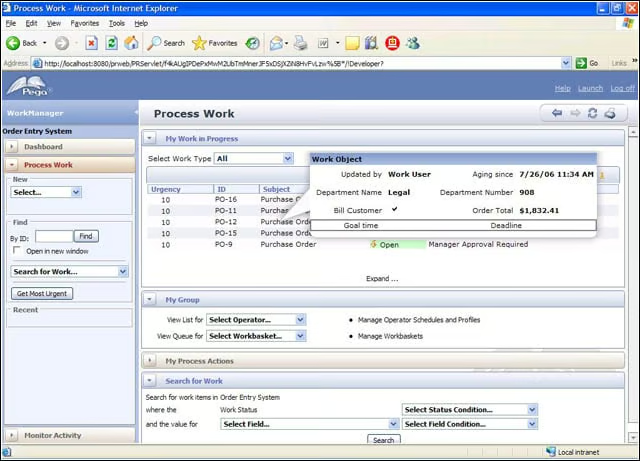
SmartBPM uses AJAX to help users see underlying work information for a particular business process.
Pegasystems SmartBPM Suite 5.1 – SmartBPM Dashboard views
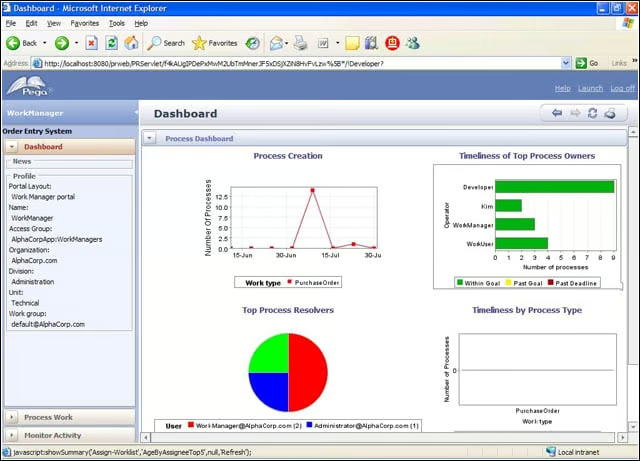
SmartBPM can present high-level process information to managers through a graphical dashboard view.
Pegasystems SmartBPM Suite 5.1 – SmartBPM report builder
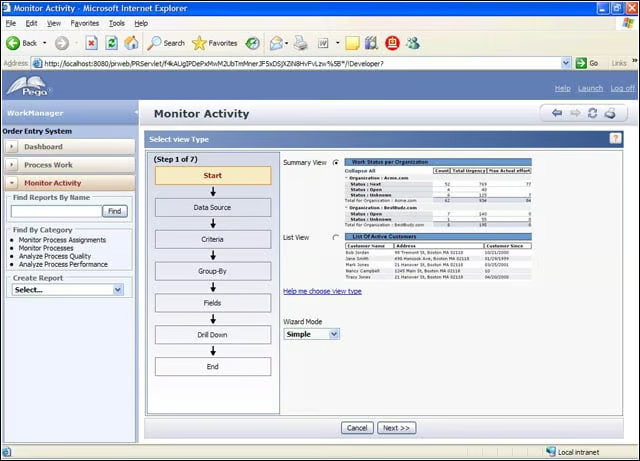
Managers also have a reporting tool for building out reports through a wizard interface.
Pegasystems SmartBPM Suite 5.1 – SmartBPM report builder wizard
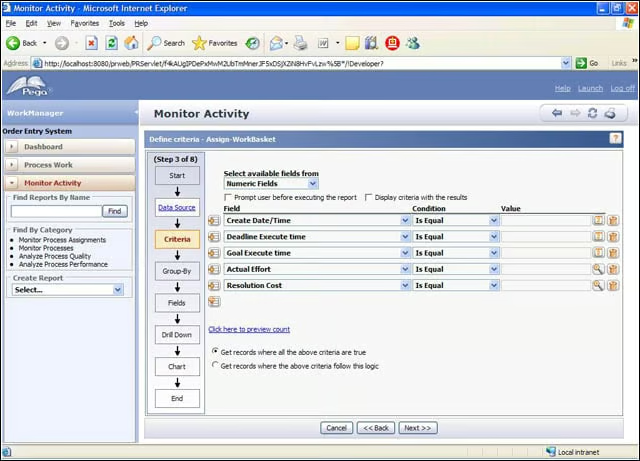
The Process Designer wizard pulls information from the underlying table structure to help define reports.