







- Skype 4.0 for Windows Goes Back to Basics
- Skype 4.0 for Windows Goes Back to Basics – Skype Video Call in Default Mode
- Skype 4.0 for Windows Goes Back to Basics – Skype Video Call Compact View
- Skype 4.0 for Windows Goes Back to Basics – Never Miss a Message
- Skype 4.0 for Windows Goes Back to Basics – Group Contacts Return
- Skype 4.0 for Windows Goes Back to Basics – Default Chat Large Profile
- Skype 4.0 for Windows Goes Back to Basics – Default Chat Small Profile
- Skype 4.0 for Windows Goes Back to Basics – See More Slideshows Like This One
Skype 4.0 for Windows Goes Back to Basics
Skype 4.0 for Windows Goes Back to Basics – Skype Video Call in Default Mode
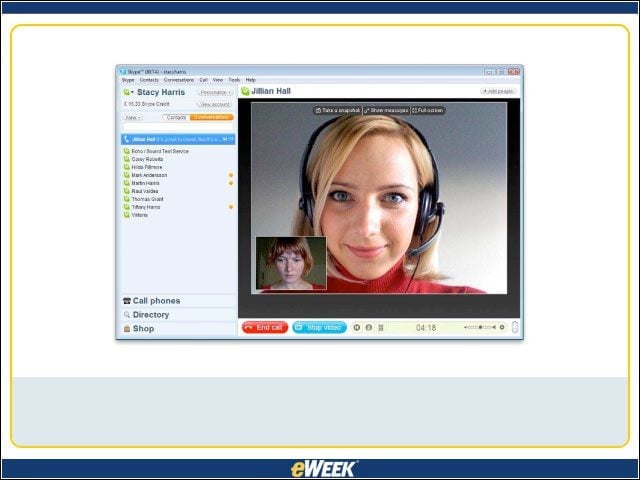
For users who like the larger video screen, Skype salutes them.
Skype 4.0 for Windows Goes Back to Basics – Skype Video Call Compact View
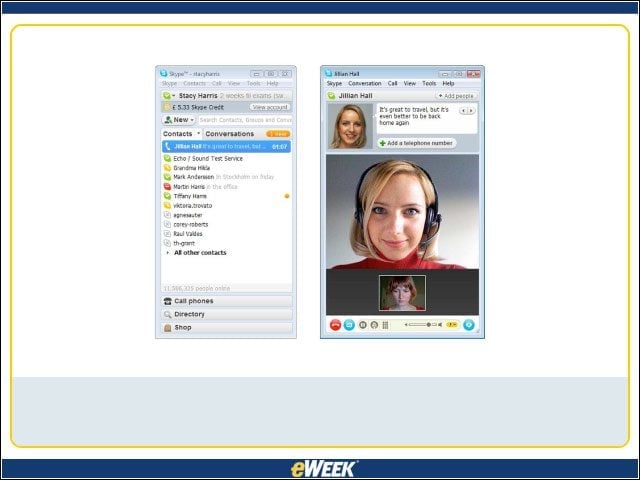
Some users were irked by the bigger screen, which they deemed cumbersome, so Skype now offers a compact view for calls.
Skype 4.0 for Windows Goes Back to Basics – Never Miss a Message
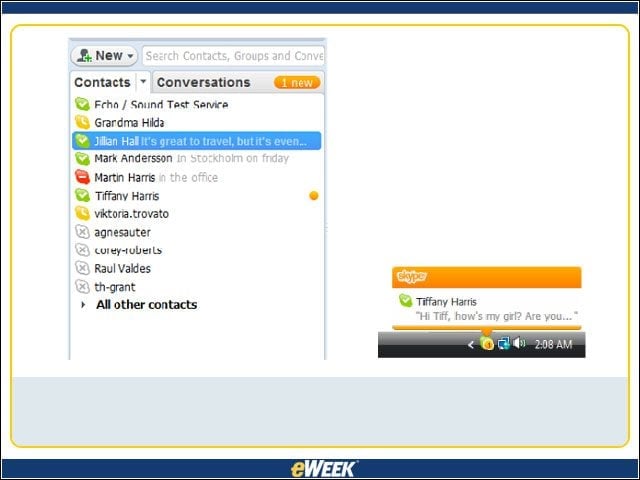
System tray (right) and animated icon alerts in Skype 4.0 for Windows make it harder for users to miss incoming messages, a common complaint in Beta 1.
Skype 4.0 for Windows Goes Back to Basics – Group Contacts Return
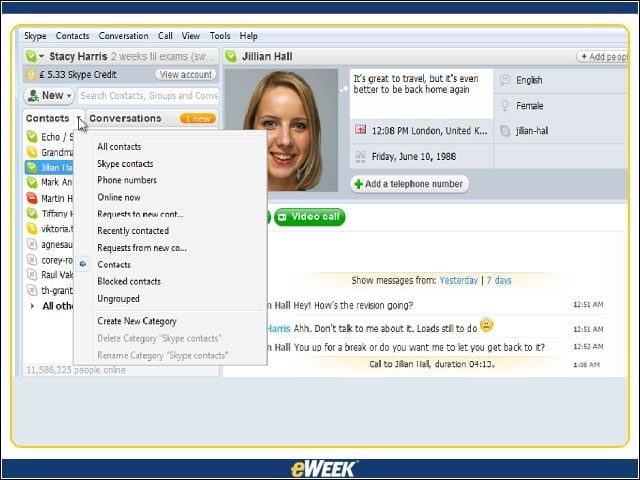
The return of a feature from earlier versions makes it possible for you to manage your favorite contacts in groups.
Skype 4.0 for Windows Goes Back to Basics – Default Chat Large Profile
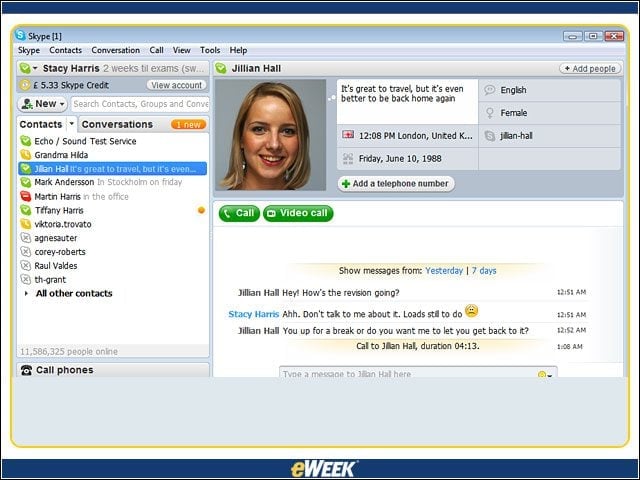
Go big for clear views of your conversations
Skype 4.0 for Windows Goes Back to Basics – Default Chat Small Profile
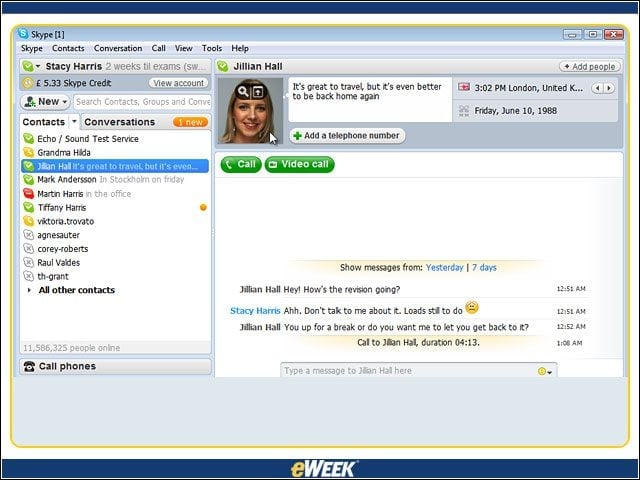
Or go small for a less cluttered screen.
Skype 4.0 for Windows Goes Back to Basics – See More Slideshows Like This One

10 New Technologies IBM Is Cooking in Its Innovation Labsby Clint BoultonWhat to Watch in 2008: Search and Collaborationby Clint BoultonEight Apps We’d Like to See on OpenSocialby eWEEKMicrosoft’s Office Communications Server 2007