







- eWEEK Labs Walk-Through: Office Live
- eWEEK Labs Walk-Through: Office Live – Office Life Home
- eWEEK Labs Walk-Through: Office Live – Office Live Web Site
- eWEEK Labs Walk-Through: Office Live – Office Live Mail
- eWEEK Labs Walk-Through: Office Live – Office Live Mail Storage
- eWEEK Labs Walk-Through: Office Live – New Office Live Account
- eWEEK Labs Walk-Through: Office Live – User Permissions
- eWEEK Labs Walk-Through: Office Live – Office Outlook Connector for Office Live
- eWEEK Labs Walk-Through: Office Live – Office Outlook Connector for Office Live
- eWEEK Labs Walk-Through: Office Live – Office Live Document Management Access
- eWEEK Labs Walk-Through: Office Live – Office Live AdManager Beta
- eWEEK Labs Walk-Through: Office Live – Office Live AdManager Summary
- eWEEK Labs Walk-Through: Office Live – Business Contact Manager
- eWEEK Labs Walk-Through: Office Live – Shared Documents
- eWEEK Labs Walk-Through: Office Live – Team Workspace Calendar
- eWEEK Labs Walk-Through: Office Live – Office Live Wiki
- eWEEK Labs Walk-Through: Office Live – Site Designer
eWEEK Labs Walk-Through: Office Live
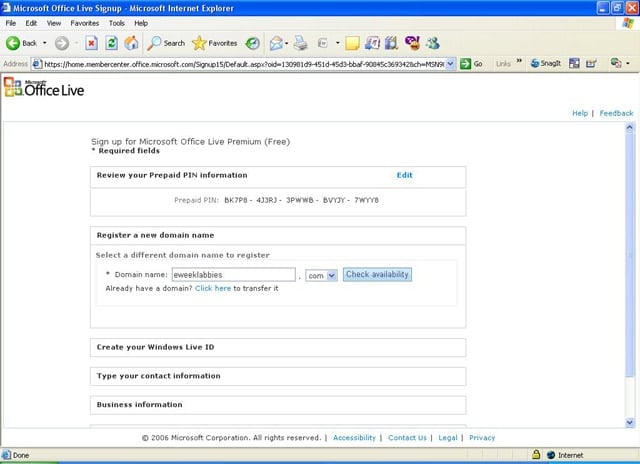
New Office Live subscribers are allowed to register a domain or to transfer a domain. Here, we chose the domain eweeklabbies.com. Microsoft will automatically renew each subscriber’s domain name for the life of the subscriber’s Office Live account.
eWEEK Labs Walk-Through: Office Live – Office Life Home
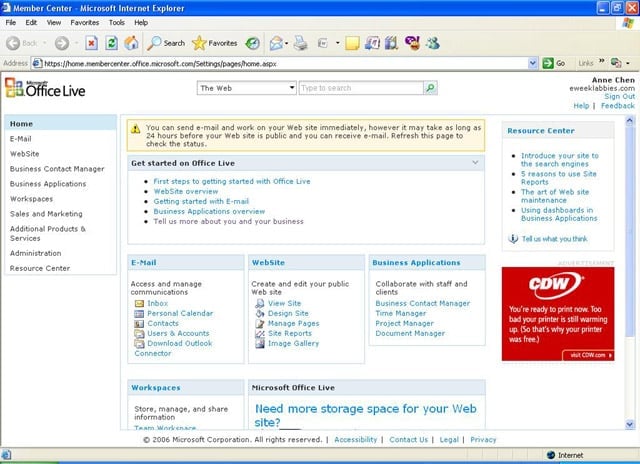
Office Live Home is the first page subscribers see after signing into Microsoft Office Live. From here, we were able to access all of our primary services, including Office Live Mail, Office Live AdManager Beta and online workspaces.
eWEEK Labs Walk-Through: Office Live – Office Live Web Site
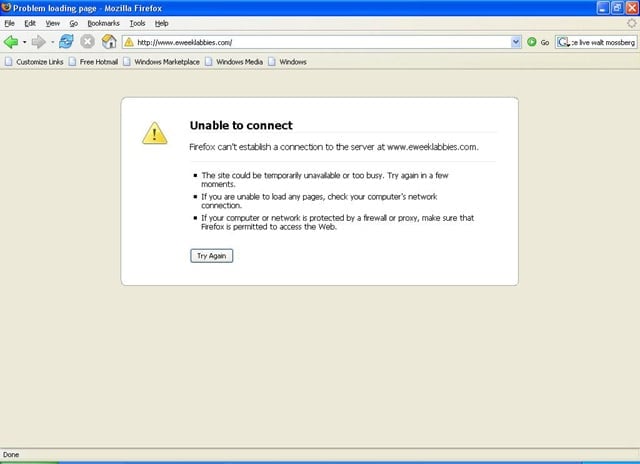
We were able to successfully register our domain name (eweeklabbies.com), but we were still waiting for our Web site to go public the day of Microsoft’s announcement.
eWEEK Labs Walk-Through: Office Live – Office Live Mail
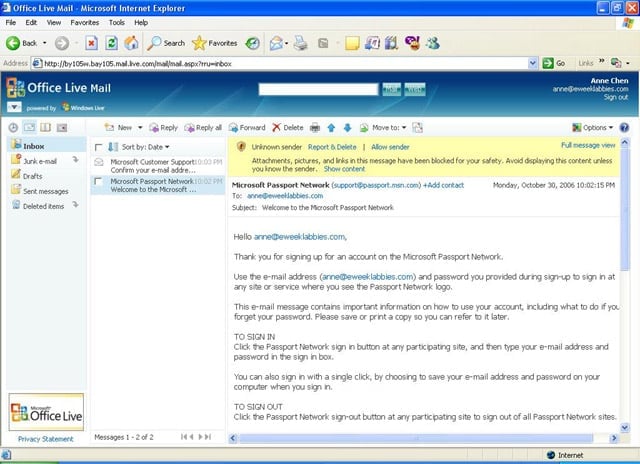
With our Office Live Premium test account, we were given 50 2GB Office Live Mail accounts that matched our eweeklabbies.com domain.
eWEEK Labs Walk-Through: Office Live – Office Live Mail Storage
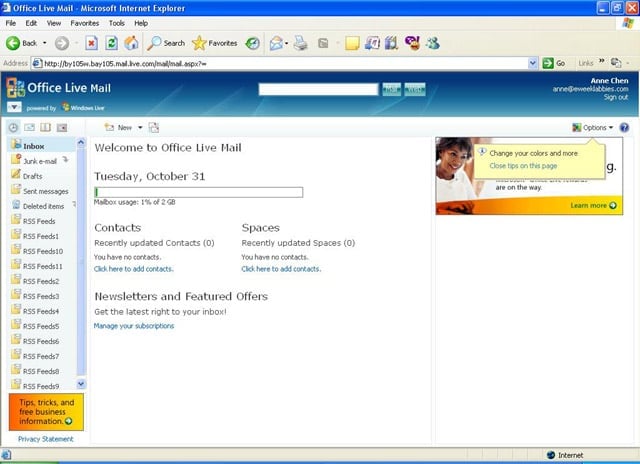
Each Office Live Mail account has 2GB of storage. Office Live Basic subscribers get 500MB of storage, while Office Live Essentials subscribers get 1GB of storage.
eWEEK Labs Walk-Through: Office Live – New Office Live Account
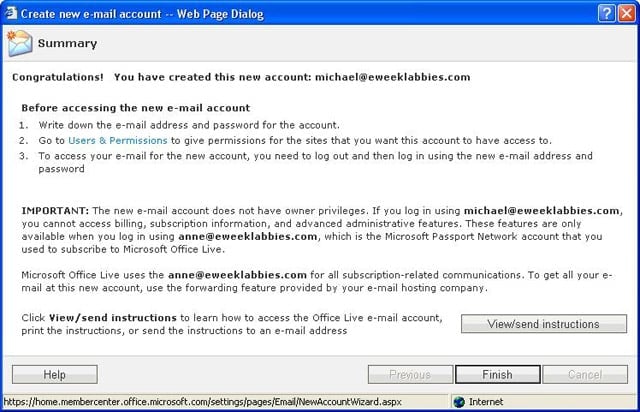
It was easy to create new accounts and to alert new users of their permissions.
eWEEK Labs Walk-Through: Office Live – User Permissions
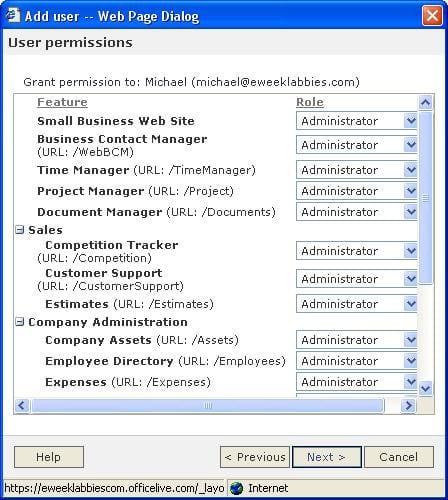
While creating a new account, we were able to grant specific permissions to a user, including what applications that user could access and whether the user could modify documents in a shared folder.
eWEEK Labs Walk-Through: Office Live – Office Outlook Connector for Office Live
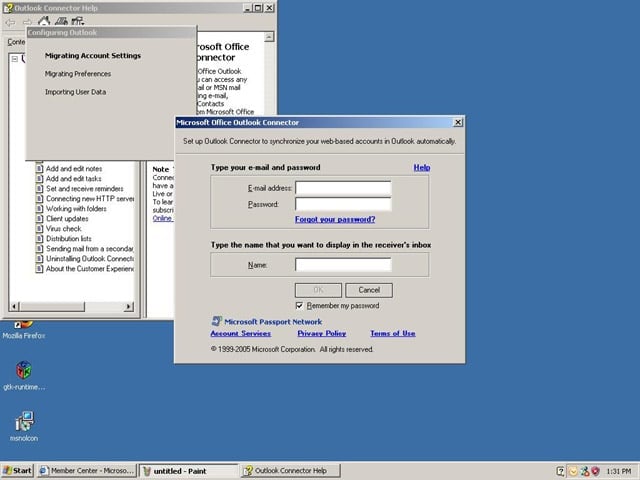
Microsoft has developed a connector for Outlook 2007 that will allow users to access their Office Live Web mail.
eWEEK Labs Walk-Through: Office Live – Office Outlook Connector for Office Live
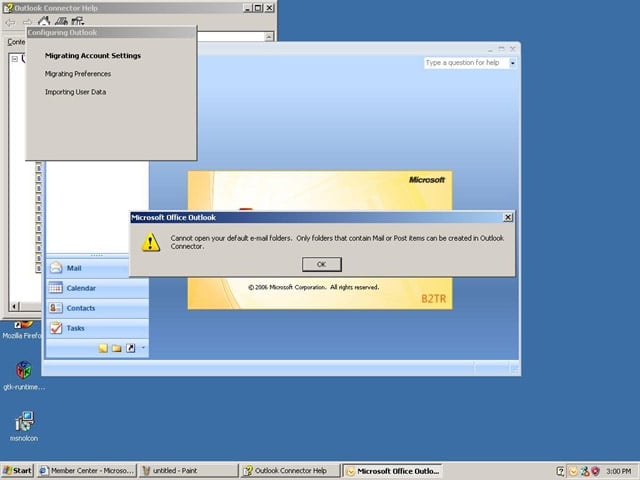
Unfortunately, the connector for Outlook 2007 didn’t work with our Beta 2 technical refresh build.
eWEEK Labs Walk-Through: Office Live – Office Live Document Management Access
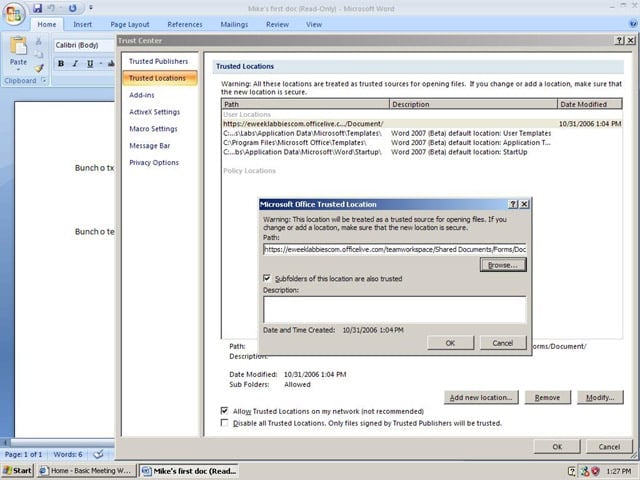
Users should be able to store documents on Office Live directly from Word 2007, although we had problems saving documents using the Word 2007 Beta 2 technical refresh build.
eWEEK Labs Walk-Through: Office Live – Office Live AdManager Beta
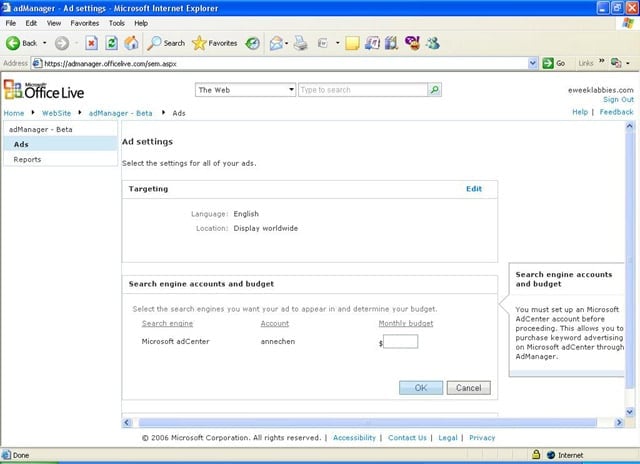
Office Live AdManager Beta is a free tool that allows U.S. subscribers to drive targeted traffic to their sites with ads that have relevant search engine keywords. Here, we set our monthly ad budget in hopes of driving key traffic to www.eweeklabbies.com.
eWEEK Labs Walk-Through: Office Live – Office Live AdManager Summary
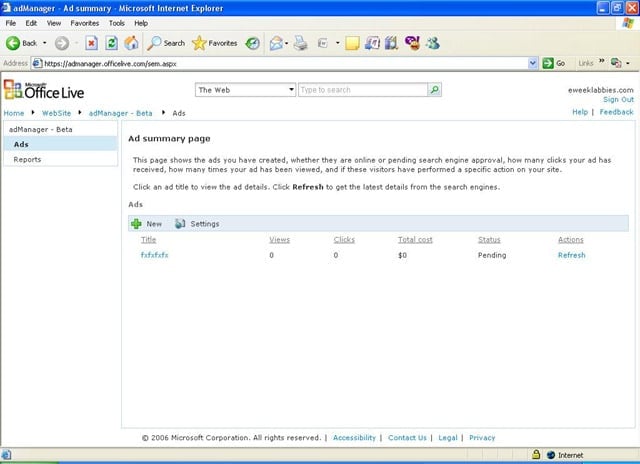
Once we created an ad, the summary page showed us whether the ad was online or pending search engine approval. Here, we are still waiting approval for our new ad.
eWEEK Labs Walk-Through: Office Live – Business Contact Manager
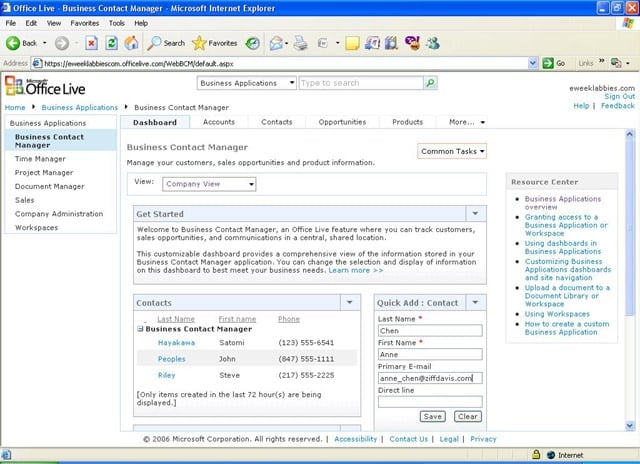
Office Live subscribers can access all of their contact information with the new Office Live Business Contact Manager. Available to Office Live Essentials and Office Live Premium users, the contact manager allows users to check the status of sales opportu
eWEEK Labs Walk-Through: Office Live – Shared Documents
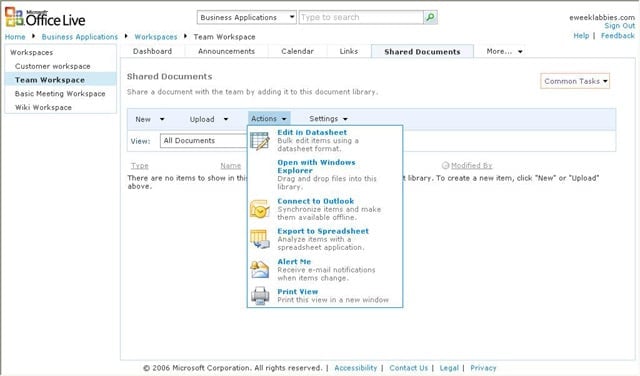
Office Live’s workspaces include a Team Workspace that allows team members to share documents or to modify documents. Other members of the team can then be notified that a modification has been made.
eWEEK Labs Walk-Through: Office Live – Team Workspace Calendar
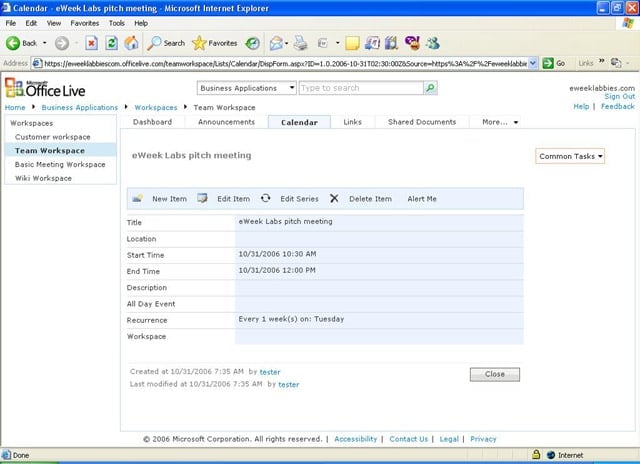
The Team Workspace also has a calendar that can be shared and modified among employees or divisions. Other new workspace applications include the Customer Workspace and the Basic Meeting Workspace.
eWEEK Labs Walk-Through: Office Live – Office Live Wiki
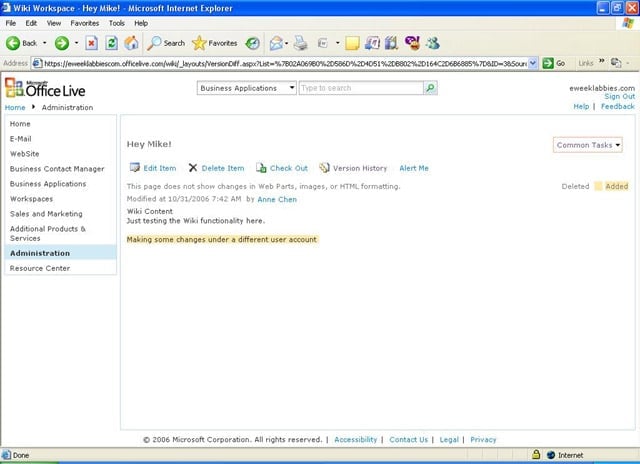
Office Live now has wiki capabilities with which users can easily edit a page.
eWEEK Labs Walk-Through: Office Live – Site Designer
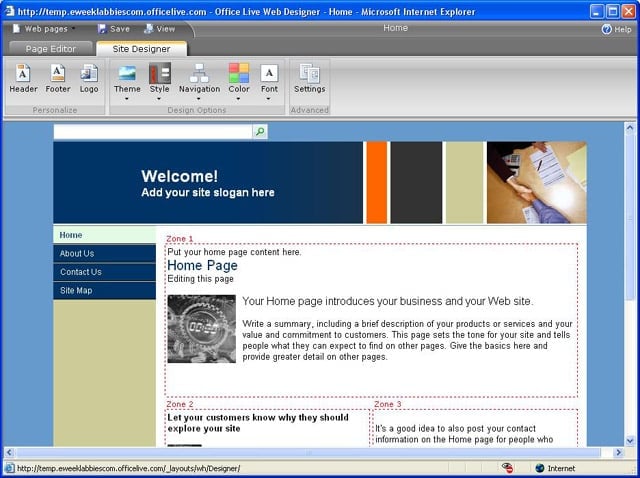
Microsoft has improved Office Live’s site design tools in this version of the service. AJAX technology allows designers to easily drag and drop images and content.