








- eWEEK Labs Walk-Through: Sonexis ConferenceManager
- eWEEK Labs Walk-Through: Sonexis ConferenceManager – Sonexis presentation management
- eWEEK Labs Walk-Through: Sonexis ConferenceManager – Sonexis annotation features
- eWEEK Labs Walk-Through: Sonexis ConferenceManager – Sonexis Audio Console
- eWEEK Labs Walk-Through: Sonexis ConferenceManager – Sonexis Scheduling Wizard
- eWEEK Labs Walk-Through: Sonexis ConferenceManager – Sonexis Port Availability
- eWEEK Labs Walk-Through: Sonexis ConferenceManager – Sonexis Meeting Preferences
eWEEK Labs Walk-Through: Sonexis ConferenceManager
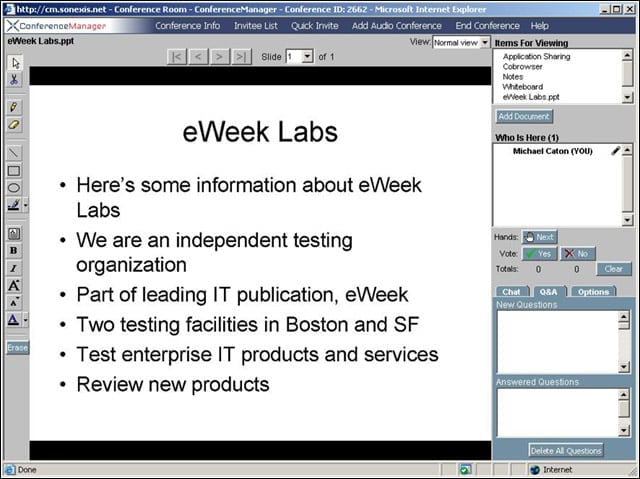
Sonexis ConferenceManager provides the basics of presentation sharing, whiteboards, and application and browser sharing.
eWEEK Labs Walk-Through: Sonexis ConferenceManager – Sonexis presentation management
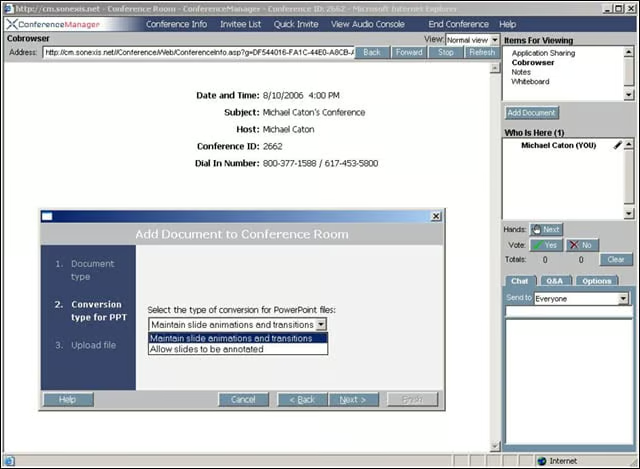
When uploading a presentation, users can either preserve effects or use a format that allows annotations.
eWEEK Labs Walk-Through: Sonexis ConferenceManager – Sonexis annotation features
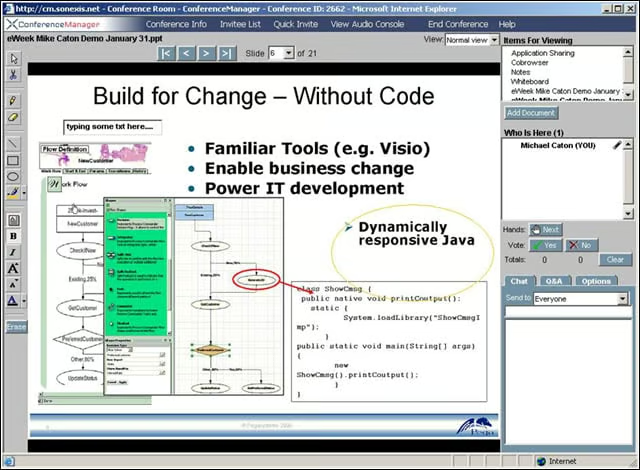
Choosing annotation mode gives moderators access to whiteboard tools.
eWEEK Labs Walk-Through: Sonexis ConferenceManager – Sonexis Audio Console
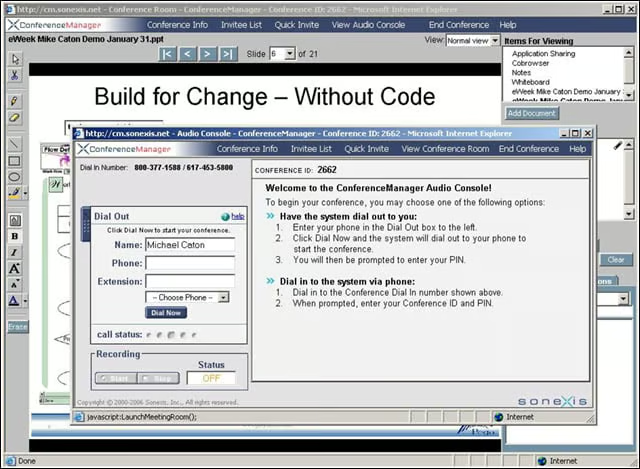
Moderators have access to audio conferencing tools in a meeting through the Audio Console.
eWEEK Labs Walk-Through: Sonexis ConferenceManager – Sonexis Scheduling Wizard
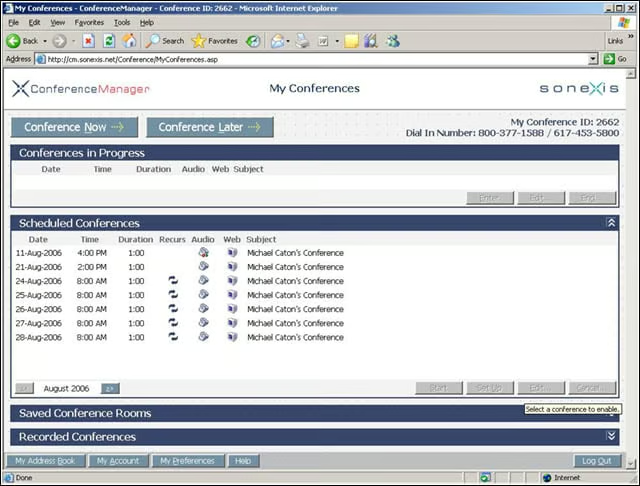
Moderators can organize scheduled and ad hoc events through a Web interface.
eWEEK Labs Walk-Through: Sonexis ConferenceManager – Sonexis Port Availability
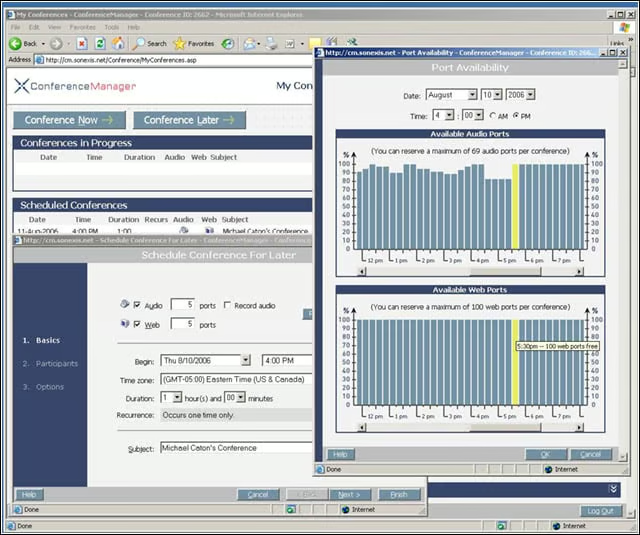
Moderators can ensure they have enough ports available for an event using the scheduling wizard.
Advertisement
eWEEK Labs Walk-Through: Sonexis ConferenceManager – Sonexis Meeting Preferences
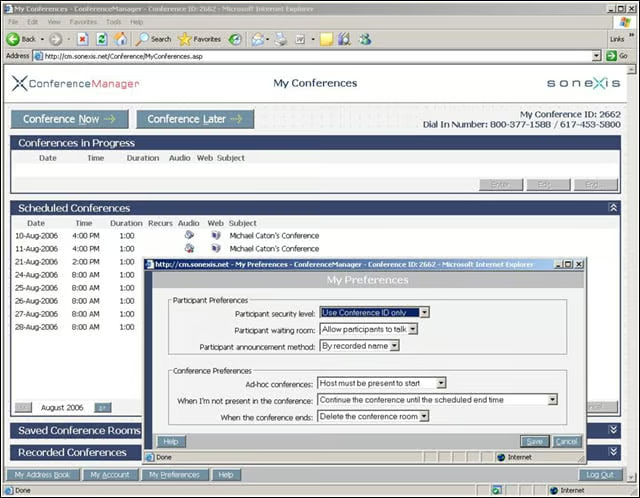
When scheduling an event, moderators can set basic participant and conference settings.