







iOS 4.2 Brings iPad Users Up to Par
by P. J. Connolly
Application Folders for iPad
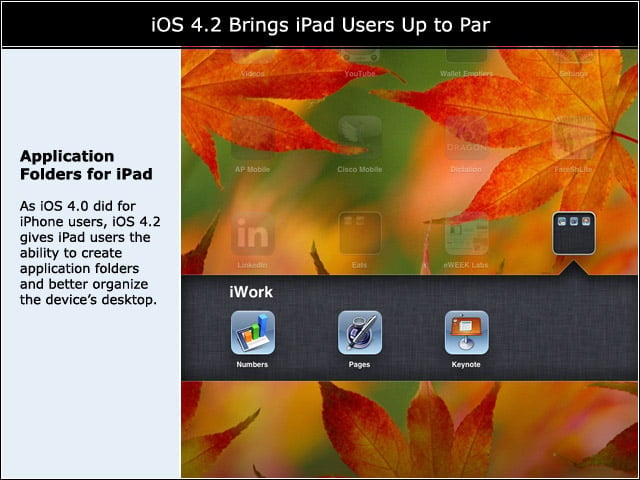
As iOS 4.0 did for iPhone users, iOS 4.2 gives iPad users the ability to create application folders and better organize the devices desktop.
Soft Orientation Selection
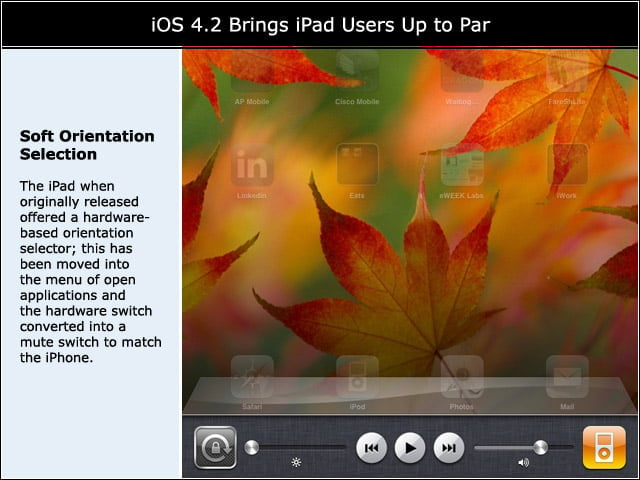
The iPad when originally released offered a hardware-based orientation selector; this has been moved into the menu of open applications and the hardware switch converted into a mute switch to match the iPhone.
Find My iPhone Now Free
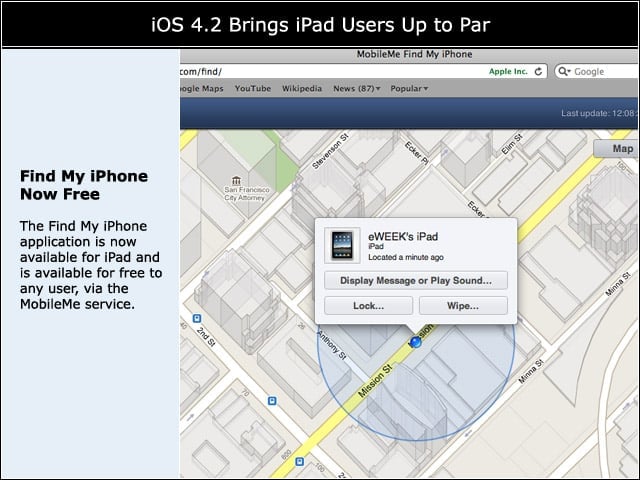
The Find My iPhone application is now available for iPad and is available for free to any user, via the MobileMe service.
Walk and Chew Gum, Sort Of
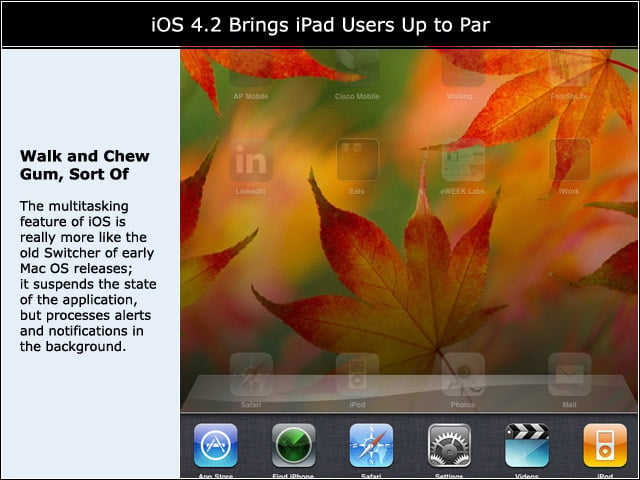
The multitasking feature of iOS is really more like the old Switcher of early Mac OS releases; it suspends the state of the application, but processes alerts and notifications in the background.
Searchin’ Safari
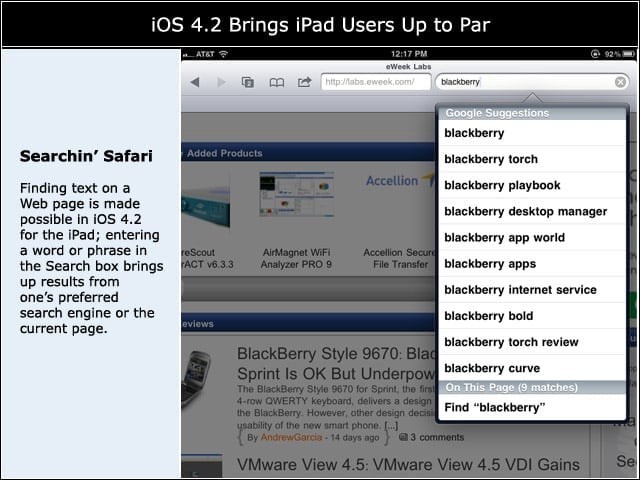
Finding text on a Web page is made possible in iOS 4.2 for the iPad; entering a word or phrase in the Search box brings up results from ones preferred search engine or the current page.
One Inbox to Hold Them All
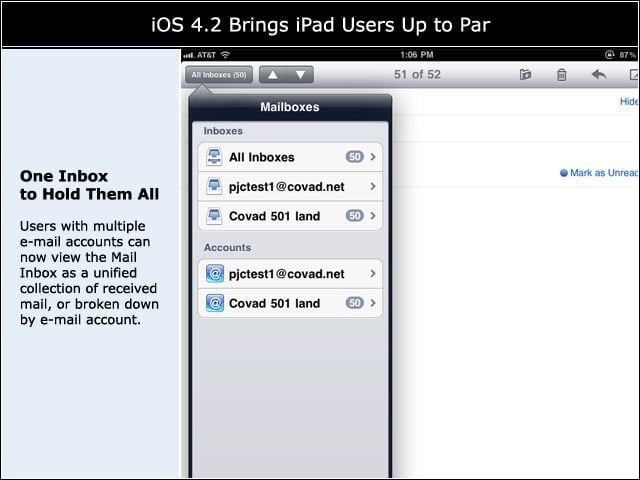
Users with multiple e-mail accounts can now view the Mail Inbox as a unified collection of received mail, or broken down by e-mail account.
GameCenter Now on iPad
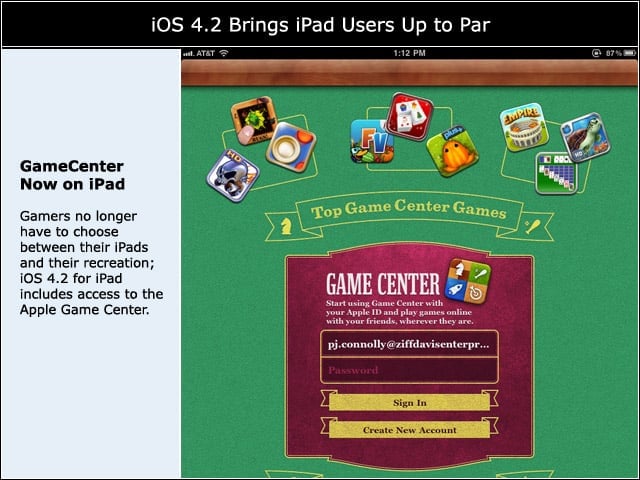
Gamers no longer have to choose between their iPads and their recreation; iOS 4.2 for iPad includes access to the Apple Game Center.
Choose Fonts for Notes
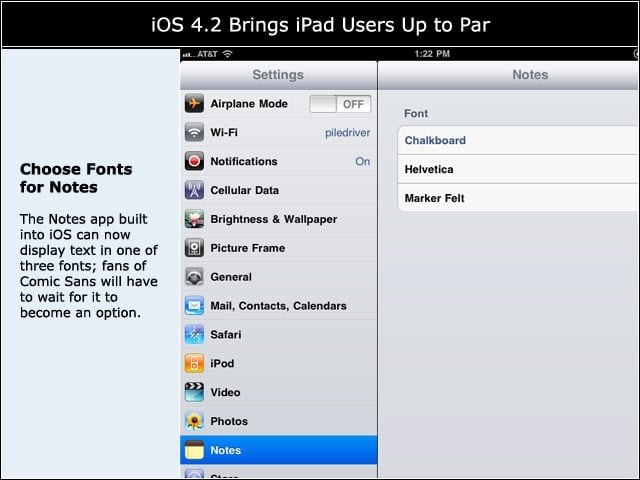
The Notes app built into iOS can now display text in one of three fonts; fans of Comic Sans will have to wait for it to become an option.
Threaded Conversations
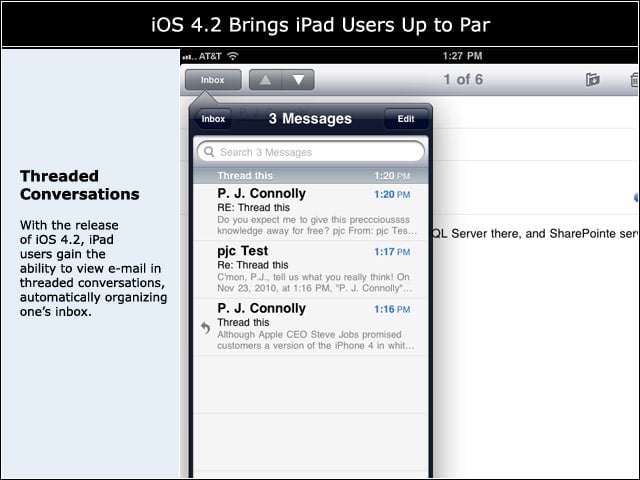
With the release of iOS 4.2, iPad users gain the ability to view e-mail in threaded conversations, automatically organizing ones inbox.