LABS GALLERY: iPhone OS 3.1 with iTunes 9 Adds Enterprise Allure

LABS GALLERY: iPhone OS 3.1 with iTunes 9 Adds Enterprise Allure
Written By
Andrew Garcia
Andrew Garcia
Published: Sep 10, 2009
Updated: Feb 2, 2021
2 minute read
eWeek content and product recommendations are editorially independent. We may make money when you click on links to our partners. Learn More


1

iPhone OS 3.1

2

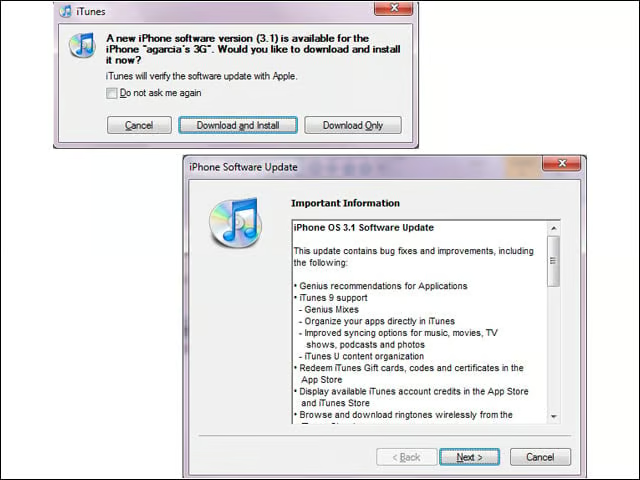
Released this week, the iPhone OS 3.1 firmware (along with the new iTunes 9) weighs in at 306.2MB. The new release lets users organize third-party apps in iTunes and paste phone numbers directly into the keypad, as well as improves Exchange Server calendar syncing.


App Store Organization
3

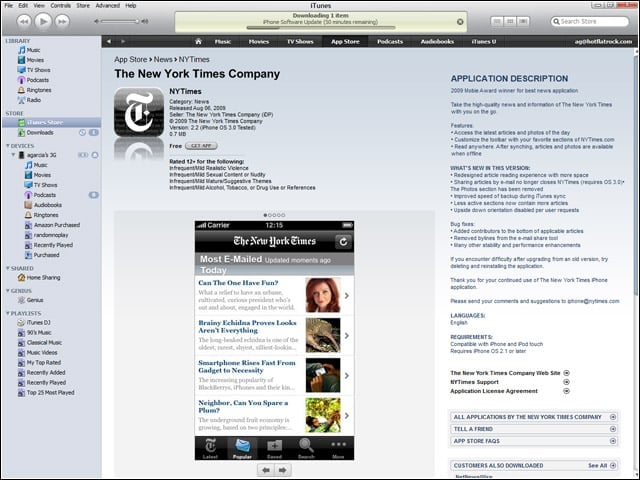
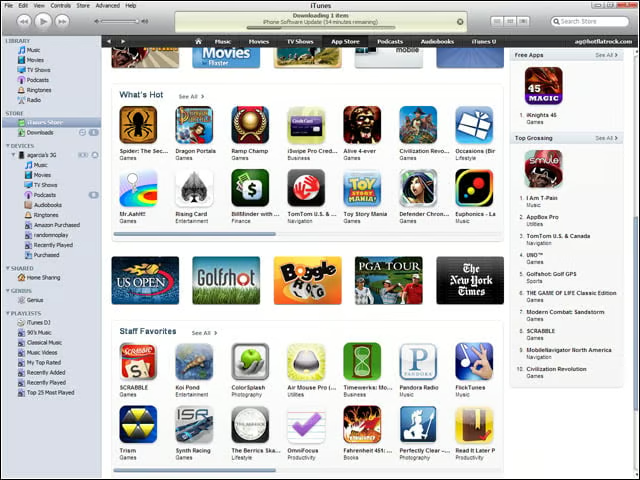
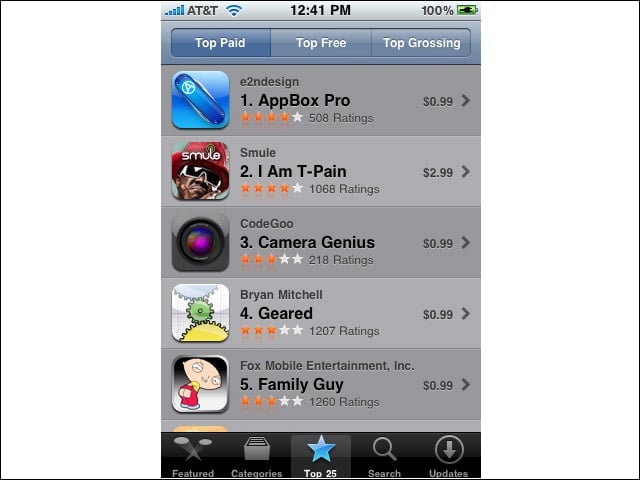
The App Store has been reorganized somewhat to allow for more effective browsing. Of note, users can view Top Paid, Top Free and, for some reason, Top Grossing applications, along with Staff recommendations and New and Noteworthy rosters.


Sorting
4

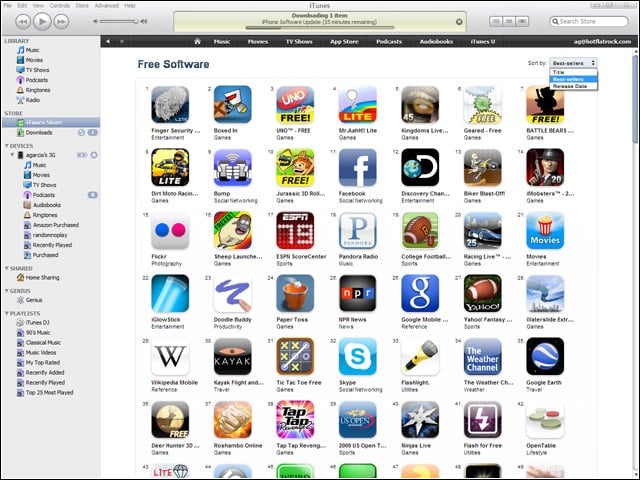
Users can sort the breakout application categories according to release date, position among best sellers or alphabetically by name.


Advertisement

Individual App Entries

5

The presentation of individual application entries hasn’t changed much.


App Organization
6

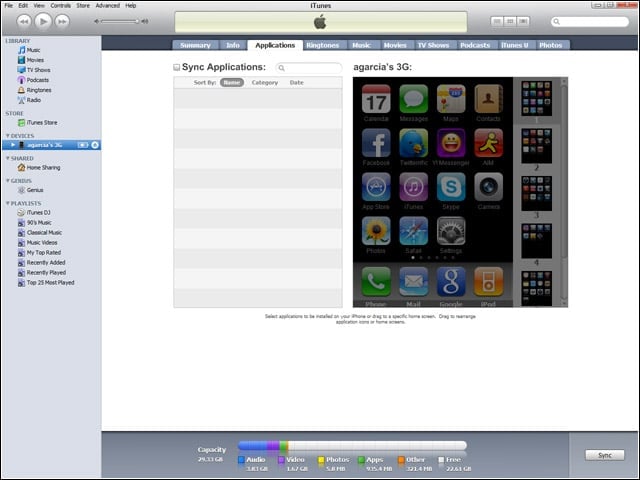
Users no longer need to drag applications from screen to screen to organize the on-device desktop. With iPhone OS 3.1, users can instead organize the layout from the desktop—making it simpler to recover to a familiar setup after a restore.


More App Organization
7

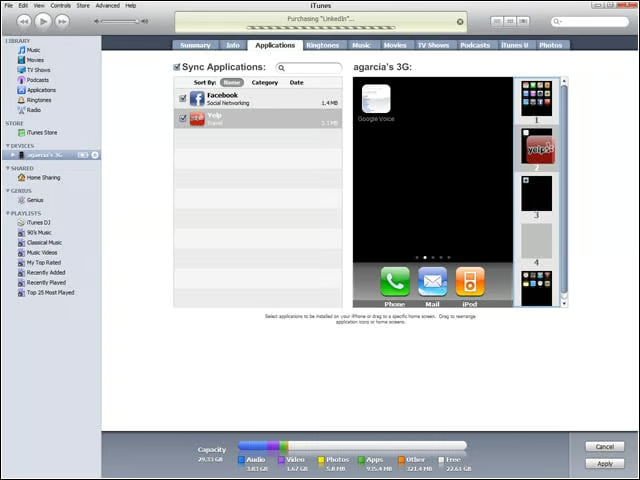
To organize applications from within iTunes, simply drag the app icon to the intended screen.


On-Device App Store
8

On-device, browsing the App Store hasn’t changed significantly (save for the inclusion of the same Top Grossing category).


Paste Numbers
9

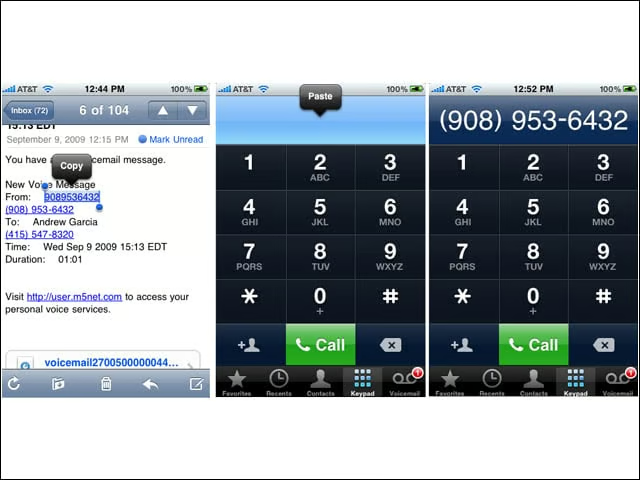
Users can now cut numbers from other applications and paste them directly into the dialer.


Bluetooth Voicedial
10

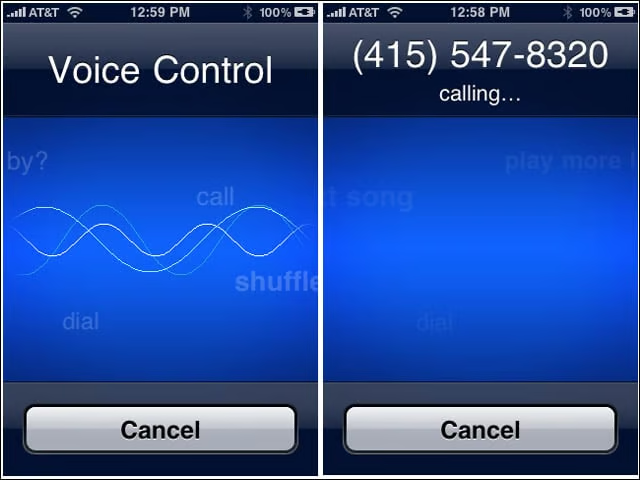
A big improvement over iPhone OS 3.0, Version 3.1 allows the use of voice commands over Bluetooth to dial the phone or control music playback.


No Title

Andrew Garcia

Andrew cut his teeth as a systems administrator at the University of California, learning the ins and outs of server migration, Windows desktop management, Unix and Novell administration. After a tour of duty as a team leader for PC Magazine's Labs, Andrew turned to system integration - providing network, server, and desktop consulting services for small businesses throughout the Bay Area. With eWEEK Labs since 2003, Andrew concentrates on wireless networking technologies while moonlighting with Microsoft Windows, mobile devices and management, and unified communications. He produces product reviews, technology analysis and opinion pieces for eWEEK.com, eWEEK magazine, and the Labs' Release Notes blog. Follow Andrew on Twitter at andrewrgarcia, or reach him by email at agarcia@eweek.com.

eWeek Logo

eWeek has the latest technology news and analysis, buying guides, and product reviews for IT professionals and technology buyers. The site's focus is on innovative solutions and covering in-depth technical content. eWeek stays on the cutting edge of technology news and IT trends through interviews and expert analysis. Gain insight from top innovators and thought leaders in the fields of IT, business, enterprise software, startups, and more.

Property of TechnologyAdvice. © 2026 TechnologyAdvice. All Rights Reserved

Advertiser Disclosure: Some of the products that appear on this site are from companies from which TechnologyAdvice receives compensation. This compensation may impact how and where products appear on this site including, for example, the order in which they appear. TechnologyAdvice does not include all companies or all types of products available in the marketplace.