







Livescribe 3 Smartpen Reimagines Note Taking for a Mobile World
by Michelle Maisto
Livescribe 3 Smartpens
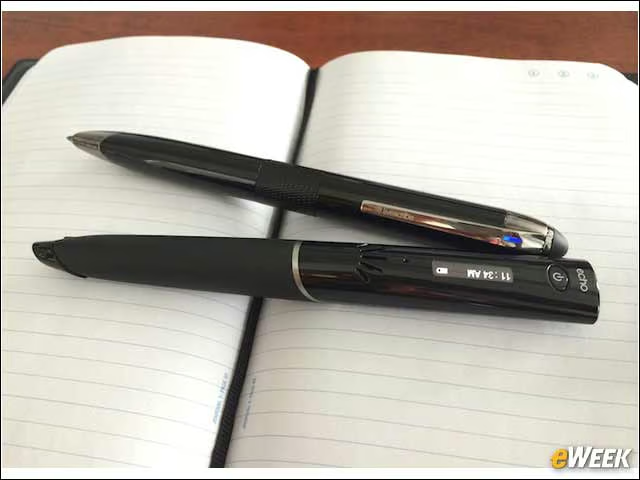
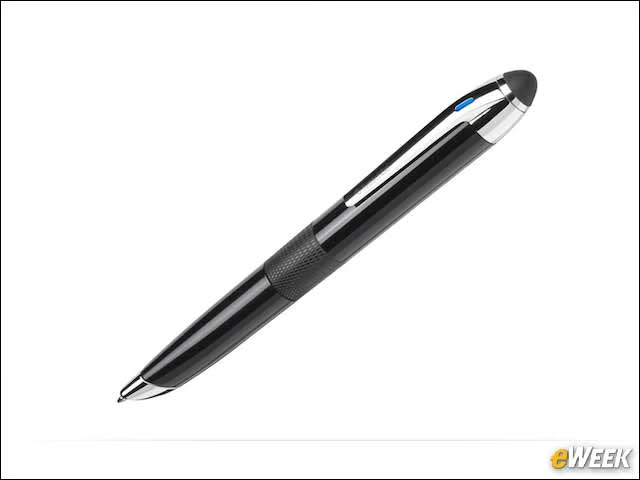
The Livescribe Echo (at the bottom of the image) was an early-model smartpen. The new Livescribe 3, above it, is more penlike. To turn it on, a user twists its textured center. The “eraser” tip at the bottom can be used as a stylus on the iPad. The rubber bit also pops off to reveal the microUSB port, used for charging.
Green Light, Blue Light
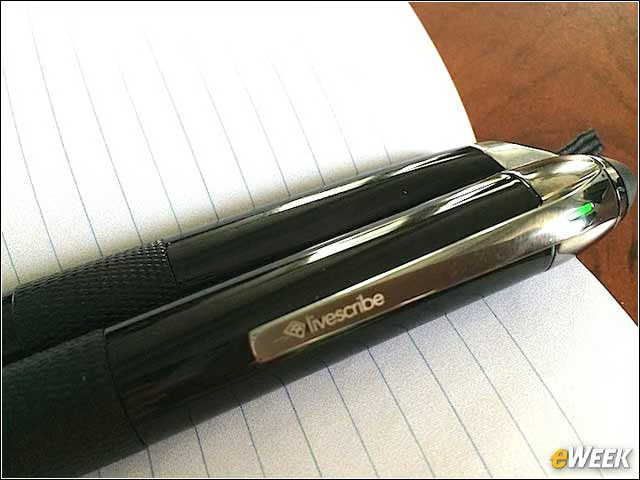
When the Livescribe is on, its LED light glows green. When it’s connected to an iPad or iPhone, it glows blue.
Power Up
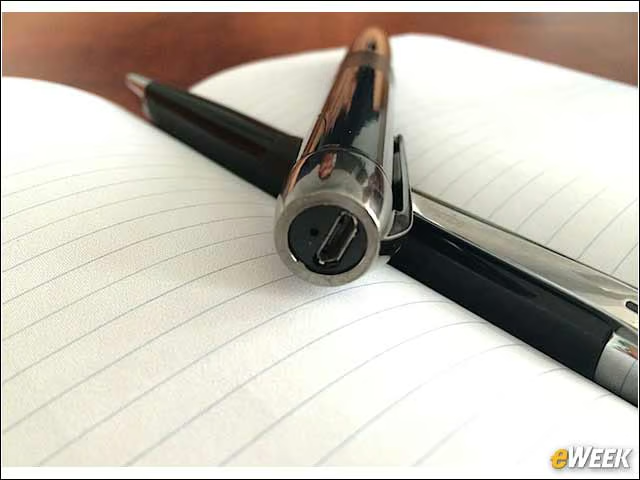
Here, a look at the microUSB beneath the pen’s rubber tip. On a single charge, the pen lasts about 14 hours.
Two Models
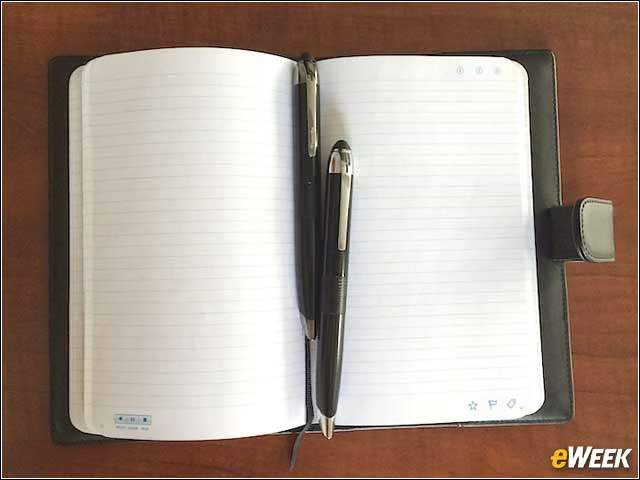
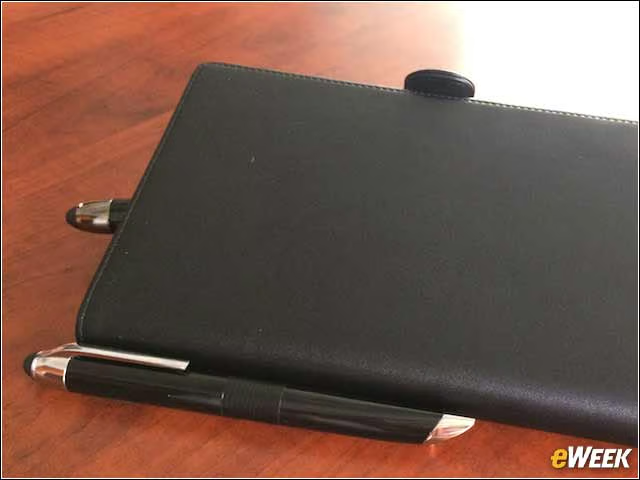
The Livescribe 3 is also available in a Pro Edition. Both come in black or chrome, but the former comes with a 50-sheet Starter Notebook and one tungsten-carbide ballpoint ink cartridge. The Pro Edition comes with a 100-sheet journal and a leather portfolio to house it (shown here), two ink cartridges, and a one-year subscription (worth $45) to Evernote Premium.
The Notebooks
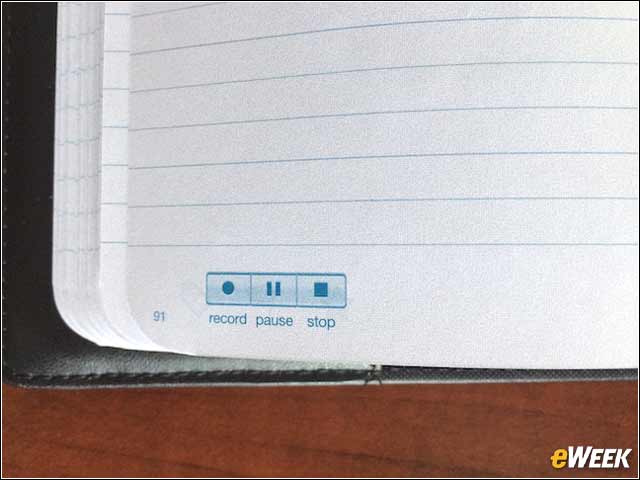
Although the notebooks look rather standard, they are actually quite special. Every 3mm squared is a unique pattern that the infrared camera—situated under the pen’s “quill tip”—reads. This allows the pen to organize your content by notebook, page and line. Tapping three boxes at the bottom of the page enables the pen to begin recording a conversation, pause recording or stop.
Listen Again
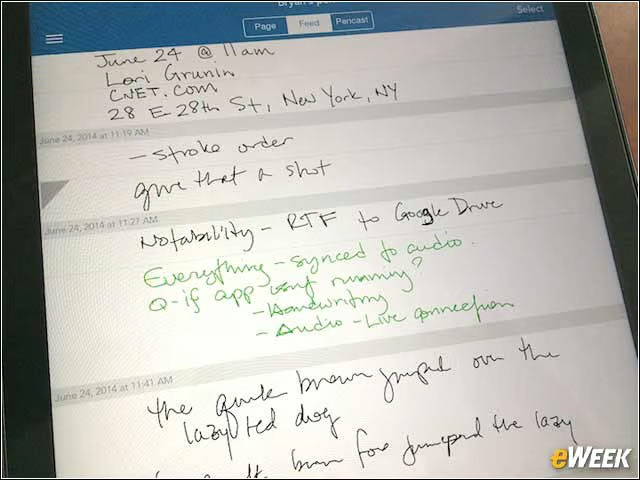
When a user begins recording while writing, that section of the text shows up green in the app. To listen to the recording, just tap the green text. The recording will begin on exactly the word you tap. To move ahead while listening, just tap on a word further along in the sentence or paragraph.
Tap to Listen
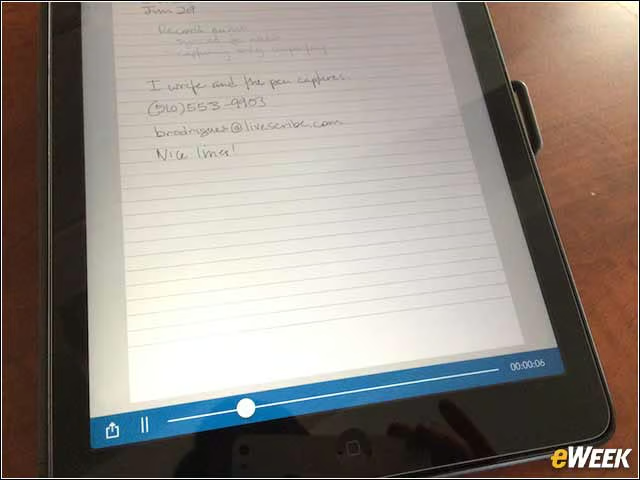
Another view of how audio begins to play after a user taps on green text.
Tidying Up
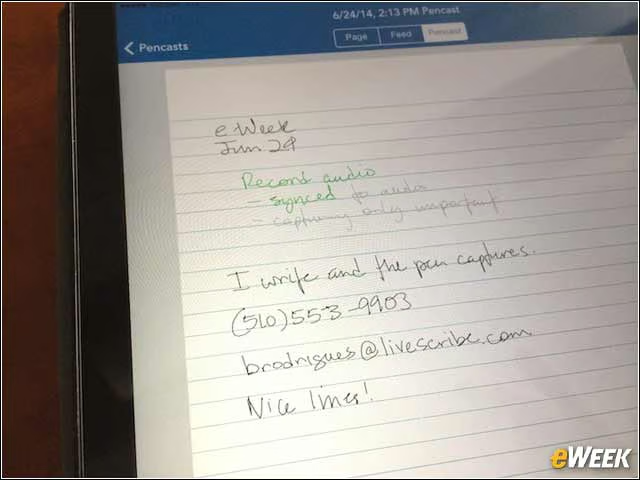
Just as handwritten text can be converted to type with the swipe of a finger across the screen, details like a phone number can be put into type and formatted.
Formatted Text
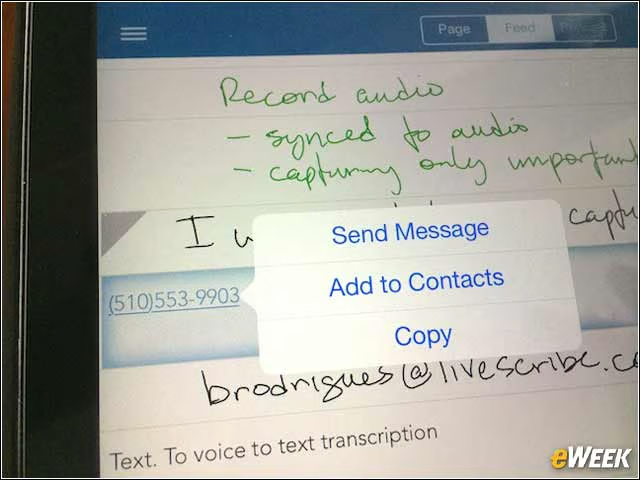
Once formatted, a user can send a text or message to the number, or add it to his or her Contacts.
Making the Most of Notes
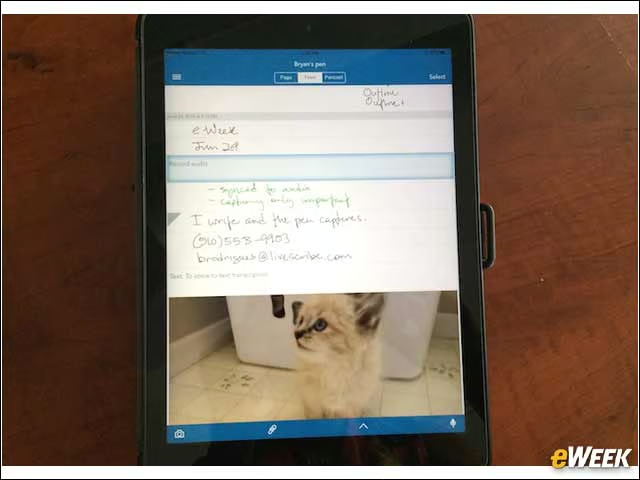
Content in the Livescribe app can be formatted, images or other content can be added, and notes can easily be shared—at the line, page or notebook level. Notes can be shared via email or messaging, or sent to just about any application that can accept a PDF file.
Pricing and Availability
Livescribe pens and notebooks are available in Apple stores, on Amazon and on the Livescribe site. The company recently began expanding and is now also in retail stores such as Best Buy. Livescribe is priced at $149.95, while the Livescribe 3 Pro Edition is $199.95.