








- Samsung Q1 Ultramobile PC
- Samsung Q1 Ultramobile PC – The Q1 On the Go
- Samsung Q1 Ultramobile PC – Left side view
- Samsung Q1 Ultramobile PC – Q1 on Display
- Samsung Q1 Ultramobile PC – Topside Ports on the Q1
- Samsung Q1 Ultramobile PC – Quick Re-resolutions for the Q1
- Samsung Q1 Ultramobile PC – Right profile view
- Samsung Q1 Ultramobile PC – Pen Input
Samsung Q1 Ultramobile PC
At the rollout event, H. S. Kim, executive vice president and general manager of Samsungs Computer System Division, used the new Q1 Ultra Mobile PC to run Microsoft PowerPoint slides for his presentation.
Samsung Q1 Ultramobile PC – The Q1 On the Go
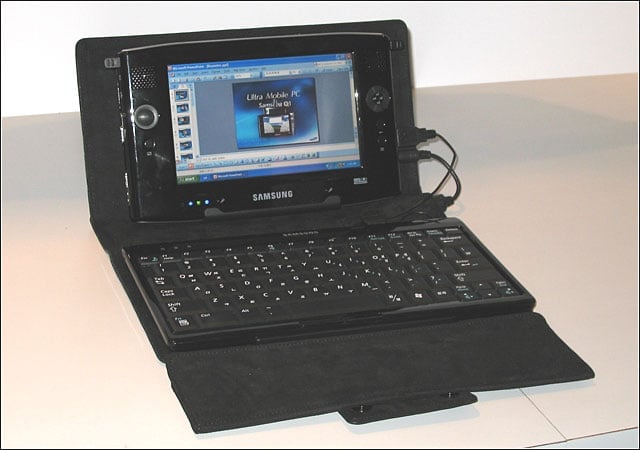
A number of accessories will be available for the Q1, including a full-size USB keyboard ($89) and suede organizer bag ($39).
Samsung Q1 Ultramobile PC – Left side view

Still in Samsungs organizer bag, you can see the left side configuration of the Q1, including a powered USB 2.0 port, audio jack, volume control, hold switch and a hole for a hand strap.
Samsung Q1 Ultramobile PC – Q1 on Display

Locked in a display stand, Samsungs Q1 looks bigger than it is. The device is about the size of a large paperback book, sports a 7-inch screen and weighs 1.7 pounds in its standard configuration. Its less than an inch thick.
Samsung Q1 Ultramobile PC – Topside Ports on the Q1
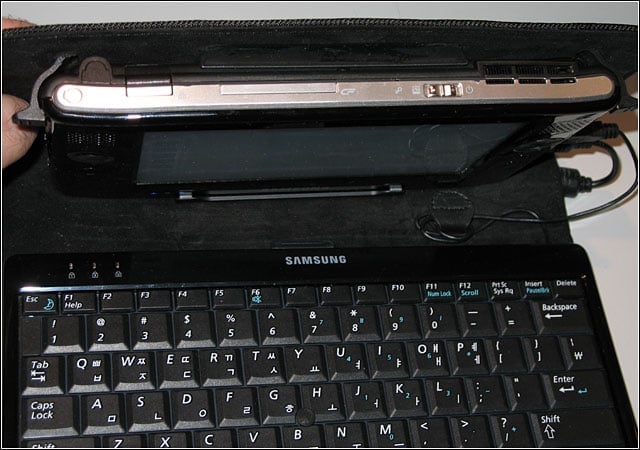
Connectors and other ports cover three sides of the Q1. On the top are the power and reset buttons, a Type II Compact Flash slot and Ethernet port. The power switch can enter Windows or access the Audio Visual Station menu of player modes for audio, photo
Samsung Q1 Ultramobile PC – Quick Re-resolutions for the Q1

Running down the left front of the Q1 in order are the speaker grille, a round 8-way joystick controller (sans stick) and what Samsung calls the Auto Scale Button, which lets users quickly toggle between the screens native 800-by-480-pixel
Samsung Q1 Ultramobile PC – Right profile view
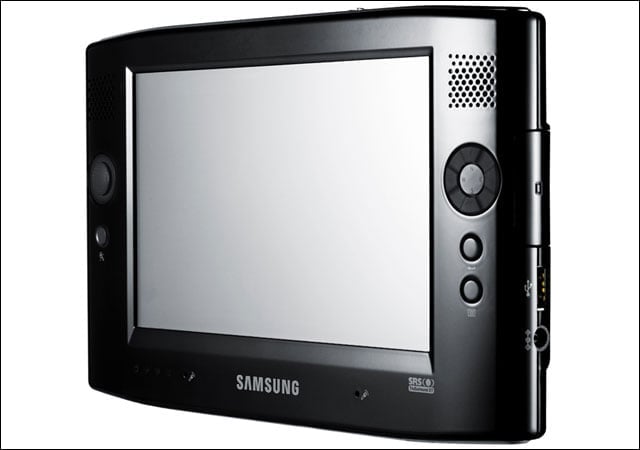
Running down the right front of the Q1 in order are a speaker grille, a user-definable button, and enter and menu buttons.
Samsung Q1 Ultramobile PC – Pen Input
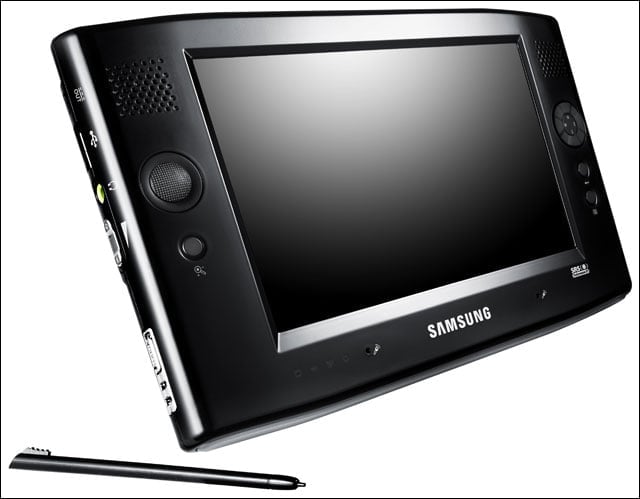
Samsungs Q1 Ultra Mobile PC uses a pen for standard input. The device runs Windows XP Tablet Edition as well as the new TouchPack interfaces from Microsoft, such as DialKeys, which provides a split QWERTY keyboard on both sides of the display for thumb i