AirMagnet Survey Pro 8.0 Uses Two Sensors to Speed WiFi Survey and Planning

AirMagnet Survey Pro 8.0 Uses Two Sensors to Speed WiFi Survey and Planning
Written By
Andrew Garcia
Andrew Garcia
Published: Nov 29, 2010
Updated: Feb 2, 2021
2 minute read
eWeek content and product recommendations are editorially independent. We may make money when you click on links to our partners. Learn More


AirMagnet Survey Pro 8.0 Uses Two Sensors to Speed WiFi Survey and Planning

AirMagnet Survey Pro 8.0 Uses Two Sensors to Speed WiFi Survey and Planning

by Andrew Garcia


Multiadapter Kit
2

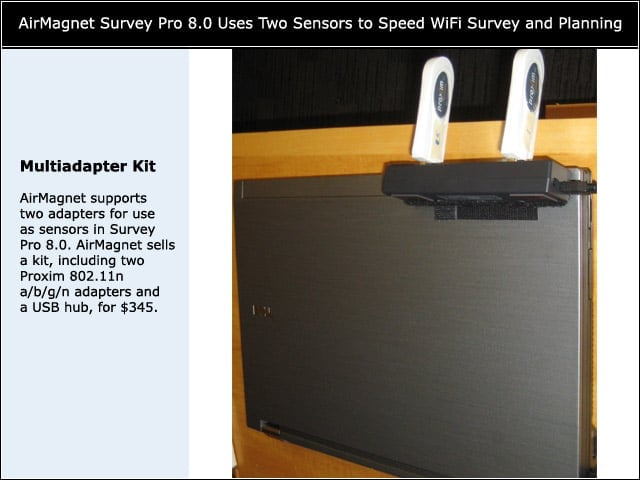
AirMagnet supports two adapters for use as sensors in Survey Pro 8.0. AirMagnet sells a kit, including two Proxim 802.11n a/b/g/n adapters and a USB hub, for $345.


Survey
3

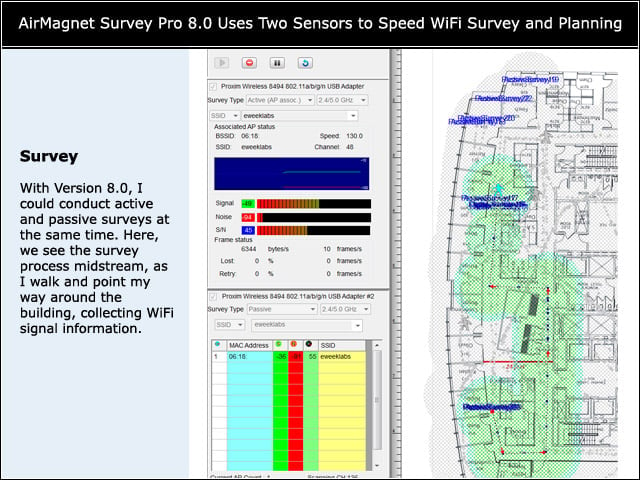
With Version 8.0, I could conduct active and passive surveys at the same time. Here, we see the survey process midstream, as I walk and point my way around the building, collecting WiFi signal information.


iPerf Test
4

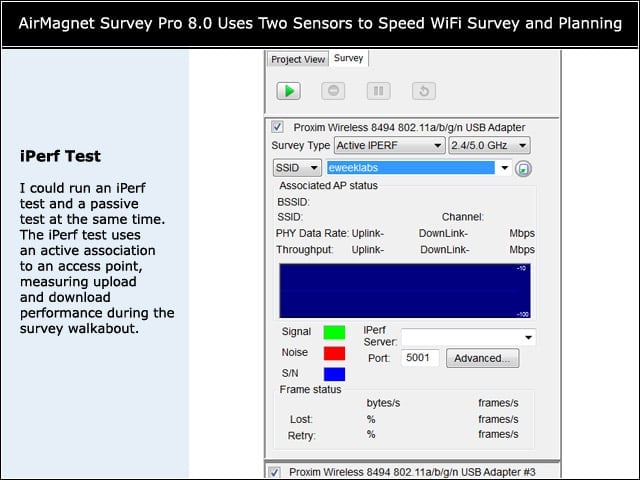
I could run an iPerf test and a passive test at the same time. The iPerf test uses an active association to an access point, measuring upload and download performance during the survey walkabout.


iPerf Results
5

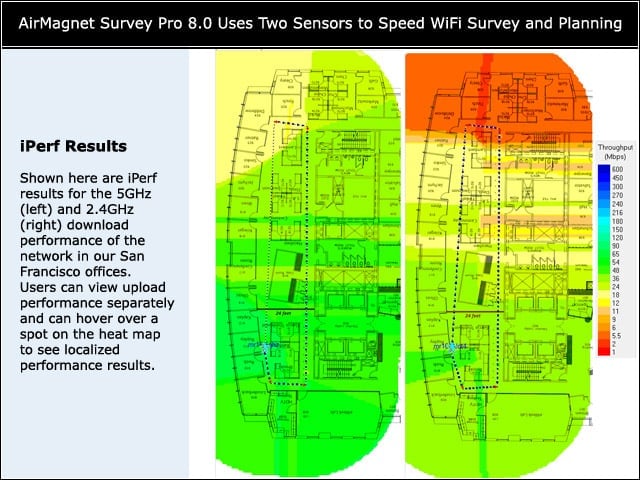
Shown here are iPerf results for the 5GHz (left) and 2.4GHz (right) download performance of the network in our San Francisco offices. Users can view upload performance separately and can hover over a spot on the heat map to see localized performance results.


Advertisement

PHY

6

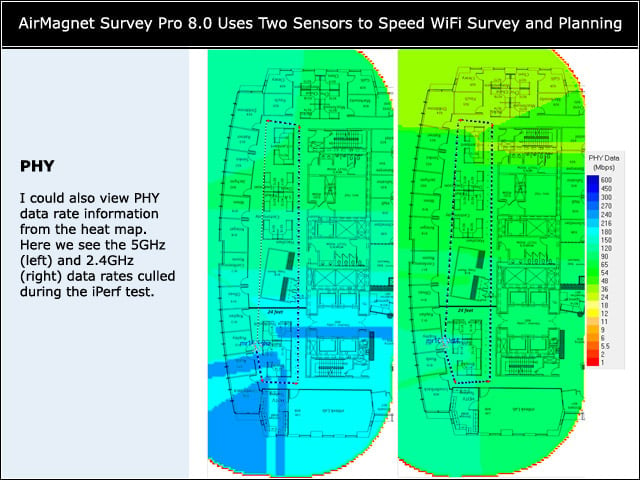
I could also view PHY data rate information from the heat map. Here we see the 5GHz (left) and 2.4GHz (right) data rates culled during the iPerf test.


Customize the Look
7

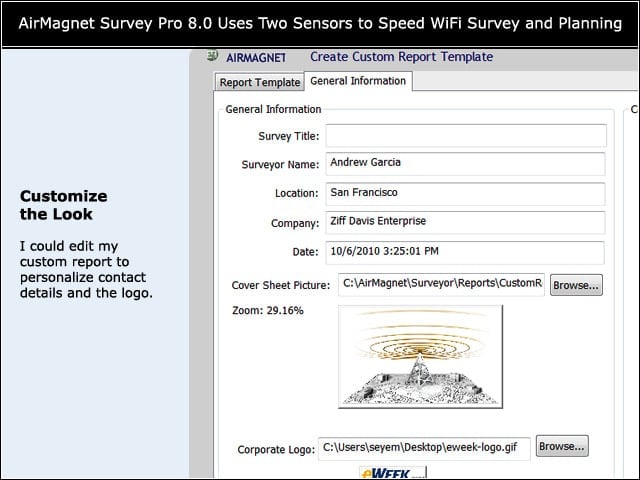
I could edit my custom report to personalize contact details and the logo.


Customize Content
8

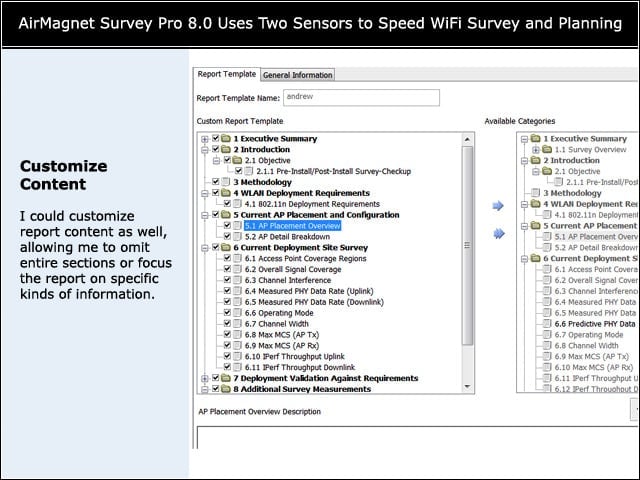
I could customize report content as well, allowing me to omit entire sections or focus the report on specific kinds of information.


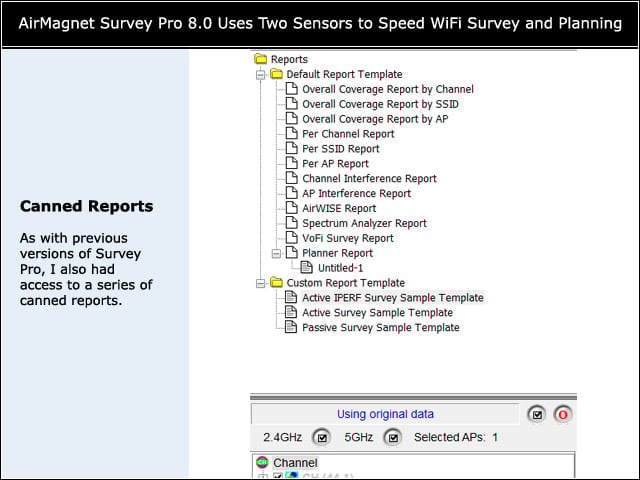
Canned Reports
9

As with previous versions of Survey Pro, I also had access to a series of canned reports.

Andrew Garcia

Andrew cut his teeth as a systems administrator at the University of California, learning the ins and outs of server migration, Windows desktop management, Unix and Novell administration. After a tour of duty as a team leader for PC Magazine's Labs, Andrew turned to system integration - providing network, server, and desktop consulting services for small businesses throughout the Bay Area. With eWEEK Labs since 2003, Andrew concentrates on wireless networking technologies while moonlighting with Microsoft Windows, mobile devices and management, and unified communications. He produces product reviews, technology analysis and opinion pieces for eWEEK.com, eWEEK magazine, and the Labs' Release Notes blog. Follow Andrew on Twitter at andrewrgarcia, or reach him by email at agarcia@eweek.com.

eWeek Logo

eWeek has the latest technology news and analysis, buying guides, and product reviews for IT professionals and technology buyers. The site's focus is on innovative solutions and covering in-depth technical content. eWeek stays on the cutting edge of technology news and IT trends through interviews and expert analysis. Gain insight from top innovators and thought leaders in the fields of IT, business, enterprise software, startups, and more.

Property of TechnologyAdvice. © 2026 TechnologyAdvice. All Rights Reserved

Advertiser Disclosure: Some of the products that appear on this site are from companies from which TechnologyAdvice receives compensation. This compensation may impact how and where products appear on this site including, for example, the order in which they appear. TechnologyAdvice does not include all companies or all types of products available in the marketplace.