








- eWEEK Labs Walk-Through: Interwise Connect 7.0
- eWEEK Labs Walk-Through: Interwise Connect 7.0 – Interwise polling support
- eWEEK Labs Walk-Through: Interwise Connect 7.0 – Interwise landing page templates
- eWEEK Labs Walk-Through: Interwise Connect 7.0 – Interwise scheduling options
- eWEEK Labs Walk-Through: Interwise Connect 7.0 – Interwise password administration
- eWEEK Labs Walk-Through: Interwise Connect 7.0 – Interwise audio feature configuration
- eWEEK Labs Walk-Through: Interwise Connect 7.0 – Interwise video feature configuration
eWEEK Labs Walk-Through: Interwise Connect 7.0
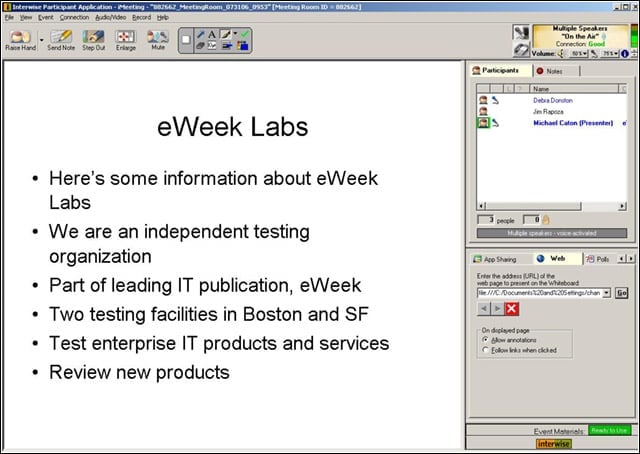
The main presentation screen in Interwise Connect 7.0 has a Windows XP look and feel.
eWEEK Labs Walk-Through: Interwise Connect 7.0 – Interwise polling support
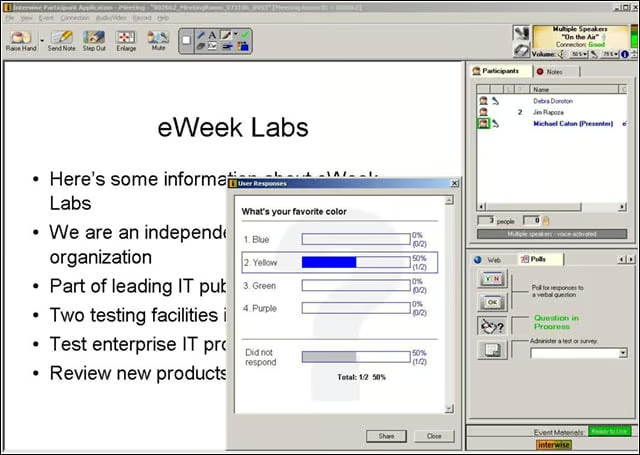
Interwise has a well-designed polling interface.
eWEEK Labs Walk-Through: Interwise Connect 7.0 – Interwise landing page templates
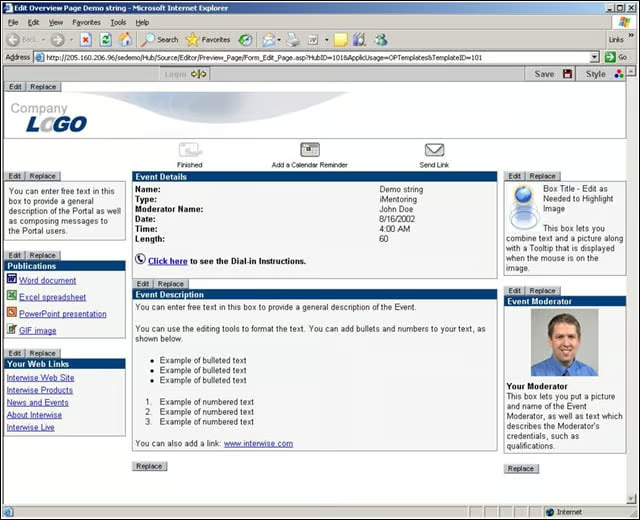
Companies can use standard templates in Interwise to market or describe upcoming events.
eWEEK Labs Walk-Through: Interwise Connect 7.0 – Interwise scheduling options
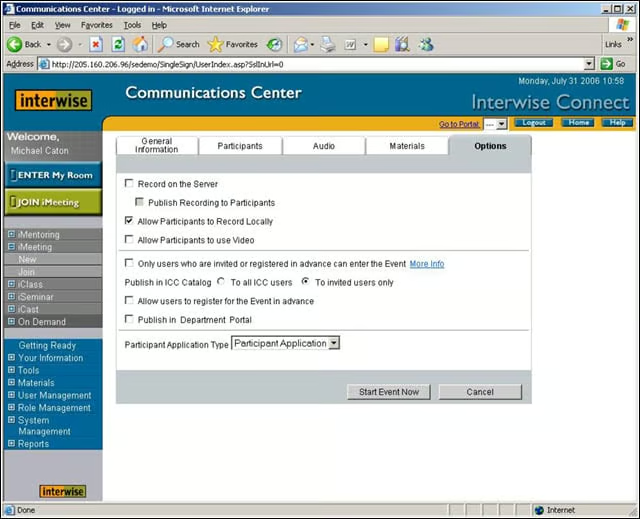
Moderators have broad discretion as to the Interwise features attendees can access.
eWEEK Labs Walk-Through: Interwise Connect 7.0 – Interwise password administration
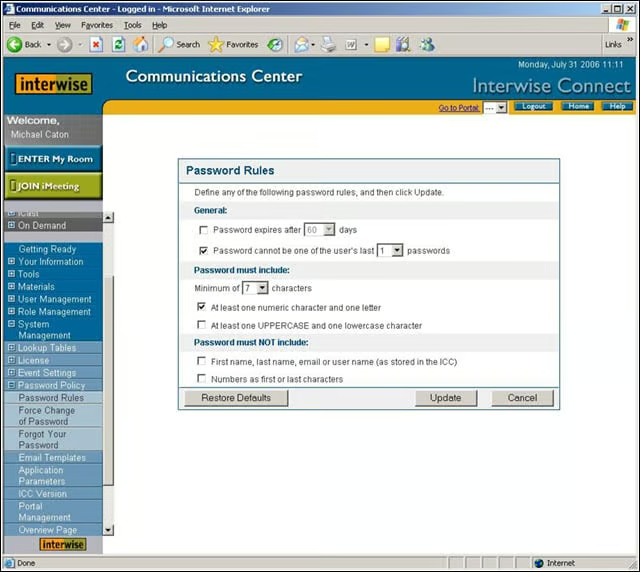
Interwise administrators can set strong password policies for users.
eWEEK Labs Walk-Through: Interwise Connect 7.0 – Interwise audio feature configuration
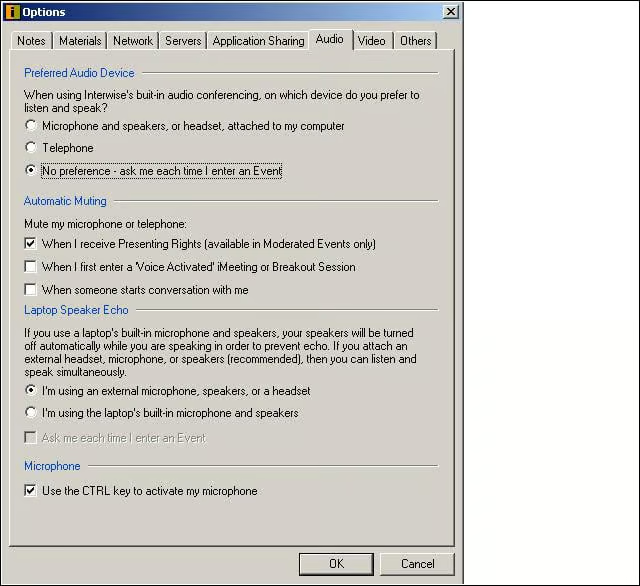
Interwise moderators have the ability to configure various room settings, such as audio features.
Advertisement
eWEEK Labs Walk-Through: Interwise Connect 7.0 – Interwise video feature configuration
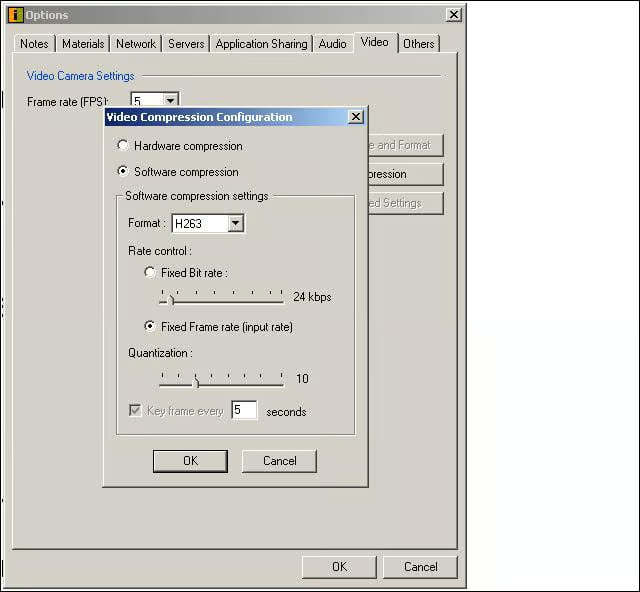
Savvy moderators also can make adjustments to their default video compression settings in Interwise.