







- eWEEK Labs Walk-through: Windows Server 2008
- eWEEK Labs Walk-through: Windows Server 2008 – Server Core
- eWEEK Labs Walk-through: Windows Server 2008 – Windows Deployment Services
- eWEEK Labs Walk-through: Windows Server 2008 – Faster File Serving
- eWEEK Labs Walk-through: Windows Server 2008 – Server Manager
- eWEEK Labs Walk-through: Windows Server 2008 – Hyper-V
- eWEEK Labs Walk-through: Windows Server 2008 – RemoteApp
- eWEEK Labs Walk-through: Windows Server 2008 – See More Slideshows Like This One
eWEEK Labs Walk-through: Windows Server 2008
eWEEK Labs Walk-through: Windows Server 2008 – Server Core
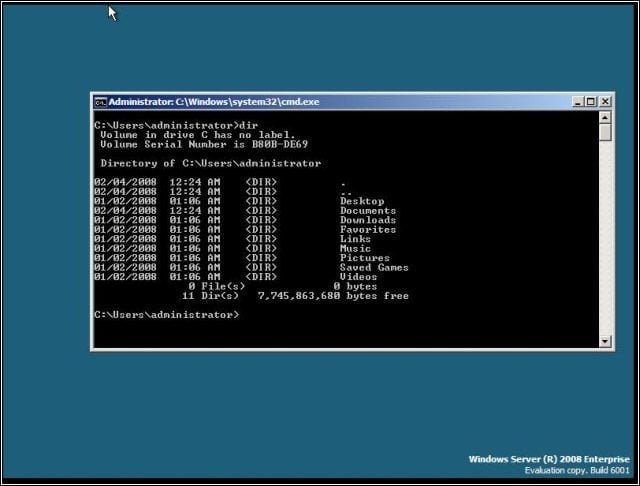
Windows Server 2008 may be deployed in a new, stripped-down Server Core configuration, which significantly reduces the attack surface of systems hosting certain Windows Server roles.
eWEEK Labs Walk-through: Windows Server 2008 – Windows Deployment Services
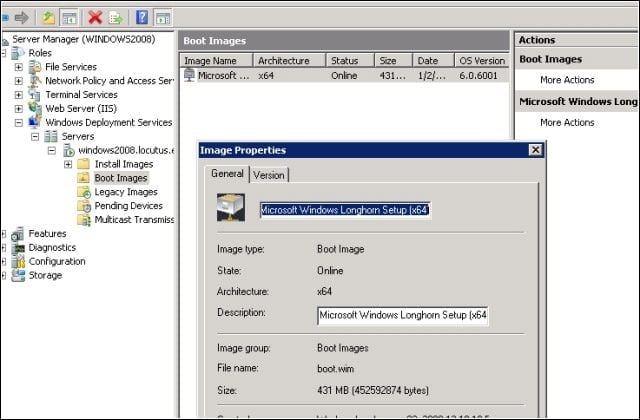
I installed a couple of my Windows Server 2008 instances using the product’s spruced-up network installation facility, called WDS (Windows Deployment Services). Once I’d installed an appropriate server role, I was able to boot a new system on my network from WDS and kick off a new installation.
eWEEK Labs Walk-through: Windows Server 2008 – Faster File Serving
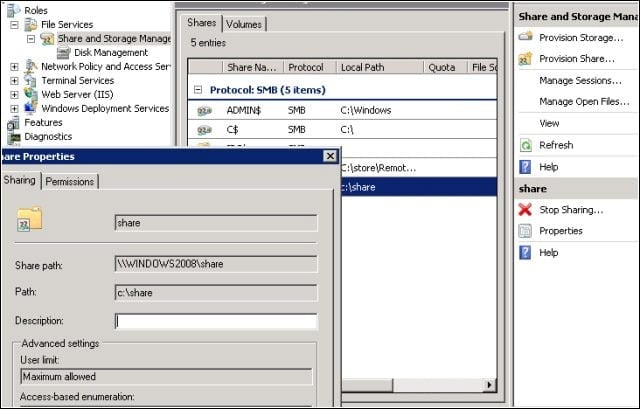
Windows Server 2008 ships with an overhauled TCP/IP stack and a new version of its SMB (Server Message Block) file-sharing service, which together can deliver significant performance gains in file sharing scenarios-
eWEEK Labs Walk-through: Windows Server 2008 – Server Manager
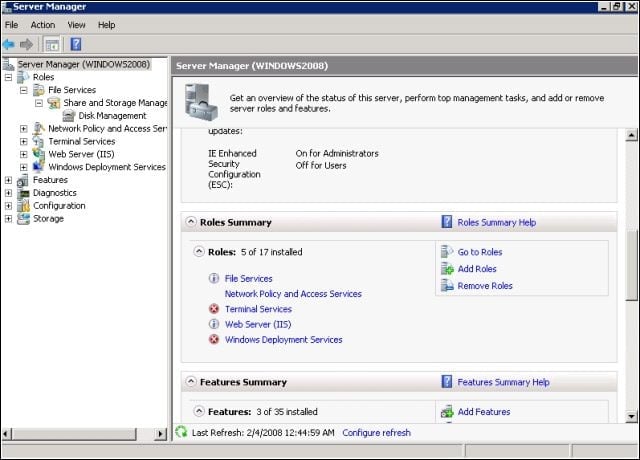
One of the most immediately recognizable new features of Windows Server 2008 is the Server Manager, which gathers together pretty much all of the operations you’d want to conduct on your server.
eWEEK Labs Walk-through: Windows Server 2008 – Hyper-V
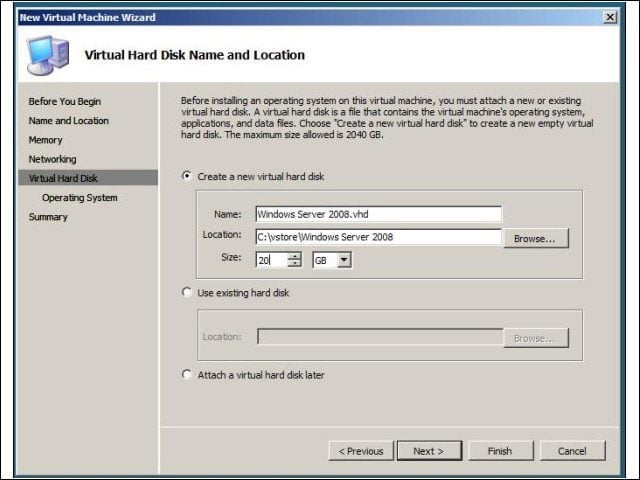
A promising new feature of Windows Server 2008 is its support for hypervisor-based virtualization. The feature, which Microsoft calls Hyper-V, enables administrators to host x86 or x86-64 operating systems on Windows Server 2008, and compares well to VMware’s ESX Server and Citrix’s XenEnterprise virtualization products.
eWEEK Labs Walk-through: Windows Server 2008 – RemoteApp
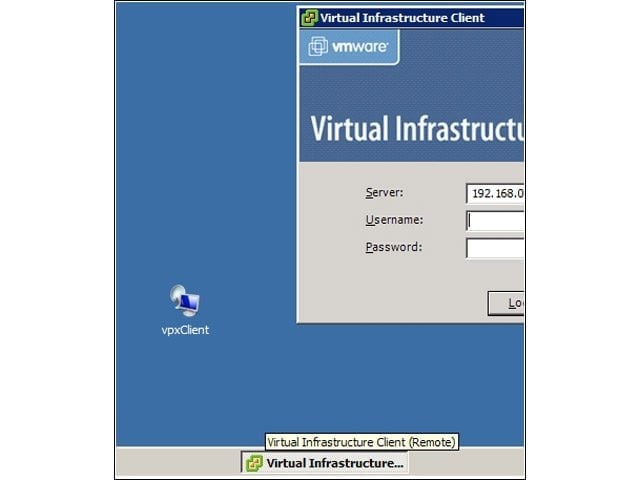
RemoteApp enables administrators to publish individual applications, as opposed to remote desktop sessions. I tested out RemoteApp with the Firefox Web browser, the GIMP image editing application and VMware’s Virtual Infrastructure client. From a Windows XP or Windows Vista client, these applications appeared as if running locally, complete with resizable windows.
eWEEK Labs Walk-through: Windows Server 2008 – See More Slideshows Like This One

Twelve Things IT Managers Should Resolve to DoThe Most Important Infrastructure Stories of 2007The eWEEK Guide to Green ITby Eric Lundquistillustrated by Brian MooreCisco’s Venerable Catalyst 6500 Line Gets Virtual Refresh