







- LABS GALLERY: Cisco UCS (Unified Computing System) Software
- Cisco UCS Manager
- Backing Up, Part 1
- Backing Up, Part 2
- CLI
- Equipment
- Equipment, Hybrid Display of the Fabric Interconnects.
- More on Hybrid Display
- Equipment, IO Module, General View.
- Equipment, Chassis 1, Server 1, Inventory, CPU
- Equipment, Chassis 1, Server 1, Inventory, Memory
- Topology View
- Global Policies
- General Display of Fabric Interconnect
- Fabric Interconnect, Configuration
- LAN MAC Pool Configuration
- LAN Pin Group
- Pin Group Successfully Created
- vNIC Template
- SAN WWPN Pool
- SAN Pin Group Creation
- vHBA Template Creation
- Server UUID Suffix Pool
- Service Profile Template
- Create vHBA
LABS GALLERY: Cisco UCS (Unified Computing System) Software
Cisco UCS Manager

The Cisco UCS Manager is a single point of device management for the UCS system. System management tools from vendors including HP, IBM, BMC and others can access UCS Manager via an XML-based API to incorporate UCS devices.
Backing Up, Part 1
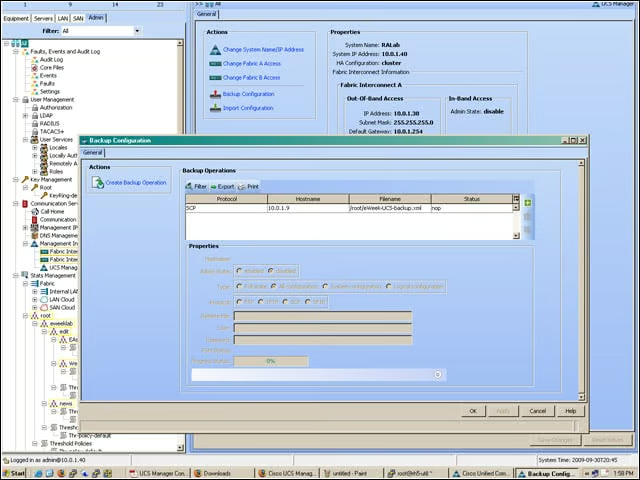
Here you see me preparing to back up all of my UCS system configuration. The backup file is stored on the network. To be clear, this backup is not a backup of applications but rather a configuration settings backup. There is room for improvement here: There is no currently no way to schedule the backup operation, and it’s easy to accidentally overwrite previous backups.
Backing Up, Part 2
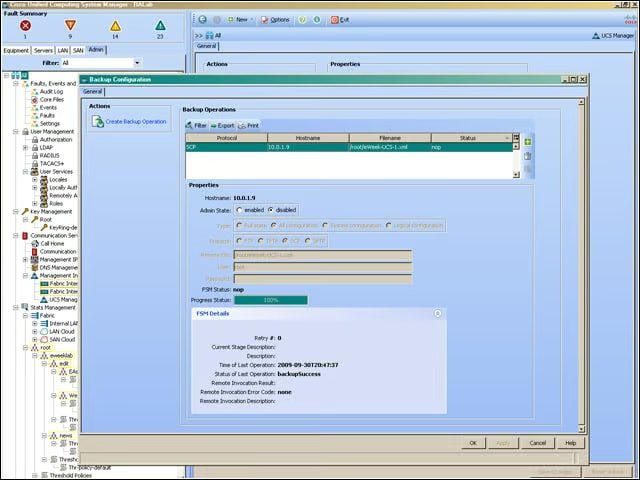
Reading from the bottom up, you see that the backup operation was successful. The Admin State is set to “disabled,” which means that this operation is dormant and will run only when changed to “enabled.” Those experienced with Cisco’s IOS will get the drift.
CLI
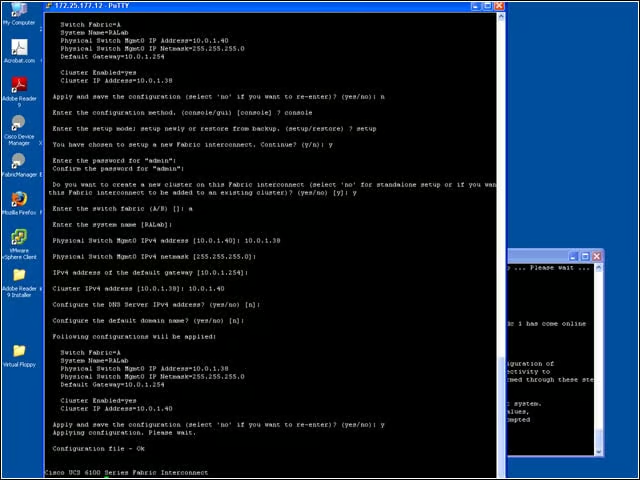
Experienced Cisco hands are accustomed to working in the command-line interface, as are data center system administrators. This screen shows me accessing the Cisco UCS 6100 Fabric Interconnect. Everything that can be done in the UCS Manager GUI can be done in the CLI.
Equipment
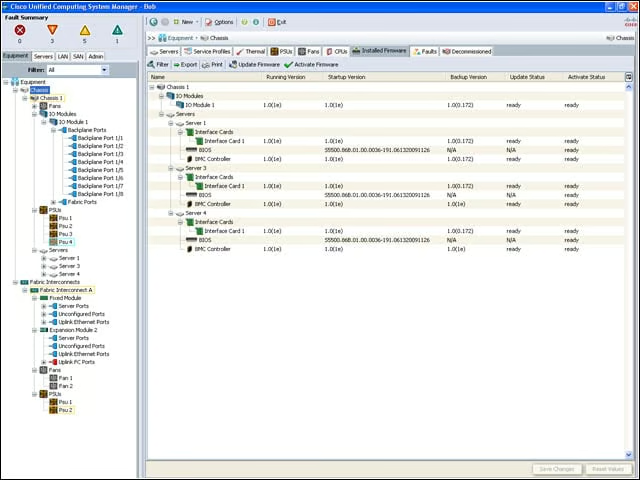
Moving on from administering the UCS, you now see the Equipment tab. In UCS parlance, equipment is actually existing hardware, as opposed to objects covered in other parts of the UCS Manager, which are logical representations. Starting from the top left and moving down and to the right, you see that this UCS management domain currently has a single chassis that has eight backplane ports. To the right you see the currently installed firmware on the interface cards and the BMC (baseboard management controller). The BMC is a microcontroller on the physical server blade that provides the status of hardware components, including failures and temperature.
Equipment, Hybrid Display of the Fabric Interconnects.
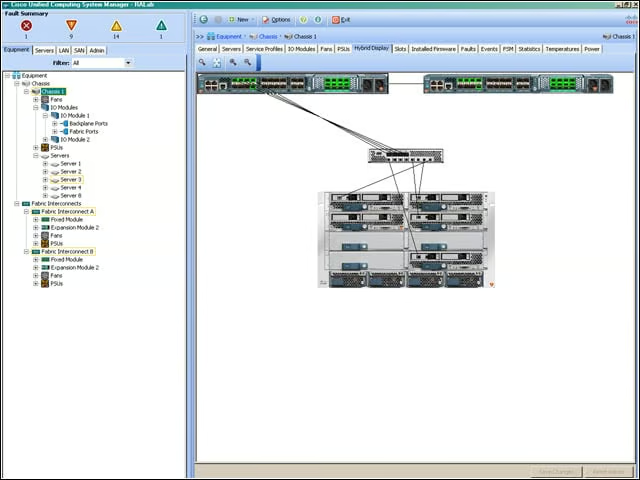
This hybrid display of physical and logical connections shows how Fabric Interconnects A and B are connected to the Fabric Extender. This Fabric Extender (every physical chassis has at least one) is what enables the UCS to scale without adding to management interface complexity. Shown here is chassis 1. Subsequent chassis would show up as chassis 2, chassis 3 and so on.
More on Hybrid Display
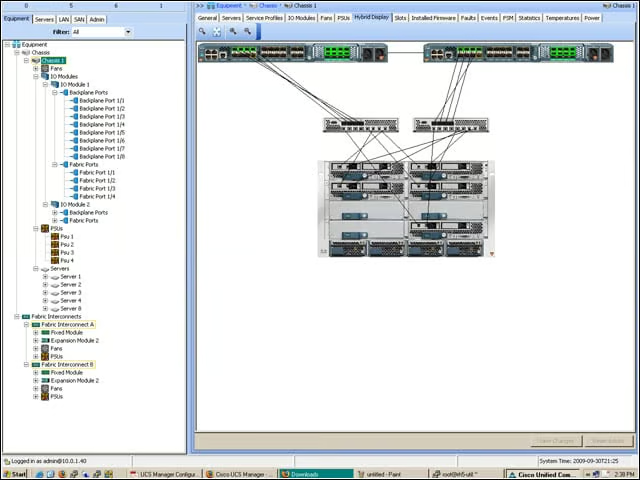
You can see here the Fabric Interconnects (top) and the Fabric Extenders (middle) in one possible management configuration of the blade servers in the UCS chassis (bottom).
Equipment, IO Module, General View.
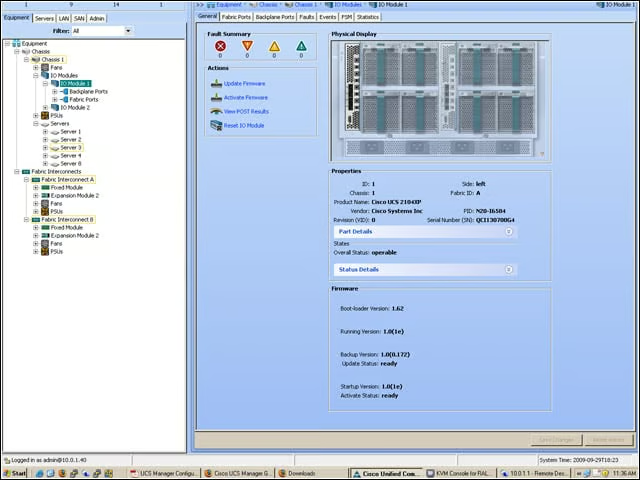
This shows a physical representation of the rear of the chassis. Notice the Fabric Extender to the left.
Equipment, Chassis 1, Server 1, Inventory, CPU
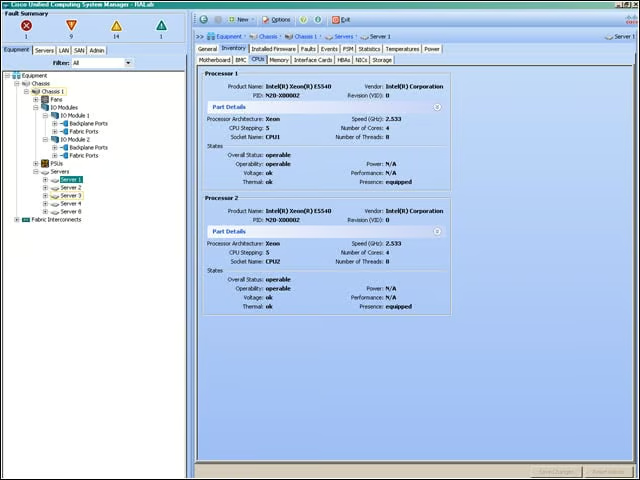
This shows the Intel Xeon 5540 CPU processor detail on the server blade.
Equipment, Chassis 1, Server 1, Inventory, Memory
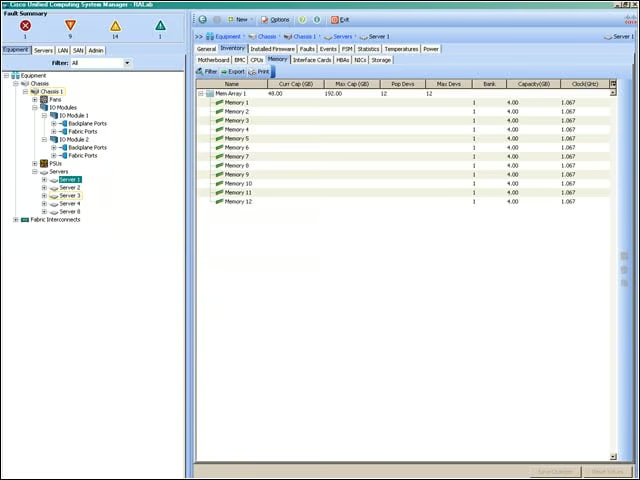
The half-width blade has a maximum memory capacity of 96GB of DDR3 RAM.
Topology View
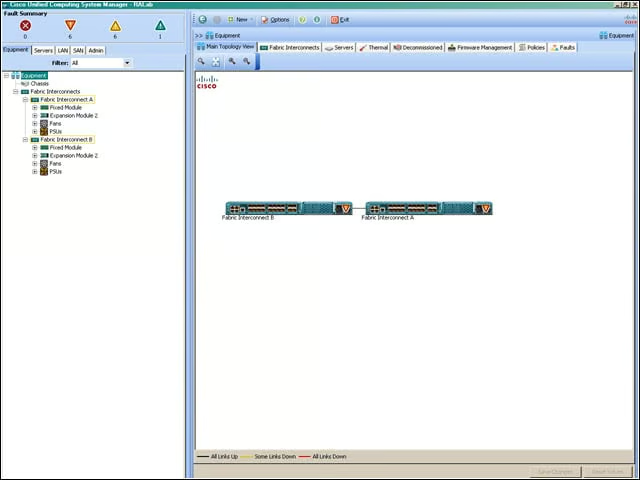
This topology view of the Fabric Interconnects shows them tied together. Every UCS management domain needs at least one Fabric Interconnect.
Global Policies
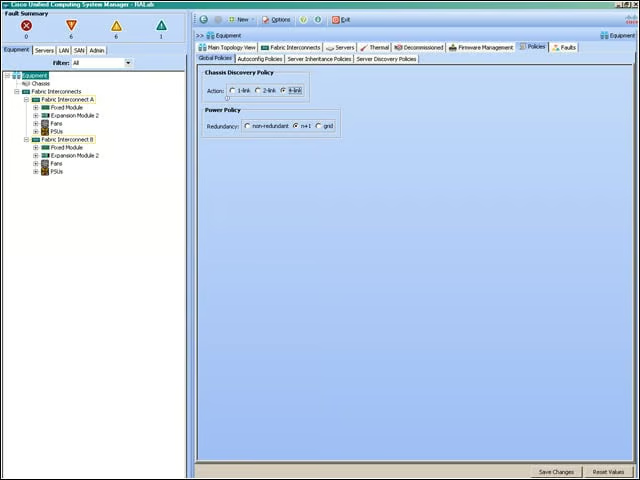
Here you see that the Fabric Interconnects are configured to discover chassis (recall that the chassis contain the physical server blades) and that the power supplies are configured to operate in an n+1 mode.
General Display of Fabric Interconnect
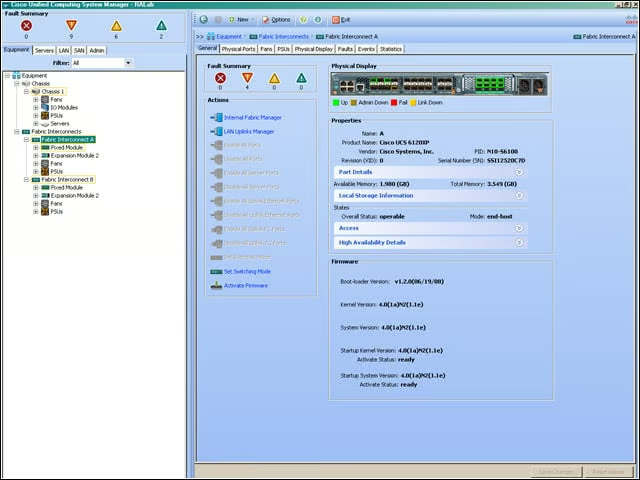
Shown here is the physical configuration of Fabric Interconnect A. Port configurations, local storage and operational status of the device are displayed.
Fabric Interconnect, Configuration
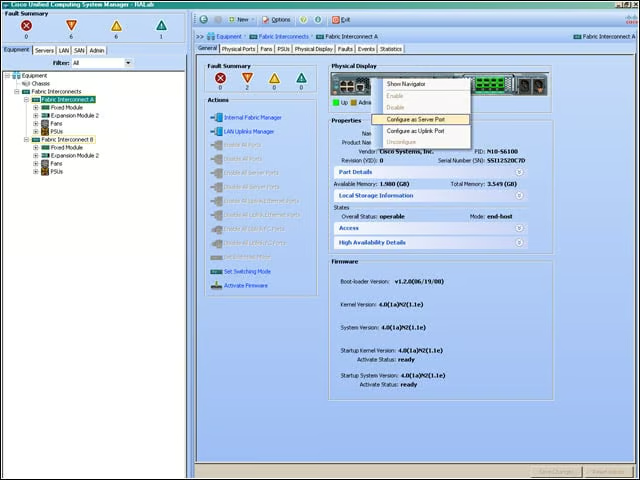
Here you see part of the procedure for configuring a port for use with a server or as an uplink.
LAN MAC Pool Configuration
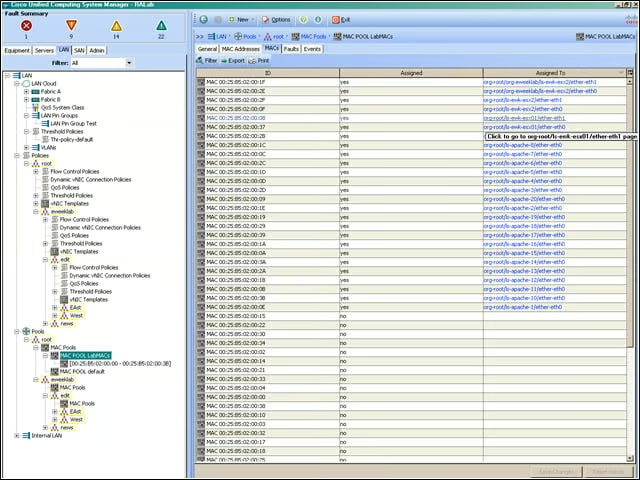
Resource pools are central to Cisco’s approach to simplified management. I’ve created a pool of MAC addresses that can be assigned to logical NICs in my UCS management domain. Some are assigned, and others are available for allocation.
LAN Pin Group
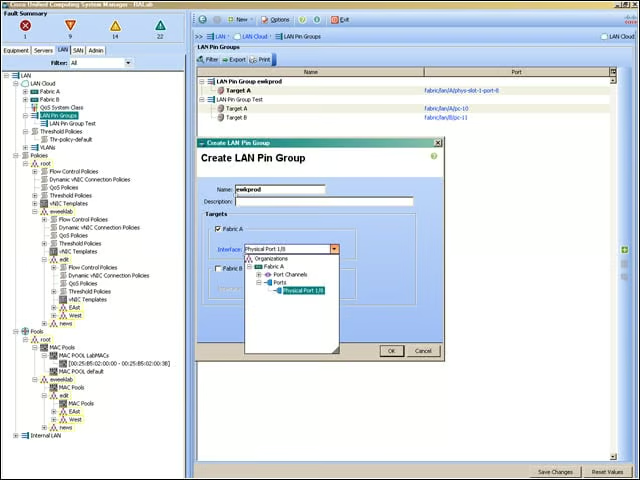
UCS uses pin groups to manage both virtual and physical NIC and HBA assignments to uplink ports on the Fabric Interconnect to provide greater control over how port bandwidth is used.
Pin Group Successfully Created
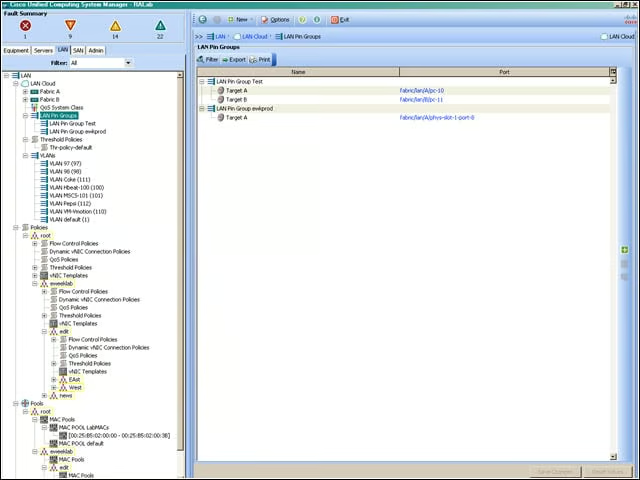
Here you see that I’ve successfully created the “ewkprod” LAN Pin Group. The concepts behind pinning require in-depth, expert knowledge of Cisco UCS, and will require network and storage experts to correctly configure your environment.
vNIC Template
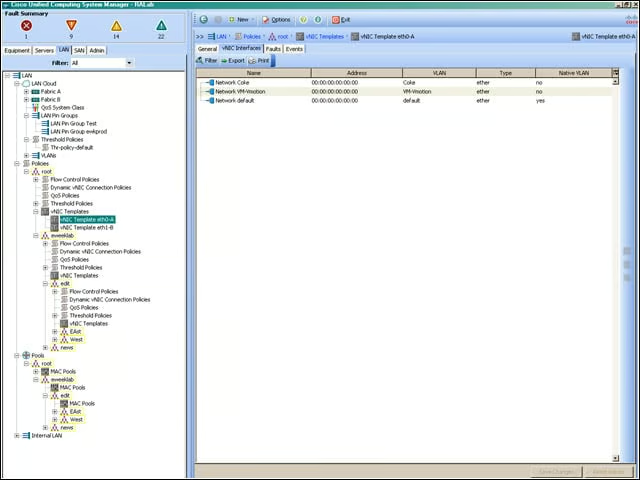
The vNIC Template is a policy that defines how a vNIC on a server connects to the LAN.
SAN WWPN Pool
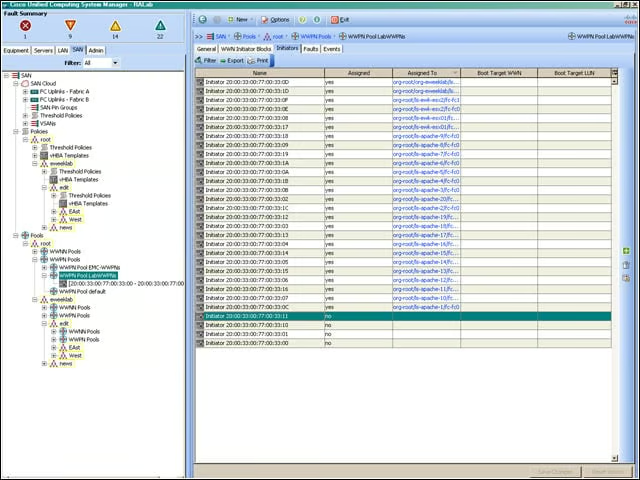
Efficient SAN configuration uses the same concept of resource pools. Here you see a pool of WWPN (World Wide Port Names), some of which are assigned and some available for use.
SAN Pin Group Creation
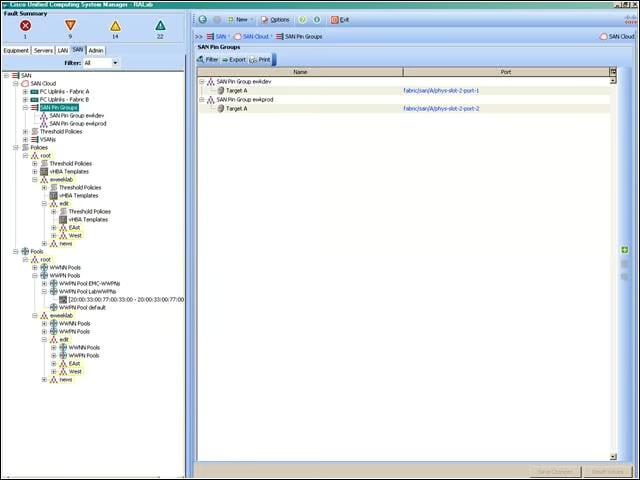
UCS uses SAN pin groups to pin Fibre Channel traffic from a vHBA on a server to an uplink Fibre Channel port on the Fabric Interconnect. I’ve created a SAN pin group for the “B” Fabric Interconnect.
vHBA Template Creation
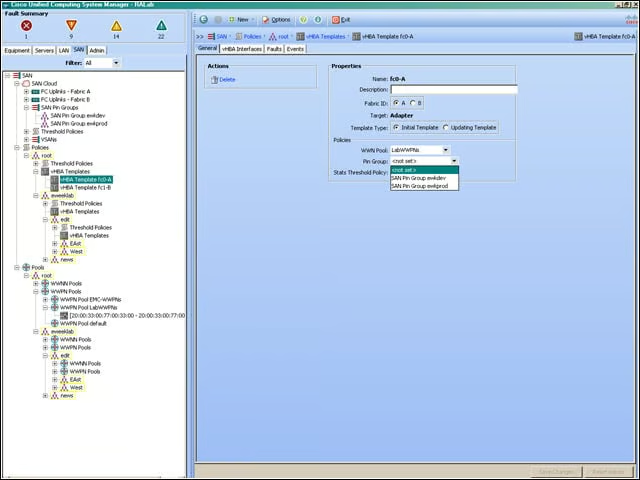
A vHBA template is a policy that defines how a vHBA on a server connects to the SAN.
Server UUID Suffix Pool
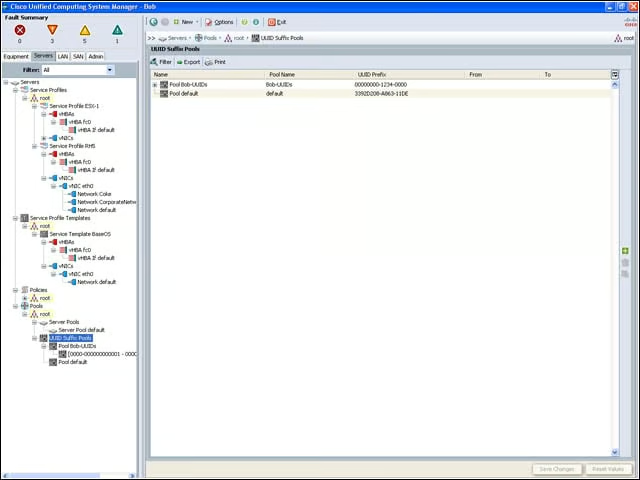
By now you can see the importance of resource pools to the administration of a Cisco UCS management domain. Here I’m creating a pool of SMBIOS UUIDs that will be assigned to servers created in the UCS management domain. Drawing resources from the pool is an essential aspect of automation and flexible reassignment of resources in the Cisco UCS world.
Service Profile Template
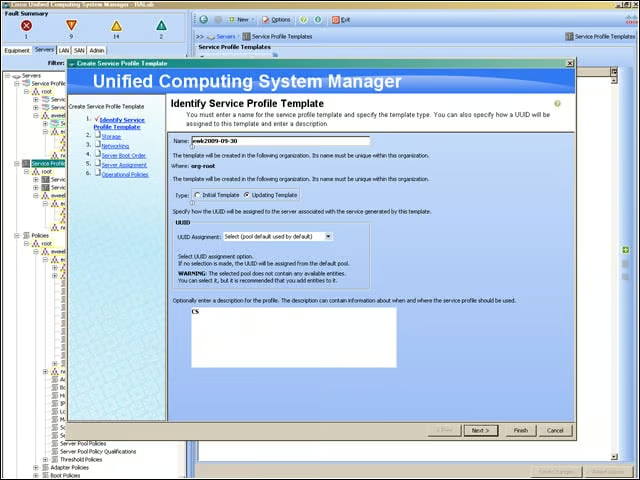
Here you see the first step in creating a Service Profile template. Service Profiles are central to the way UCS works. The Service Profile is used to ensure that the associated server hardware has a configuration that will support the applications that it hosts. Service Profile templates, as the name implies, enabled me to create similar service profiles without having to constantly re-enter data that is common to the associated servers.
Create vHBA
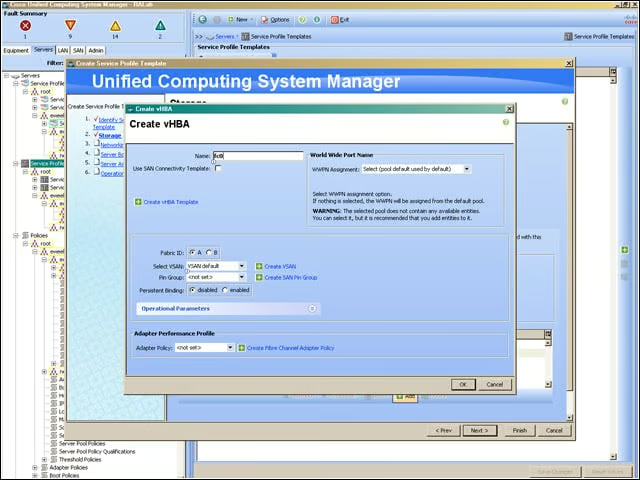
Here, I’m beginning the process of defining the storage associated with this Service Profile.