MERU E(z)RF Service Assurance Monitors WLAN Performance

Written By
Andrew Garcia
Andrew Garcia
Published: May 3, 2010
Updated: Feb 2, 2021
1 minute read
MERU E(z)RF Service Assurance Monitors WLAN Performance
eWeek content and product recommendations are editorially independent. We may make money when you click on links to our partners. Learn More


MERU E(z)RF Service Assurance Monitors WLAN Performance

MERU E(z)RF Service Assurance Monitors WLAN Performance

by Andrew Garcia


Health Check Status
2

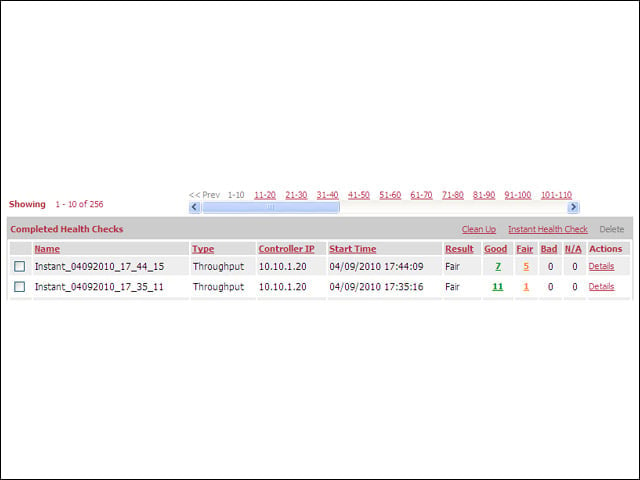
Admins can quickly scan health check performance against the baseline results. When setting up the health check, admins designate the bad and fair thresholds as a percentage of baseline performance.


Tale of Two Sweeps
3

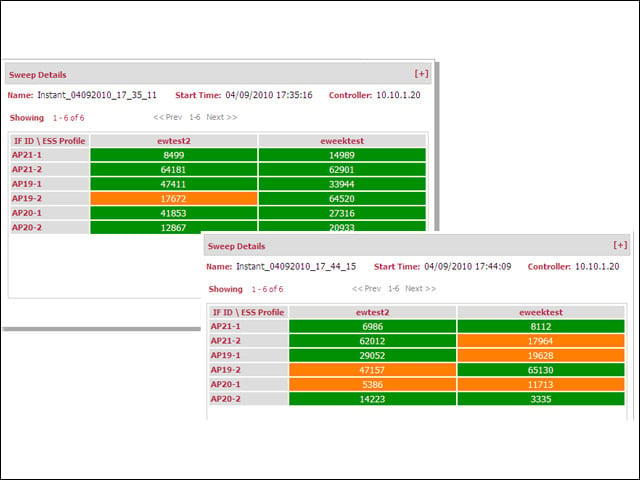
Two sweeps with dramatically different results, showing the detailed report of the imapct a single in-use microwave oven can have on network performance.


Troubleshooting Errors
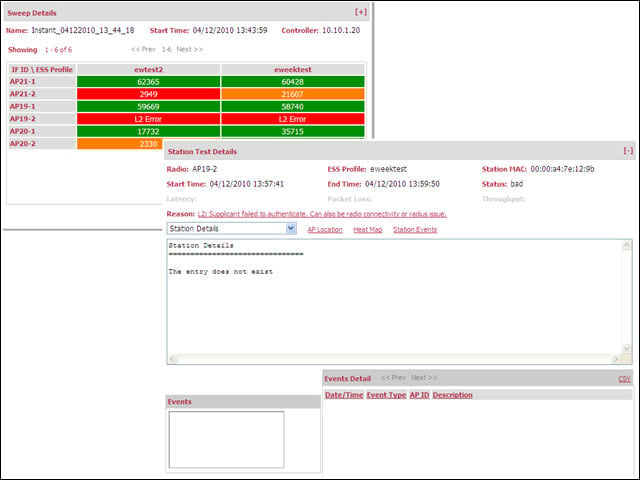
4

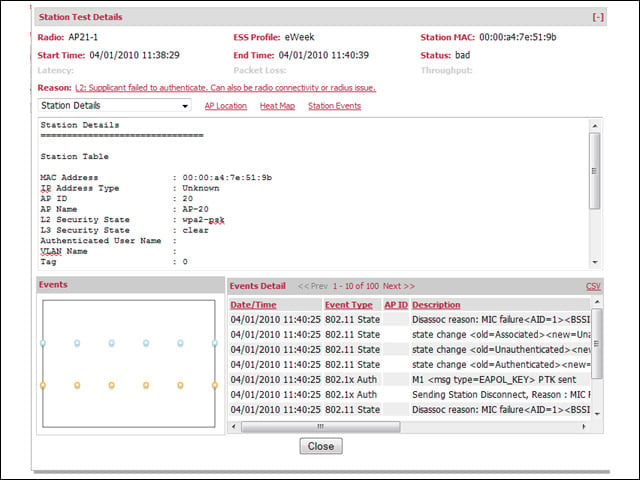
Detail logs can help troubleshoot problems around the network. Here we see the results of antenna problems on one AP.


DHCP Troubleshooting
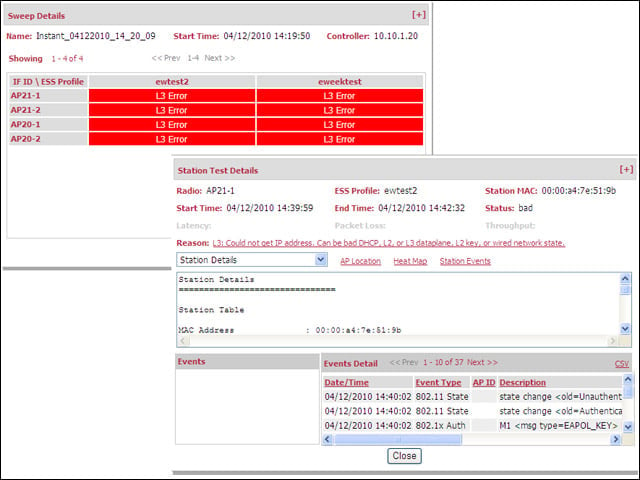
5

Although other tools in the network management arsenal likely do this already, the Software Assurance module can also diagnose network DHCP issues.


Advertisement

Logs

6

Adminstrators can sift through log reports to isolate the client AP and servicing AP in a faltering connection.


Heatmap
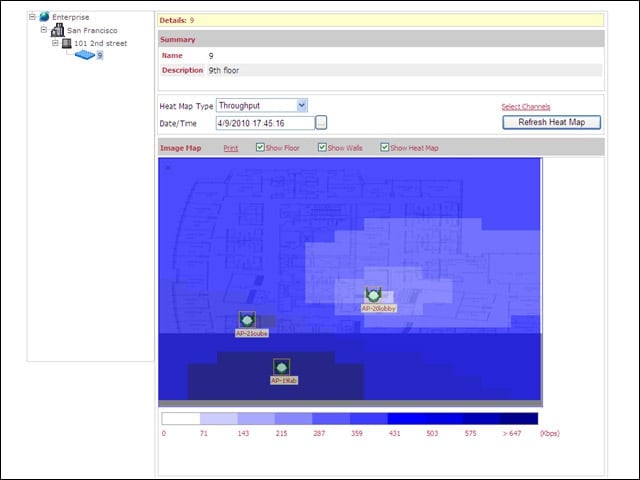
7

Administrators can attach a floormap to the Network Manager module enable the visualization tools within the Service Assurance Module.


Clone Baselines
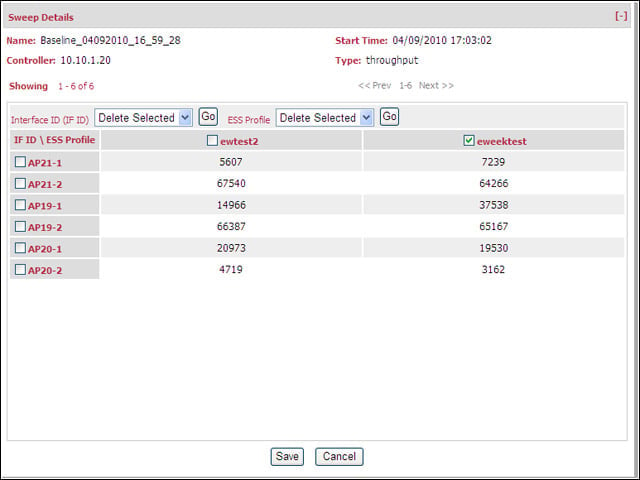
8

Health checks will run the same checks as done in the baseline. To limit what networks are tested in a sweep, I needed to clone a baseline to be able to de-select APs or ESSIDs.


No Title

Andrew Garcia

Andrew Garcia

Content Writer

Andrew cut his teeth as a systems administrator at the University of California, learning the ins and outs of server migration, Windows desktop management, Unix and Novell administration. After a tour of duty as a team leader for PC Magazine's Labs, Andrew turned to system integration - providing network, server, and desktop consulting services for small businesses throughout the Bay Area. With eWEEK Labs since 2003, Andrew concentrates on wireless networking technologies while moonlighting with Microsoft Windows, mobile devices and management, and unified communications. He produces product reviews, technology analysis and opinion pieces for eWEEK.com, eWEEK magazine, and the Labs' Release Notes blog. Follow Andrew on Twitter at andrewrgarcia, or reach him by email at agarcia@eweek.com.

eWeek Logo

eWeek has the latest technology news and analysis, buying guides, and product reviews for IT professionals and technology buyers. The site's focus is on innovative solutions and covering in-depth technical content. eWeek stays on the cutting edge of technology news and IT trends through interviews and expert analysis. Gain insight from top innovators and thought leaders in the fields of IT, business, enterprise software, startups, and more.

Property of TechnologyAdvice. © 2026 TechnologyAdvice. All Rights Reserved

Advertiser Disclosure: Some of the products that appear on this site are from companies from which TechnologyAdvice receives compensation. This compensation may impact how and where products appear on this site including, for example, the order in which they appear. TechnologyAdvice does not include all companies or all types of products available in the marketplace.