






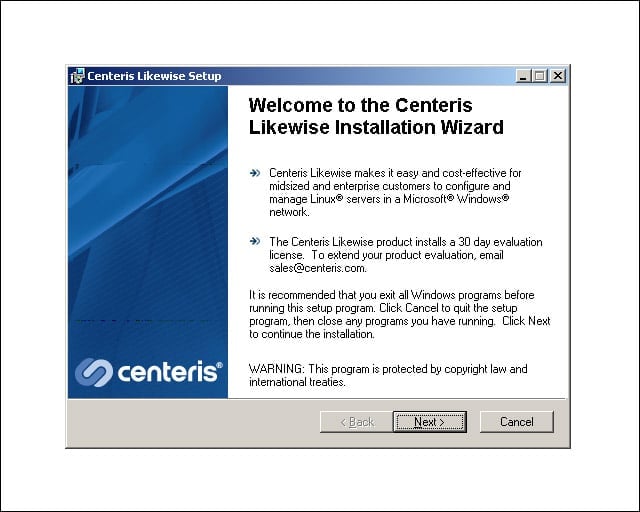


- eWEEK Labs Walk-Through: Centeris Likewise Management System 2.0
- eWEEK Labs Walk-Through: Centeris Likewise Management System 2.0 – Likewise console
- eWEEK Labs Walk-Through: Centeris Likewise Management System 2.0 – Likewise agent not installed
- eWEEK Labs Walk-Through: Centeris Likewise Management System 2.0 – Likewise agent install
- eWEEK Labs Walk-Through: Centeris Likewise Management System 2.0 – Install wizard
- eWEEK Labs Walk-Through: Centeris Likewise Management System 2.0 – Joining the domain
- eWEEK Labs Walk-Through: Centeris Likewise Management System 2.0 – Managing eweek2060728
- eWEEK Labs Walk-Through: Centeris Likewise Management System 2.0 – Adding a share
- eWEEK Labs Walk-Through: Centeris Likewise Management System 2.0 – Detail for share a folder
- eWEEK Labs Walk-Through: Centeris Likewise Management System 2.0 – Shared folder permissions
- eWEEK Labs Walk-Through: Centeris Likewise Management System 2.0 – Successful file sharing
- eWEEK Labs Walk-Through: Centeris Likewise Management System 2.0 – Adding users to a Linux system
- eWEEK Labs Walk-Through: Centeris Likewise Management System 2.0 – Services
- eWEEK Labs Walk-Through: Centeris Likewise Management System 2.0 – Event viewer
- eWEEK Labs Walk-Through: Centeris Likewise Management System 2.0 – Looking at Windows
- eWEEK Labs Walk-Through: Centeris Likewise Management System 2.0 – Join the domain
- eWEEK Labs Walk-Through: Centeris Likewise Management System 2.0 – Leaving a domain
- eWEEK Labs Walk-Through: Centeris Likewise Management System 2.0 – Machine properties
- eWEEK Labs Walk-Through: Centeris Likewise Management System 2.0 – Firewall properties
- eWEEK Labs Walk-Through: Centeris Likewise Management System 2.0 – Firewall details
- eWEEK Labs Walk-Through: Centeris Likewise Management System 2.0 – Adding new users
- eWEEK Labs Walk-Through: Centeris Likewise Management System 2.0 – SSH terminal commands
- eWEEK Labs Walk-Through: Centeris Likewise Management System 2.0 – Connecting to managed systems
- eWEEK Labs Walk-Through: Centeris Likewise Management System 2.0 – Status monitoring
eWEEK Labs Walk-Through: Centeris Likewise Management System 2.0
We installed Likewise on a Windows Server 2003 system
eWEEK Labs Walk-Through: Centeris Likewise Management System 2.0 – Likewise console
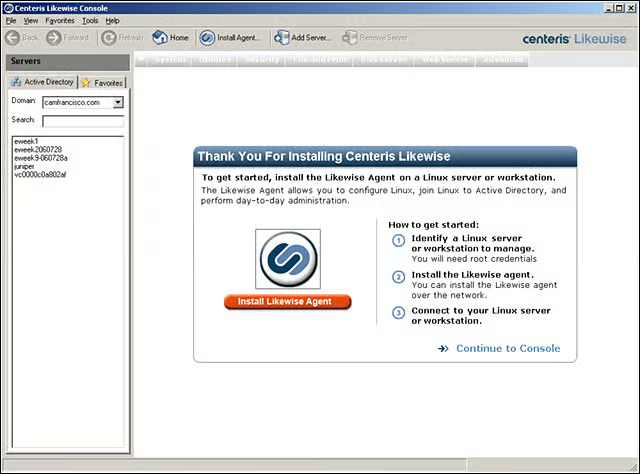
The product was installed in less than 5 minutes, very little time for a management tool (or any tool, for that matter). The Likewise console picked up systems from our Microsoft Active Directory with very little prompting. (Notice the left side of the sc
eWEEK Labs Walk-Through: Centeris Likewise Management System 2.0 – Likewise agent not installed
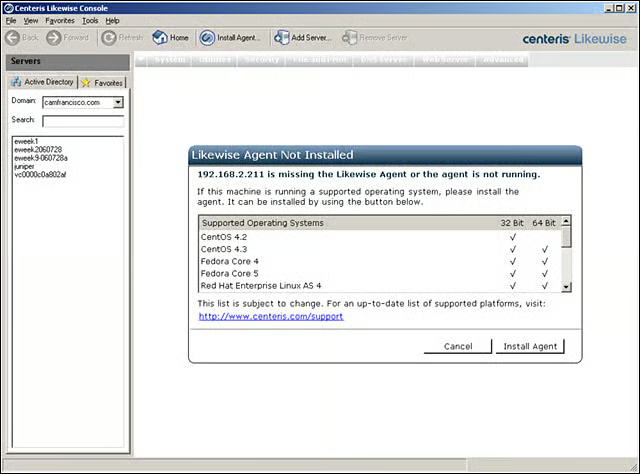
Just pick the agent for the Linux system for deployment. Not all agents are seen on this screen. For a full list of supported distros, go to centeris.com.
eWEEK Labs Walk-Through: Centeris Likewise Management System 2.0 – Likewise agent install
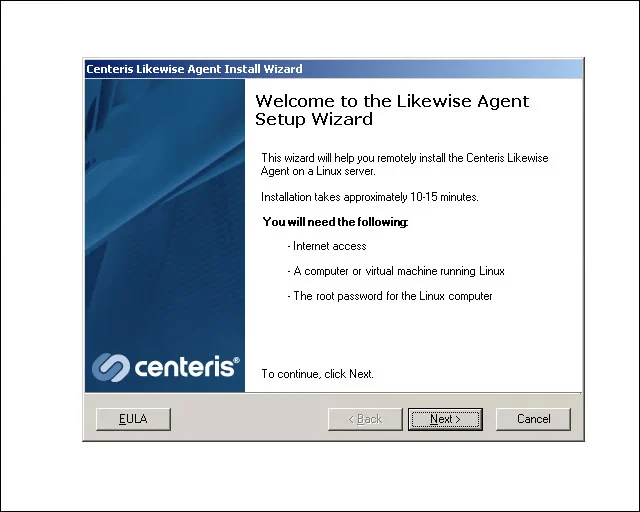
Centeris is made for small shops where Windows system management is well understood but Linux systems are a mystery. In this type of small-shop environment, it seems reasonable to install each agent individually. The install process never took 15 minutes,
eWEEK Labs Walk-Through: Centeris Likewise Management System 2.0 – Install wizard
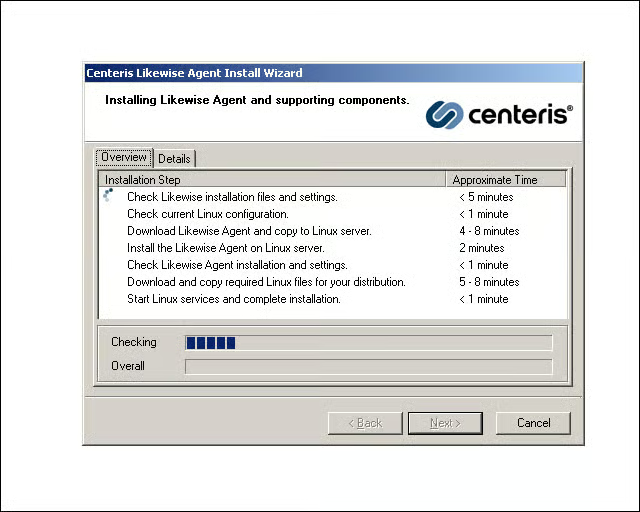
Each phase of agent deployment process is detailed so that we knew exactly where we were.
eWEEK Labs Walk-Through: Centeris Likewise Management System 2.0 – Joining the domain
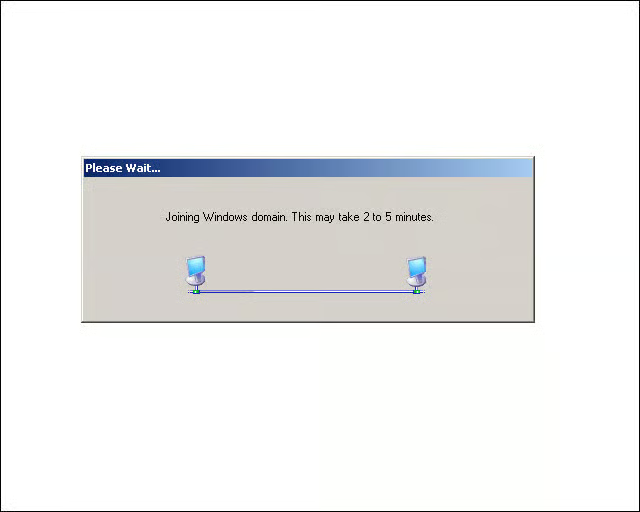
After deploying the agent, we initiated the process of joining Linux systems to our Active Directory domain.
eWEEK Labs Walk-Through: Centeris Likewise Management System 2.0 – Managing eweek2060728
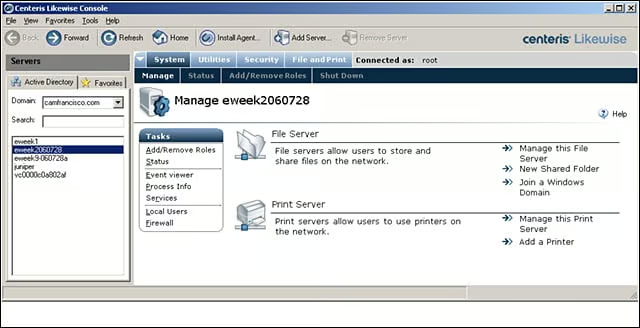
The tabbed interface was clearly laid out, with each set of chores neatly presented.
eWEEK Labs Walk-Through: Centeris Likewise Management System 2.0 – Adding a share
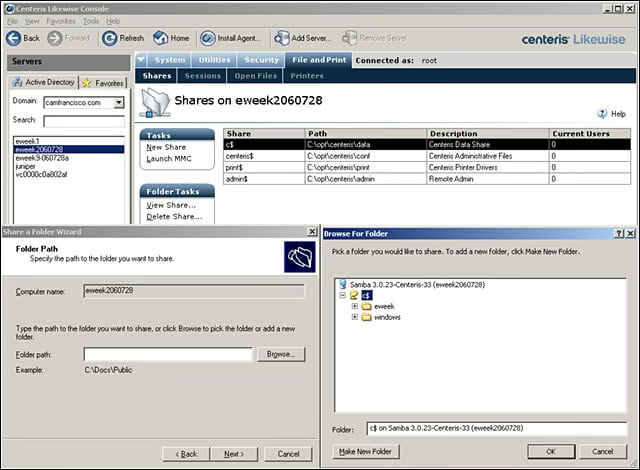
We selected the New Share task, shown in the upper-middle part of the screen, and browsed the file structure on the Red Hat ES4 system. In the Folder Path, at lower left, we were able to specify the name of the shared folder. (In this section, the shared
eWEEK Labs Walk-Through: Centeris Likewise Management System 2.0 – Detail for share a folder
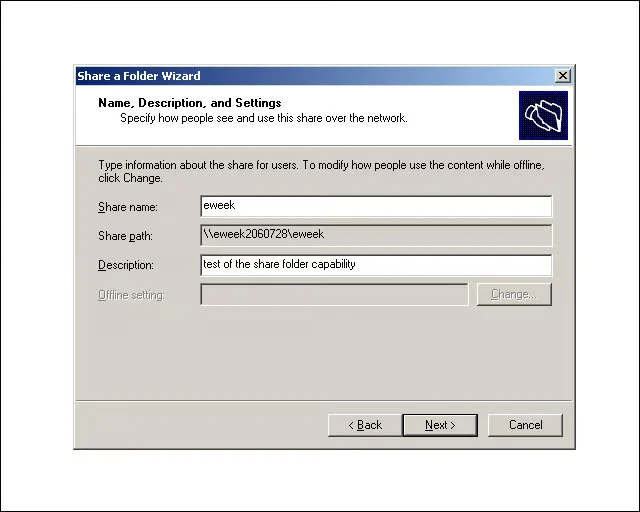
Here is a detail screen to show more clearly the fields that we filled out to create our new file share on our Red Hat system. Every user input screen shares the same uncluttered layout seen in this screen.
eWEEK Labs Walk-Through: Centeris Likewise Management System 2.0 – Shared folder permissions
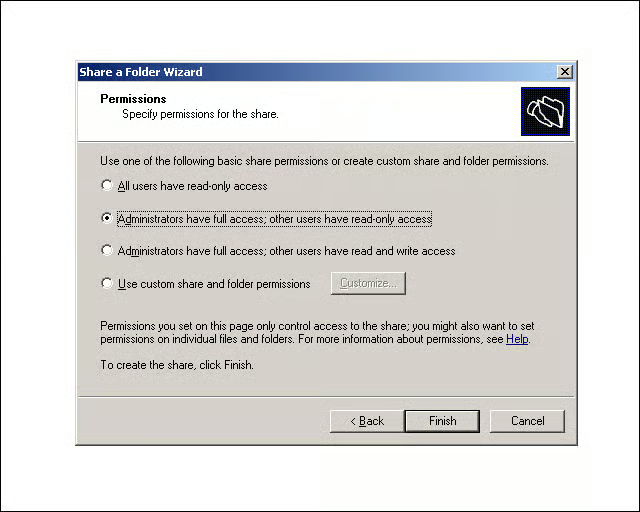
Likewise made it very easy for us to choose folder sharing options that matched our security and user access requirements. Notice that there is a custom option with which we could make more detailed access policies.
eWEEK Labs Walk-Through: Centeris Likewise Management System 2.0 – Successful file sharing
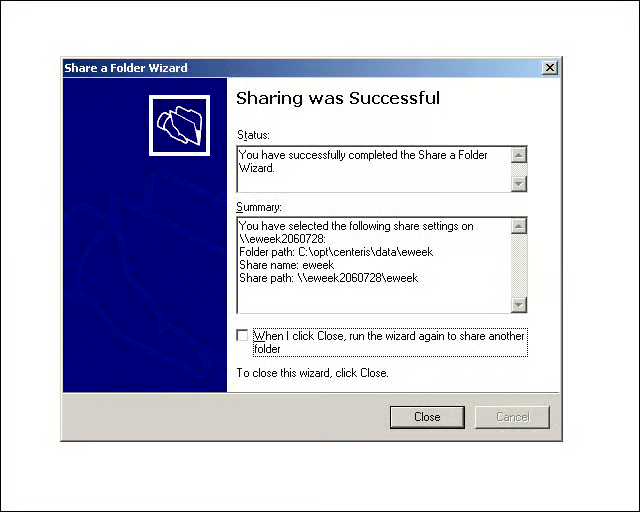
The detailed summary screen confirmed our changes.
eWEEK Labs Walk-Through: Centeris Likewise Management System 2.0 – Adding users to a Linux system
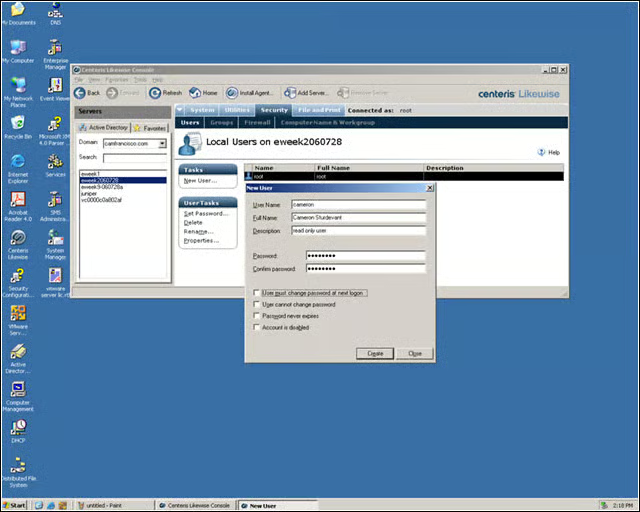
We added users to our Linux systems using the interface that is familiar to any Windows system administrator.
eWEEK Labs Walk-Through: Centeris Likewise Management System 2.0 – Services
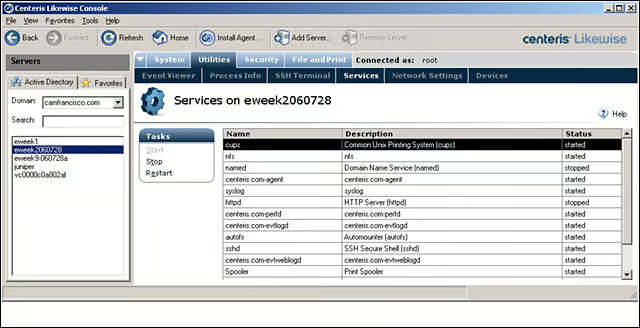
With a few mouse clicks, we were able to see the running services on our Red Hat and CentOS servers. It was also simple to start and stop services from the console, a process that can be daunting for a Windows administrator using the native Linux command
eWEEK Labs Walk-Through: Centeris Likewise Management System 2.0 – Event viewer
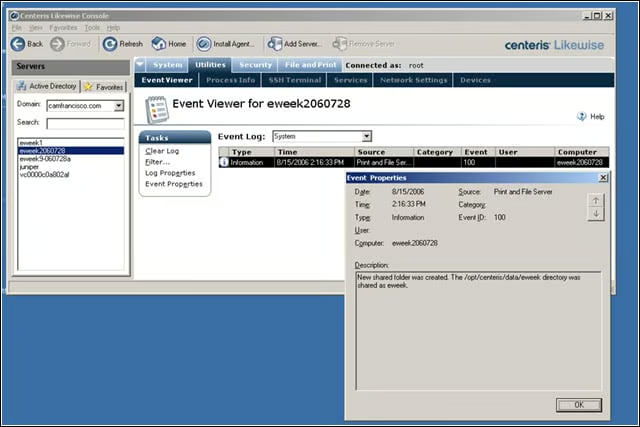
New in Likewise is the ability to see event logs for systems. In this case, weve opened the details on the creation of the shared folder on our Red Hat system.
eWEEK Labs Walk-Through: Centeris Likewise Management System 2.0 – Looking at Windows
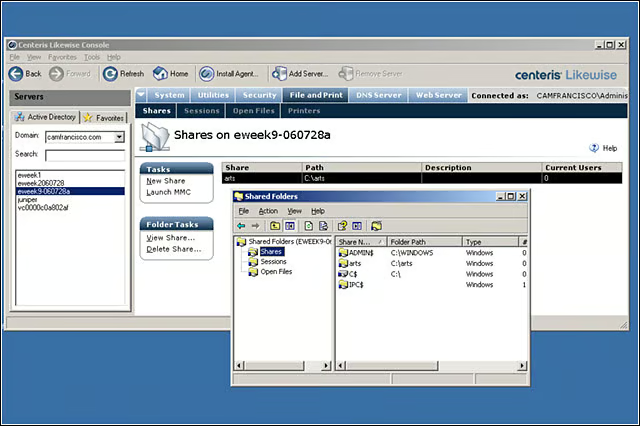
Although Likewise is designed to make Linux system management easier for Windows administrators, we were able to get details on our Windows systems too. Here, we can see the shared folders on a Windows Server 2003 system
eWEEK Labs Walk-Through: Centeris Likewise Management System 2.0 – Join the domain
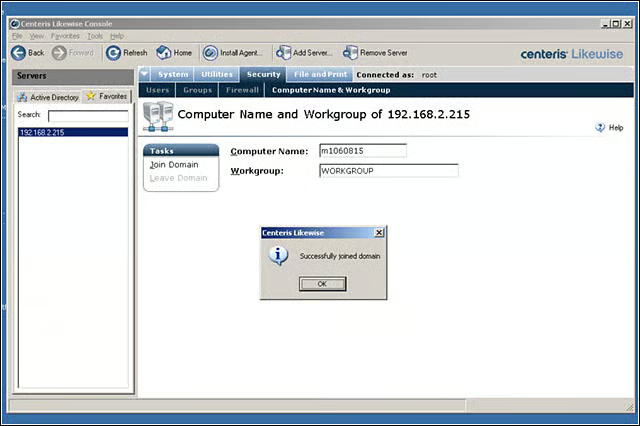
Our Red Hat system successfully joined the Windows domain with no special Unix-like command line interaction needed.
eWEEK Labs Walk-Through: Centeris Likewise Management System 2.0 – Leaving a domain
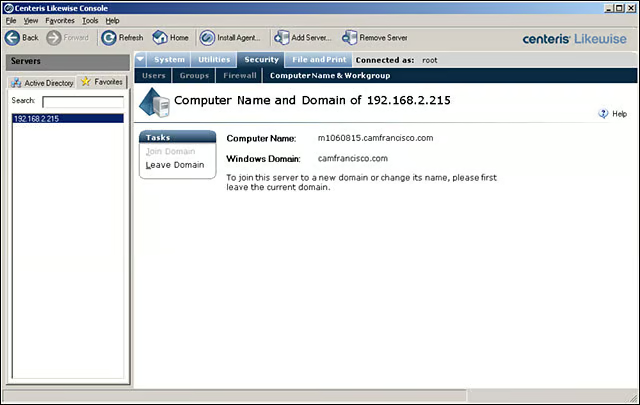
Removing a Linux machine from a Windows domain is a simple operation that is supported by Likewise.
eWEEK Labs Walk-Through: Centeris Likewise Management System 2.0 – Machine properties
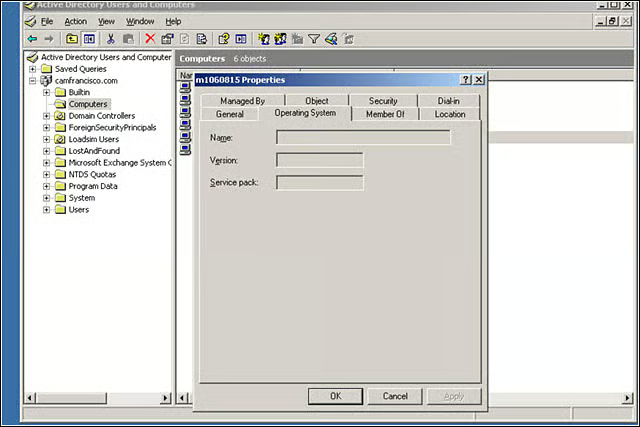
We would have liked to see the operating system name and version information populated in the properties associated with our Red Hat system.
eWEEK Labs Walk-Through: Centeris Likewise Management System 2.0 – Firewall properties
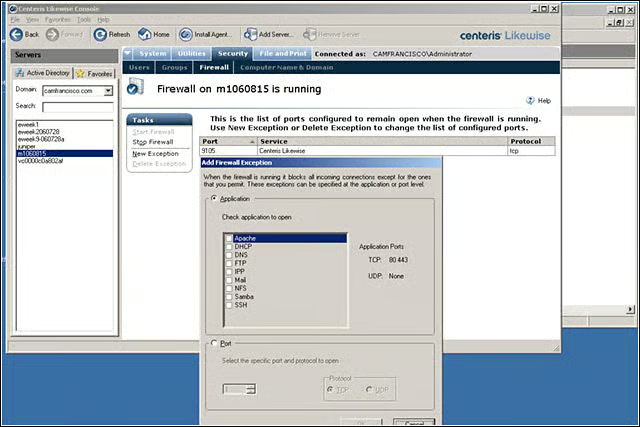
New in Likewise is the ability to make basic changes to firewall rules running on the host Linux system. We were easily able to make changes to our Red Hat system firewall using the Likewise checkbox interface.
eWEEK Labs Walk-Through: Centeris Likewise Management System 2.0 – Firewall details
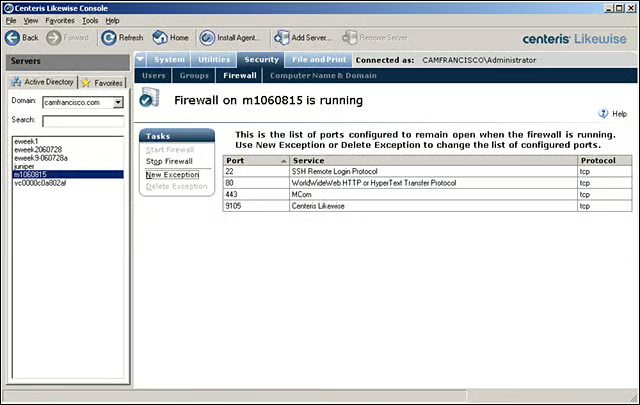
Along with setting firewall rules using the checkbox interface, we also were able to add and remove firewall exceptions with a simple port configuration interface screen.
eWEEK Labs Walk-Through: Centeris Likewise Management System 2.0 – Adding new users
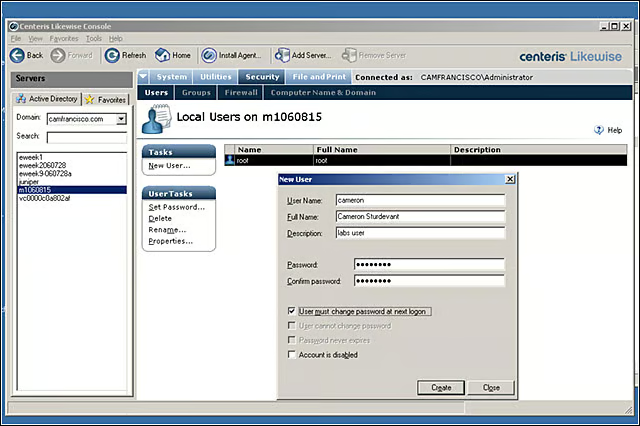
It was simple to add users to the Red Hat system using the Windows-like properties box.
eWEEK Labs Walk-Through: Centeris Likewise Management System 2.0 – SSH terminal commands
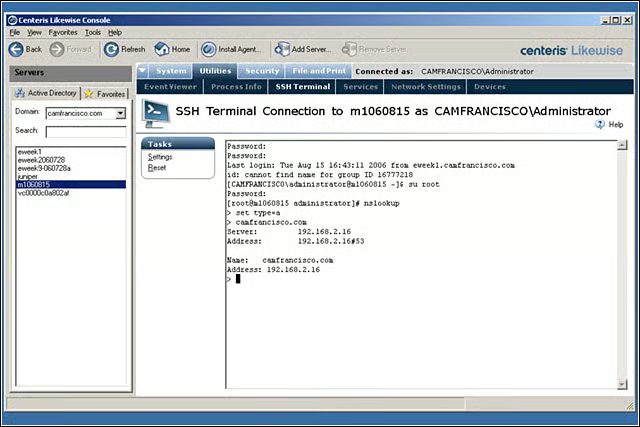
New in Likewise is the ability to open an SSH terminal connection to managed systems. We entered commands to determine the configuration of the Windows domain controller used by our Red Hat system.
eWEEK Labs Walk-Through: Centeris Likewise Management System 2.0 – Connecting to managed systems
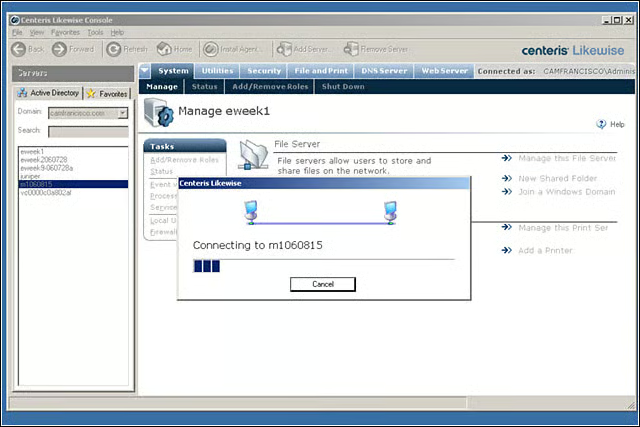
It took just seconds for the Likewise console to make a connection to one of our managed Linux systems.
eWEEK Labs Walk-Through: Centeris Likewise Management System 2.0 – Status monitoring
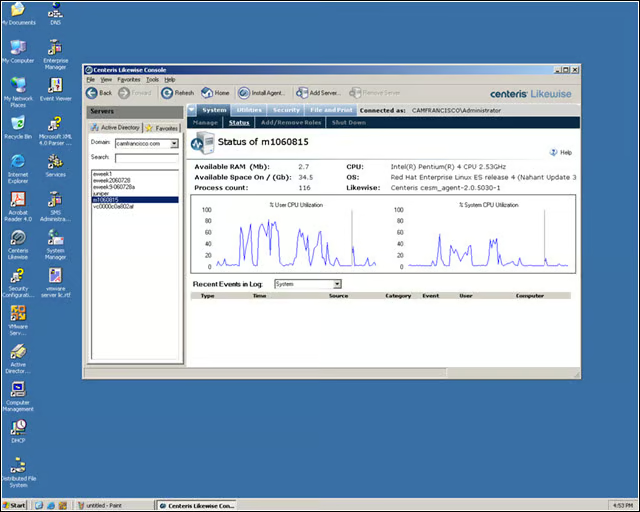
We used the new status monitoring interface to get real-time performance metrics