







- Bit9 Stops Malware with Whitelist
- Bit9 Stops Malware with Whitelist – Dashboard Threats, Warnings
- Bit9 Stops Malware with Whitelist – A Lot of Software
- Bit9 Stops Malware with Whitelist – New Files on Computers
- Bit9 Stops Malware with Whitelist – Top 10 Files
- Bit9 Stops Malware with Whitelist – Security Policy Enforced
- Bit9 Stops Malware with Whitelist – Manage Computers
- Bit9 Stops Malware with Whitelist – Computer Details
- Bit9 Stops Malware with Whitelist – Trusted Updaters
- Bit9 Stops Malware with Whitelist – See More Slide Shows Like This One
Bit9 Stops Malware with Whitelist
Bit9 Stops Malware with Whitelist – Dashboard Threats, Warnings
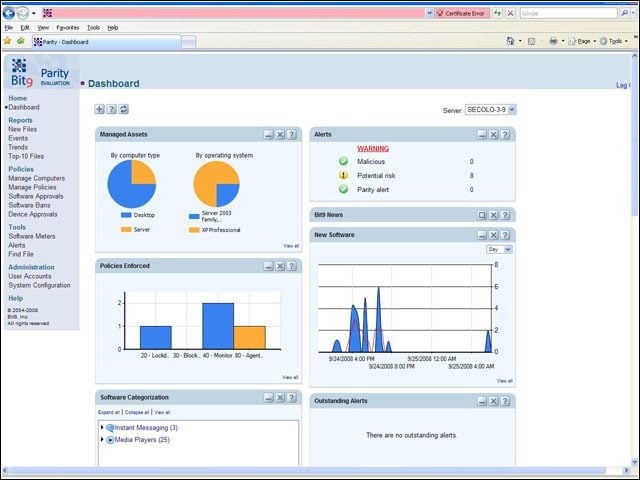
Notice in the upper right screen the “warnings” section. During initial use of the product, this is where I spent most of my time, clicking on the “malicious” and “potential risk” counters to immediately evaluate files and take countermeasures where indicated. IT managers who are installing Bit9’s Parity on an existing fleet of systems and servers will spend a lot of time here getting a handle on the installed software in the environment.
Bit9 Stops Malware with Whitelist – A Lot of Software
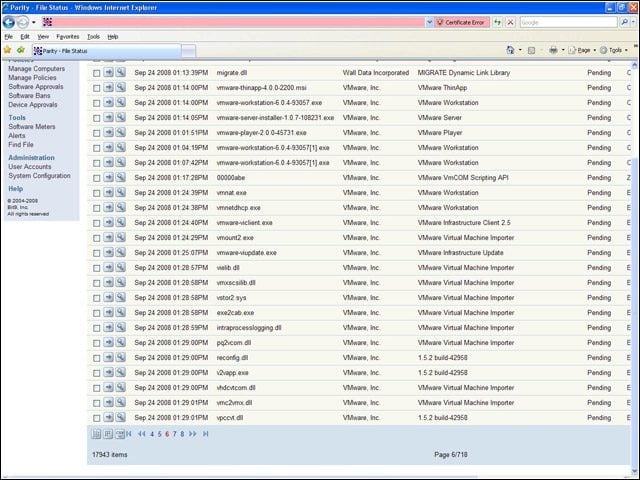
I inventoried a Windows desktop and laptop system that had been used in production for two years. Along with my lab test systems, Parity found 17,943 items of interest installed in my environment. The product would be useless without the extensive library of files that Bit9 has evaluated and assigned a threat assessment value.
Bit9 Stops Malware with Whitelist – New Files on Computers
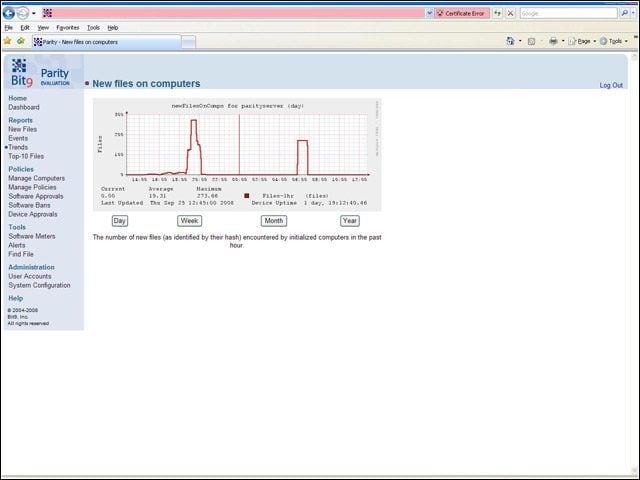
The Parity agent tracks new files and reports both the quantity (shown here in this trend report) and details (some shown on the next slide). Over time, I would expect this trend to stabilize at some low number. An upward spike in the graph should be a signal for IT pros to pay closer attention to what’s happening in the end-user environment. And for more fine-grained control
Bit9 Stops Malware with Whitelist – Top 10 Files
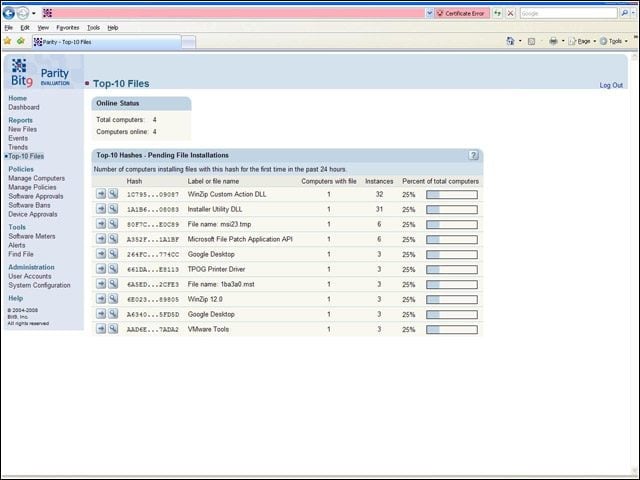
Computers installing files in the last 24 hours can be tracked using one of several canned reports included with Parity. There is a great deal of report flexibility, and IT managers will be able to get information about attempted installations, blocked applications and other anomalous application behavior.
Bit9 Stops Malware with Whitelist – Security Policy Enforced
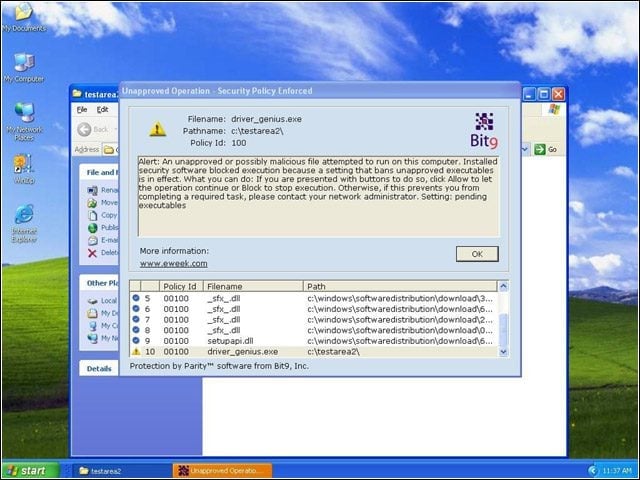
Here’s what the end user sees on a Windows XP client in lockdown mode when trying to install unapproved software. Most elements in this warning screen can be customized, including the logo and warning message. This is a block screen. Had Parity been running in block and ask mode, there would have been an “allow” button on the lower right side.
Bit9 Stops Malware with Whitelist – Manage Computers
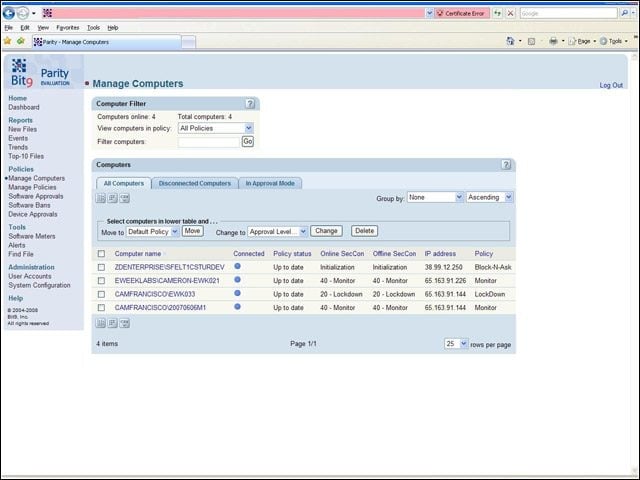
Managed computers can be grouped together for greater ease of management. I like Bit9’s design philosophy-
Bit9 Stops Malware with Whitelist – Computer Details
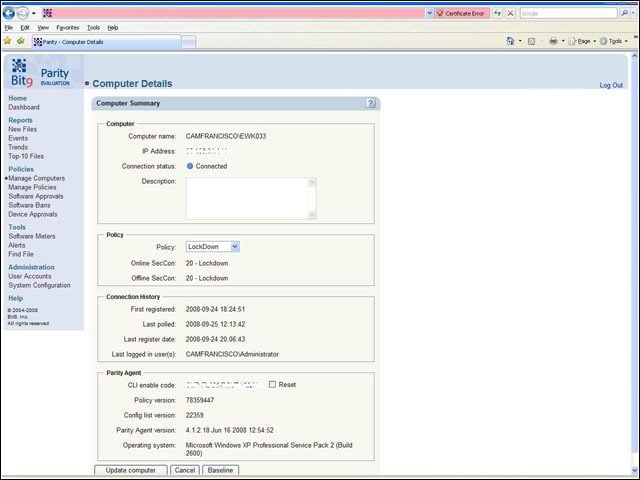
Diving into the weeds on an individual system is easy enough, and I got plenty of detail on what was happening on my managed systems.
Bit9 Stops Malware with Whitelist – Trusted Updaters
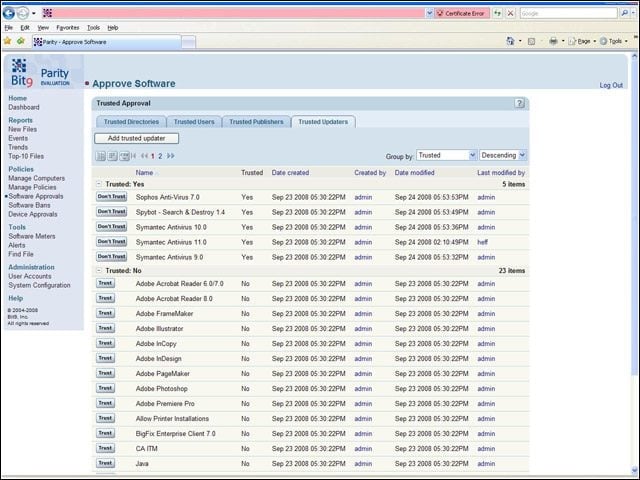
In addition to trusted directories, users and publishers, Parity is able to trust self-updating software such as anti-virus applications, thus cutting down on false-positive blocks of approved software activity.
Bit9 Stops Malware with Whitelist – See More Slide Shows Like This One

Oracle Database Users Lock Out Data Leak Security at Oracle OpenWorldby Brian PrinceAnti-virus Suite Features for 2009Browsers and Unsigned Certificatesby Larry SeltzerVirtualization Security 101by Brian Prince