







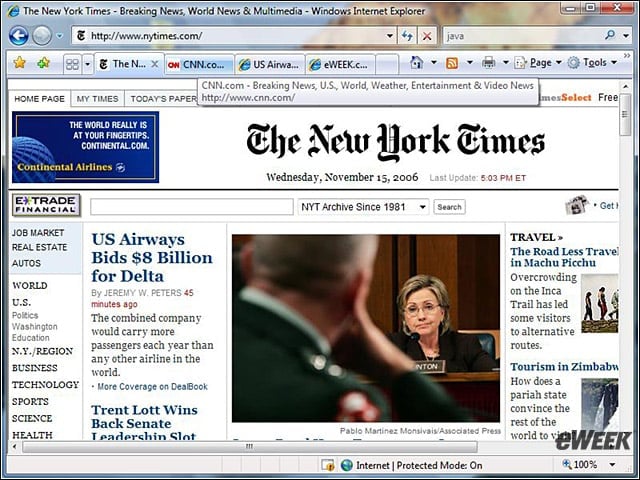
- eWEEK Labs Walk-Through: Internet Explorer 7 on Vista
- eWEEK Labs Walk-Through: Internet Explorer 7 on Vista – Parental Controls
- eWEEK Labs Walk-Through: Internet Explorer 7 on Vista – Restriction Levels
- eWEEK Labs Walk-Through: Internet Explorer 7 on Vista – Custom Settings
- eWEEK Labs Walk-Through: Internet Explorer 7 on Vista – Protected Mode
eWEEK Labs Walk-Through: Internet Explorer 7 on Vista
Its a gas, I mean Aero Glass, using IE 7 on Vista.
eWEEK Labs Walk-Through: Internet Explorer 7 on Vista – Parental Controls
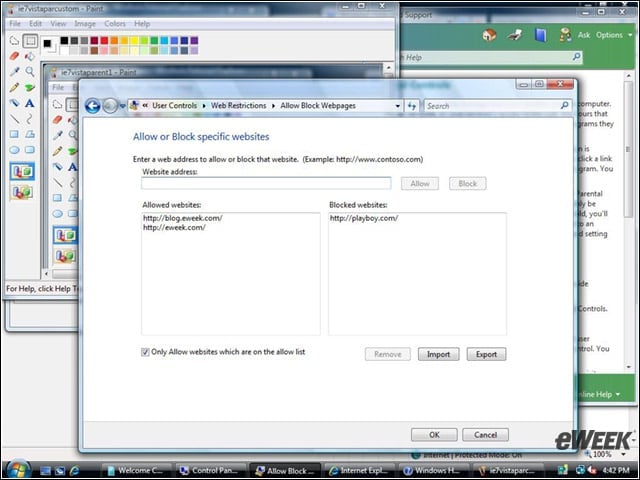
Using IE 7s Parental Controls on Vista, parents (or bosses) can control which Web sites kids (or employees) can access.
eWEEK Labs Walk-Through: Internet Explorer 7 on Vista – Restriction Levels
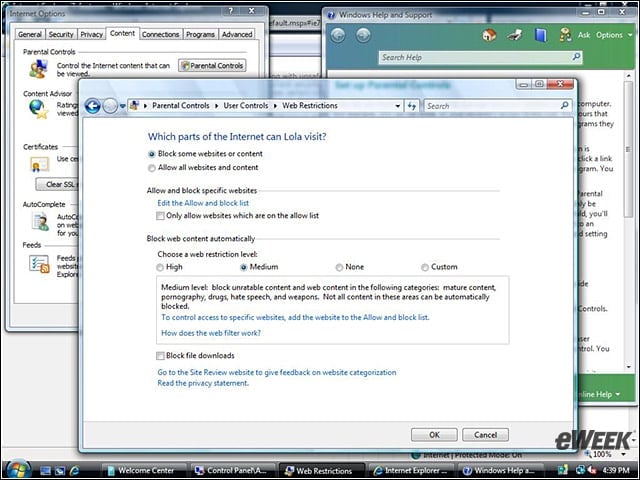
OK, kids: Now that we have IE 7 on Vista, youll be doing some Medium protection surfing.
eWEEK Labs Walk-Through: Internet Explorer 7 on Vista – Custom Settings
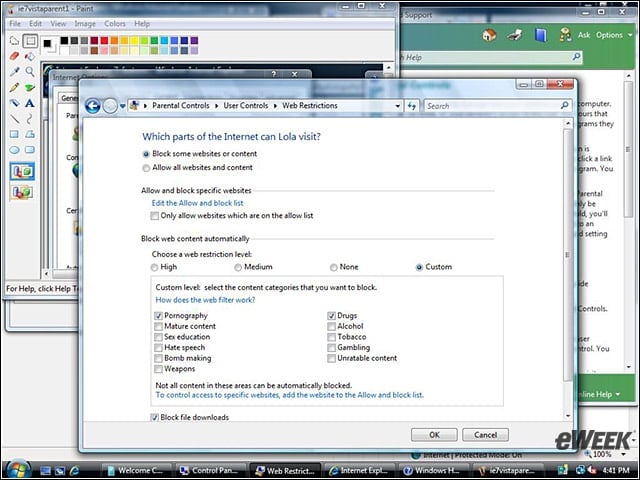
Web site restrictions can be custom-set, allowing parents to choose what types of sites to block.
eWEEK Labs Walk-Through: Internet Explorer 7 on Vista – Protected Mode
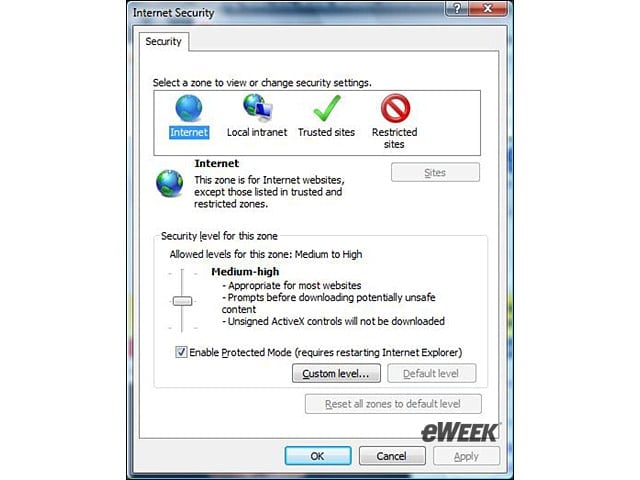
The Protected Mode in IE 7 on Vista prevents Web applications from accessing the user system.
Listen to this article