







- eWEEK Labs Walk-Through: Vista Security
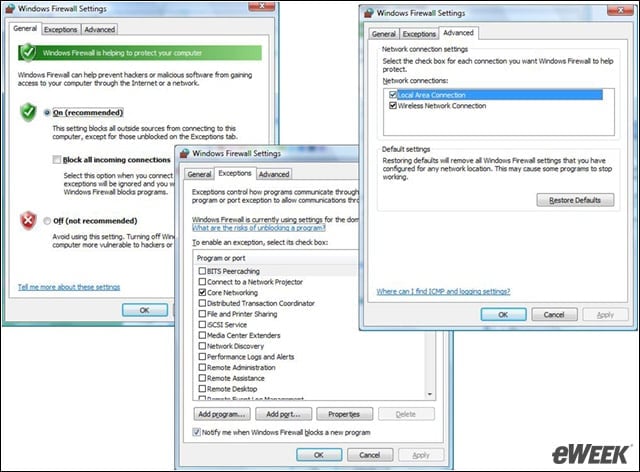
- eWEEK Labs Walk-Through: Vista Security – Advanced Firewall Configuration Screen
- eWEEK Labs Walk-Through: Vista Security – Configuring Windows Firewall via Group Policy
- eWEEK Labs Walk-Through: Vista Security – Limited Defender Management
- eWEEK Labs Walk-Through: Vista Security – Enabling USB Thumb Drives for BitLocker
- eWEEK Labs Walk-Through: Vista Security – The BitLocker Configuration Dialog
- eWEEK Labs Walk-Through: Vista Security – BitLocker Wizard
- eWEEK Labs Walk-Through: Vista Security – BitLocker Error
eWEEK Labs Walk-Through: Vista Security
The firewall configuration interface looks similar to that in Windows XP, but ICMP (Internet Control Message Protocol) rules are kept elsewhere—in the advanced configuration pane.
eWEEK Labs Walk-Through: Vista Security – Advanced Firewall Configuration Screen
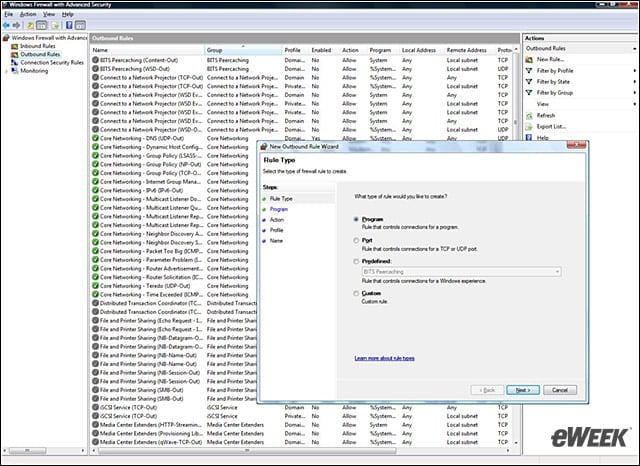
We needed to access a different configuration screen to set up the outbound firewall rules.
eWEEK Labs Walk-Through: Vista Security – Configuring Windows Firewall via Group Policy
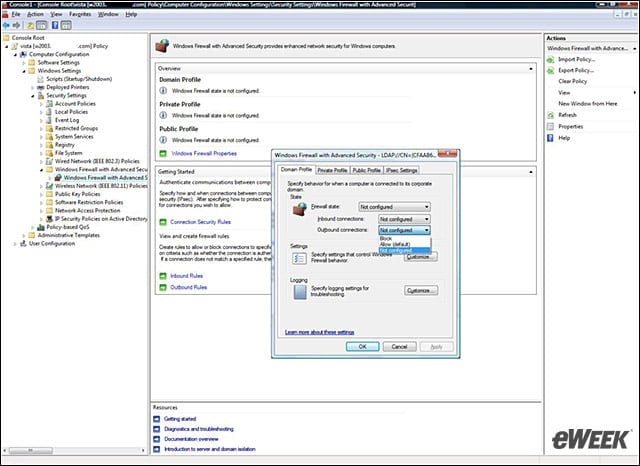
Vista offers pretty rich firewall controls via Group Policy. However, these settings are available in a newer ADMX GPO (Group Policy Object) format, so they cannot be used for legacy Windows XP systems.
eWEEK Labs Walk-Through: Vista Security – Limited Defender Management
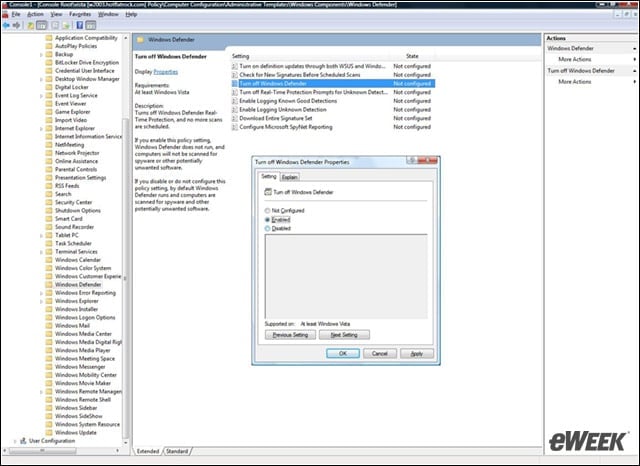
We could configure only a few of Windows Defenders behaviors via Group Policy. Here, we turn it off so we can use something else.
eWEEK Labs Walk-Through: Vista Security – Enabling USB Thumb Drives for BitLocker
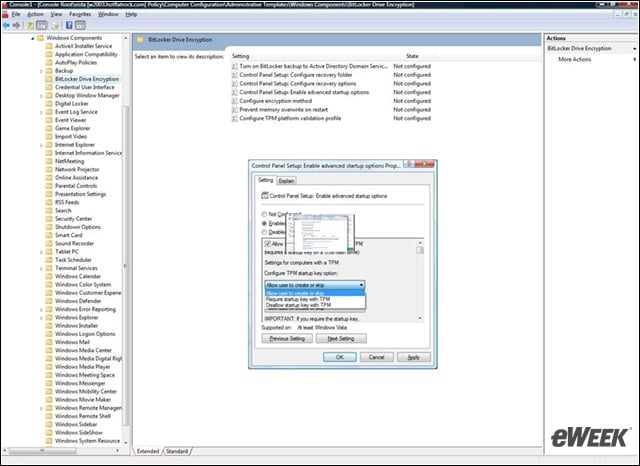
To enable the use of thumb drives instead of a TPM (Trusted Platform Module) chip, we needed to modify the local GPO or a domain-based GPO.
eWEEK Labs Walk-Through: Vista Security – The BitLocker Configuration Dialog
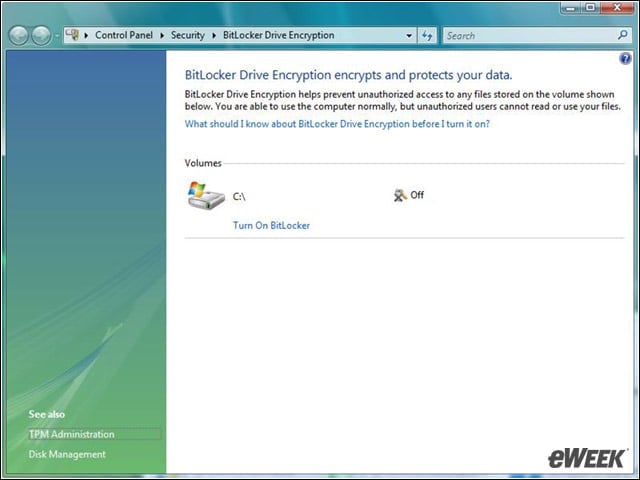
This screen shows BitLocker enabled, but if a TPM chip is not present and the GPO isnt changed to allow the use of USB drives, we couldnt get this far.
eWEEK Labs Walk-Through: Vista Security – BitLocker Wizard
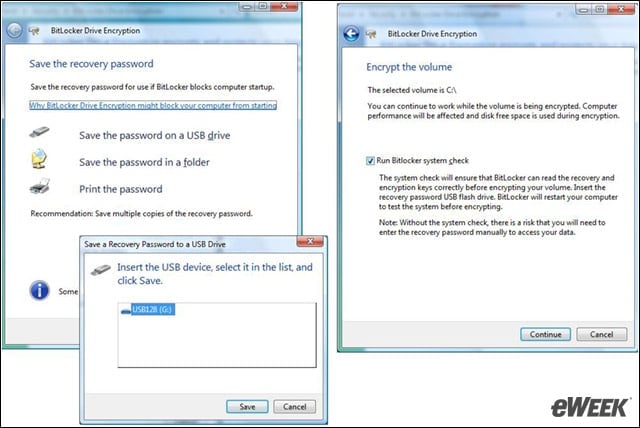
Through the BitLocker wizard, we could define where to store the decryption key and the recovery password, and specify whether to perform the system check.
eWEEK Labs Walk-Through: Vista Security – BitLocker Error
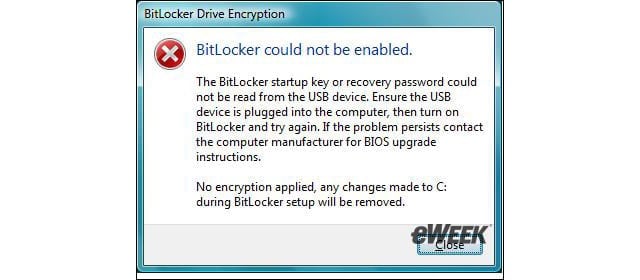
When the security check fails to detect the presence of a TPM chip or a USB key containing the correct decryption key, BitLocker cancels the disk encryption.